
GLPI
GLPI is an IT management platform covering helpdesk tickets, asset inventory, and service management.
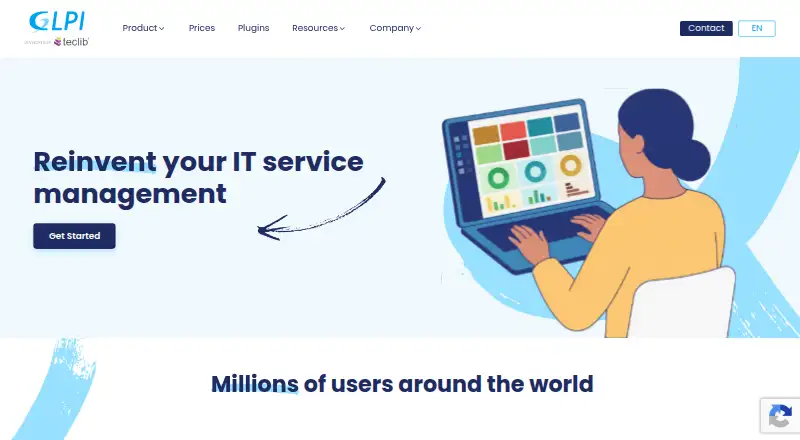
What GLPI is
GLPI is an IT management platform covering helpdesk tickets, asset inventory, and service management. Users can submit incident or request tickets and route them to a group, profile, or individual. Workflows include problem and change management, planning, recurring tickets, statistics, and custom forms. The inventory can track hardware, software and licenses, network equipment, certificates, domains, clusters, and databases. Other tools include project workflows with Gantt or Kanban views, a knowledge base, reservations, reports, and saved searches. GLPI provides eight profile types and both standard and self-service interfaces; the self-service interface is free for end users. Integrations listed include Azure/Entra ID, Google SSO, GLPI Inventory, webhooks, Active Directory, CAS, and an API. Organizations can choose cloud or on-premise deployment. The public-cloud offer has a 45-day trial with no obligation or credit card required.
Good
- Tickets can be routed to groups or individuals
- Tracks hardware, software, licenses, and network equipment
- Includes a knowledge base and project workflows
- Free self-service interface for end users
- On-premise version has no licensing fees or user limit
Watch out
- Private Cloud requires at least 25 billed agents
- Public Cloud lists 97% annual availability
Who it suits
GLPI suits organizations that need ticket handling, IT asset records, and service workflows. Cloud and on-premise options address different deployment needs, including teams with specific security or customization requirements and IT staff.
Verdict
GLPI covers helpdesk, inventory, and service workflows, with cloud and self-hosted choices. Review agent minimums, listed availability, and deployment requirements against your organization’s needs.
Plans and prices
From GLPI's own pricing page, checked 21 Oct 2026.
| Plan | Price | What it gives you |
|---|---|---|
| Public Cloud | €19 a month | unlimited assets · unlimited end users · 5 GB disk · shared resources · 97% availability · 45-day trial · per user, excluding VAT; starts with 1 user |
| Private Cloud | €21 a month | unlimited assets · unlimited end users · 50 GB disk · dedicated resources · 99% availability · hourly backups · per user, excluding VAT; minimum 25 users |
| Custom | — | Custom quote |
| GLPI Network Basic | €100 a month | Self-hosted · up to 10 technical staff · up to 500 assets · one production and one test instance · unlimited N3 support · Monthly (excl. VAT) |
| Self-hosted Basic | €100 a month | up to 10 IT agents · 500 assets · one production and one test instance · excluding VAT |
| Self-hosted Standard | €300 a month | up to 50 IT agents · 5,000 assets · two production and two test instances · excluding VAT |
| GLPI Network Standard | €300 a month | Self-hosted · up to 50 technical staff · up to 5,000 assets · two production and two test instances · unlimited N3 support · Monthly (excl. VAT) |
| Self-hosted Advanced | €1,000 a month | more than 50 technical staff · more than 5,000 assets · four production and four test instances · excluding VAT |
| GLPI Network Advanced | €1,000 a month | Self-hosted · more than 50 technical staff · more than 5,000 assets · four production and four test instances · unlimited N3 support · Monthly (excl. VAT) |
| Self-hosted Enterprise | €4,500 a month | unlimited assets · unlimited instances · priority support · crisis response team · three training places · excluding VAT |
| GLPI Network Enterprise | €4,500 a month | Self-hosted · unlimited assets · unlimited instances · priority N3 support · three places on official training courses · Monthly (excl. VAT) |
| Private Custom-Made | Priced on request | custom architecture · geographic redundancy · unlimited dedicated resources · customized SLA · custom quote |
| Custom Cloud | Priced on request | Custom availability · unlimited disk space · custom RPO/RTO · Custom quote |
The facts
Each one read from GLPI's own pages, with the date it was checked.
What it does
- Access profiles
- GLPI offers eight profile types and standard and self-service interfaces, with the self-service interface free for end users.checked 30 Sep 2026
- API
- GLPI provides a legacy REST API, a newer high-level API with OAuth2 grants, Swagger documentation and a GraphQL wrapper.checked 21 Oct 2026
- API limits
- Client-credentials authentication is restricted to the inventory scope; other API resources require an authenticated user.checked 21 Oct 2026
- Asset management
- GLPI manages hardware, software and licenses, network equipment, certificates, domains, clusters, and databases.checked 30 Sep 2026
- Authentication
- Supported external authentication sources include LDAP, mail servers, CAS, X.509 certificates and web-server delegation.checked 21 Oct 2026
- Cloud backup
- The pricing page specifies daily public-cloud backups retained for 30 days and private-cloud daily plus hourly incremental backups.checked 30 Sep 2026
- Cloud security
- The cloud security policy says its OVHCloud firewall allows HTTPS only and blocks other protocols before they reach instances.checked 30 Sep 2026
- Deployment choice
- The pricing page describes cloud as suited to quick setup with minimal maintenance and on-premise as suited to organizations with specific security or customization needs and an IT team.checked 30 Sep 2026
- Documentation
- Documentation covers administrator, user, developer, agent and plugin workflows, with installation, command-line, API and contribution guidance.checked 21 Oct 2026
- Helpdesk
- Helpdesk supports incident and request tickets, problems, changes, recurring tickets, custom forms, SLAs, planning and statistics.checked 21 Oct 2026
- Integrations
- Official integrations include Azure/Entra ID, Google SSO, GLPI Inventory and webhooks.checked 21 Oct 2026
- Inventory
- The feature set inventories computers, monitors, software, network equipment, data-center equipment, PDUs, cables, SIM cards and consumables.checked 21 Oct 2026
- ITSM workflows
- The product includes problem and change management, planning, recurring tickets, statistics, and custom forms.checked 30 Sep 2026
- Knowledge base
- A knowledge-base module centralizes internal procedures and public FAQs for user self-service.checked 21 Oct 2026
- Licence
- GLPI is distributed under GPL-3.0-or-later and remains free and open source.checked 21 Oct 2026
- Limit: installation and interface
- Capterra reviewers report difficult installation, scattered documentation and dated or confusing menus.checked 21 Oct 2026
- Limit: integrations and plugins
- Reviewers report that integrations and automated access setup can be difficult, while plugins and updates may be clunky or incompatible across versions.checked 21 Oct 2026
- Limit: mobile clients
- Apple reviewers report that Cliente GLPI fails to authenticate or synchronize with some local servers, while Google Play reviewers cite self-signed certificate login failures and missing notifications.checked 21 Oct 2026
- Limit: reporting
- G2 reviewers say reporting, auditing and export capabilities need improvement.checked 21 Oct 2026
Money
- Free deployment
- The FAQ states that on-premise GLPI has no licensing fees and no limit on users or technicians.checked 30 Sep 2026
- Free plan
- Yeschecked 23 Sep 2026
The company
- LinkedIn company facts
- LinkedIn lists GLPI Developed by Teclib' in Paris, with 11–50 employees and a 2015 founding year.checked 21 Oct 2026
- Maker history
- Teclib is a French company founded in 2011 that became GLPI's official publisher in 2015; the project began at INDEPNET in 2003.checked 21 Oct 2026
- Maker size
- Teclib says its group employs more than 60 professionals.checked 21 Oct 2026
The full review of GLPI
GLPI is an IT management platform for teams that want ticketing, service workflows, and a broad asset inventory in one system. It suits organizations with dedicated IT staff, especially those able to manage a self-hosted deployment or pay for cloud operations. Its breadth is a strength, but the right deployment depends on agent count, service expectations, and how much infrastructure the organization wants to run.
Overview
GLPI combines incident and request handling with IT service management and inventory. Tickets can be assigned to a group, profile, or individual, while problem and change management, planning, recurring tickets, statistics, and custom forms extend the workflow beyond a basic helpdesk. Approval workflows and SLA management make it relevant to teams with formal service processes.
Inventory spans hardware, software and licenses, plus network equipment, certificates, domains, clusters, and databases. Project workflows include Gantt and Kanban views, alongside a knowledge base, reservations, reports, and saved searches. That range can reduce the need to split these jobs across separate tools, though it also makes GLPI a broader operational system than a team seeking only a lightweight ticket queue may need.
Key features
- Ticket assignment and access: Tickets can go to groups, profiles, or named owners. Eight profile types and standard and self-service interfaces offer distinct access patterns; the self-service interface is free for end users.
- Service workflows: Problem and change management, recurring tickets, planning, custom forms, approvals, and SLA management suit organizations that need structured service operations rather than ticket tracking alone.
- Inventory and knowledge: Broad asset coverage is paired with a knowledge base, reports, reservations, and saved searches, useful when service teams need to connect support work with managed resources and reference material.
- Identity and integrations: The integrations catalog includes Azure/Entra ID, Google SSO, GLPI Inventory, webhooks, Active Directory, CAS, and an API integration. Authentication can use LDAP, mail servers, CAS, X.509 certificates, or delegated web-server authentication.
Pricing
GLPI offers a free on-premise deployment with no licensing fees and no cap on users or technicians. Organizations still need an IT team for that route, and paid GLPI Network plans add support and deployment allowances. Public Cloud offers a 45-day trial with no obligation and no credit card required.
- Public Cloud: €19 a month per IT agent, from 1 billed agent. It includes 5 GB disk, 20 MB maximum attachments, shared CPU/RAM, and 97% annual availability. This is the entry cloud option for small teams willing to accept shared resources and the lower availability commitment.
- Private Cloud: €21 a month per IT agent, with a minimum of 25 billed agents. It provides 50 GB disk, 20 MB maximum attachments, dedicated CPU/RAM, and 99% annual availability. The agent minimum makes it a poor fit for small teams, but dedicated resources and the higher availability commitment may suit larger operations.
- Custom: Custom pricing for a cloud offer with custom availability, unlimited disk space, and custom RPO/RTO.
- GLPI Network Basic: €100 a month (excl. VAT), self-hosted, for up to 10 technical staff and 500 assets, with one production and one test instance and unlimited N3 support.
- GLPI Network Standard: €300 a month (excl. VAT), self-hosted, for up to 50 technical staff and 5,000 assets, with two production and two test instances and unlimited N3 support.
- GLPI Network Advanced: €1,000 a month (excl. VAT), self-hosted, for more than 50 technical staff and more than 5,000 assets, with four production and four test instances and unlimited N3 support.
- GLPI Network Enterprise: €4,500 a month (excl. VAT), self-hosted, with unlimited assets and instances, priority N3 support, and three places on official training courses.
The self-hosted Network tiers are differentiated by staff, asset, and instance limits, so growing organizations should weigh those ceilings against the free deployment before choosing paid support. Cloud pricing is per IT agent, while Network prices are monthly and exclude VAT.
Platforms
GLPI supports Android, API, Linux, macOS, web, and Windows, with self-hosting also available. Cloud uses daily public-cloud backups retained for 30 days; private cloud adds hourly incremental backups to daily backups. The cloud security policy says the OVHCloud firewall allows HTTPS only and blocks other protocols before they reach instances. On-premise gives organizations more control but requires their own IT team; cloud is positioned for quicker setup with less maintenance.
Who it's for
GLPI is a strong fit for organizations that want one system for service desk work, change and problem processes, and detailed IT inventory. Teams with formal approvals, SLAs, or multiple asset classes can make use of its breadth. Smaller teams may prefer the no-license-fee on-premise option if they can operate it themselves; organizations prioritizing minimal maintenance can choose cloud, provided its per-agent pricing and, for Private Cloud, 25-agent minimum fit their scale.
It is less compelling for a group that needs only straightforward ticket intake and does not need inventory or service management workflows. Self-hosting is also not the low-effort route: GLPI describes it as suited to organizations with specific security or customization needs and an IT team.
Pros and cons
- Pro: Helpdesk, service workflows, and extensive IT asset coverage sit together, which suits teams managing more than incidents alone.
- Pro: On-premise use has no licensing fees or user and technician limit, giving capable IT teams room to scale without per-user licensing.
- Pro: Public and private cloud choices offer a low agent-count entry point or dedicated resources and a higher availability commitment for larger teams.
- Con: Private Cloud starts at 25 billed agents, excluding smaller organizations even though its per-agent price is close to Public Cloud.
- Con: Public Cloud uses shared CPU/RAM and has a 97% annual availability commitment, a trade-off for teams requiring dedicated resources or the stronger private-cloud commitment.
- Con: Self-hosting shifts operation to the organization, so teams without an IT function may be better served by managed cloud.
Alternatives
For a narrower or differently scaled helpdesk, these alternatives may fit better:
- Desk365 has a free plan capped at 50 tickets per month and a Standard plan at $12 a month billed annually; consider it if that ticket cap and its Android, API, iOS, and web support match your needs.
- iTop offers a free, not-limited Community plan and supports self-hosted deployments across Linux, macOS, web, and Windows; it is worth considering if a free service-management alternative is the priority.
- ManageEngine ServiceDesk Plus has a Standard plan at $13 a month billed monthly for IT help desk and a Professional plan at $27 a month billed monthly for IT help desk and asset management; consider it if those paid tiers better match the scope you need.
- Genuity Helpdesk has a free Community Plan with unlimited users and use, subject to a $12,000/year gross-sales requirement; choose it only if that condition works for your organization.
- HESK offers a free self-hosted help desk requiring PHP/MySQL hosting; it may suit teams seeking that more focused setup.
- iTop is another free option for teams focused on IT change management.
- Jitbit Helpdesk is a paid helpdesk with a free trial and Android, API, iOS, Linux, self-hosted, web, and Windows support.
- KIX is a freemium helpdesk available on web, iOS, and Android.
Compare GLPI with IT Help Desk Software, IT Incident Management Software, IT Change Management Software, IT Knowledge Base Software, IT Service Catalog Software, and IT SLA Management Software.
Verdict
Choose GLPI if your organization wants helpdesk, ITSM workflows, and substantial asset inventory in one platform, and can either operate a self-hosted system or budget for cloud agents. Its principal advantage is breadth without on-premise licensing fees; look elsewhere if you need only a simple helpdesk or cannot accommodate the cloud agent minimums and self-hosting responsibility.
Getting started
- Visit the GLPI website.
- Choose cloud or on-premise deployment based on your setup needs.
- For Public Cloud, start the 45-day trial without a credit card or obligation.
- Select a cloud plan or a self-hosted support plan if needed.
- Use the standard or self-service interface for the relevant users.
Limits worth knowing
Public Cloud starts with 5 GB of disk space, 20 MB maximum attachments, and 97% annual availability. Private Cloud requires at least 25 billed agents and includes 50 GB of disk space, 20 MB maximum attachments, and 99% annual availability. The public-cloud trial lasts 45 days.
Questions
How much does GLPI cost?
Public Cloud costs €19.00 per month per IT agent, with one billed agent minimum. Private Cloud costs €21.00 per month per IT agent, with a 25-agent minimum.
Is there a free plan or trial?
On-premise GLPI has no licensing fees and no limit on users or technicians. Public Cloud offers a 45-day trial with no obligation and no credit card required.
Which platforms does GLPI support?
Listed platforms are Android, API, Linux, macOS, self-hosted, web, and Windows.
Is GLPI open source?
The listed facts do not establish whether GLPI is open source.
What integrations are listed?
The catalog includes Azure/Entra ID, Google SSO, GLPI Inventory, webhooks, Active Directory, CAS, and an API integration.
What support plans are available for self-hosted GLPI?
GLPI Network Basic is €100.00 per month, Standard is €300.00 per month, Advanced is €1,000.00 per month, and Enterprise is €4,500.00 per month, excluding VAT. Their limits and support provisions vary by plan.
Alternatives to GLPI
- 1
Lansweeper
Free planWebAPILinuxmacOS8.8Free plan - 2

Freshservice
AndroidiOSWebAPI8.6From $19 a month - 3

Reftab
Free planAndroidiOSWeb8.6From $9 a year - 4

LICENSEWARE
Free planWebAPILinuxmacOS8.6From $3.36 a year - 5
i-doit
Open sourceAndroidiOSWebAPI8.5From €48.65 a month - 6

Alloy Navigator
AndroidiOSWebAPI8.3From $19 a month