
Nuclino
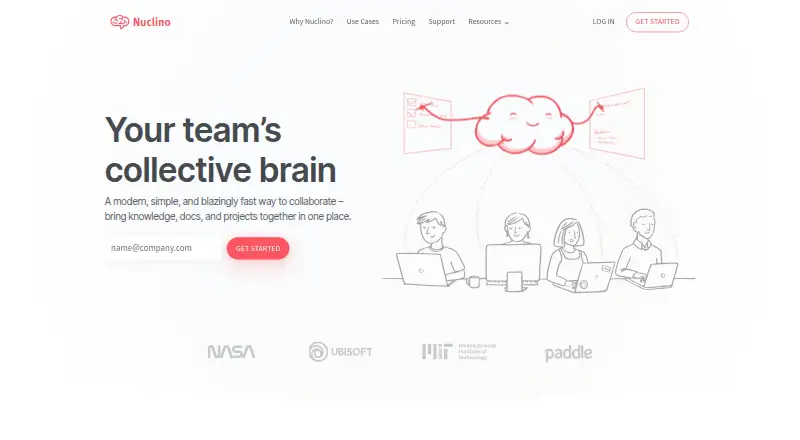
Nuclino is a collaborative workspace for team knowledge, documents, and projects.
What Nuclino is
Nuclino is a collaborative workspace for team knowledge, documents, and projects. Each item is a shared document that can hold notes, tasks, flowcharts, and embedded files. List, board, table, and graph views offer different ways to organize information, and an infinite canvas supports whiteboards and diagrams. Search filters, keyboard shortcuts, slash commands, and Markdown are available for finding and editing content. Sidekick can draft content, generate images, and summarize notes; MCP connections are offered for Claude, ChatGPT, and Cursor. Integrations include Slack, Microsoft Teams, Discord, Google Drive, OneDrive, Dropbox, Jira, and embeddable diagram and media tools. Its API can create and update content, fetch it as Markdown, search, list items, and retrieve users. Nuclino is available on Android, iOS, Linux, macOS, Windows, and the web. The Free plan costs nothing and is limited to 50 items, three canvases, and 2GB of storage. Starter and Business prices are not listed.
Good
- Shared items support notes, tasks, flowcharts, and embedded files.
- Offers list, board, table, and graph views.
- Sidekick can draft, generate images, and summarize.
- Integrates with Slack, Microsoft Teams, Google Drive, and Jira.
- Available across mobile, desktop, web, and API platforms.
Watch out
- Free plan limits workspaces to 50 items total.
- Free plan includes up to three canvases.
- Free plan has 2GB of total storage.
- Starter and Business prices are not listed.
Who it suits
Nuclino suits teams bringing shared knowledge, documents, and projects into one workspace. The Free plan may fit teams comfortable with its 50-item, three-canvas, and 2GB limits.
Verdict
Nuclino brings collaborative documents, multiple organization views, search, and AI-assisted features into one workspace. Its free option has specific item, canvas, and storage caps, while prices for the named paid plans are not provided.
Plans and prices
From Nuclino's own pricing page, checked 2 Oct 2026.
| Plan | Price | What it gives you |
|---|---|---|
| Free | Free | Up to 50 items · Up to 3 canvases · 2GB total storage |
| Starter | — | Unlimited items · Unlimited canvases · Admin tools · Publishing · 30-day version history · 10GB storage per user · Billed monthly or yearly (up to 25% off); displayed price amount is not provided |
| Business | — | Sidekick (AI) · Audit log · Team insights · Advanced security controls · SAML SSO · Custom publishing domain · Unlimited version history · 20GB storage per user · Billed monthly or yearly (up to 25% off); displayed price amount is not provided |
The facts
Each one read from Nuclino's own pages, with the date it was checked.
What it does
- AI
- Sidekick can draft content, generate images, and summarize notes, and Nuclino offers MCP connections for Claude, ChatGPT, and Cursor.checked 2 Oct 2026
- API
- The API can create and update content, fetch content as Markdown, search content, list items, and fetch users.checked 2 Oct 2026
- Article limit
- 50checked 21 Sep 2026
- Canvas
- Users can add an infinite canvas for whiteboards and diagrams.checked 2 Oct 2026
- Collaborative documents
- Each item is a collaborative document for notes, tasks, flowcharts, and embedded files.checked 2 Oct 2026
- Compliance
- Nuclino states a GDPR commitment and displays ISO 27001, ISO 27018, and SOC2 standards on its security page.checked 2 Oct 2026
- Custom domain
- Yeschecked 21 Sep 2026
- Integrations
- The maker lists integrations including Slack, Microsoft Teams, Discord, Google Drive, OneDrive, Dropbox, Jira, and many embeddable diagram and media tools.checked 2 Oct 2026
- Publishing audience
- bothchecked 21 Sep 2026
- Purpose
- Nuclino describes itself as a collaborative workspace for bringing team knowledge, documents, and projects together.checked 2 Oct 2026
- Search and editing
- The product offers fast search with filters, keyboard shortcuts, slash commands, and Markdown.checked 2 Oct 2026
- Security
- Nuclino says data is encrypted in transit with TLS and at rest with AES-256, and automatic encrypted database backups are kept for up to 60 days.checked 2 Oct 2026
- SSO support
- Yeschecked 21 Sep 2026
- Support
- The pricing comparison lists help center access and basic email support on Free, with priority email support on Starter and Business.checked 2 Oct 2026
- Version history
- Yeschecked 21 Sep 2026
- Views
- It provides list, board, table, and graph views for organizing knowledge and work.checked 2 Oct 2026
The company
- Company
- Nuclino says its company is based near Munich, Germany, is fully remote, and is fully founder-owned.checked 2 Oct 2026
- Headquarters
- Grünwald, Germanychecked 23 Sep 2026
Money
- Free plan
- Yeschecked 21 Sep 2026
- Free plan limits
- The free plan is limited to 50 items across all workspaces, 3 canvases, and 2GB of total storage.checked 2 Oct 2026
The full review of Nuclino
Overview
Nuclino is a shared workspace for teams bringing reference material and project work together. It suits groups that want collaborative documents with several ways to organize them; its strongest case is keeping that work connected, while the free plan’s tight item and storage caps can constrain a growing workspace.
Key features
Each item can combine notes, tasks, flowcharts, and embedded files. List, board, table, and graph views let teams choose between structured information, task arrangement, and connected knowledge; an infinite canvas adds space for whiteboards and diagrams. This range is useful when a team’s work does not fit one format, though teams that need only a straightforward document repository may not need the added views.
Fast search with filters, keyboard shortcuts, slash commands, and Markdown gives users several ways to locate and edit material. Sidekick can draft content, generate images, and summarize notes, and MCP connections link Nuclino with Claude, ChatGPT, and Cursor. Integrations include Slack, Microsoft Teams, Discord, Google Drive, OneDrive, Dropbox, Jira, and tools for embedding diagrams and media.
The API can create and update content, retrieve it as Markdown, search content, list items, and fetch users. Nuclino says data is encrypted in transit with TLS and at rest with AES-256, with encrypted database backups retained for up to 60 days. It states a GDPR commitment and displays ISO 27001, ISO 27018, and SOC2 standards on its security page.
Pricing
Nuclino uses a freemium model, with a free plan and a 14-day trial. Free costs nothing and allows up to 50 items across all workspaces, three canvases, and 2GB of total storage. That is a workable starting point for a small team, but the shared item and storage ceilings make it a limited home for a substantial knowledge base.
Starter has custom pricing and can be billed monthly or yearly, with up to 25% off yearly billing. It removes item and canvas caps and adds admin tools, publishing, 30-day version history, and 10GB of storage per user. It is the more suitable step for teams that have outgrown Free but do not need the advanced capabilities reserved for Business.
Business also has custom pricing, with monthly or yearly billing and up to 25% off yearly billing. It adds Sidekick, audit logs, team insights, advanced security controls, SAML SSO, a custom publishing domain, unlimited version history, and 20GB of storage per user. Teams that need those controls or AI features have a reason to choose it; others may find Starter’s larger quotas and core workspace features sufficient. Free includes help center access and basic email support; Starter and Business include priority email support.
Platforms
Nuclino is available on Android, iOS, Linux, macOS, Windows, and the web, and provides an API. That breadth suits teams working across desktop and mobile devices or connecting content to other tools.
Who it's for
Nuclino is a good fit for teams that want shared documents, project organization, visual canvases, and connected knowledge in one workspace. Its range of views and integrations can serve teams with varied workflows, while the API adds options for teams that want to work with content programmatically. It is less compelling for teams that need a long-term, high-volume workspace on Free or that do not need more than basic collaborative documents.
Pros and cons
- Pros: Multiple views and an infinite canvas support both structured and visual work.
- Pros: Search, Markdown, keyboard shortcuts, slash commands, integrations, and API access give teams several ways to work with and connect their content.
- Pros: Starter removes Free’s item and canvas limits; Business adds SAML SSO, custom publishing domains, and unlimited version history.
- Cons: Free caps workspaces at 50 items, three canvases, and 2GB total storage, which may make it unsuitable for a growing team’s permanent knowledge base.
- Cons: Sidekick and advanced security controls are confined to Business, so teams needing them must choose the higher tier.
- Cons: Starter and Business use custom pricing, which makes a direct price comparison difficult.
Alternatives
For a knowledge base with a small, explicit free allowance, ProProfs Knowledge Base offers one author and up to 25 pages on its free plan; it is worth considering when a page-based cap fits the use case better than Nuclino’s item, canvas, and storage limits. Lark is another freemium option, with a Starter plan for 20 users, 100 GB of storage, 18 months of message history, and 1,000 automations per month; consider it when those team and collaboration allowances are the priority.
Confluence has a free plan for up to 10 users with 2 GB of file storage and three active whiteboards per user, making it an alternative for teams whose needs fit those limits. MediaWiki and Wiki.js are free, self-hosted options for teams seeking software they can run themselves.
Scribe offers a free Basic plan that works with any web app and supports quick customization and link or embed sharing, which may suit teams focused on producing shareable documentation. Stonly offers a freemium plan with 400 guide views per month, five published guides, one language, and one team member; consider it when those guide limits match the intended use. BookStack is a no-cost, MIT-licensed self-hosted option for teams that prefer to install and operate their own software.
Verdict
Choose Nuclino if your team wants collaborative documents that can be organized in several views, supported by search, integrations, and visual canvases. The free plan is useful for a small workspace, but its 50-item, three-canvas, and 2GB caps are real constraints; teams needing Sidekick, SAML SSO, a custom publishing domain, or unlimited version history will need Business. Look elsewhere if those free limits are too restrictive or if your priority is a self-hosted knowledge base.
Getting started
- Visit the Nuclino website.
- Choose the Free plan, which costs nothing, or review Starter and Business.
- Start on the web or use Nuclino on Android, iOS, Linux, macOS, or Windows.
- Create collaborative items for notes, tasks, flowcharts, or embedded files.
- Organize work with list, board, table, or graph views, or add an infinite canvas.
Limits worth knowing
The Free plan is limited to 50 items across all workspaces, three canvases, and 2GB of total storage. The Starter and Business plan prices are not provided here.
Questions
Is Nuclino free?
Yes. Its Free plan costs nothing and includes up to 50 items, three canvases, and 2GB of total storage.
Is there a free trial?
Yes. Nuclino lists a 14-day trial.
Which platforms does Nuclino support?
It lists Android, iOS, Linux, macOS, web, and Windows, as well as an API.
What does Nuclino cost beyond Free?
Starter and Business prices are not provided here. The listed Free plan costs nothing.
Who makes Nuclino, and where is the company based?
Nuclino is made by Nuclino. The maker is based near Munich, Germany, and lists its headquarters in Grünwald, Germany.
Does Nuclino support single sign-on?
Yes. Nuclino lists SSO support, and its Business plan includes SAML SSO.
Alternatives to Nuclino
- 1
Confluence
Free planAndroidiOSWebSelf-hosted9.0From $5.42 a month - 2

ProProfs Knowledge Base
Free planAndroidiOSWebAPI9.0From $0.99 a month - 3

Zendesk Guide
AndroidiOSWebAPI8.6From $19 a month - 4

Scalar
Free planOpen sourceWebAPILinuxmacOS8.6From $150 a month - 5

Mintlify
Free planWebAPILinuxmacOS8.5From $450 a month - 6

Lark
Free planAndroidiOSWebAPI8.5From $6 a month