
Scribe
Scribe captures workflows and turns them into step-by-step guides and process documentation.
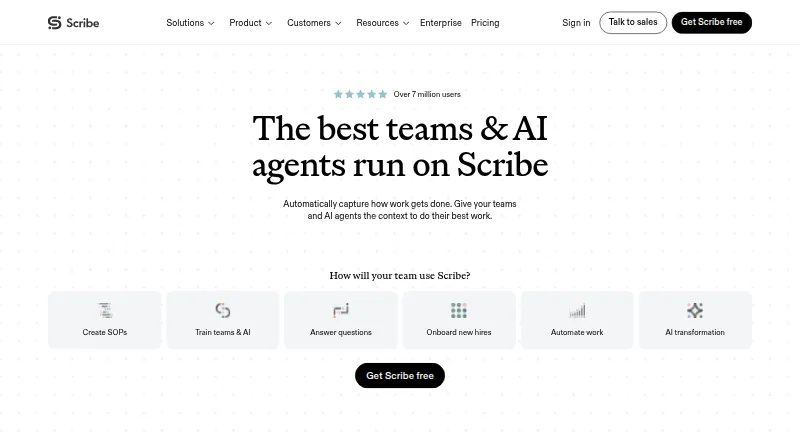
What Scribe is
Scribe captures workflows and turns them into step-by-step guides and process documentation. Its Chrome and Edge extensions capture website processes, while its desktop app works with desktop applications and multiple monitors. Mobile and tablet users can upload screenshots or images. Guides can be edited with generated titles and descriptions, company branding, GIFs, formatting, tips, alerts and screenshot changes. Screenshot redaction can be automatic, manual or enforced by an administrator. Teams can share guides by email, add them to help centers or embed them in knowledge bases, and review views, completions, viewer activity and feedback. Scribe lists integrations including Confluence, Microsoft Teams, Slack, Salesforce Knowledge and Zendesk, and says teams can pass workflow context to AI tools through MCP or API. Its core guide creation does not use AI, though supporting AI features use third-party services; Enterprise customers can opt out of AI features. A free Basic plan is available.
Good
- Captures website and desktop workflows.
- Offers automatic, manual and admin-enforced redaction.
- Guides can be embedded in knowledge bases.
- Reports guide views, completions and viewer activity.
- Lists SSO, role-based access and audit logs.
Watch out
- Pro Team starts at five seats.
- Enterprise pricing is custom.
- Some supporting AI features use third-party services.
Who it suits
Scribe suits teams documenting processes, training colleagues, implementing software or onboarding new hires. It can also help teams share workflow context with AI tools through MCP or API.
Verdict
Scribe brings workflow capture, guide editing, sharing and usage reporting together. Its free Basic plan covers web-app workflows, while teams needing desktop capture, redaction or governance features should review the paid plan details.
Plans and prices
From Scribe's own pricing page, checked 15 Oct 2026.
| Plan | Price | What it gives you |
|---|---|---|
| Basic | Free | Works with any web app · quick customization · shareable by link and embed · Free |
| Pro Team | $17 a month | Everything in Pro Personal · team comments · web, mobile and desktop capture · branding · exports · $17 monthly or $13 yearly per seat; starts at 5 seats |
| Pro Personal | $35 a month | Web, mobile and desktop capture · company branding · screenshot editing/redaction · PDF, HTML and Markdown export · $35 monthly or $25 yearly per seat; starts at 1 seat |
| Enterprise | Priced on request | PII/PHI auto-redaction · SSO · Creator, Viewer and Admin roles · governance · centralized user/document management · translations · Custom pricing |
The facts
Each one read from Scribe's own pages, with the date it was checked.
What it does
- AI capture
- Scribe uses AI to turn work already completed into Scribes without requiring a new recording.checked 15 Oct 2026
- AI features
- Scribe says its core automatic step-by-step guide creation does not use AI, while supporting AI features use third-party services; Enterprise customers can opt out of AI features.checked 29 Sep 2026
- API and MCP
- Scribe says teams can provide workflow context to AI tools via MCP or API and links to documentation for both.checked 29 Sep 2026
- API authentication
- API requests use an X-API-Key header with keys generated in Scribe settings.checked 15 Oct 2026
- API availability
- The enterprise search API is available to Enterprise Grid and Global customers and searches organization documents.checked 15 Oct 2026
- API endpoints
- The documented API exposes POST /v1/search/ and GET /v1/teams/ endpoints and returns up to 15 search results per request.checked 15 Oct 2026
- Automatic documentation
- The platform records a process as users work and generates written instructions automatically.checked 15 Oct 2026
- Capture
- Scribe says its Chrome or Edge extension captures website processes, its desktop app works with desktop applications and multiple monitors, and mobile and tablet users can upload images or screenshots.checked 29 Sep 2026
- Compliance
- Scribe states that it maintains SOC 2 Type II and supports HIPAA, FERPA, GDPR and US state privacy-law compliance.checked 15 Oct 2026
- Desktop requirements
- The desktop app supports Windows 10 or later and macOS 14 or later, with separate Apple Silicon and Intel installers.checked 15 Oct 2026
- Documentation depth
- The support portal covers capture, editing, sharing/export, billing, team administration and VDI use, with API Swagger and ReDoc links.checked 15 Oct 2026
- Funding news
- Scribe announced in October 2021 that it had raised $30 million, comprising a $22 million Series A and an $8 million seed round.checked 15 Oct 2026
- Guide editing
- Users can generate guide titles and descriptions with AI, add company branding, create GIFs, format text, add tips and alerts, and edit screenshots.checked 29 Sep 2026
- Integrations
- Listed integrations include ChatGPT, Claude, Cursor, Confluence, SharePoint, Teams, Slack, Salesforce Knowledge, Zendesk, HubSpot, Notion, ClickUp, WordPress, Airtable, Miro and Docebo.checked 15 Oct 2026
- Licence
- Scribe's terms state that the company owns its software and site content; no open-source licence is offered for the product.checked 15 Oct 2026
- Limit: editor and screenshots
- A Capterra reviewer reports that the editor can feel clunky and screenshots sometimes need adjustment to highlight the intended area.checked 15 Oct 2026
- Limit: integrations and workflow logic
- An independent review says integrations are limited and complex workflows may require workarounds, with no workflow automation, approvals or conditional steps.checked 15 Oct 2026
- Limit: Trustpilot complaints
- Trustpilot complaints include dissatisfaction that the product is not a conventional video recorder and objections to repeated advertising.checked 15 Oct 2026
- MCP
- Scribe advertises an MCP integration and links to separate MCP documentation for AI tools.checked 15 Oct 2026
The company
- Company facts
- LinkedIn lists Scribe as privately held, founded in 2019, headquartered in San Francisco and employing 201–500 people.checked 15 Oct 2026
- Company identity
- The product is operated by Colony Labs, Inc., trading as Scribe.checked 15 Oct 2026
- Headquarters
- San Francisco, California, United Stateschecked 28 Sep 2026
Where it runs
- Desktop and extension apps
- The site links to desktop apps for Windows and Mac and browser extensions for Chrome and Edge.checked 29 Sep 2026
Money
- Limit: pricing and plan gating
- Reviewers note that desktop/mobile capture requires a paid subscription and that the free tier is mainly for web workflows.checked 15 Oct 2026
The full review of Scribe
Scribe turns recorded workflows into step-by-step guides for teams documenting procedures, training colleagues, or onboarding new hires. It is strongest when teams need to capture more than browser work and distribute guides through their existing knowledge tools.
Overview
Scribe’s central value is the path from doing a task to producing instructions others can follow. Its Chrome and Edge extensions capture web processes, while its desktop app records work in desktop applications across multiple monitors. Mobile and tablet users can contribute screenshots or images, though that is a different workflow from automatic desktop or browser capture.
Once created, guides can be shared by email, embedded in a knowledge base, or uploaded to a help center. Reporting on views, completions, viewer activity, and feedback helps teams see whether instructions are being used. Scribe also connects with tools including Confluence, SharePoint, Slack, Microsoft Teams, Zendesk, and Salesforce Knowledge, and offers API and MCP options for providing workflow context to AI tools.
Key features
Guide creation and editing
Editors can generate guide titles and descriptions with AI, then add company branding, GIFs, formatted text, tips, and alerts or edit screenshots. That gives process owners room to turn a captured sequence into usable internal documentation rather than passing along raw screenshots. Scribe’s core automatic step-by-step guide creation does not use AI; supporting AI features use third-party services, and Enterprise customers can opt out of AI features.
Redaction, access, and governance
Automatic, manual, and admin-enforced screenshot redaction address a practical risk in workflow documentation: captured screens may contain sensitive information. Scribe also lists authenticated viewers, role-based access, custom permissions, SSO, SCIM, domain control, activity audit logs, and IP whitelisting. Its compliance areas include SOC 2 Type II, HIPAA, FERPA, GDPR, and US state privacy laws. These controls make the product relevant to organizations with access and governance requirements, though advanced governance features are tied to Enterprise.
Integrations and AI context
Featured connections include Copilot, Claude, ChatGPT, and Cursor alongside collaboration and knowledge platforms. API and MCP support can supply workflow context to AI tools. This is useful for teams building documentation into a broader knowledge or AI workflow, but it is not a substitute for deciding who may view the underlying guides.
Pricing
Scribe uses a freemium model. Basic is free and supports any web app, quick customization, and sharing by link or embed. It is a sensible starting point for browser-based guides, but it does not include the desktop, mobile, branding, screenshot editing, or redaction capabilities described in the paid plans.
Pro Personal starts at one seat and is billed $35 monthly or $25 per seat per month yearly. It adds web, mobile, and desktop app support, company branding, screenshot editing and redaction, and PDF, HTML, and Markdown export. It suits an individual who needs those capture and publishing options, but the per-seat cost rises with a larger team.
Pro Team starts at five seats and is billed $17 monthly or $13 per seat per month yearly. It includes Pro Personal features and comments, making it a better fit for teams collaborating on guides. The five-seat minimum means it is less suitable for a small group that only needs one or two paid seats.
Enterprise has custom pricing and adds auto-redaction of PII and PHI, SSO, user roles, data governance, central user and document management, and language translations. It is aimed at organizations needing centralized controls; smaller teams may find Pro plans more proportionate. The free Basic plan remains limited to web-app workflows.
Platforms
Scribe supports web, Windows, macOS, browser extensions, and API. Chrome and Edge extensions handle website capture, with desktop apps for Windows and Mac. Mobile and tablet users can upload images or screenshots, while the listed mobile support is not presented as automatic capture.
Who it's for
Scribe fits teams creating SOPs, documenting recurring processes, training teammates, implementing software, or onboarding hires. It is also relevant to groups supplying workflow context to AI agents. Teams that only need basic browser instructions can begin with Basic; teams recording desktop work or requiring redaction and exports need a paid plan. It is less compelling for organizations seeking manufacturing-focused connected-worker software rather than general workflow documentation.
Pros and cons
- Broad capture coverage: Browser extensions and desktop capture span web and desktop procedures, while image uploads let mobile and tablet users contribute.
- Useful publishing and reporting: Email, embeds, and help-center uploads are paired with completion and viewer activity reporting.
- Meaningful control options: Redaction and access controls address privacy and distribution needs, with deeper governance on Enterprise.
- Free tier is browser-only: Teams needing desktop capture, screenshot redaction, or exports must move to a paid plan.
- Team pricing has a seat floor: Pro Team starts at five seats, while Pro Personal can be expensive for teams as seats are added.
Alternatives
Tango is worth considering for teams wanting browser capture with a free plan capped at five shared workflows and up to 10 workspace users; its Pro Team plan is $15.00 for annual billing.
L2L Manufacturing Intelligence is a paid alternative with Android, iOS, macOS, web, and Windows support.
Whale may suit teams organizing playbooks: its free plan includes 10 members, one creator, 20 Playbook items, and 20 AI credits, while Scale is $249.00 per month billed yearly.
Tulip is a paid option with broader platform support, including Linux; its Essentials plan is $100.00 per month billed annually per interface, with a 10-interface minimum.
Parsable is a paid alternative for teams wanting Android, iOS, web, and API support.
Taqtile Manifest is a paid alternative supporting Android, iOS, and web.
Dozuki is a paid alternative whose platform pricing is requested rather than stated numerically.
Poka is a paid alternative with pricing by request and no numerical plan limits.
For broader category comparisons, see Standard Operating Procedure Software, SOP Software, IT Knowledge Base Software, AI Documentation Generators, AI Knowledge Base Software, and Knowledge Management Software.
Verdict
Choose Scribe if your team needs to turn web and desktop workflows into shareable guides, with reporting and access controls close at hand. Basic is a practical entry point for web-only documentation; desktop capture, redaction, exports, or governance make a paid tier necessary. Look elsewhere if your needs are better served by a dedicated manufacturing platform or if a five-seat Pro Team commitment is too large.
Getting started
- Open https://scribe.com/
- Choose the free Basic plan or a paid plan
- Install the Chrome or Edge extension, or a Windows or Mac desktop app
- Capture a website or desktop workflow, or upload mobile screenshots
- Edit the guide and apply sharing, embedding, or access settings
Limits worth knowing
The Basic plan works with any web app and includes quick customization plus link or embed sharing. Company branding, screenshot editing and redaction, and PDF, HTML, and Markdown export are listed with Pro Personal.
Questions
Is Scribe free?
Yes.
Which platforms does Scribe support?
Scribe lists web, Windows, macOS, browser extensions, and an API.
Does Scribe offer SSO?
Yes. SSO is listed among its security controls, along with SCIM and role-based access.
Can Scribe redact sensitive information?
Yes. Redaction can be automatic, manual, or enforced by an administrator.
Does Scribe use AI?
Core automatic guide creation does not use AI. Supporting AI features use third-party services, and Enterprise customers can opt out.
What integrations are listed?
Listed integrations include Confluence, SharePoint, Microsoft Teams, Slack, Salesforce Knowledge, Zendesk, HubSpot, Copilot, Claude, ChatGPT, and Cursor.
Alternatives to Scribe
- 1

Mintlify
Free planWebAPILinuxmacOS8.0From $450 a month - 2
Fern
Free planOpen sourceWebAPILinuxmacOS7.8Free plan - 3

Guidde
Free planAndroidiOSWebExtension7.8From $19 a month - 4
Tango
Free planWebExtensionmacOSWindows7.8From $22 a month - 5

GitBook
Free planWebAPI7.6From $65 a month - 6

Theneo
Free planWebAPIExtensionSelf-hosted7.5From $120 a month