
Guidde
Guidde is an AI platform for turning recorded workflows into video documentation for team training and knowledge sharing.
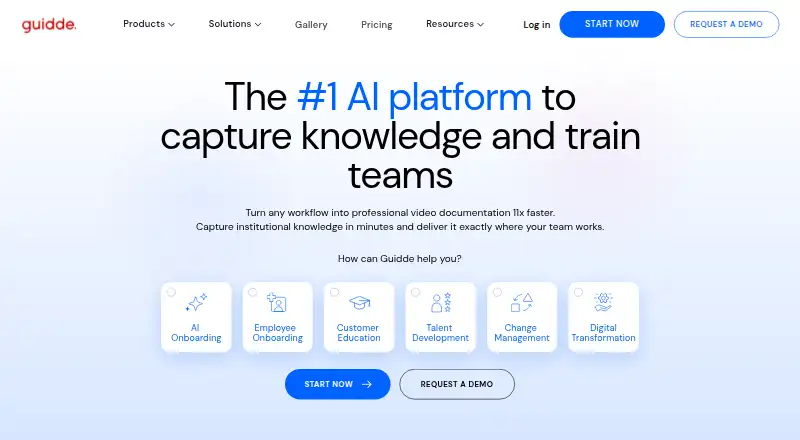
What Guidde is
Guidde is an AI platform for turning recorded workflows into video documentation for team training and knowledge sharing. It generates voiceover, captions, highlights, and step-by-step scripts from workflows, and its homepage says users can choose from over 200 voices and languages. The company lists onboarding and learning, customer support, software implementation, standard operating procedures, product demos, and AI adoption among its use cases.
The Free plan costs nothing and allows up to 25 how-to videos, with web-app capture, voiceover recording, and shareable links. Pro costs $19 a month, billed at that rate per creator per month; its listed features include unlimited how-to videos, watermark removal, a brand kit, video, PPT, and PDF exports, and sensitive-information blur. Business costs $39 a month, billed per creator, and includes up to five creators, web and desktop capture, unlimited text-to-voice, analytics, and advanced video privacy controls. Desktop support is for Windows 10+ and macOS 11+, while phone capture works from a mobile browser without installing an app. Guidde lists integrations including Chrome, Slack, Google Drive, Salesforce, Zendesk, Zoom, and Notion.
Good
- Generates voiceover, captions, highlights, and step-by-step scripts.
- Voice library includes over 200 voices and languages.
- Free plan supports up to 25 how-to videos.
- Business includes advanced video privacy controls and analytics.
- Viewers can be added at no extra cost.
Watch out
- Free plan is limited to 25 how-to videos.
- MP4 export requires an active paid subscription.
- Business is limited to five creators.
Who it suits
Guidde suits teams that need to turn workflows into instructional videos for onboarding, learning, support, implementation, or process documentation. It may also suit organizations seeking video privacy controls or integrations with tools such as Slack, Google Drive, Salesforce, and Zendesk.
Verdict
Choose Guidde if your team wants workflow-based video documentation with generated narration and captions, and its free or paid plan limits fit your needs. Look elsewhere if MP4 export is needed without a paid subscription or your Business team needs more than five creators.
Plans and prices
From Guidde's own pricing page, checked 7 Oct 2026.
| Plan | Price | What it gives you |
|---|---|---|
| Free | Free | Up to 25 how-to videos · web app capture · voiceover recording · shareable links |
| Pro | $19 a month | Unlimited how-to videos · removes watermark · brand kit · exports videos, PPTs and PDFs · blur sensitive information · $19 per creator / month; page also shows $29 per creator / month under Annual Billing (Save 34%) |
| Business | $39 a month | Up to 5 creators, billed per creator · web and desktop app capture · unlimited text-to-voice · analytics · advanced video privacy controls · $39 per creator / month; page also shows $59 per creator / month under Annual Billing (Save 34%) |
| Enterprise | Priced on request | Unlimited screen recordings and uploads · premium voices · multi-language translation · PII redaction · SSO · content review and version control · Contact us |
The facts
Each one read from Guidde's own pages, with the date it was checked.
What it does
- AI avatars
- Yeschecked 19 Sep 2026
- Creation
- Guidde says it generates voiceover, captions, highlights and step-by-step scripts from recorded workflows.checked 7 Oct 2026
- Desktop and mobile
- The desktop app supports Windows 10+ and macOS 11+; the page also says phone capture works from a mobile browser without installing an app.checked 7 Oct 2026
- HIPAA workflows
- Guidde says it supports HIPAA-aligned workflows by helping organizations prevent PHI capture and enforce access and approval controls.checked 7 Oct 2026
- Hosting and uptime
- Guidde says its services and data are hosted in Google Cloud Platform facilities and uptime is 99.9% or higher.checked 7 Oct 2026
- Integrations
- The integrations page lists Chrome, Edge, Slack, Google Drive, OneDrive, Confluence, ServiceNow, Salesforce, Zendesk, Zoom, Notion, Intercom, GitHub and others.checked 7 Oct 2026
- Paid from
- 19checked 19 Sep 2026
- Product
- Guidde describes itself as an AI platform for capturing knowledge and training teams by turning workflows into video documentation.checked 7 Oct 2026
- Seat limits
- Only Admins, Content Managers and Creators consume paid seats; Viewers can be added at no extra cost.checked 7 Oct 2026
- Security
- Guidde says it is SOC 2 Type 2 compliant, encrypts data in transit and at rest, and undergoes periodic penetration testing.checked 7 Oct 2026
- Support
- The pricing comparison lists email and chat support, a dedicated customer success manager, custom onboarding, and priority 24/7 support among plan features.checked 7 Oct 2026
- Use cases
- The company lists onboarding and learning, customer support, software implementation, SOPs and processes, product demos, and AI adoption as use cases.checked 7 Oct 2026
- Voice library
- The homepage says users can choose from over 200 voices and languages.checked 7 Oct 2026
The company
- Company and founding
- Guidde’s about page identifies it as a video documentation company, and its CEO says he and Dan founded Guidde in 2020.checked 7 Oct 2026
- Founded
- 2020checked 28 Sep 2026
Money
- Free plan
- Yeschecked 19 Sep 2026
- Free trial limit
- The free 7-day Business trial requires no credit card, and some features such as MP4 export require an active paid subscription.checked 7 Oct 2026
- Trial transition
- After the trial, an account that has not upgraded moves to Free; videos remain, but users can edit only the last 25.checked 7 Oct 2026
The full review of Guidde
Overview
Guidde is an AI platform for turning recorded workflows into video documentation for team training and support. It is a strong fit when narrated, step-by-step guidance is more useful than a static manual. Its free tier is capped, and some exports require a paid subscription.
Key features
Guidde builds voiceover, captions, highlights and step-by-step scripts from captured workflows. A library of more than 200 voices and languages, plus AI avatars, gives teams options for presenting instructions. That makes the product relevant to onboarding and learning, customer support, software implementation, SOPs, product demos and AI adoption; it is less suited to teams whose documentation needs are primarily written.
Integrations include Chrome and Edge, along with Slack, Google Drive, OneDrive, Confluence, ServiceNow, Salesforce, Zendesk, Zoom, Notion, Intercom and GitHub. This makes sharing guidance through common work tools a practical part of the workflow. Phone capture works through a mobile browser without installing an app. The desktop app supports Windows 10+ and macOS 11+.
Guidde says it is SOC 2 Type 2 compliant, encrypts data in transit and at rest, and undergoes periodic penetration testing. Its services and data are hosted in Google Cloud Platform facilities, with stated uptime of 99.9% or higher. It also supports HIPAA-aligned workflows with measures to help prevent PHI capture and enforce access and approval controls, which can help organizations manage risk but does not replace their own compliance practices.
Pricing
The Free plan costs nothing and allows up to 25 how-to videos, web app capture, voiceover recording and shareable links. It is a useful starting point for a small library, but the cap and lack of paid exports make it a limited long-term choice. A 7-day Business trial requires no credit card. When it ends, accounts that have not upgraded move to Free; videos remain, but only the last 25 can be edited.
Pro is billed at $19 per creator / month, with the page also showing $29 per creator / month under Annual Billing (Save 34%). It adds unlimited how-to videos, removes the watermark, and includes a brand kit and exports to video, PPT and PDF, plus sensitive-information blurring. It fits creators who need polished, reusable materials without Business-tier capture and analytics.
Business is billed at $39 per creator / month, with the page also showing $59 per creator / month under Annual Billing (Save 34%). It supports up to five creators, with billing per creator, and adds web and desktop app capture, unlimited text-to-voice, analytics and advanced video privacy controls. Teams needing more than five creators should look at Enterprise, which has custom pricing.
Enterprise includes unlimited screen recordings and uploads, premium voices, multi-language translation, PII redaction, SSO, and content review and version control. Plan features also include email and chat support, a dedicated customer success manager, custom onboarding and priority 24/7 support. Only Admins, Content Managers and Creators use paid seats; Viewers can be added at no extra cost, a useful distinction for teams with many people consuming guidance.
Platforms
Guidde is available on web, Android, iOS, macOS, Windows and as an extension. Its desktop app supports Windows 10+ and macOS 11+; phone capture uses a mobile browser.
Who it's for
Guidde is best for teams that regularly turn processes into narrated video instructions and want to share them across existing work tools. Free suits a small collection of how-to videos; Pro is the more practical choice for creators who need uncapped video creation and exports. Business fits teams that need desktop capture, analytics or stronger privacy controls, while Enterprise serves organizations needing capabilities such as SSO and version control. Teams focused on written developer documentation, or those that need MP4 export without paying, should consider other tools.
Pros and cons
Pros
- Workflow-to-video generation: Voiceover, captions, highlights and scripts can reduce the manual work of producing repeatable process guidance.
- Broad sharing connections: Integrations with collaboration, storage, support and development tools make it easier to distribute videos where teams work.
- Viewer seats are free: Organizations can share content with viewers without increasing paid-seat costs.
- Security provisions: SOC 2 Type 2 compliance, encryption and privacy controls give security-conscious teams concrete safeguards to assess.
Cons
- Free plan is tightly capped: It allows only 25 how-to videos, and after a Business trial only the last 25 remain editable.
- Some exports require payment: MP4 export requires an active paid subscription, so Free is not enough for teams that need downloadable video.
- Business has a creator ceiling: It is limited to five creators, which rules it out for larger authoring teams unless they choose Enterprise.
Alternatives
For a free, local-first documentation workflow, DeepDoc is the alternative: it is MIT licensed, requires no account or cloud, and uses a chosen LLM whose costs depend on the model and documentation.
Fern is a freemium option for teams producing documentation sites, with a Free plan for 10 team members, 1,000 pages, 250 AI credits per month, 2,000 page generations per month and one site. Choose it when those published limits suit the team’s needs better than workflow-based video.
Mintlify offers a free Starter plan with five editor seats, a custom domain, web editor, authentication, MCP server and API playground. It is the alternative to consider for a documentation platform rather than narrated workflow videos.
Tango has a Free plan with five shared workflows, browser capture, link and embed sharing, and up to 10 users per workspace. Choose it when those workflow limits and browser capture meet the need.
GitBook offers a free plan for individuals with one free user, unlimited page views and 10 GitBook Agent messages per week. It is an alternative for readers who want a page-based documentation service.
Scribe has a free Basic plan that works with any web app and includes quick customization and link or embed sharing. It is worth considering when those capabilities cover the documentation task.
AutomaDocs offers a free plan with one repository, 50 AI chat messages per month, core document generation, GitHub integration and auto-sync on push. It is a better fit to consider when repository-based documentation is the priority.
Docframe has a free plan with publishing on a Docframe domain and manual editing, but no AI editing or static site export. Consider it when basic manual publishing is enough.
Explore AI Documentation Generators, SOP Software, AI Screen Recorders, Screen Recording Software and AI video generators for more options by category.
Verdict
Choose Guidde if your team needs workflow-based video documentation with generated narration and captions, and its free or paid plan limits fit your needs. The generated scripts and broad sharing integrations make it compelling for repeatable training and support content. Look elsewhere if you need MP4 export without a paid subscription or your Business team needs more than five creators.
Getting started
- Open the Guidde website and start with the Free plan or the seven-day Business trial.
- Capture a workflow using the web app, or use the desktop app on Windows 10+ or macOS 11+.
- For phone capture, use a mobile browser without installing an app.
- Generate voiceover, captions, highlights, and step-by-step scripts from the recording.
- Upgrade to a paid plan for features such as MP4 export.
Limits worth knowing
Free allows up to 25 how-to videos. MP4 export requires an active paid subscription. The seven-day Business trial requires no credit card; after the trial, an account that has not upgraded moves to Free, where videos remain but only the last 25 can be edited.
Questions
Does Guidde have a free plan?
Yes. Free costs nothing and allows up to 25 how-to videos, web-app capture, voiceover recording, and shareable links.
What do Pro and Business cost?
Pro is $19 a month per creator, and Business is $39 a month per creator. The listed plan details also show $29 and $59 per creator per month, respectively, under Annual Billing (Save 34%).
Which platforms can I use?
Guidde lists Android, iOS, macOS, Windows, web, and an extension. Its desktop app supports Windows 10+ and macOS 11+; phone capture works from a mobile browser without an app installation.
What happens when the Business trial ends?
The seven-day trial requires no credit card. If the account has not upgraded, it moves to Free; videos remain, but only the last 25 can be edited.
What integrations does Guidde list?
The integrations page lists Chrome, Edge, Slack, Google Drive, OneDrive, Confluence, ServiceNow, Salesforce, Zendesk, Zoom, Notion, Intercom, and GitHub, among others.
Alternatives to Guidde
- 1

Cap
Free planOpen sourceWebAPIExtensionLinux9.0From $29 a year - 2

Loom
Free planAndroidiOSWebmacOS8.9From $18 a month - 3

Vmaker
Free planiOSWebExtensionmacOS8.9From $18 a month - 4

ScreenPal
Free planAndroidiOSWebmacOS8.8From $4 a month - 5

Claap
Free planAndroidiOSWebAPI8.8From €32 a month - 6

Screencastify
Free planWebExtensionLinuxmacOS8.7From $7 a month