
Screencastify
Screencastify is a browser-based screen recording tool that can capture a webcam, microphone, and system audio.
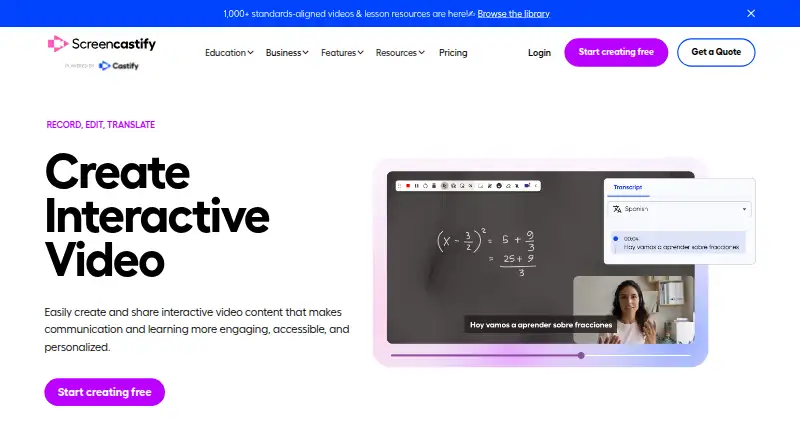
What Screencastify is
Screencastify is a browser-based screen recording tool that can capture a webcam, microphone, and system audio. It runs in a browser without software installation, with Chrome and Edge extensions also available. Recordings can be shared by link with privacy controls, and team features include comments, shared folders, collaboration, and granular permissions. The Free plan allows up to 10 recordings, each up to 30 minutes and 1080p; free users can store, watch, and share videos indefinitely. Starter costs $7 a month per user when billed annually and supports videos up to 60 minutes and 1080p. Pro costs $10 a month per user when billed annually, supports up to 180 minutes and 4K, and includes AI editing, captions, transcripts, translations, and voiceovers. Enterprise & EDU has custom pricing and includes central admin controls, SSO, training, and support. Integrations include Google Drive, Google Slides, Gmail, Outlook, YouTube, and LMS platforms. Screencastify states compliance with FERPA, COPPA, CSPC, and SOC 2 Type II certification.
Good
- Captures webcam, microphone, and system audio
- Free users can store and share videos indefinitely
- Links include privacy controls
- Integrates with Google, Microsoft, YouTube, and LMS platforms
Watch out
- Free plan limits users to 10 recordings
- Free videos are limited to 30 minutes and 1080p
- Starter and Pro prices are per user and billed annually
Who it suits
Screencastify suits individuals or teams who need browser-based recording and link sharing. Its team features, integrations, and enterprise controls may suit collaborative or education settings.
Verdict
Screencastify combines browser-based recording with video sharing and collaboration features. The Free plan has recording and length caps, while longer or higher-resolution recordings require paid plans.
Plans and prices
From Screencastify's own pricing page, checked 28 Sep 2026.
| Plan | Price | What it gives you |
|---|---|---|
| Free | Free | No credit card required · Up to 5 members · Up to 10 recordings · 30 minutes per video · Up to 1080p · No credit card required |
| Starter | $7 a month | Per user · Up to 5 members · 60 minutes per video · Up to 1080p · billed annually |
| Pro | $10 a month | Per user · Up to 5 members · 180 minutes per video · Up to 4K · billed annually |
| Enterprise & EDU | Priced on request | Custom pricing · Unlimited members · Custom recording length · Up to 4K |
The facts
Each one read from Screencastify's own pages, with the date it was checked.
What it does
- AI features
- Pro includes AI enhancements, AI editing, captions, transcripts, translations, and voiceovers.checked 28 Sep 2026
- Enterprise controls
- Enterprise & EDU includes central admin controls, SSO, training, and support.checked 28 Sep 2026
- Interactive video
- Supports interactive questions, polls, assignments, and grading workflows.checked 28 Sep 2026
- Maximum video quality
- 4kchecked 20 Sep 2026
- Max recording length
- 180checked 20 Sep 2026
- Microphone recording
- Yeschecked 20 Sep 2026
- Paid from
- 7checked 20 Sep 2026
- Pricing model
- Offers Free, Starter, Pro, and Enterprise & EDU plans.checked 28 Sep 2026
- Purchase orders
- Accepts purchase orders for orders of $500 or more.checked 28 Sep 2026
- Referral bonus
- Invites provide 5 bonus videos each, up to 4 invites.checked 28 Sep 2026
- Security certifications
- Complies with FERPA, COPPA, CSPC, and is SOC 2 Type II certified.checked 28 Sep 2026
- Support options
- Provides a Help Center, sales contact, onboarding, training, and assigned success managers.checked 28 Sep 2026
Where it runs
- Browser-based app
- Runs directly in a browser without software installation.checked 28 Sep 2026
- Browser extensions
- Provides Chrome and Edge extensions.checked 28 Sep 2026
- Capture platforms
- web,windows,macos,linux,chrome_extensionchecked 20 Sep 2026
- Platform integrations
- Integrates with Google Drive, Google Slides, Gmail, Outlook, YouTube, and LMS platforms.checked 28 Sep 2026
The company
- Company identity
- The site identifies the company as Screencastify LLC, doing business as Screencastify.checked 28 Sep 2026
- Company location
- The company says it is made with love from Chicago.checked 28 Sep 2026
- Founded
- 2014checked 28 Sep 2026
- Headquarters
- Chicago, Illinois, United Stateschecked 28 Sep 2026
Money
- Free plan
- Yeschecked 20 Sep 2026
- Free recording limit
- Free videos can be up to 30 minutes long.checked 28 Sep 2026
- Free storage access
- Free users can store, watch, and share videos indefinitely.checked 28 Sep 2026
- Free video limit
- Free users can create up to 10 videos.checked 28 Sep 2026
The full review of Screencastify
Overview
Screencastify is a screen and webcam recording service built around browser-based capture and video sharing. It is a strong fit for educators and teams that need collaborative or interactive videos; occasional users can start free, but frequent recording and 4K output require a paid plan.
Key features
Recordings can include webcam footage, system audio, and microphone audio. The web app runs without a software installation, and Chrome and Edge extensions offer another way to capture. Videos can be shared through links with privacy controls, while comments, shared folders, collaboration tools, and granular permissions support team use.
Integrations with Google Drive, Google Slides, Gmail, Outlook, YouTube, and LMS platforms help fit recordings into classroom and workplace workflows. Interactive questions, polls, assignments, and grading workflows make Screencastify particularly relevant to teaching. Pro adds AI editing and enhancements, captions, transcripts, translations, and voiceovers; those tools are not included in the lower tiers.
The platform supports recordings up to 4K and, on Pro, up to 180 minutes. Screencastify also says it complies with FERPA, COPPA, and CSPC and holds SOC 2 Type II certification. Enterprise & EDU includes central admin controls, SSO, training, and support, which matter for institutions managing users and access centrally.
Pricing
Free: free, with no credit card required. It allows up to 5 members and 10 recordings, each up to 30 minutes and 1080p. Free users can store, watch, and share their videos indefinitely, so it works for occasional short recordings, but the recording quota makes it a poor fit for ongoing production. Inviting others adds 5 bonus videos per invite, up to 4 invites.
Starter: $7 a month, billed annually, per user. It includes up to 5 members and 60 minutes per video, with quality capped at 1080p. Starter removes the Free plan's 10-recording cap, but it does not offer the 4K ceiling or longer recordings of Pro.
Pro: $10 a month, billed annually, per user. It covers up to 5 members, recordings up to 180 minutes, and quality up to 4K, and includes the AI features. This is the tier for creators who need longer or higher-resolution videos and for teams that will use the AI tools.
Enterprise & EDU: custom pricing, with unlimited members, custom recording length, and quality up to 4K. Central administration, SSO, training, and support make it the institutional option rather than a simple upgrade for an individual. Purchase orders are accepted for orders of $500 or more.
Platforms
Screencastify supports web, Windows, macOS, Linux, and Chrome extensions. Its browser-based app avoids a software installation, while Chrome and Edge extensions provide an additional capture route.
Who it's for
Educators can use interactive questions, polls, assignments, and grading workflows alongside recordings; teams can use sharing, comments, shared folders, and permissions to manage video collaboration. Individuals who only need occasional short recordings may find Free sufficient. Those who regularly record, need 4K, or need videos longer than an hour should consider Pro; organizations needing central controls and unlimited members should look at Enterprise & EDU.
Pros and cons
- Pro: Browser and extension capture, plus webcam and audio options, suit workflows that center on web tools.
- Pro: Interactive learning workflows and LMS integrations make it useful for educators beyond basic screen capture.
- Pro: Enterprise & EDU combines unlimited members with admin controls and SSO for institutional management.
- Con: Free is limited to 10 recordings, 30 minutes per video, and 1080p, so regular users may outgrow it.
- Con: Starter remains capped at 1080p and 60 minutes per video; longer or 4K recordings require Pro.
- Con: Starter and Pro prices are per user and billed annually, which may be less suitable for buyers seeking a monthly commitment.
Alternatives
Browse screen recording software or video messaging software to compare options by category.
- ScreenPal is worth considering if you want its listed Android and iOS support or a free plan with 15-minute recordings and 10 hosted videos.
- Loom may suit users who prefer its free Starter allowance of 25 videos and five-minute screen recordings, or need its listed Android and iOS apps.
- Dadan offers a free plan with up to 25 videos, 2 GB storage, and 720p, which may fit users who prioritize a larger video count over resolution.
- OBS Studio is a free alternative with no usage limitations or watermarks and support for commercial use.
- Vidyard is another freemium option, with a free plan that includes limited AI videos, recording, editing, sharing, and integrations.
- EaseUS RecExperts has a free plan limited to one minute of playback per recording, and a listed monthly plan at $19.95 a month with auto-renewal and cancellation anytime.
- Cap may appeal if open-source software is a priority; it says its code is public and auditable under the AGPL license.
- Zight is another option, with a free Share plan limited to five-minute recordings, 1 GB of storage, and one included user.
Verdict
Choose Screencastify if you need browser-friendly recording connected to sharing, collaboration, or classroom workflows. Its strongest case is the combination of interactive teaching features, team permissions, and managed enterprise controls. Look elsewhere if a free plan needs to support frequent recording, or if you want long or 4K videos without paying for Pro.
Getting started
- Open the Screencastify website in a supported browser
- Choose the browser app or Chrome or Edge extension
- Select the Free, Starter, Pro, or Enterprise & EDU plan
- Record your screen with webcam, microphone, or system audio
- Share the finished video by link and set privacy controls
Limits worth knowing
The Free plan allows up to 10 recordings, each up to 30 minutes and 1080p. Starter allows 60-minute videos at up to 1080p, while Pro raises the limit to 180 minutes and 4K.
Questions
Is Screencastify free?
Yes. The Free plan costs nothing, requires no credit card, and allows up to five members and 10 recordings.
How much do paid plans cost?
Starter costs $7 a month per user when billed annually. Pro costs $10 a month per user when billed annually; Enterprise & EDU uses custom pricing.
Which platforms does it support?
Screencastify supports web, Windows, macOS, Linux, and Chrome extensions, with Chrome and Edge extensions available.
Can it record audio and video together?
Yes. It can capture webcam video, microphone audio, and system audio.
Does Pro include AI tools?
Yes. Pro includes AI editing, captions, transcripts, translations, and voiceovers.
What integrations are available?
Integrations include Google Drive, Google Slides, Gmail, Outlook, YouTube, and LMS platforms.
Alternatives to Screencastify
- 1

Cap
Free planOpen sourceWebAPIExtensionLinux9.0From $29 a year - 2

Loom
Free planAndroidiOSWebmacOS8.9From $18 a month - 3

Vmaker
Free planiOSWebExtensionmacOS8.9From $18 a month - 4

ScreenPal
Free planAndroidiOSWebmacOS8.8From $4 a month - 5
Claap
Free planAndroidiOSWebAPI8.8From €32 a month - 6

Kommodo
Free planAndroidiOSWebAPI8.7From $9 a month