
Kommodo
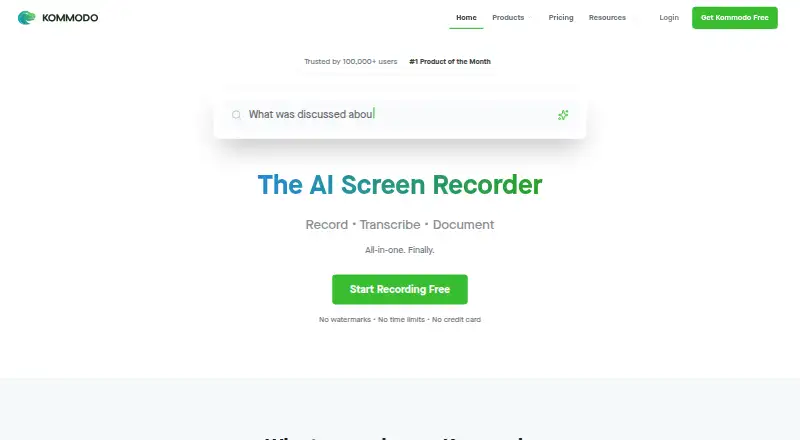
Kommodo combines screen recording, transcription, documentation, and AI tools for video and meeting recordings.
What Kommodo is
Kommodo combines screen recording, transcription, documentation, and AI tools for video and meeting recordings. Its desktop app records the full screen and system audio, while a Chrome extension captures browser tabs. The editor lets users revise videos through their transcripts, including removing pauses and rerecording over mistakes. A recorded demo can become a step-by-step guide with screenshots and instructions. For meetings, Kommodo can generate transcripts, summaries, action items, and weekly recaps, and Google Calendar sync helps schedule recordings and organize them by events. The service says it can capture Zoom, Microsoft Teams, Google Meet, and other video calls without a meeting bot joining. Its AI assistant searches a video library and returns answers with links to relevant timestamps. Kommodo says it does not use video data or chatbot interactions to train its AI models. The free Starter plan includes 15 videos and one user; its Premium plan is $9 a month billed yearly and includes unlimited videos, SOPs, team collaboration, and AI search.
Good
- Desktop app records screen and system audio.
- Turns demos into screenshot-based guides.
- Generates meeting transcripts and action items.
- AI answers link to video timestamps.
- Free Starter plan includes 15 videos.
Watch out
- Starter includes one user.
- Starter AI search indexes 10 videos.
- Premium is $9 a month billed yearly.
- API access is for Premium and Enterprise plans.
Who it suits
Kommodo may suit people who record demonstrations or meetings and want transcripts, summaries, or guides from those recordings. It also fits teams looking for transcript-based video editing and searchable video libraries.
Verdict
Kommodo combines recording with follow-up tools for editing, documentation, and meeting recaps. Check the Starter plan's video and user limits, and note that API access is restricted to Premium and Enterprise.
Plans and prices
From Kommodo's own pricing page, checked 29 Sep 2026.
| Plan | Price | What it gives you |
|---|---|---|
| Kommodo Premium | $9 a month | Unlimited videos · unlimited SOPs · team collaboration · AI search · Yearly 40% Off |
| Starter | Free | 1 user · 15 videos · no recording-length limit · screen, webcam and meeting recorder · Google Calendar · guides up to 10 steps · $0/mo |
| Premium | $9 a month | 1+ users · unlimited videos · unlimited SOPs · team collaboration · AI assistant · 4K recording · $9.00/mo billed yearly ($108/year) |
The facts
Each one read from Kommodo's own pages, with the date it was checked.
What it does
- AI assistant
- The assistant searches the video library, answers questions with clickable timestamp citations and can draft follow-up content.checked 15 Oct 2026
- AI meeting recorder
- Google Calendar synchronization can trigger recording of meetings without a bot joining the call.checked 15 Oct 2026
- API
- The public API provides access to recordings, transcripts, and AI metadata; the page says API access is for Premium and Enterprise plans.checked 29 Sep 2026
- API availability
- API tokens are limited to Premium and Enterprise accounts; Free and Starter users can read the documentation but cannot generate tokens.checked 15 Oct 2026
- API capabilities
- API endpoints list recordings, fetch AI metadata and transcripts, list folders and members, update recordings and publish recording pages.checked 15 Oct 2026
- API limits
- The API page lists a rate limit of 1,000 requests per hour, up to 100 in-flight requests, and a transcript file cap of 5 MB.checked 29 Sep 2026
- Automatic SOPs
- Kommodo tracks cursor actions during a demonstration and converts them into step-by-step guides with screenshots.checked 15 Oct 2026
- Calendar integration
- Kommodo syncs with Google Calendar to help schedule meeting recording and organize recordings with calendar events.checked 29 Sep 2026
- Data location
- The privacy policy says information is processed and stored on servers in the United States.checked 15 Oct 2026
- Data storage
- The privacy policy says information is stored on servers located in the United States.checked 29 Sep 2026
- Documentation depth
- The API quickstart includes Python code, endpoint tables, response schemas, pagination guidance and HTTP error handling.checked 15 Oct 2026
- Editing
- Its video editor can edit recordings by transcript, including removing pauses and rerecording over mistakes.checked 29 Sep 2026
- Funding
- The public Crunchbase profile identifies Kommodo as private but does not display a funding total in the accessible profile.checked 15 Oct 2026
- Guides
- Kommodo can turn a recorded demo into a step-by-step guide with screenshots and instructions.checked 29 Sep 2026
- Integrations
- Official pages name Google Calendar integration and sharing of meeting outputs to Slack or Jira.checked 15 Oct 2026
- Limit: dashboard complexity
- Tooltivity says the web app’s broad mix of videos, guides, pages, meetings and assistant features requires some exploration to learn.checked 15 Oct 2026
- Limit: reliability
- Chrome review analysis reports bugs, occasional recording failures or synchronization problems and inconsistent support response times.checked 15 Oct 2026
- Maximum video quality
- 4kchecked 22 Sep 2026
Where it runs
- Browser recorder limits
- The free online recorder allows recordings up to one hour, has no watermark and can create a private share link without an account.checked 15 Oct 2026
The company
- Company facts
- LinkedIn lists Kommodo as privately held, founded in 2018, headquartered in Edgewater, New Jersey, with 2–10 employees.checked 15 Oct 2026
- Company legal name
- Crunchbase lists the legal entity as Komodo Technologies, Inc., also known as Kommodo Decks.checked 15 Oct 2026
- Maker
- The maker's blog identifies Khanan Grauer as Kommodo's founder and CEO.checked 29 Sep 2026
Money
- Free plan
- Yeschecked 22 Sep 2026
- Limit: free-plan downloads
- Tooltivity reports that the Starter plan stops at 15 videos and requires Premium to download files.checked 15 Oct 2026
The full review of Kommodo
Kommodo is a screen and meeting recording app that pairs video with transcripts, editing, guides, and AI recaps. It is best suited to people who need recordings to become searchable documentation or follow-up, rather than just shareable clips. Its broad workflow is compelling, but the Starter plan’s 15-video and single-user caps make the paid tier the more relevant choice for ongoing team use.
Overview
Kommodo brings screen capture, transcription, documentation, and AI tools into one product. Its desktop app records the full screen and system audio, while its Chrome extension captures browser tabs. Webcam recording is supported, with video quality up to 4K.
The distinction from a basic screen recorder is what happens after capture. Kommodo can turn a demo into a step-by-step guide, and its meeting tools produce transcripts, summaries, action items, and weekly recaps. That makes it a strong fit for teams that need both a recording and a usable record of what happened. Anyone who only wants to capture and share short videos may not need the extra workflow.
Key features
Recording and editing
Kommodo can capture calls on Zoom, Microsoft Teams, Google Meet, and other conferencing platforms without a meeting bot joining. Google Calendar sync helps schedule meeting recording and organize recordings alongside calendar events. The transcript-based editor lets users remove pauses and rerecord over mistakes, which is useful for polishing demos without editing solely on a video timeline.
Guides and meeting follow-up
Recorded demos can become step-by-step guides with screenshots and instructions. For meetings, transcripts, summaries, action items, and weekly recaps make it easier to turn a conversation into follow-up work. These outputs are most valuable to people who regularly document procedures or need a written trail after calls.
AI search and privacy
The AI assistant searches a user’s video library and answers with clickable timestamps that point back to the source. Kommodo says it does not use video data or chatbot interactions to train its AI models. Its privacy policy says Google Calendar data is accessed with consent for meeting reminders and recording prompts, is not shared with third parties, and that information is stored on servers in the United States. Users should weigh that storage location against their organization’s data requirements.
API and support
The public API exposes recordings, transcripts, and AI metadata, but access is limited to Premium and Enterprise. Its documented limits are 1,000 requests per hour, up to 100 in-flight requests, and a 5 MB transcript file cap. That may suit moderate integrations, but developers with larger transcript payloads or higher request needs should account for those ceilings. AI Assistant users get priority support and can book a product tutorial with founder and CEO Khanan Grauer.
Pricing
Kommodo is freemium, with a free plan and paid plans from $20/mo; a 30-day trial is also offered. The Starter plan costs nothing and allows 15 videos, one user, and AI search indexing for 10 videos. Those limits make it useful for an individual evaluating the workflow, but restrictive for a growing library or shared team use.
Kommodo Premium is shown at $9 a month (billed Yearly 40% Off). It includes unlimited videos, unlimited SOPs, team collaboration, and AI search, addressing the main Starter constraints. The yearly billing term matters for anyone comparing it with a month-to-month budget. API access is reserved for Premium and Enterprise, so Starter is not suitable for API-driven workflows. Enterprise pricing is custom pricing.
The plans differ in practical ways: Starter is a capped individual option, while Premium is aimed at ongoing library growth and collaboration. The published pricing note also says paid plans start from $20/mo, so buyers should verify the applicable paid offer and billing term before choosing.
Platforms
Kommodo supports web, Windows, macOS, iOS, Android, and a Chrome extension. That mix covers desktop recording, browser capture, and mobile access. Export is available in WebM format, which may be a constraint for workflows that require other export formats.
Who it's for
Choose Kommodo if you want screen or meeting recordings to produce searchable transcripts, recaps, or step-by-step documentation, especially when those outputs need to be shared across a team. Premium is the more natural fit for regular collaboration or an expanding archive. Starter suits a solo user trying the workflow, provided 15 videos and 10 indexed videos are enough.
Look elsewhere if your priority is a simple recorder, a different export format, or API use on a free plan. The API’s Premium and Enterprise restriction and its request and file limits also make it worth checking fit before building an integration.
Pros and cons
- Pros: Combines capture with transcript-based editing, guide creation, and meeting follow-up, reducing the gap between recording and usable documentation.
- Pros: AI search returns timestamp links to source recordings, making it easier to verify answers against the original.
- Pros: Records supported video calls without a meeting bot joining, which can fit workflows that prefer local capture behavior.
- Cons: Starter is limited to 15 videos, one user, and indexing 10 videos, so a team or large archive will quickly need a paid plan.
- Cons: API access is limited to Premium and Enterprise, with a 5 MB transcript cap and defined request limits.
- Cons: WebM is the only stated export format, and data is stored on servers in the United States.
Alternatives
For a broader shortlist, see AI Screen Recorders and Screen Recording Software.
- Cap is a freemium alternative with a free plan and open-source code under the AGPL license; choose it if public, auditable code is a priority.
- Loom has a free Starter plan with 25 videos and five-minute screen recordings, making it worth considering if that defined free allowance suits your recording needs.
- ScreenPal offers a free plan with 15-minute recordings, 10 hosted videos, and five video quizzes; choose it if those limits and quiz support match your use.
- ClipCast has a free plan with five-minute recordings, 200 MB storage, 25 active clips, 720p, and 30-day video retention; it may fit a modest clip-sharing workflow.
- Siesta AI offers a free Start plan with limited tokens, a one-time 10M tokens, and 100 MB data ingestion; consider it when those token and ingestion terms fit.
- Doculigent is a freemium, open-source option with public GitHub code; choose it if open source is a priority.
- ScreenApp AI Meeting Notes has a free plan with 10 AI chats and templates per month and two trial transcriptions; it may suit a meeting-notes-first workflow.
- Floik offers a Starter plan with five published Flos, 10 created Flos, five-minute recordings per Flo, and 25 guide steps per Flo; consider it if those guide-specific limits suit your needs.
Verdict
Kommodo is a strong choice for individuals and teams who want recordings to become searchable meeting follow-up and reusable documentation. Its best reason to choose it is the combination of capture, transcript editing, guides, and AI recaps in one workflow. Look elsewhere if you need a more generous free tier, export beyond WebM, or API access without moving to Premium or Enterprise.
Getting started
- Open Kommodo on the web or install its desktop, mobile, or Chrome extension version
- Create a free Starter account or select a paid plan
- Record a full screen with system audio or capture a browser tab
- Connect Google Calendar if you want scheduling and event organization
- Edit recordings by transcript or generate a guide, transcript, summary, or action items
- Use AI search to retrieve answers linked to timestamps
Limits worth knowing
The free Starter plan includes 15 videos for one user, with AI search indexing limited to 10 videos. API access is reserved for Premium and Enterprise plans; the API lists a 1,000-requests-per-hour rate limit, up to 100 in-flight requests, and a 5 MB transcript file cap.
Questions
Is Kommodo free?
Yes. Starter is free with 15 videos and one user.
What does Premium cost?
Kommodo Premium costs $9 a month when billed yearly, with 40% off shown for yearly billing.
Which platforms are supported?
Kommodo supports web, Windows, macOS, iOS, Android, and a Chrome extension. An API is available on Premium and Enterprise plans.
Does Kommodo use recordings to train AI?
Kommodo says it does not use video data or chatbot interactions to train its AI models.
Can it record video calls without a bot?
Kommodo says it can capture calls hosted on Zoom, Microsoft Teams, Google Meet, and other video platforms without a meeting bot joining.
What does the free plan include?
Starter includes 15 videos, one user, and AI search indexing for 10 videos.
Alternatives to Kommodo
- 1

Cap
Free planOpen sourceWebAPIExtensionLinux9.0From $29 a year - 2

Loom
Free planAndroidiOSWebmacOS8.9From $18 a month - 3

Vmaker
Free planiOSWebExtensionmacOS8.9From $18 a month - 4

ScreenPal
Free planAndroidiOSWebmacOS8.8From $4 a month - 5
Claap
Free planAndroidiOSWebAPI8.8From €32 a month - 6

Screencastify
Free planWebExtensionLinuxmacOS8.7From $7 a month