ScreenApp AI Meeting Notes
ScreenApp AI Meeting Notes is a web-based meeting capture and transcription service for Zoom, Google Meet and Microsoft Teams.
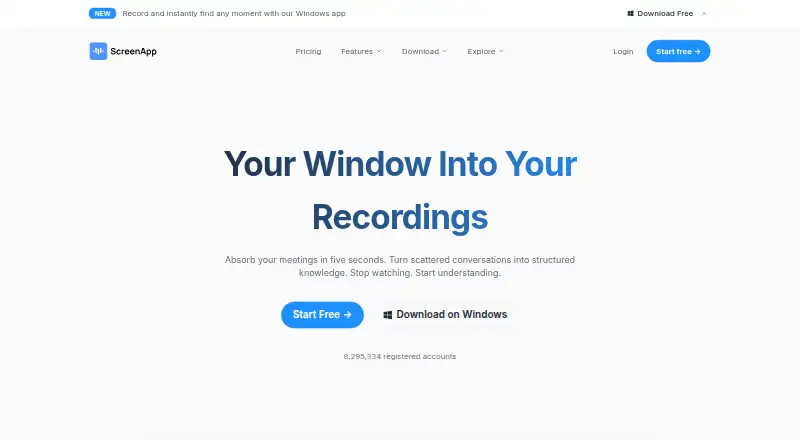
What ScreenApp AI Meeting Notes is
ScreenApp AI Meeting Notes is a web-based meeting capture and transcription service for Zoom, Google Meet and Microsoft Teams. Its meeting bot can capture sessions, produce transcriptions, and generate summaries and action items. Calendar integrations are listed, and the service is available on web, Windows, macOS, iOS and Android. ScreenApp was founded in 2023 and is headquartered in Sydney, Australia. A free plan includes 10 AI chats and templates per month, two trial transcriptions, three uploads and imports, and recordings of up to 45 minutes. The Pro plan is $19 a month when billed annually, with a 7-day free trial and then $228/year; it allows recordings up to two hours, 500 uploads and imports per month, 50 transcriptions per month, and 50 AI chats and templates per month. Max is $34 a month when billed annually and includes three-hour recordings and unlimited uploads, transcriptions, AI chats and templates.
Good
- Captures Zoom, Google Meet and Microsoft Teams meetings.
- Provides transcriptions, summaries and action items.
- Calendar integrations are available.
- Works on web, Windows, macOS, iOS and Android.
- Free plan includes 45 minutes per recording.
Watch out
- Free plan limits users to two trial transcriptions.
- Pro annual billing is $228/year after the trial.
- Pro recordings are limited to two hours each.
Who it suits
ScreenApp may suit people who want meeting recordings transcribed and summarized, with action items, across the listed meeting platforms. Its free plan offers a way to try limited transcription and AI chat usage.
Verdict
ScreenApp combines meeting capture with transcription and AI-generated summaries and action items. Check the plan limits against your recording lengths and monthly transcription needs before choosing a tier.
Plans and prices
From ScreenApp AI Meeting Notes's own pricing page, checked 14 Oct 2026.
| Plan | Price | What it gives you |
|---|---|---|
| Free | Free | 2 transcription trials · 3 uploads/imports · 45-minute recordings · 10 AI chats/templates per month · $0/mo |
| Pro | $19 a month | 2 hours per recording · 500 uploads and imports per month · 50 transcriptions per month · 50 AI chats and templates per month · billed annually; 7-day free trial, then $228/year |
| Max | $34 a month | 3 hours per recording · Unlimited uploads and imports · Unlimited transcriptions · Unlimited AI chats and templates · billed annually |
| Enterprise | $199 a month | Contract-set recording, user and usage limits · SOC 2 Type 2 · GDPR · AES-256 at rest · TLS in transit · API and webhooks · starting at $199/mo; custom contract pricing |
| Pro (annual billing) | $19 a month | 50 transcriptions/month · 50 AI chats/templates/month · 2-hour recordings · 500 uploads/imports/month · billed annually; 7-day trial then $228/year |
| Pro (monthly billing) | $30 a month | 50 transcriptions/month · 50 AI chats/templates/month · 2-hour recordings · 500 uploads/imports/month · billed monthly |
| Max (annual billing) | $34 a month | Unlimited transcriptions · unlimited AI chats/templates · unlimited uploads/imports · 3-hour recordings · billed annually |
| Max (monthly billing) | $69 a month | Unlimited transcriptions · unlimited AI chats/templates · unlimited uploads/imports · 3-hour recordings · billed monthly |
The facts
Each one read from ScreenApp AI Meeting Notes's own pages, with the date it was checked.
What it does
- AI meeting assistant
- Its meeting assistant can use a calendar bot or capture a browser tab without a bot, returning a transcript, AI notes and action items after the call.checked 14 Oct 2026
- API processing limit
- Direct API uploads have a 512 MB request-body limit, and transcript retrieval is asynchronous with status polling.checked 14 Oct 2026
- Audio tools
- Audio uploads or recordings can be turned into summaries, meeting minutes, structured notes and chat answers.checked 14 Oct 2026
- Calendar integrations
- Yeschecked 20 Sep 2026
- Chrome extension
- The Chrome extension records a tab, window or full screen with microphone and system audio, exports MP4 up to 4K depending on the computer, and has a 45-minute free recording limit.checked 14 Oct 2026
- Compliance
- The Enterprise page states SOC 2 Type 2 auditing, GDPR compliance, AES-256 encryption at rest and TLS encryption in transit.checked 14 Oct 2026
- Current REST API
- The current API uses /app/api/v1 with scoped keys; documented public scopes are files:read and files:upload.checked 14 Oct 2026
- Documentation and support
- The help center contains getting-started, AI-feature, integration, troubleshooting and legal/security articles, with chat plus support and sales email channels.checked 14 Oct 2026
- Enterprise limitation
- The Enterprise page explicitly says SSO and SAML are not currently available.checked 14 Oct 2026
- Funding and founders
- Crunchbase lists Andre Dean Smith and Buddhika Jayawardhana as founders, Sydney headquarters, two funding rounds, and Antler and UNSW Founders among investors.checked 14 Oct 2026
- Language support
- The mobile product states that transcripts with speaker labels and timestamps support more than 100 languages.checked 14 Oct 2026
- Limit: reliability and accuracy
- Trustpilot and app-store reviewers report lost recordings, inaccurate or gibberish transcripts, glitches and inconsistent operation.checked 14 Oct 2026
- Limit: storage and integrations
- A Software Advice reviewer reports browser-cache storage problems and requests Google Drive integration and easier MP4 access.checked 14 Oct 2026
- MCP integration
- ScreenApp hosts an MCP server so Claude or ChatGPT can search a user's library and read transcripts after account sign-in.checked 14 Oct 2026
- Meeting capture
- botchecked 20 Sep 2026
- Meeting integrations
- ScreenApp can join Zoom, Google Meet and Microsoft Teams through its meeting bot, while Chrome capture supports Google Meet without a bot.checked 14 Oct 2026
- Meeting summarizer
- Uploaded meeting recordings are converted into one-page summaries containing action items, decisions and speaker labels.checked 14 Oct 2026
The company
- Company identity
- The maker is ScreenApp Pty Ltd, an Australian private company founded in 2023 with headquarters in Sydney and funding from Antler followed by revenue financing.checked 14 Oct 2026
- Company size
- LinkedIn lists ScreenApp as privately held, headquartered in Sydney, founded in 2023, with a 2–10 employee size band.checked 14 Oct 2026
- Founded
- 2023checked 28 Sep 2026
- Headquarters
- Sydney, Australiachecked 28 Sep 2026
Money
- Free plan
- Yeschecked 20 Sep 2026
- Limit: billing and cancellation
- Multiple Trustpilot and app-store reviewers complain about unexpected annual charges, difficult cancellation, expensive subscriptions and refund problems.checked 14 Oct 2026
Where it runs
- Meeting platforms
- Zoom,Google Meet,Microsoft Teamschecked 20 Sep 2026
The full review of ScreenApp AI Meeting Notes
ScreenApp AI Meeting Notes captures meetings through a bot, transcribes them, and generates summaries and action items. It suits people who want those tasks in one service across common meeting platforms. Its free tier is useful for a small trial, but recording-length and monthly transcription caps make plan choice important for regular use.
Overview
ScreenApp combines meeting capture with transcription, AI chats and templates, summaries, and action items. It can join meetings on Zoom, Google Meet, and Microsoft Teams, with calendar integrations to support meeting workflows. The combination is most compelling for people who want meeting records and follow-up assistance together; the plan caps may frustrate teams with long or frequent calls.
Key features
Capture and follow-up
Bot-based meeting capture supports Zoom, Google Meet, and Microsoft Teams. Transcription turns captured conversations into a record, while AI-generated summaries and action items help surface outcomes. Calendar integrations complement the capture workflow. This is a focused meeting assistant, not a reason by itself to choose ScreenApp for broader video editing or repurposing needs.
AI usage limits
The Free plan allows 10 AI chats and templates per month, but only two trial transcriptions and three uploads or imports. Pro raises those allowances to 50 chats and templates and 50 transcriptions monthly, while Max removes the listed usage caps for chats, transcriptions, and uploads. Recording-length limits still distinguish the paid tiers: two hours on Pro and three on Max.
Pricing
ScreenApp uses a freemium model. The Free plan costs nothing and is billed monthly. It includes 10 AI chats and templates per month, two transcriptions to try, three uploads and imports to try, and a 45-minute maximum per recording. It is suitable for occasional evaluation, but the small transcription allowance and short recording cap are limiting for ongoing meeting workflows.
Pro costs $19 a month, billed annually, with a 7-day free trial and then a $228/year charge. It allows two-hour recordings, 500 uploads and imports per month, 50 transcriptions per month, and 50 AI chats and templates per month. This is the practical step up for regular individual use, though users must accept annual billing and finite monthly quotas.
Max costs $34 a month, billed annually. It allows three-hour recordings and unlimited uploads and imports, transcriptions, and AI chats and templates. It suits heavier usage that would exceed Pro's monthly limits, but it still caps recording length and costs more on an annual commitment.
Enterprise starts at $199 a month with custom pricing based on team size and usage requirements; limits are set by contract. It is aimed at teams that need a contract-defined allowance rather than an individual plan's fixed quotas. Confirm the applicable price and limits for the team before choosing it.
Platforms
ScreenApp is available on web, Windows, macOS, iOS, and Android. That breadth makes it an option for people moving between desktop and mobile devices, while meetings can be captured on Zoom, Google Meet, and Microsoft Teams.
Who it's for
ScreenApp is a good fit for individuals or teams who want bot-based meeting capture, transcripts, summaries, and action items in one workflow. Free is best for a brief or occasional try; Pro fits regular but bounded use; Max is better for high transcription and import volume. It is less suitable for users who routinely need recordings longer than three hours or want uncapped usage at a lower tier.
Pros and cons
- Pros: Meeting capture supports Zoom, Google Meet, and Microsoft Teams, with calendar integrations alongside transcription, summaries, and action items.
- Pros: Max removes monthly caps on transcriptions, uploads and imports, and AI chats and templates, which helps frequent users avoid Pro's quotas.
- Pros: Web, Windows, macOS, iOS, and Android coverage suits users working across devices.
- Cons: The Free tier's two transcriptions and 45-minute recording cap are too restrictive for sustained meeting use.
- Cons: Pro and Max are billed annually, despite monthly-equivalent prices, and Pro's 50 monthly transcriptions can be exhausted by regular meeting schedules.
- Cons: Max allows recordings of up to three hours, so longer sessions remain outside its stated limit.
Alternatives
For repurposing recorded material rather than managing meetings, Headliner offers unlimited video clips and captioned clips on its free plan, plus one unwatermarked audiogram per month. Splicora offers a free plan with 25 credits monthly, 1 GB storage, one brand voice, and seven-day history; consider it when those creation limits better match the task. OpusClip has a free plan with 60 monthly credits and up-to-1080p clips, but adds a watermark, no editing, and clips that stop being exportable after three days. reap provides one hour per month of watermarked clipping and captions on its free plan, with 720p watermarked exports and projects that expire after seven days.
Vizard offers 60 free monthly credits, uploads up to 60 minutes and 1 GB, and 720p exports limited to 10 minutes, with three-day storage. 2short.ai has a free Starter plan with 30 minutes of AI video analysis per month and access to view and export generated short clips. Choppity gives its free plan one seat, one hour of AI video analysis, 2 GB cloud storage, and three-day project storage. Clipperz offers 80 Standard credits per month on its free plan, with seven-day clip retention and a watermark.
Browse AI Meeting Assistants for more meeting-focused options. For video work, see AI Video Repurposing Tools, AI Screen Recorders, and Screen Recording Software.
Verdict
Choose ScreenApp if you want bot-based capture across major meeting platforms with transcription, summaries, and action items in one service, and its recording and usage limits fit your schedule. The Free plan is a narrow trial, while annual Pro or Max billing is the main trade-off for sustained use. Look elsewhere if you need longer recordings or a meeting workflow without these plan caps.
Alternatives to ScreenApp AI Meeting Notes
- 1
Vizard
Free planAndroidiOSWebAPI8.2From $29 a month - 2

Headliner
Free planAndroidiOSWebAPI8.1Free plan - 3

OpusClip
Free planAndroidiOSWebAPI8.1From $15 a month - 4

Flowjin
Free planAndroidiOSWeb8.0Free plan - 5

reap
Free planAndroidiOSWebAPI8.0From $9.99 a month - 6

Choppity
Free planWebAPImacOSWindows7.8From $13.30 a month