
Headliner
Headliner provides tools for making, editing, and promoting podcasts by converting audio into video and supporting audience reach.
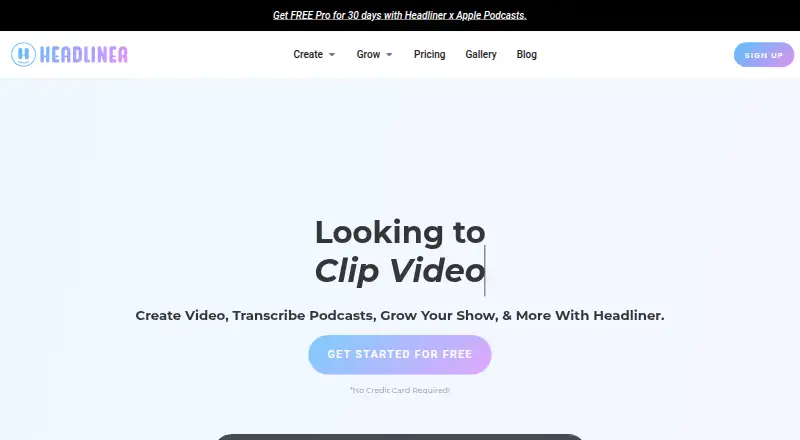
What Headliner is
Headliner provides tools for making, editing, and promoting podcasts by converting audio into video and supporting audience reach. Its AI clipping and captioning tools can turn a full-length video into 10 or more social-ready clips. Transcription supports 100+ languages, with automatic captions for exports. Podcast Promo Pack includes episode art options, show notes and summaries with chapters, keywords and tags, references, and quotes. Headliner describes automatic posting to social platforms such as YouTube through an RSS feed; its mobile app supports sharing to Meta, Twitter, LinkedIn, YouTube, and more. The Forever Free plan includes two hours each month for full-episode audio and video transcription and editing. Video clipping and captioning are free on any account while those tools are in beta. Headliner is available on Android, iOS, and web, with API options also offered.
Good
- AI tools produce 10 or more clips from full videos.
- Transcription supports 100+ languages.
- Promo Pack includes summaries, chapters, and episode art options.
- Clipping and captioning are free during beta.
- Available on Android, iOS, and web.
Watch out
- Forever Free transcription and editing are limited to two hours monthly.
- Basic annual plan is $7.99 a year.
- Basic monthly plan is $9.99 a month.
Who it suits
Headliner suits podcasters and digital creators who want to turn episodes into clips, captions, or promotional materials. Its transcription languages and social sharing options may also suit creators distributing content across platforms.
Verdict
Headliner combines podcast promotion materials with transcription, captions, and video clipping. The free tier has a monthly transcription and editing limit, while paid plans offer additional allowances and support options.
Plans and prices
From Headliner's own pricing page, checked 21 Oct 2026.
| Plan | Price | What it gives you |
|---|---|---|
| Forever Free | Free | ad-supported · unlimited free/captioned clips · 1 unwatermarked audiogram monthly · unlimited watermarked audiograms · 1080p up to 10 minutes · 10GB uploads · 2-hour audio · 1 podcast automation · 2 hours monthly transcription/editing · $0.00/mo; free |
| Basic (annual) | $7.99 a year | 10 unwatermarked audiograms/month · Unlimited captions (10 min/project) · 1080p videos up to 10 min · 10GB uploads · 2-hour audio files · Billed Annually |
| Basic | $7.99 a month | 10 unwatermarked audiograms monthly · unlimited captions, 10 minutes per project · 1080p up to 10 minutes · 10GB uploads · 2-hour audio · multiple podcast automations · social/YouTube auto-posting · branded templates · custom intros/outros · custom fonts · $7.99/mo billed annually |
| Basic (monthly) | $9.99 a month | 10 unwatermarked audiograms/month · Unlimited captions (10 min/project) · 1080p videos up to 10 min · 10GB uploads · 2-hour audio files · Billed Monthly |
| Pro | $19.99 a month | unlimited unwatermarked videos · unlimited transcription/captions · custom watermarks · 1080p up to 2 hours · 10GB uploads · 4-hour audio · multiple podcast automations · priority support · full-episode transcription/editing · $19.99/mo billed annually |
| Pro (annual) | $19.99 a year | Unlimited unwatermarked videos, transcription, and captions · 1080p videos up to 2 hours · 10GB uploads · 4-hour audio files · Priority support · Billed Annually |
| Pro (monthly) | $25.99 a month | Unlimited unwatermarked videos, transcription, and captions · 1080p videos up to 2 hours · 10GB uploads · 4-hour audio files · Priority support · Billed Monthly |
| Enterprise/API | Priced on request | enterprise/API access · Contact Headliner |
The facts
Each one read from Headliner's own pages, with the date it was checked.
What it does
- AI data handling
- The privacy policy says paid-user content is not used to train machine-learning models, while free-tier content may be used in aggregated or de-identified form to improve systems.checked 21 Oct 2026
- AI data use
- The privacy policy says paid subscribers’ uploaded content is not used to train machine learning models, while free-tier content may be used in aggregated or de-identified form to improve systems and features.checked 29 Sep 2026
- API
- Headliner offers enterprise SSO and video APIs, plus free J/S Widget and Eddy API options.checked 29 Sep 2026
- API offerings
- Headliner advertises SSO, a JavaScript widget, background-video/video-clips APIs and the Eddy transcription API.checked 21 Oct 2026
- API pricing
- The JavaScript widget and Eddy API are listed as free, while SSO and background-video/video-clips APIs are enterprise-priced.checked 21 Oct 2026
- Automatic audiograms
- Automations can create and publish an audiogram whenever a new podcast episode is released.checked 21 Oct 2026
- Connected integrations
- Connected Apps supports social and YouTube publishing plus imports from Zoom, Google Drive and Canva.checked 21 Oct 2026
- Data sale policy
- Headliner states that it does not sell users' data or personal information.checked 21 Oct 2026
- Developer access
- The API page asks prospective developers to contact Headliner for development keys and questions; no public SDK repository is presented there.checked 21 Oct 2026
- Documentation and support
- The help center contains guides for mobile, video tools, automation, advanced editing, transcription, captions, troubleshooting and common questions, with email support.checked 21 Oct 2026
- Full-episode limit
- The getting-started documentation says the Full Episode Wizard supports audiograms up to four hours.checked 21 Oct 2026
- Licence
- An independent university technology listing classifies Headliner as proprietary rather than open source.checked 21 Oct 2026
- Limit: interface and options
- G2 reviewers report that the interface can be unintuitive, the two editors can be confusing, and template or animation choices feel limited.checked 21 Oct 2026
- Limit: mobile editing
- A Capterra reviewer says the iPhone app has fewer editing capabilities than the website.checked 21 Oct 2026
- Limit: settings reset
- An OMR reviewer reports that waveform and performance settings sometimes reset and require manual checking.checked 21 Oct 2026
- Limit: template learning curve
- A reviewer reports that template customization takes time to learn and that the Basic tier's ten-video allowance feels restrictive and pricey.checked 21 Oct 2026
- Limit: transcription quality
- A Software Advice reviewer says transcription quality can be insufficient without manual correction.checked 21 Oct 2026
The company
- Company founded and size
- LinkedIn lists Headliner.app as privately held, founded in 2018, headquartered in New York and employing 2–10 people.checked 21 Oct 2026
- Company history
- Headliner says it launched as a standalone platform in 2018 to help podcasters and digital creators turn audio into social video.checked 29 Sep 2026
- Company identity
- The privacy policy identifies the maker as Sparemin, Inc. doing business as Headliner, headquartered at 121 E 23rd St, New York.checked 21 Oct 2026
- Founded
- 2018checked 23 Sep 2026
- Headquarters
- New York, NY, United Stateschecked 23 Sep 2026
Money
- Free export limit
- Free users receive one unwatermarked video per month and then exports carry Headliner branding until the monthly reset.checked 21 Oct 2026
- Free tier limit
- The Forever Free plan includes two hours per month for full-episode audio and video transcription and editing.checked 29 Sep 2026
The full review of Headliner
Overview
Headliner is a podcast production and promotion tool for creators who want to turn episodes into clips, captions, and promotional materials. It is strongest for podcasters building a repeatable social-content workflow; its plan limits make the free and Basic tiers less suited to frequent, longer-form editing.
AI clipping, transcription, and the Podcast Promo Pack cover both repurposing and episode promotion. The breadth is useful, but the right plan depends on how many unwatermarked audiograms and how much transcription you need each month.
Key features
- Video clipping: Headliner can make 10 or more social-ready clips from a full-length video, with AI highlight detection, automatic reframing, captioning, brand templates, and social platform presets. This is a practical starting point for creators who need several short assets from one source, though Basic limits video output to 10 minutes.
- Transcription and captions: Transcription supports more than 100 languages, and exports can include automatic captions. Basic allows unlimited captions only for projects up to 10 minutes; Pro removes that cap and allows audio files up to four hours.
- Podcast promotion: Podcast Promo Pack can produce episode-art options, show notes, chaptered summaries, keywords and tags, references, and quotes. It is useful for creators who want promotional copy alongside their clips rather than only a video editor.
- Sharing and integrations: Headliner describes RSS-based automatic posting of exports to services such as YouTube. Its mobile app supports podcast sharing to Meta, Twitter, LinkedIn, YouTube, and more. Enterprise SSO and video APIs are offered, alongside free J/S Widget and Eddy API options.
- Security and privacy: Headliner says it encrypts data in transit and at rest, uses access controls, and conducts regular security reviews. It says paid subscribers’ uploads are not used to train machine-learning models; free-tier content may be used in aggregated or de-identified form to improve its systems and features. It also says it does not sell personal information to third parties.
Pricing
Headliner has a free tier and paid plans billed monthly or annually. The annual prices are shown as billed annually; the monthly options cost more per month.
- Forever Free — free: Includes unlimited video clips and captioned clips, one unwatermarked audiogram per month, unlimited watermarked audiograms, 1080p videos up to 10 minutes, 10GB uploads, and two hours of transcription per month. Video clipping and captioning are free to use on any account while those tools are in beta. This tier suits occasional creators, but the transcription allowance and one unwatermarked audiogram constrain regular publishing.
- Basic (annual) — $7.99 a year, billed annually; Basic (monthly) — $9.99 a month, billed monthly: Both include 10 unwatermarked audiograms per month, unlimited captions for projects up to 10 minutes, 1080p videos up to 10 minutes, 10GB uploads, and audio files up to two hours. Basic is the step up for creators who need more unwatermarked audiograms than the free tier allows. It does not increase the 10-minute video limit, and the plan description does not include a larger transcription allowance.
- Pro (annual) — $19.99 a year, billed annually; Pro (monthly) — $25.99 a month, billed monthly: Includes unlimited unwatermarked videos, transcription, and captions, 1080p videos up to two hours, 10GB uploads, audio files up to four hours, and priority support. Pro fits frequent publishers and those working with longer episodes; the main upgrade is substantially more room for unwatermarked output and long projects.
The Basic plan page describes support as a benefit of upgrading, while Pro explicitly includes priority support. Enterprise SSO and video APIs are available for enterprise use.
Platforms
Headliner is available on Android, iOS, and the web, and offers API options. The mobile app adds sharing from a phone, while the web and API offerings serve creators and organizations building broader workflows.
Who it's for
Headliner is a good fit for podcasters who want one service for short-form video, captions, transcription, and episode promotion. The free plan can serve occasional use, and Pro is the clearer fit for regular publishing or long source files. It is less compelling for creators whose work rarely needs promotional materials or whose projects can stay within the free and Basic limits.
Pros and cons
- Pro: Combines clip creation, multilingual transcription, captions, and episode-promotion materials, reducing the need to split those tasks across separate tools.
- Pro: The free tier allows unlimited video clips and captioned clips, with video clipping and captioning free during beta.
- Con: Free includes only one unwatermarked audiogram per month and two hours of monthly transcription, limiting polished or transcription-heavy use.
- Con: Basic keeps video output at 10 minutes and audio files at two hours, so longer projects call for Pro.
- Con: Free-tier uploads may be used in aggregated or de-identified form to improve systems and features; paid subscribers’ uploads are excluded from model training.
Alternatives
Browse Podcast Clip Makers for more options focused on podcast clips, AI Video Repurposing Tools for repurposing workflows, or AI Audiogram Makers for audiogram tools.
- Podcli is a free, open-source option with no watermark or minute cap; consider it if those limits matter more than Headliner’s podcast promotion features.
- ReClipStudio offers a 99.00 USD one-time Creator lifetime license with watermark-free exports and on-device clip detection; consider it if a one-time license and those capabilities suit your needs.
- Atlabs AI UGC Avatar Video is an alternative for avatar-video creation.
- ngram is an alternative for AI explainer-video creation.
- OpusClip is another freemium option for podcast and video clips.
- ClipEmber is another freemium clip-making option.
- Cliperoni offers a free tier with 250 minutes of source content monthly, 5GB storage, and one member; consider it if those monthly allowances fit your workflow.
- Clipkiln is another free-tier option for clip creation.
Verdict
Choose Headliner if you are a podcaster who wants clips and captions alongside episode-promotion materials, especially if Pro’s longer-project limits match your publishing routine. Look elsewhere if a single monthly unwatermarked audiogram or two hours of free transcription is too restrictive, or if your main need is a narrower clip-making workflow.
Getting started
- Visit https://www.headliner.app/.
- Choose the Forever Free plan or a paid plan.
- Use Headliner on Android, iOS, or web, or explore its API options.
- Upload audio or video to work with transcription, editing, or clips.
Limits worth knowing
Forever Free includes two hours per month for full-episode audio and video transcription and editing, one unwatermarked audiogram per month, 1080p videos up to 10 minutes, and 10GB of uploads. Basic lists unlimited captions at 10 minutes per project, 1080p videos up to 10 minutes, and 10GB uploads; video clipping and captioning are free on any account while in beta.
Questions
Is there a free plan?
Yes. Forever Free is listed as free and includes two hours per month for full-episode transcription and editing.
What do paid plans cost?
Basic (monthly) is listed at $9.99 a month, and Pro (monthly) at $25.99 a month.
Which platforms are supported?
Headliner is available on Android, iOS, and web, as well as through an API.
What can it create for podcasts?
It can create clips and captioned exports, transcripts, and Podcast Promo Pack materials such as art options, show notes, summaries, references, and quotes.
What does the free plan limit?
It includes two hours per month for full-episode transcription and editing and one unwatermarked audiogram per month. It also lists 10GB uploads and 1080p videos up to 10 minutes.
Alternatives to Headliner
- 1
ScreenApp AI Meeting Notes
Free planAndroidiOSWebAPI8.2From $19 a month - 2
Vizard
Free planAndroidiOSWebAPI8.2From $29 a month - 3

OpusClip
Free planAndroidiOSWebAPI8.1From $15 a month - 4

Flowjin
Free planAndroidiOSWeb8.0Free plan - 5

reap
Free planAndroidiOSWebAPI8.0From $9.99 a month - 6

Choppity
Free planWebAPImacOSWindows7.8From $13.30 a month