Vizard
Vizard is a web-based video repurposing tool that turns long videos into short clips for social channels.
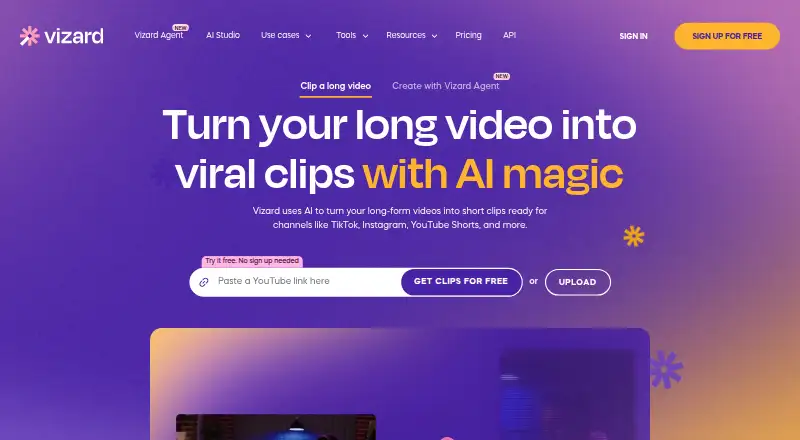
What Vizard is
Vizard is a web-based video repurposing tool that turns long videos into short clips for social channels. Its AI identifies engaging moments, cuts clips, and reframes subjects for vertical video. The editor offers text-based trimming, timeline editing, aspect-ratio changes, caption translation, brand templates, and link sharing. Vizard says captions can be translated into more than 100 languages. Publishing connections include TikTok, YouTube, LinkedIn, X, Instagram, and Facebook Pages. The free plan provides 60 monthly credits, one social account, uploads up to 60 minutes and 1GB, exports up to 720p and 10 minutes, and three-day storage. The listed platforms are Android, API, and web, but API access is for paid users and submissions consume video upload minutes. Vizard says videos are stored on AWS servers in California with AES-256 encryption and that customer data is not used to train its models. It describes the tool for content marketers, with use cases for creators, podcasters, coaches, and agencies.
Good
- AI identifies moments and reframes clips vertically
- Includes timeline and text-based editing
- Caption translation covers more than 100 languages
- Connects to six named social publishing services
- Free plan includes 60 monthly credits
Watch out
- Free exports are limited to 720p and 10 minutes
- Free storage lasts three days
- Free plan includes one social account
- API access is limited to paid users
Who it suits
Vizard may suit content marketers, creators, podcasters, coaches, and agencies looking to repurpose long videos for social channels. The free plan has defined upload, export, and storage limits.
Verdict
Vizard combines automated clip creation with editing and social publishing connections. Check the free plan’s storage and export limits, and note that API access is reserved for paid users.
Plans and prices
From Vizard's own pricing page, checked 14 Oct 2026.
| Plan | Price | What it gives you |
|---|---|---|
| Free | Free | 60 credits/month · 1 social account · 720p export · 3-day storage · 60-minute uploads · 1GB upload size |
| Creator | $29 a month | From 600 credits/month · 6 social accounts · no watermark · 4K export · 100GB storage · 600-minute uploads · 30GB upload size · per user, per month |
| Business | $39 a month | From 600 credits/month · 20 social accounts · shared workspace · brand kit · unlimited storage · 600-minute uploads · 30GB upload size · per user, per month |
The facts
Each one read from Vizard's own pages, with the date it was checked.
What it does
- AI clipping
- Its AI detects engaging moments in long videos and creates short clips formatted for social platforms.checked 14 Oct 2026
- API
- Vizard exposes a REST API using JSON requests for automated clipping, subtitles, customization and social optimization.checked 14 Oct 2026
- API access
- API access is limited to paid Creator and Business plans and consumes video upload credits.checked 14 Oct 2026
- API developer tooling
- Documentation provides cURL, Python and TypeScript examples, polling and webhook retrieval, with Java and Go examples shown on the API page.checked 14 Oct 2026
- API inputs
- The API accepts remote files, YouTube, Google Drive, Vimeo and StreamYard sources.checked 14 Oct 2026
- API integrations
- The API accepts video sources including remote files, YouTube, Google Drive, Vimeo, and StreamYard.checked 29 Sep 2026
- API limits
- The API documentation sets a maximum video length of 600 minutes, 10GB file size and 4K resolution.checked 14 Oct 2026
- Asset integrations
- The editor provides Pexels and Storyblocks libraries for stock video, images and music.checked 14 Oct 2026
- Audience
- Vizard describes the product as intended for content marketers and also presents use cases for creators, podcasters, coaches, and agencies.checked 29 Sep 2026
- Auto reframe
- Speaker detection and auto-reframing keep important faces centered when changing aspect ratios.checked 14 Oct 2026
- Brand tools
- Brand Kit supports logos, custom fonts, brand colors, outros and reusable templates.checked 14 Oct 2026
- Captions
- Vizard automatically generates dynamic subtitles and captions in more than 30 languages.checked 14 Oct 2026
- Data retention
- Free-user videos are automatically deleted seven days after upload, and deleted projects cannot be recovered.checked 14 Oct 2026
- Documentation depth
- The public docs include guides, API reference, quickstart, advanced parameters and endpoint pages.checked 14 Oct 2026
- Editing
- The editor supports text-based trimming, timeline editing, aspect-ratio changes, caption translation, brand templates, and link sharing.checked 29 Sep 2026
- Licence
- The public site displays Vizard, Corp. copyright with an all-rights-reserved notice and does not publish an open-source licence.checked 14 Oct 2026
- Limit: customization
- Independent feedback says customization depth and advanced controls are more limited than professional editors.checked 14 Oct 2026
The company
- Company founding year
- G2 lists Vizard, Corp. as founded in 2023.checked 14 Oct 2026
- Company headquarters
- LinkedIn lists headquarters at 3101 Park Boulevard, Palo Alto, California.checked 14 Oct 2026
- Company legal name
- The maker identifies itself as Vizard, Corp., a Delaware-founded company.checked 14 Oct 2026
- Company size
- LinkedIn reports a company size of 11–50 employees.checked 14 Oct 2026
- Headquarters
- Palo Alto, California, USAchecked 23 Sep 2026
Money
- Free plan
- Yeschecked 24 Sep 2026
- Free plan limit
- The free plan includes 60 monthly credits, exports up to 720p, and 3-day storage.checked 29 Sep 2026
The full review of Vizard
Vizard is a browser-based tool for turning long videos into social-ready clips. It is best suited to content marketers and creators who publish across several channels; its mix of automatic clipping, editing and publishing connections is useful, but the free tier is constrained for ongoing work.
Overview
Vizard’s central strength is combining AI highlight detection and automatic reframing with tools to refine the resulting clips. It can take on the initial selection and vertical crop, while text-based trimming, timeline editing and aspect-ratio controls give users room to shape the output. That makes it a practical fit for people repurposing existing video, rather than those looking primarily for a general-purpose video editor.
Caption translation in more than 100 languages and brand templates support teams adapting clips for different audiences and a consistent visual identity. Publishing connections cover TikTok, YouTube, LinkedIn, X, Instagram and Facebook Pages. Users can also share links. These connections make Vizard more useful in a repeatable social workflow than a clipper that stops at exporting files.
Key features
- AI clipping and reframing: Vizard identifies engaging moments, cuts clips and reframes subjects for vertical video, reducing manual work at the start of repurposing.
- Editing: Text-based trimming, timeline editing and aspect-ratio changes provide different ways to refine clips. Brand templates help apply a consistent look.
- Captions and publishing: Caption translation supports more than 100 languages, and integrations connect the product to six major social destinations. These are useful workflow options, not a guarantee of translation quality or audience reach.
- API: Paid users can submit remote files and sources from YouTube, Google Drive, Vimeo and StreamYard. API submissions consume video upload minutes, so they count against the applicable usage allowance. The API documentation sets a maximum of 600 minutes, 10GB and 4K resolution.
- Data handling: Vizard says videos are stored on AWS servers in California, protected with AES-256 encryption, and not used to train its models.
Pricing
Vizard uses a freemium model. The Free plan costs nothing, billed $0, and includes 60 credits per month, one social media account, 60-minute uploads, a 1GB upload-size limit, exports up to 720p and 10 minutes long, and three-day storage. That is enough to explore the workflow, but the single account, short storage window and export caps are meaningful constraints for regular publishing.
Creator has custom pricing, billed yearly, and starts at 600 monthly credits. It allows six social accounts, 600-minute uploads, 30GB upload size, 4K export and 100GB storage. It is the more suitable tier for an individual creator or small operation that needs higher-quality exports and room for longer source videos; the annual billing term matters when weighing a paid commitment.
Business also has custom pricing, billed yearly, and starts at 600 monthly credits. It raises the social-account allowance to 20 and includes the same 600-minute upload, 30GB upload-size and 4K export limits as Creator, with unlimited storage. That storage headroom and broader account access better suit teams managing multiple channels. Paid team plans include priority support; all plans include basic email support. API access is for paid users, and API submissions use upload minutes.
Platforms
Vizard is web-based, with Android and API also listed as platforms. Its source integrations and social publishing connections extend its workflow beyond files uploaded directly from a device.
Who it's for
Content marketers, creators, podcasters, coaches and agencies can use Vizard to turn long recordings into shorter social clips. It is most compelling when automatic highlight selection, vertical reframing and publishing connections all matter. Someone who needs only occasional clips may find the free plan’s limits manageable; a workflow requiring longer retention, higher resolution or several social accounts calls for a paid plan.
Pros and cons
- Pro: AI selection and automatic reframing handle two labor-intensive steps before editing.
- Pro: Editing, brand templates, caption translation and social publishing connections keep several parts of a repurposing workflow together.
- Pro: Paid API access accepts several common video sources and supports inputs up to 600 minutes, 10GB and 4K.
- Con: Free exports are capped at 720p and 10 minutes, with only three days of storage, making the free tier a poor home for a continuing clip library.
- Con: Free users get one social account and 60 monthly credits, limiting its usefulness for people publishing at scale.
- Con: Creator and Business prices are custom, and both are billed yearly, so readers cannot compare their cost from a monthly price.
Alternatives
- OpusClip is worth considering for users who prioritize a free 1080p clip output; its free tier includes 60 monthly credits but adds a watermark, has no editing, and clips stop being exportable after three days.
- Headliner suits users who want unlimited video clips and captioned clips on a free plan, with 1080p video; its free offer also includes one unwatermarked audiogram per month and unlimited watermarked audiograms.
- Choppity may fit a user who wants a defined free allowance of one seat, one hour of AI video analysis and 2GB cloud storage, with three-day project storage.
- ClipEmber is an option for users who want five free videos each month with a full editor and manual downloads.
- OpenClip may suit someone looking for a free demo-oriented workflow with tools access and 10 runs per day, accepting a 200MB input cap, 10-minute input duration and watermark on visual outputs.
- Clipkiln is another alternative in this category.
- quso.ai is worth a look for a free 75-credit plan with 720p rendering, TikTok publishing and seven-day data retention.
- Podcli is the clearest fit for users seeking free software with no watermark, no minute cap and no subscription; it is offered under AGPL-3.0 across desktop and web platforms.
Readers comparing tools can also browse Podcast Clip Makers, AI Video Repurposing Tools, AI Video Editing Software, Social Media Video Makers, AI Podcast Editing Software and Video Editing Software.
Verdict
Vizard is a strong choice for creators and marketing teams that want AI-assisted clip selection, editing and social publishing connections in one workflow. The main reason to choose it is that breadth; look elsewhere if you need generous free storage and export limits, or if custom annual pricing makes a paid commitment hard to assess.
Alternatives to Vizard
- 1

CyberLink PowerDirector
Free planAndroidiOSmacOSWindows9.0From $59.99 a year - 2

Captions
Free planAndroidiOSWebAPI9.0From $4.99 a month - 3

InVideo AI
Free planAndroidiOSWebAPI8.9From $4 a month - 4
FlexClip
Free planAndroidiOSWebWindows8.8From $143.88 a year - 5

Simplified
Free planAndroidiOSWebAPI8.8From $19 a month - 6
Wondershare Filmora
Free planAndroidiOSWebmacOS8.7From $49.99 a year