
CyberLink PowerDirector
CyberLink PowerDirector is AI video-editing software for macOS and Windows, with desktop and mobile apps.
What CyberLink PowerDirector is
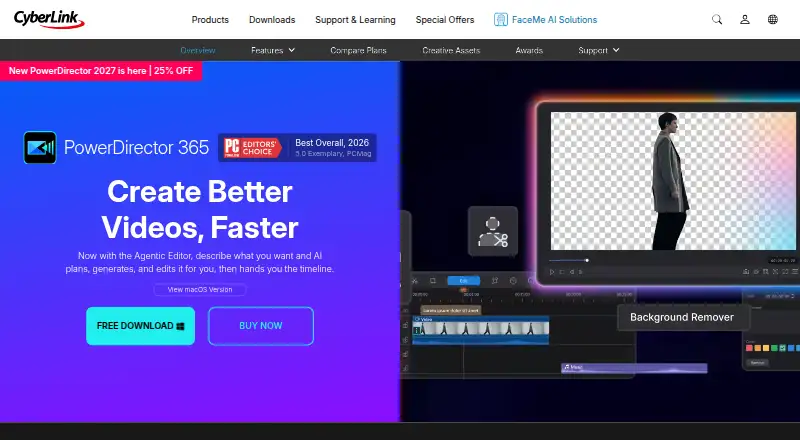
CyberLink PowerDirector is AI video-editing software for macOS and Windows, with desktop and mobile apps. It combines standard editing, creative effects, built-in stock media, and AI-assisted workflows. Its Agentic Editor accepts plain-language requests, creates clips, cleans footage, applies effects, and places results on a timeline. The editor includes multi-track timelines, frame-accurate trimming, markers, snapping, ripple editing, and keyframe controls. AI tools can transcribe footage, edit video from text, create subtitles, synthesize narration, and reduce unwanted noise. The royalty-free media library contains Getty Images and Meta Sound Collection videos, photos, and music cleared for commercial and personal use. Exports can be optimized and uploaded directly to YouTube, TikTok, Facebook, and Vimeo. Windows export supports MP4, MKV, WMV, and MPEG-2, with output up to 4K. AI Content Credentials can add machine-readable provenance and an optional visible AI label. CyberLink was founded in 1996. PowerDirector has a free Essential version, paid plans, 50GB storage on PowerDirector 365, and support resources including tutorials, guides, updates, and ticket tracking.
Good
- AI editor turns plain-language requests into timeline edits
- Multi-track timeline includes precise trimming and keyframes
- Transcription, subtitles, narration, and noise reduction included
- Royalty-free Getty Images and Meta Sound Collection media
- Exports up to 4K in several Windows formats
- Direct sharing to YouTube, TikTok, Facebook, and Vimeo
Watch out
- Free Essential restricts advanced AI tools and select exports
- Premium subscribers receive monthly AI credits
- Additional AI credits require purchase
- macOS and Windows subscriptions are separate
Who it suits
PowerDirector suits beginners and enthusiasts who want guided editing on desktop or mobile. It also fits content creators producing social clips or YouTube videos, especially those needing 4K export, captions, stock media, and AI-assisted editing.
Verdict
Choose PowerDirector for AI-assisted video creation across desktop and mobile, with 4K output and extensive timeline controls. The free Essential plan is a useful starting point, but advanced AI and some export options require a paid plan. Review each plan’s price, storage, and credit terms before selecting one.
Plans and prices
From CyberLink PowerDirector's own pricing page, checked 9 Oct 2026.
| Plan | Price | What it gives you |
|---|---|---|
| PowerDirector Essential | Free | Core editing tools and basic AI features; advanced AI tools and select export options restricted |
| PowerDirector 365 for Mac | $24.99 a month | macOS subscription; separate from Windows subscription; free download available · US$24.99/month |
| PowerDirector 365 | $59.99 a year | monthly updates · 1,200 AI credits (100/month) · 1,400+ titles · 650+ transitions · 3,300+ effects · millions of stock assets · 50GB cloud · $79.99 list price, shown as $59.99 sale ($5.00/month) |
| PowerDirector 365 for Mac | $79.99 a year | macOS subscription; separate from Windows subscription; free download available · US$79.99/year |
| Director Suite | $109.99 a year | PowerDirector, PhotoDirector and AudioDirector · 3,000 AI credits (250/month) · 100GB cloud · $149.99 list price, shown as $109.99 sale ($9.17/month) |
| PowerDirector 2027 | $139.99, paid once | perpetual license · 4K export · 280+ titles/motion graphics · 290+ transitions · 500+ effects/LUTs/stickers · 25GB cloud for 1 year |
The facts
Each one read from CyberLink PowerDirector's own pages, with the date it was checked.
What it does
- 4K export
- Yeschecked 20 Sep 2026
- AI agents
- The Agentic Editor accepts plain-language requests, generates or cleans footage, applies effects and places results on the timeline.checked 15 Oct 2026
- AI audio and captions
- It can transcribe footage, edit video from text, generate subtitles, synthesize narration, and reduce unwanted audio noise.checked 9 Oct 2026
- AI cleanup
- AI tools remove video objects and backgrounds, enhance footage, reduce audio noise and automatically reframe projects.checked 15 Oct 2026
- AI editing
- Its Agentic Editor can take a plain-language request, generate clips, clean footage, apply effects, and place results on the editing timeline.checked 9 Oct 2026
- AI music
- AI Music Generator creates background tracks by mood, genre and duration and is described as royalty-free.checked 15 Oct 2026
- AI provenance
- The product page says AI Content Credentials can add machine-readable provenance and an optional visible AI label to exports.checked 9 Oct 2026
- AI storytelling
- AI Storytelling organizes clips, writes narration and creates a rough cut.checked 15 Oct 2026
- API and SDKs
- CyberLink's corporate pages list FaceMe SDK and FaceMe Platform HTTP API for facial recognition, but PowerDirector pages do not list a public PowerDirector API or SDK.checked 15 Oct 2026
- Auto Edit
- Auto Edit can process up to 100 clips, select highlights, synchronize music and produce a first cut.checked 15 Oct 2026
- Documentation and support
- CyberLink provides a Support Center, Learning Center, tutorials and downloadable user guides.checked 15 Oct 2026
- Generative video
- The product offers text-to-video, image-to-video, cinematic shorts and character motion transfer.checked 15 Oct 2026
- HDR limitation
- PowerDirector 2026 downscales imported 10-bit HDR to 8-bit SDR, while HDR editing is available in PowerDirector 365 from the January 2026 release.checked 15 Oct 2026
- Included cloud storage
- 50checked 20 Sep 2026
- Integrations
- Built-in stock media comes from Getty Images and Meta Sound Collection, and direct publishing supports YouTube, TikTok, Facebook and Vimeo.checked 15 Oct 2026
- Integrations and sharing
- PowerDirector says it can upload directly to YouTube, TikTok, Facebook, and Vimeo, and optimize exports for those platforms.checked 9 Oct 2026
- Intended users
- CyberLink describes PowerDirector as suitable for beginners and enthusiasts making videos quickly, as well as content creators producing social clips and YouTube videos.checked 9 Oct 2026
- Keyframes and multicam
- Users can keyframe motion and effects, synchronize multiple cameras, match color and finish audio.checked 15 Oct 2026
- Licence
- The EULA grants a non-exclusive proprietary licence, prohibits reverse engineering and states that CyberLink retains ownership of the software and documentation.checked 15 Oct 2026
The company
- Company
- CyberLink says it was founded in 1996 and develops multimedia software and AI facial-recognition technology.checked 9 Oct 2026
- Company facts
- CyberLink Corp. is a public software company founded in 1996, headquartered in New Taipei City, Taiwan, with 201–500 employees listed on LinkedIn.checked 15 Oct 2026
- Founded
- 1996checked 23 Sep 2026
Where it runs
- Desktop app
- Yeschecked 20 Sep 2026
Money
- Free plan
- Yeschecked 20 Sep 2026
The full review of CyberLink PowerDirector
CyberLink PowerDirector is a Windows and macOS video editor with a companion mobile app, combining a conventional timeline with AI-assisted creation and built-in stock media. It is aimed at beginners, enthusiasts, and creators producing social or YouTube videos who want to move quickly without giving up precise editing controls. The free edition is a sensible entry point, while serious AI use and unrestricted output point toward a paid plan.
Overview
Its Agentic Editor accepts a plain-language request, creates clips, cleans footage, applies effects, and places the result on the timeline. That can shorten the route from raw material to a draft, particularly for short-form creators; editors who already know exactly what they want may prefer the directness of the timeline.
The product comes from CyberLink, a multimedia software company founded in 1996. CyberLink says it protects personal and financial information with encryption and fraud protection, and recommends obtaining the software from its official site or authorized app stores.
Key features
The multi-track timeline supports frame-accurate trimming, markers, snapping, ripple editing, and keyframe controls. These are meaningful controls for refining timing, transitions, and animated parameters rather than merely assembling clips. PowerDirector can also transcribe footage, edit video from text, generate subtitles, synthesize narration, and reduce unwanted audio noise. Together, those tools address captions, voice-over, and cleanup without requiring separate applications.
Its royalty-free media library combines Getty Images and Meta Sound Collection videos, photos, and music, described as cleared for commercial and personal use. That is useful when a project needs supporting visuals or music quickly, although the value depends on whether the available catalog matches your brief.
Exports can be optimized for YouTube, TikTok, Facebook, and Vimeo, with direct uploading to those services. The Windows product FAQ lists MP4 with H.264 or H.265, MKV, WMV, and MPEG-2 output, up to 4K. AI Content Credentials can add machine-readable provenance and an optional visible AI label to exported files, a practical distinction for creators who want to disclose generated elements.
The free Essential edition has no time limit, but advanced AI tools and selected export options are restricted. Paid subscribers receive monthly AI credits, and extra credits can be purchased, so heavy reliance on generation, transcription, or similar tools can become an additional expense.
Pricing
| Plan | Price and terms | What it means |
|---|---|---|
| PowerDirector Essential | free | Core editing and basic AI; advanced AI and selected export options are restricted. Best for learning and occasional projects. |
| PowerDirector 365 | Custom pricing | Includes 50GB cloud storage. Choose it when a subscription workflow and cloud space matter, but confirm the quoted terms before purchase. |
| PowerDirector 2027 | 139.99 USD once; lifetime license | A one-time Windows-style purchase with 25GB cloud storage. It suits buyers avoiding recurring billing, though it provides less cloud storage than Director Suite. |
| PowerDirector 365 for Mac | $24.99 a month | macOS subscription, separate from the Windows subscription, with a free download available. Mac users should budget for ongoing monthly billing. |
| Director Suite | $109.99 a year (shown as $9.17/month equivalent) | Includes PowerDirector 365, PhotoDirector 365, and AudioDirector 365, plus 3,000 AI credits issued at 250 per month and 100GB cloud storage. It is the broadest bundle for creators needing audio, photo, and video tools. |
There is no free trial, so Essential is the practical way to evaluate the workflow before paying. Check renewal, credit allowances, storage, and platform separation against your expected usage.
Platforms
PowerDirector is offered on Windows and macOS, with desktop and mobile apps. It is therefore suitable for desktop production with mobile access, but the Mac subscription is sold separately from the Windows subscription.
Who it's for
Choose PowerDirector if you are a beginner or enthusiast who wants guided AI assistance alongside a serious timeline, or a social and YouTube creator who values quick captions, narration, platform-ready exports, and built-in stock assets. It is less compelling for someone seeking a wholly free, unrestricted editor or a single subscription that automatically covers both Windows and macOS.
Pros and cons
Pros
- AI plus precise editing: Agentic Editor automation sits alongside multi-track, frame-accurate controls.
- Useful production utilities: transcription, text-based editing, subtitles, narration, and noise reduction cover common creator tasks.
- 4K and social delivery: Multiple formats, up to 4K output, and direct optimization for major platforms reduce finishing steps.
- Commercial-use stock: Getty Images and Meta Sound Collection assets are presented as cleared for personal and commercial use.
Cons
- Free-plan restrictions: Advanced AI and some export options are unavailable in Essential.
- AI credits are metered: Subscribers receive monthly credits, with additional purchases possible.
- Platform-specific billing: The Mac subscription is separate from Windows.
- Cloud allowances vary: Storage ranges from 25GB on the lifetime plan to 100GB in Director Suite.
Alternatives
Wondershare Filmora is a freemium alternative spanning Android, iOS, macOS, web, and Windows; its free exports are watermarked, while its Basic plan includes 1GB of cloud storage and 500 free AI Mate conversations.
DaVinci Resolve is worth choosing when Linux support matters; its free plan lists 60 fps and Ultra HD 3840×2160, while Studio costs 295.00 USD once.
PhotoDirector is the more natural choice for photo-focused work, with a free Essential plan offering limited features and no payment information required.
ReShoot 360 targets 360-oriented mobile and macOS projects, with a free version including filters, keyframes, transitions, AI tracking, photo-to-video, and social presets.
Fusion is an alternative for visual-effects and compositing work.
Kdenlive is the straightforward free choice across Linux, macOS, and Windows, with no license fees, registrations, subscriptions, or paid-only features.
Mistika Boutique offers a free educational plan with all features and H.264-only renders, plus paid personal licensing.
Video Editing Software is the broad category comparison; AI Video Editors, AI Video Stabilization Software, Motion Tracking Software, and 360 Video Software are better starting points when a specific workflow is your priority.
Verdict
PowerDirector is a strong fit for creators who want AI-assisted speed without abandoning a detailed timeline, with 4K output, stock media, captions, and social publishing in the same product. Start with Essential for occasional work; choose a paid plan when its export limits, cloud allowance, platform, and AI-credit terms match your workload. Look elsewhere if you need unrestricted free editing, Linux support, or one subscription that covers Windows and macOS.
Getting started
- Open the PowerDirector website
- Choose the free Essential plan or a listed paid plan
- Download the desktop app for macOS or Windows
- Install the app and begin editing with the available tools
- Use the mobile app when editing on a mobile device
Limits worth knowing
The free Essential version has no time limit but restricts advanced AI tools and selected export options. Premium subscribers receive monthly AI credits, and extra credits can be bought.
Questions
Is PowerDirector free?
Yes. PowerDirector Essential is a free plan with core editing tools and basic AI features.
Does PowerDirector offer a free trial?
No free trial is listed; the product has a free plan instead.
What platforms does PowerDirector support?
It supports macOS and Windows, with desktop and mobile apps.
How much does PowerDirector cost?
Listed plans include PowerDirector 365 for Mac at $24.99 a month, PowerDirector 2027 at $139.99, paid once, and Director Suite at $109.99 a year.
How much cloud storage is included?
PowerDirector 365 lists 50GB, PowerDirector 2027 lists 25GB, and Director Suite includes 100GB.
Can PowerDirector export 4K video?
Yes. Windows exports include MP4, MKV, WMV, and MPEG-2, with output up to 4K.
Alternatives to CyberLink PowerDirector
- 1

Captions
Free planAndroidiOSWebAPI9.0From $4.99 a month - 2
Vizard
Free planAndroidiOSWebAPI8.9From $29 a month - 3

InVideo AI
Free planAndroidiOSWebAPI8.9From $4 a month - 4
FlexClip
Free planAndroidiOSWebWindows8.8From $143.88 a year - 5

Simplified
Free planAndroidiOSWebAPI8.8From $19 a month - 6
Wondershare Filmora
Free planAndroidiOSWebmacOS8.7From $49.99 a year