
Captions
Captions is an AI video platform for creating and editing videos from footage or prompts.
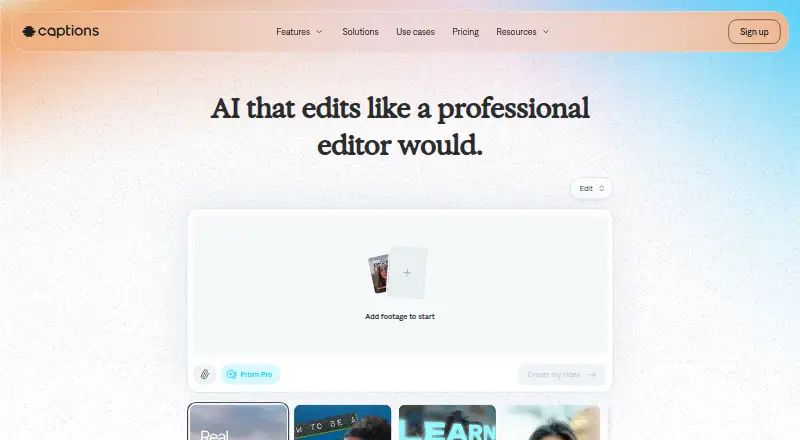
What Captions is
Captions is an AI video platform for creating and editing videos from footage or prompts. AI Edit can apply cuts, captions, music, and formatting to uploaded footage. The service offers automatic transcription, more than 100 caption styles, and translation into over 100 languages. It can dub videos into more than 30 languages using a cloned version of the user's voice. Prompt to Video creates talking-head videos from scripts using built-in actors or an AI Twin. Captions is aimed at creators, marketers, and developers making materials such as ads, listing videos, and podcast clips. Its Mirage API generates content from scripts, image references, or actor IDs and uses credit-based billing. The free plan costs nothing and includes no AI usage credits, one caption template, and basic editing tools. Max costs $24.99 a month and includes 500 monthly credits; higher-priced Frontier plans provide larger credit allowances. Unused credits may roll over for up to two extra months, capped at three times the monthly allowance. Captions is available on Android, iOS, and web, with an API offering.
Good
- Translates captions into over 100 languages.
- Dubs videos into more than 30 languages.
- Max includes 500 monthly credits.
- Unused credits can roll over for up to two extra months.
- Available on Android, iOS, and web.
Watch out
- Free plan includes no AI usage credits.
- Free plan has one caption template.
- Free plan includes basic editing tools.
Who it suits
Captions suits creators, marketers, and developers making videos such as ads, listings, or podcast clips. Its dubbing and translation features may fit users creating versions for multiple languages.
Verdict
Captions combines video editing with captioning, translation, dubbing, and prompt-based video creation. The free plan is limited to basic editing, while Max costs $24.99 a month.
Plans and prices
From Captions's own pricing page, checked 14 Oct 2026.
| Plan | Price | What it gives you |
|---|---|---|
| Max | $24.99 a month | 500 monthly credits · AI Edit · chat editing · Mirage actors · up to 30 AI Twins · concurrent generation up to 2 · monthly |
| Free | Free | 60–200 lifetime credits · one Eclipse template · basic editing · no watermarks · lifetime credits |
| Lite | $4.99 a month | Android only · manual editing · captions import/translation · dubbing · eye contact · denoise · monthly |
| Basic | $9.99 a month | 200 monthly credits · no watermark · Reddit-to-video · script generator · caption/dubbing · AI editing tools · monthly |
| Frontier | $69.99 a month | 1,400 monthly credits · everything in lower plans · faster generations · monthly |
| Frontier 2x | $139.99 a month | 2,800 monthly credits · 2x usage tier · monthly |
| Frontier 4x | $279.99 a month | 5,600 monthly credits · 4x usage tier · monthly |
| Enterprise | Priced on request | bulk credit discounts · custom seats · dedicated account team · training-data exclusion · priority support · custom pricing |
The facts
Each one read from Captions's own pages, with the date it was checked.
What it does
- AI avatars
- Users can create AI Twins from selfies or generate synthetic AI actors, then reuse them across videos.checked 14 Oct 2026
- AI Edit
- AI Edit automatically cuts scenes, adds B-roll and applies a selected visual style.checked 14 Oct 2026
- AI editing
- AI Edit applies cuts, captions, music and formatting to uploaded footage.checked 29 Sep 2026
- AI video
- Prompt to Video generates talking-head videos from a script using built-in actors or an AI Twin.checked 29 Sep 2026
- API
- Mirage API generates talking-head videos from scripts, image references or actor IDs and exposes generate, status and retrieval steps.checked 14 Oct 2026
- API developer tooling
- The API documentation states that SDKs, quickstarts, sandbox and playground environments, credits billing and detailed documentation are provided.checked 14 Oct 2026
- API rights
- The API page says customers retain full rights to generated content and AI-generated actors have no licensing restrictions.checked 14 Oct 2026
- Audience
- Captions describes its intended users as creators, marketers and developers, including people making ads, listing videos and podcast clips.checked 29 Sep 2026
- Automatic captions
- The product generates stylized captions and subtitles in more than 100 languages on its main site.checked 14 Oct 2026
- Captions and translation
- The service offers auto-transcription, over 100 caption styles and translation into over 100 languages.checked 29 Sep 2026
- Chat editing
- The chat-based editor accepts plain-language instructions for edits such as effects, transitions, B-roll and pacing.checked 14 Oct 2026
- Clips
- The Clips feature extracts and reformats multiple short videos from long-form footage.checked 14 Oct 2026
- Compliance
- Mirage states that its security and operational controls are SOC 2 compliant and independently audited.checked 14 Oct 2026
- Credit rollover
- Unused credits can roll over for up to two extra months, with a balance capped at three times the monthly allowance.checked 29 Sep 2026
- Denoise
- AI Denoise removes background noise and echoes while enhancing spoken audio.checked 14 Oct 2026
- Documentation
- The help center covers onboarding, billing, generation, editing, export, project management, troubleshooting and API reference pages.checked 14 Oct 2026
- Dubbing
- Users can dub videos into more than 30 languages with a cloned version of their voice.checked 29 Sep 2026
- Eye contact
- An AI tool adjusts a speaker’s gaze to simulate looking at the camera.checked 14 Oct 2026
- Founding
- The company is identified as founded in 2021 by Gaurav Misra and Dwight Churchill.checked 14 Oct 2026
The company
- Company
- The company says it builds the Captions app, Mirage foundation models and Mirage API, and rebranded as Mirage in 2025.checked 29 Sep 2026
- Company headquarters
- LinkedIn lists New York, NY as Mirage’s headquarters.checked 14 Oct 2026
- Company identity
- The official About page says Captions is built by Mirage, formerly Captions, and that the company rebranded in 2025.checked 14 Oct 2026
- Company size
- LinkedIn lists Mirage as a privately held software company with 51–200 employees.checked 14 Oct 2026
Money
- Free plan
- Yeschecked 23 Sep 2026
The full review of Captions
Captions suits creators and marketing teams who need to edit footage, localize clips, and make presenter-style videos from scripts. Its broad production toolkit is the draw; the free plan’s single caption template and lack of AI credits make it a limited way to judge the AI features.
Overview
Captions combines editing for uploaded footage with prompt-led video creation, captions, translation, and dubbing. That makes it a practical fit for creators repurposing footage and marketers producing ads or listing videos, especially when the same project needs a presenter video or another language. A 4K maximum resolution supports higher-resolution work, while developers can use the separate Mirage API to generate videos from scripts, image references, or actor IDs.
The company builds the Captions app, Mirage foundation models, and Mirage API, and rebranded as Mirage in 2025. Captions is less suitable for people who only need basic subtitles: its free plan offers one caption template and basic editing, with no AI usage credits.
Key features
Editing and captions
AI Edit applies cuts, captions, music, and formatting to uploaded footage. Automatic transcription and more than 100 caption styles give editors ways to adapt clips, while translation into more than 100 languages helps prepare them for multilingual audiences. This range makes Captions more capable than a caption-only workflow, though the free plan’s single template leaves little scope to vary the look without paying.
Dubbing and generated video
Captions can dub videos into more than 30 languages using a cloned version of the speaker’s voice. Prompt to Video creates talking-head videos from a script, using built-in actors or an AI Twin. Custom AI actors and voice cloning make this a stronger choice for teams that need presenter-led content alongside edited footage; those focused solely on transcription may not need that breadth.
API and business controls
The Mirage API uses credit-based billing and supports generation from scripts, image references, or actor IDs. Its stated terms give users full rights to generated content and impose no licensing restrictions on AI-generated actors. Mirage says it uses isolated US-based Google Cloud data centers, encryption, role-based permissions, audit trails, and multi-factor authentication, and is SOC 2 compliant with independently audited security and operational controls.
Unused credits can roll over for up to two extra months, with a balance capped at three times the monthly allowance.
Pricing
The free plan costs nothing and includes basic editing tools and one caption template, but no AI usage credits. It is suitable for basic editing, not for evaluating AI video creation or other credit-dependent work.
Max costs $24.99 a month, billed $24.99/mo, and includes 500 credits per month, AI Edit styles, AI video creation, and digital twins or custom AI actors. It is the entry paid option for creators who need the main AI features. Frontier costs $69.99 a month, billed $69.99/mo, with 1,400 credits, customized usage tiers, and advanced generative AI models. Frontier 2x costs $139.99 a month, billed $139.99/mo, with 2,800 credits and the same tier and model features; Frontier 4x costs $279.99 a month, billed $279.99/mo, with 5,600 credits and those same features. These higher tiers suit larger or more frequent generation workloads, with progressively larger monthly credit allowances. Enterprise has custom pricing, custom seat options, and dedicated account management.
Platforms
Captions is available on Android, iOS, and web. The Mirage API is also offered for developers.
Who it's for
Captions is best suited to creators, marketers, and developers who need a mix of footage editing, localized captions or dubbing, and AI-generated presenter videos. It is a better fit for that combined workflow than for someone who only needs a simple subtitle tool, particularly if the free plan’s one template is too restrictive.
Pros and cons
- Broad video workflow: editing, caption styles, translation, dubbing, and prompt-based presenter videos sit in one platform.
- Useful localization range: captions translate into more than 100 languages and voice-cloned dubbing covers more than 30.
- Free plan has no AI credits: users can try basic editing, but cannot use the plan to assess AI generation.
- Paid AI use starts at $24.99 a month: Max includes 500 monthly credits, so heavier workloads require a higher-priced tier.
Alternatives
Choose SmartSub for local transcription, translation, text-to-speech, and subtitle rendering on Linux, macOS, or Windows, with no local usage limits and optional paid cloud services. Choose CaptionRoom for a free editor with manual captions, exports up to 1080p, no watermark, and AI credits earned by watching ads. Choose Whisper if you want MIT-licensed open-source code and model weights to install locally with Python and ffmpeg. VideoCaptioner is another free, open-source option under the MIT license.
Choose SRTGen to try localization through a web or API service with a free tier that includes SRT, VTT, and TXT export, a five-minute screen-recording limit, and 2 GB of storage. Moonshot offers a free web plan with 15 AI credits and 109 transcription languages, but no video export. Fluen AI Subtitle Generator has a free tier for up to three files, each up to 90 minutes, and a free trial. GetCaptions offers a free Starter tier with 60 minutes of monthly transcription, a five-minute per-video limit, and 720p export.
For more options, browse AI Video Caption Generators, AI Avatar Generators, AI Video Editing Software, AI Video Editors, or Video Editing Software.
Verdict
Captions is a strong choice for creators and marketing teams that want one platform for editing footage, localizing speech and captions, and generating presenter videos. Its main advantage is that breadth; its main drawback is that the free plan cannot use AI credits, so meaningful access to the core AI workflow starts with Max at $24.99 a month.
Getting started
- Open the Captions website
- Create an account on the free plan or select a paid plan
- Use Captions on Android, iOS, or web
- Upload footage for AI Edit or provide a script for Prompt to Video
- Connect the Mirage API for script, image-reference, or actor-ID generation
- Choose credits or a plan for AI features
Limits worth knowing
The Free plan provides no AI usage credits, one caption template, and basic editing tools. Max includes 500 credits per month; unused credits roll over for up to two extra months, capped at three times the monthly allowance.
Questions
Is Captions free?
Yes. The Free plan costs nothing and includes basic editing tools, one caption template, and no AI usage credits.
How much is the Max plan?
Max costs $24.99 a month and includes 500 credits per month.
Which platforms support Captions?
Captions is available on Android, iOS, web, and API.
Can Captions clone a voice or create an AI actor?
Yes. It supports voice-cloned dubbing, digital twins, and custom AI actors.
How does credit rollover work?
Unused credits can roll over for up to two extra months, with the balance capped at three times the monthly allowance.
What does the Mirage API generate?
The API generates videos from scripts, image references, or actor IDs and uses credit-based billing.
Alternatives to Captions
- 1

Whisper
Free planOpen sourceAPILinuxmacOSSelf-hosted8.9$0.01 usage-based - 2

SRTGen
Free planWebAPI8.3From $4 a month - 3
Fluen AI Subtitle Generator
Free planWebAPIExtensionmacOS8.2Free plan - 4
ZapCap
Free planAndroidiOSWebAPI8.1From $8 a month - 5
ngram
Free planWebAPIExtension8.1From $29 a month - 6
Wavel AI
Free planWebAPILinuxmacOS8.1From $16 a month