
ClipEmber
ClipEmber turns long videos into short vertical clips, then lets users edit, download, schedule, and publish them to connected social accounts.
What ClipEmber is
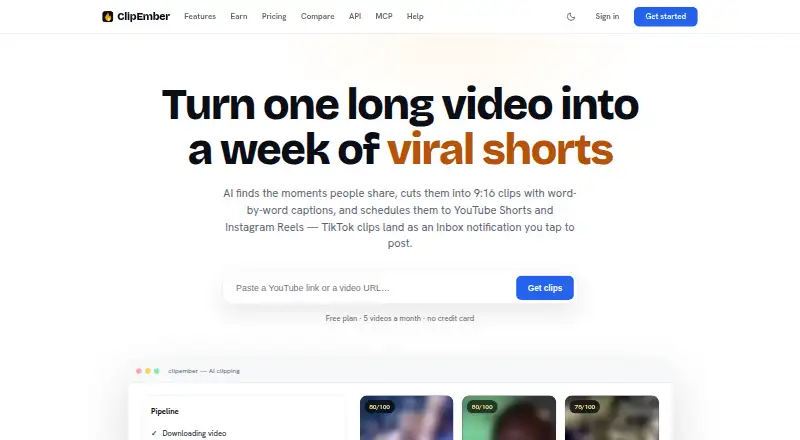
ClipEmber turns long videos into short vertical clips, then lets users edit, download, schedule, and publish them to connected social accounts. It is aimed at podcasters, coaches, and agencies repurposing content libraries, and runs on the web with API access. Its model scores possible moments from 0 to 100 and explains each clip’s hook. Users can remove words through transcript editing, restyle captions, and use undo, redo, and version history. Transcription supports more than 90 languages with word-level timing, while captions offer nine styles. Face detection keeps speakers centered in vertical crops, with fill, fit, and square layouts. Connections include TikTok, YouTube Shorts, and Instagram Reels through official APIs; TikTok uploads still require users to finish posting from an Inbox notification because Direct Post is under audit. The REST API supports clip requests, status checks, rendered downloads, and completion webhooks. Its terms say submitted content and generated clips remain the user's and are not used to train models.
Good
- Scores candidate moments and explains each hook.
- Transcription covers 90+ languages with word-level timing.
- Captions can be rendered in nine styles.
- Face detection centers speakers in vertical crops.
- Free plan includes five videos each month.
Watch out
- TikTok posting must be completed from an Inbox notification.
- Free plan is limited to five monthly videos.
- Creator plan's listed rate is $6/mo billed yearly.
Who it suits
ClipEmber suits podcasters, coaches, and agencies turning existing content into social clips. Its API and MCP integrations may also suit teams building clip workflows into compatible tools.
Verdict
ClipEmber combines clip selection, caption editing, reframing, and social publishing for repurposed video. Check the plan limits and TikTok posting step against your workflow.
Plans and prices
From ClipEmber's own pricing page, checked 3 Oct 2026.
| Plan | Price | What it gives you |
|---|---|---|
| Free | Free | 5 free videos every month · file upload ingest · full editor · manual download · $0/mo |
| Creator | $6 a month | 30 videos per month · YouTube link ingest · autoposting to 3 accounts · priority support · $6/mo, billed yearly — you save $32/yr (shown with $9) |
| Pro | $20 a month | 100 videos per month · 10 connected accounts · channel automation · priority rendering queue · $20/mo, billed yearly — you save $104/yr (shown with $29) |
| Agency | $55 a month | 300 videos per month · unlimited accounts · 5 workspaces · white-label deliverables · API included · $55/mo, billed yearly — you save $284/yr (shown with $79) |
The facts
Each one read from ClipEmber's own pages, with the date it was checked.
What it does
- API
- The REST API supports clip requests, status checks, rendered clip downloads, and completion webhooks.checked 3 Oct 2026
- Assistant integrations
- An MCP server works with Claude, ChatGPT, Claude Code, Claude Desktop, and other MCP-compatible clients.checked 3 Oct 2026
- Captions
- Transcription supports 90+ languages with word-level timing, and captions can be rendered in nine styles.checked 3 Oct 2026
- Clip selection
- Its model scores candidate moments from 0–100 and explains each clip’s hook.checked 3 Oct 2026
- Content and model training
- The terms say submitted content and generated clips remain the user's and are not used to train models.checked 3 Oct 2026
- Editing
- The editor lets users cut words from the transcript, restyle captions, and use undo, redo, and version history.checked 3 Oct 2026
- Intended users
- The product page describes ClipEmber as built for podcasters, coaches, and agencies repurposing their content libraries.checked 3 Oct 2026
- Product
- ClipEmber turns long videos into short vertical clips with captions and lets users edit, download, schedule, and publish them to connected social accounts.checked 3 Oct 2026
- Publishing integrations
- ClipEmber connects to TikTok, YouTube Shorts, and Instagram Reels through their official APIs.checked 3 Oct 2026
- Reframing
- Face detection keeps speakers centered in vertical crops, with fill, fit, and square layouts.checked 3 Oct 2026
- Security
- ClipEmber says API key secrets are shown once and only a hash is stored.checked 3 Oct 2026
- Support
- The help center directs users to [email protected] and says a human reads the email.checked 3 Oct 2026
- TikTok limitation
- TikTok Direct Post is still under audit, so clips are uploaded to TikTok and users complete posting from an Inbox notification.checked 3 Oct 2026
The company
- Headquarters
- Ukrainechecked 28 Sep 2026
The full review of ClipEmber
ClipEmber is a video-repurposing service that identifies promising moments in long recordings, turns them into vertical clips, and carries them through editing and social distribution. It fits podcasters, coaches, and agencies with recurring content libraries better than occasional creators. The broad workflow is its main advantage, while monthly quotas and TikTok’s posting handoff are the principal compromises.
Overview
ClipEmber combines automated clip discovery with transcript editing, caption styling, reframing, downloads, scheduling, and publishing to connected accounts. Candidate moments receive a score from 0 to 100 along with an explanation of the clip’s hook, giving editors a practical way to prioritize suggestions rather than reviewing every segment equally. The service is offered as a freemium product through the web and an API, and its headquarters are in Ukraine.
Key features
The transcript editor allows words to be removed, captions to be restyled, and changes to be reversed with undo and redo. Version history is useful when several edits need comparison or a prior cut must be recovered. Transcription supports more than 90 languages with word-level timing, while nine caption styles provide visual variation without leaving the editor.
Face detection keeps speakers centered when footage is converted to vertical formats. Fill, fit, and square layouts cover different source compositions and publishing targets, making the reframing tools more useful for mixed libraries than a single fixed crop.
Publishing connects through official APIs for TikTok, YouTube Shorts, and Instagram Reels. TikTok is not fully hands-off: Direct Post remains under audit, so ClipEmber uploads the clip and the user completes posting from an Inbox notification. That is a manageable review checkpoint, but it matters to teams expecting unattended distribution.
The REST API handles clip requests, status checks, rendered-clip downloads, and completion webhooks. An MCP server supports Claude, ChatGPT, Claude Code, Claude Desktop, and other compatible clients, giving automation-oriented teams additional ways to start or monitor jobs. ClipEmber says API secrets are shown only once and that it stores a hash. Its terms keep submitted content and generated clips with the user and exclude them from model training. Support is available by email at [email protected], where a human reads messages.
Pricing
The Free plan costs nothing and includes five videos each month, file-upload ingest, the full editor, and manual downloads. It is a sensible way to assess the workflow, but five videos is a small recurring allowance for an active publishing operation and there is no listed autoposting on this tier.
Creator costs $6 a month when billed yearly, with the page showing $9 as the regular monthly figure and savings of $32 per year. It raises the allowance to 30 videos monthly, adds YouTube-link ingest, autoposting to three accounts, and priority support. This suits an individual or small channel that can work within a modest quota.
Pro is $20 a month on annual billing, shown against $29 and saving $104 per year. It provides 100 videos monthly, 10 connected accounts, channel automation, and a priority rendering queue. That combination is aimed at higher-volume creators and small teams; the quota still sets a firm ceiling.
Agency is $55 a month on annual billing, shown against $79 and saving $284 per year. It includes 300 videos monthly, unlimited accounts, five workspaces, white-label deliverables, and the API. Agencies handling multiple clients have the clearest reason to choose it, especially for workspaces and branded output. The broader pricing note states paid plans start from $9 per month, so readers should distinguish that displayed starting figure from the annual-billing prices above.
Platforms
ClipEmber is available through its web application and API. The MCP server extends access to supported assistant clients, but the product remains centered on browser-based video workflows and programmatic integration rather than native mobile apps.
Who it's for
Choose ClipEmber if you regularly turn podcasts, coaching sessions, or other long-form libraries into short social videos and want selection, captions, reframing, and publishing in one pipeline. The API, webhooks, assistant integration, multiple accounts, and workspaces make it more compelling for agencies and automation-heavy teams than for one-off users. It is less suitable when five free videos are insufficient, when monthly quotas would interrupt production, or when TikTok must publish without a user completing the final step.
Pros and cons
- Pros: Clip scoring with hook explanations helps prioritize editing time.
- Pros: Word-level captions in 90+ languages and nine styles support international, branded output.
- Pros: Version history, API webhooks, MCP access, and agency workspaces support repeatable production.
- Cons: Every paid tier is capped by a monthly video quota.
- Cons: TikTok requires an Inbox-based completion step while Direct Post is under audit.
- Cons: The free tier permits only five videos per month and manual downloads.
Alternatives
Pick Podcli instead if you want a free, AGPL-3.0 tool with no watermark, no minute cap, and no subscription across desktop, web, and API platforms; its cloud pricing is not announced. Headliner is the stronger fit for unlimited free video and captioned clips, including 1080p exports, though its free audiogram allowance is limited to one unwatermarked audiogram monthly. Choose Video To Reel for a mobile-first workflow, accepting one free video monthly, a 15-minute source limit, watermarked clips, and seven-day retention. Cliperoni suits users wanting 250 minutes of source content and 5 GB storage on a free plan, with a short outro on free clips. ClipForge is an alternative for iOS and web users who need a credit-based plan. Clipkiln offers another web-based freemium option with a free trial. Atlabs AI UGC Avatar Video is better when generated avatar-style UGC, rather than repurposed recordings, is the goal. ngram targets AI-generated explainer footage through a browser or extension.
For a broader shortlist, see Podcast Clip Makers.
Verdict
ClipEmber is a strong choice for podcasters, coaches, and agencies that need a repeatable path from long video to edited, captioned, reframed social clips, especially when API or workspace features matter. Choose it for the integrated workflow and automation options; look elsewhere if your volume exceeds its quotas or if TikTok must be completely hands-off.