Video To Reel
Video To Reel turns uploaded talks, podcasts, and interviews into short vertical clips.
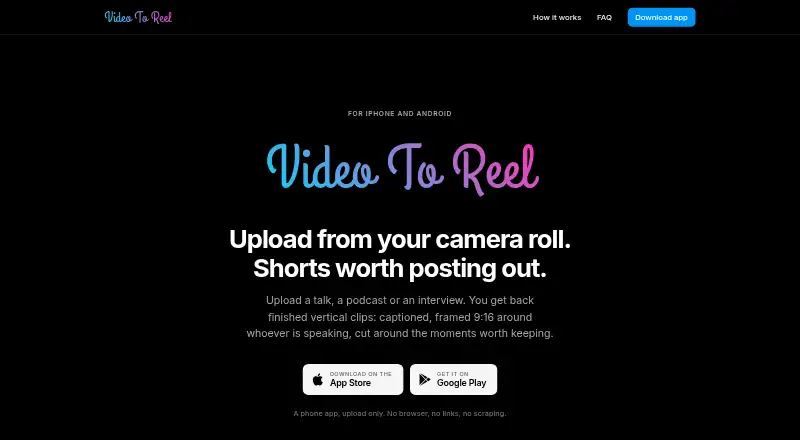
What Video To Reel is
Video To Reel turns uploaded talks, podcasts, and interviews into short vertical clips. The Android and iOS app accepts MP4, MOV, and MKV files from a device, transcribes them, identifies moments, and reframes clips in a 9:16 layout at up to 1080p. SpeakerLock tracks the speaking face as the frame moves, with smoothing to reduce jitter. Captions are word-timed, with three styles and nine positions; you can remake an individual clip after changing its settings. Finished clips can be saved to the camera roll or shared to TikTok, Reels, or Shorts, though the app does not publish directly to social platforms.
The free plan allows one video per month, up to 15 minutes, and three watermarked clips kept for seven days. Starter is billed at €9/month on Google Play or $9.99/month on the App Store. Paid plans include higher monthly source-minute and upload-length limits, up to 10 clips per video, no watermark, and 30-day clip retention. The uploaded source and intermediate files are deleted when rendering finishes.
Good
- Accepts MP4, MOV, and MKV files from a device.
- Tracks the speaking face in 9:16 framing.
- Offers three caption styles and nine positions.
- Can save clips or share them to TikTok, Reels, or Shorts.
- Deletes source and intermediate files after rendering.
Watch out
- Free plan limits use to one video monthly.
- Free clips have a watermark and stay seven days.
- Private, restricted, and live YouTube videos are unsupported.
- TikTok and Instagram links are not supported.
Who it suits
It suits people who want to turn talks, podcasts, or interviews into shareable short clips on Android or iOS. The free plan is suited to occasional use within its one-video monthly limit.
Verdict
Video To Reel combines automatic clip selection, speaker-following reframing, and adjustable captions for short-form video. Check the free plan’s monthly limit and retention period, or the paid plan’s platform-specific billing, before choosing it.
Plans and prices
From Video To Reel's own pricing page, checked 5 Oct 2026.
| Plan | Price | What it gives you |
|---|---|---|
| Free | Free | 1 video/month · up to 15 min · 3 watermarked clips · clips kept 7 days |
| Starter | €9 a month | 150 source minutes/month · uploads up to 45 min · up to 10 clips/video · no watermark · clips kept 30 days · €9/month on Google Play or $9.99/month on the App Store; annual plans cost ten months |
| Creator | €19 a month | 500 source minutes/month · uploads up to 2 hours · up to 10 clips/video · no watermark · clips kept 30 days · €19/month on Google Play or $19.99/month on the App Store; annual plans cost ten months |
| Studio | €49 a month | 1,500 source minutes/month · uploads up to 3 hours · up to 10 clips/video · no watermark · clips kept 30 days · €49/month on Google Play or $49.99/month on the App Store; annual plans cost ten months |
The facts
Each one read from Video To Reel's own pages, with the date it was checked.
What it does
- Caption options
- Captions have three styles and nine positions, and an individual clip can be remade after changing its settings.checked 5 Oct 2026
- Data use
- The maker says it does not sell data, run advertising, use third-party analytics or tracking SDKs, or train models on uploaded content.checked 5 Oct 2026
- Input formats
- The app accepts MP4, MOV, or MKV files from a device.checked 5 Oct 2026
- Intended users
- The maker describes the app for people turning talks, podcasts, or interviews into shareable short clips.checked 5 Oct 2026
- Notable limits
- Private, restricted, and live YouTube videos are unsupported, and TikTok and Instagram links are not supported.checked 5 Oct 2026
- Rendering
- It transcribes videos, selects moments, reframes clips, burns in word-timed captions, and renders at 1080p.checked 5 Oct 2026
- Security
- The privacy policy says transfers use TLS, uploads are isolated per account, and clips are delivered through expiring private links.checked 5 Oct 2026
- Service providers
- The listed subprocessors include Hetzner for hosting, Cloudflare for storage and delivery, OpenRouter for moment selection, Google for push notifications, and Sentry for error reporting.checked 5 Oct 2026
- Sharing
- Finished clips can be saved to the camera roll or shared to TikTok, Reels, or Shorts.checked 5 Oct 2026
- Source deletion
- The uploaded source video and intermediate files are deleted when rendering finishes.checked 5 Oct 2026
- Speaker framing
- SpeakerLock finds the speaking face and moves the 9:16 frame with it, with smoothing to reduce jitter.checked 5 Oct 2026
- Support
- The maker lists [email protected] for questions and support requests.checked 5 Oct 2026
- What it does
- The mobile app turns uploaded talks, podcasts, and interviews into vertical clips with captions, speaker-focused 9:16 framing, and selected moments.checked 5 Oct 2026
The company
- Headquarters
- Delaware, United Stateschecked 28 Sep 2026
The full review of Video To Reel
Video To Reel is a mobile app for turning talks, podcasts, and interviews into short vertical clips. It is best for creators who want an automated path from a video file to captioned, speaker-focused edits on Android or iOS. Its appeal is the bundle of transcription, clip selection, reframing, and captions; the free tier is better for sampling than for a steady publishing schedule.
Overview
Start with an MP4, MOV, or MKV stored on your device. Video To Reel transcribes it, selects moments, reframes them for a vertical 9:16 composition, adds word-timed captions, and renders at 1080p. That makes it a practical option for repurposing long-form recordings without assembling several editing steps yourself. The trade-off is that automatic selection is a starting point, not a guarantee that every chosen moment matches an editor’s intent.
Input restrictions matter: private, restricted, and live YouTube videos are unsupported, as are TikTok and Instagram links. You need a supported local file rather than a social link. After rendering, clips can be saved to the camera roll or shared to TikTok, Reels, or Shorts, but the app does not publish directly to social accounts.
Key features
SpeakerLock follows the speaking face as the vertical crop moves, with smoothing to reduce jitter. This is useful when a speaker shifts position in a wide recording, since the output can stay centered on the person rather than leaving framing entirely static. Captions have three styles and nine positions; an individual clip can be remade after changing its settings, which gives some room to tune the result without reprocessing every clip.
The privacy policy says transfers use TLS, uploads are isolated by account, and clips are delivered through expiring private links. The maker says it does not sell data, serve advertising, use third-party analytics or tracking SDKs, or train models on uploaded content. Its subprocessors include Hetzner for hosting, Cloudflare for storage and delivery, OpenRouter for moment selection, Google for push notifications, and Sentry for error reporting. Source videos and intermediate files are deleted when rendering finishes.
Pricing
The Free plan costs nothing and allows one video per month, up to 15 minutes long. It produces up to three watermarked clips, which are kept for seven days. That is enough for occasional experimentation, but the single monthly source and short retention leave little room for ongoing work or delayed downloads.
Starter is $9 a month, billed €9/month on Google Play or $9.99/month on the App Store; annual plans cost ten months. It includes 150 source minutes per month, uploads up to 45 minutes, up to 10 clips per video, no watermark, and 30-day clip retention. This is the sensible paid entry point for lighter regular use, but the monthly source allowance can constrain frequent repurposing.
Creator is $19 a month, billed €19/month on Google Play or $19.99/month on the App Store; annual plans cost ten months. Its 500 source minutes and two-hour upload ceiling suit a larger stream of recordings while retaining the same 10-clip-per-video limit, watermark-free output, and 30-day retention.
Studio is $49 a month, billed €49/month on Google Play or $49.99/month on the App Store; annual plans cost ten months. It raises the allowance to 1,500 source minutes monthly and uploads up to three hours, while keeping the same per-video clip ceiling and retention as Creator. Choose it for substantially greater monthly source volume, not for extra clip count or longer storage. The paid tiers are app-store billed, so the displayed cost differs by platform.
Platforms
Video To Reel is available on Android and iOS. That mobile focus suits creators who want to prepare and share clips from a phone, but it is not the fit for someone seeking a desktop or web editing workflow.
Who it's for
Choose it if you regularly turn recorded talks, podcasts, or interviews into short social clips and value automatic moment selection, face-following vertical framing, and adjustable captions. It is less compelling for occasional users who need more than one source video a month, editors who require precise manual selection at the outset, or teams seeking direct social publishing.
Pros and cons
- Pros: Transcription, moment selection, 9:16 reframing, word-timed captions, and 1080p rendering are combined in one mobile workflow, reducing the number of separate production steps.
- Pros: SpeakerLock tracking and caption style and position choices allow useful visual adjustments; individual clips can be remade after settings change.
- Pros: Paid plans remove the watermark and extend clip retention to 30 days, with source-minute allowances scaling from 150 to 1,500 per month.
- Cons: The free plan limits users to one 15-minute video and three watermarked clips per month, retained for only seven days.
- Cons: No direct social publishing is offered, and unsupported social links mean the process begins with a supported file on the device.
- Cons: Automated moment selection may not suit editors who need to dictate every segment, and all paid plans cap output at 10 clips per video.
Alternatives
For a non-subscription option with no watermark or minute cap, consider Podcli: its free Podcli plan runs on Linux, macOS, Windows, and the web, as well as through an API, though it is a different platform mix from Video To Reel’s mobile apps.
Headliner is worth considering if you want a broader Android, iOS, web, or API option with a free plan offering unlimited video clips and captioned clips, plus 1080p video. Its free plan limits unwatermarked audiograms to one per month.
Atlabs AI UGC Avatar Video is a web-based alternative with a free trial and a free plan for one video up to 25 seconds; choose it when that short free video allowance is the relevant starting point.
ClipEmber offers a web and API plan with five free videos every month, file-upload ingest, a full editor, and manual download. It may suit users who value that free monthly volume and editor workflow over a mobile-first process.
Cliperoni has a free plan with 250 source minutes per month, 5 GB of cloud storage, and one member, but free clips carry a Short Cliperoni outro. It is a possible alternative for users prioritizing a larger stated monthly source allowance.
ClipForge is available on iOS and the web; its free plan provides one lifetime clip set from a source video up to five minutes, with a watermark and outro. That is a narrower free option than Video To Reel’s recurring monthly allowance.
Clipkiln is a web alternative. ngram is another option, with browser extension and web platforms.
Browse the Podcast Clip Makers list for more options in the category.
Verdict
Video To Reel is a good fit for mobile creators who want to convert supported recordings into speaker-focused, captioned vertical clips without handling each production step separately. The key reason to choose it is the integrated workflow and adjustable framing and captions; look elsewhere if you need direct social publishing, more control over every selected moment, or a genuinely useful free allowance for regular output.
Getting started
- Open https://videotoreel.com/
- Install the app on Android or iOS
- Choose a Free, Starter, Creator, or Studio plan
- Upload an MP4, MOV, or MKV file from the device
- Adjust caption style or position and remake a clip if needed
- Save the result to the camera roll or share it to TikTok, Reels, or Shorts
Limits worth knowing
The Free plan allows one video per month, videos up to 15 minutes, three watermarked clips, and seven days of clip retention. Paid tiers raise monthly source-minute and upload-length limits and keep clips for 30 days, with no watermark.
Questions
Is there a free plan?
Yes. The Free plan costs nothing and includes one video monthly, up to 15 minutes, three watermarked clips, and seven-day retention.
What do paid plans cost?
Starter is $9 a month, Creator is $19 a month, and Studio is $49 a month. Store billing is shown separately in euros on Google Play and dollars on the App Store.
Which devices are supported?
Video To Reel is available on Android and iOS.
Can it publish directly to social platforms?
No. Finished clips can be saved to the camera roll or shared to TikTok, Reels, or Shorts.
What happens to uploaded videos?
The source video and intermediate files are deleted when rendering finishes.