Claap
Claap is a recording and AI-assisted call platform for web, desktop and mobile.
What Claap is
Claap is a recording and AI-assisted call platform for web, desktop and mobile. It can record webcam video, system audio and microphone audio, with supported access through the web, macOS, Windows, iOS, Android and a Chrome extension. Its Pro plan includes unlimited recording through the desktop app, Chrome extension and audio, 400 AI credits per seat each month, two-year storage, AI summaries, follow-up emails and CRM auto-logging. Business adds call scoring, AI coaching, advanced CRM integration and Magic Clips video editing, with 1,000 AI credits per seat monthly and three-year storage. Enterprise includes 2,000 AI credits per seat monthly, unlimited storage, deal forecasting, account scoring, contact insights, SSO, SCIM and dedicated support.
Good
- Records webcam, system audio and microphone.
- Available on web, desktop and mobile.
- Pro includes AI summaries and follow-up emails.
- Business adds call scoring and AI coaching.
- Enterprise includes unlimited storage.
Watch out
- No free plan.
- Pro storage lasts two years.
Who it suits
Claap suits teams that record calls and want AI summaries, follow-up emails or CRM logging. Higher tiers add coaching, forecasting and account insights.
Verdict
Claap combines call recording with AI and CRM features across its paid plans. The right tier depends on the storage, AI credits and team features needed.
Plans and prices
From Claap's own pricing page, checked 15 Oct 2026.
| Plan | Price | What it gives you |
|---|---|---|
| Basic | Free | 10 videos per user · 300 total recording minutes · 3 uploads total · 3-month storage · 5 basic licenses · 0 guests · per license/month |
| Pro | €32 a month | Unlimited recordings · 1,000 minutes/month · 500 AI credits/license · 2-year storage · 10 uploads/month · 50 guests · yearly (-20%); $40 monthly |
| Business | €60 a month | Unlimited recordings and minutes · 1,000 AI credits/license · 3-year storage · CRM enrichment · AI coaching · deal insights · yearly (-20%); $75 monthly |
| Enterprise | Priced on request | Unlimited recordings and storage · custom AI credits · SSO · SCIM · Claap API · unlimited basic licenses · migration support · custom |
The facts
Each one read from Claap's own pages, with the date it was checked.
What it does
- Acquisition news
- Claap announced on October 20, 2025 that it was joining lemlist; the announcement cited 700 Claap customers and lemlist's 20,000-plus customers.checked 15 Oct 2026
- AI agents
- Claap says its MCP connector can be used from Claude or ChatGPT, and agents can connect through Zapier, Make, n8n or webhooks.checked 8 Oct 2026
- AI data use
- Claap states that customer calls are not used to train its AI models or third-party models.checked 15 Oct 2026
- AI summaries
- Claap generates meeting summaries, recap emails, chapters, topics and custom-template outputs.checked 15 Oct 2026
- API documentation
- Claap links to docs.claap.io for endpoint specifications, examples, authentication, rate limits, error handling and best practices.checked 15 Oct 2026
- CRM enrichment
- Business and Enterprise can write AI-generated values into HubSpot, Salesforce, Attio and Pipedrive fields.checked 15 Oct 2026
- Deal intelligence
- Business deal views combine calls, emails, contacts and CRM data into summaries, stakeholder views, momentum indicators and risk warnings.checked 15 Oct 2026
- Desktop requirements
- Claap provides downloadable desktop apps for Mac and Windows for bot-free meeting and screen recording.checked 15 Oct 2026
- Independent review criticism
- A tl;dv review says Claap's free tier is restrictive, core AI capabilities are paywalled, summaries can be shallow or inaccurate, and screen recording was buggy in testing.checked 15 Oct 2026
- In-person capture
- The product page says its mobile app can capture in-person meetings.checked 8 Oct 2026
- Integrations
- Listed integrations include Google Meet, Zoom, Teams, Google and Outlook calendars, Slack, Notion, HubSpot, Salesforce, Attio, Pipedrive, Aircall, Linear, Jira, GitHub, ClickUp, Confluence, Trello, Asana, Zapier, Make, n8n and webhooks.checked 15 Oct 2026
- Intended users
- Claap describes the product as built for revenue teams, with role pages for sales leaders, sales reps, RevOps and Customer Success.checked 8 Oct 2026
- Language support
- The pricing comparison lists transcripts in 99+ languages for Pro, Business and Enterprise plans.checked 8 Oct 2026
- Licence
- Claap is delivered as a proprietary hosted service; the published terms do not provide an open-source licence or self-hosting package.checked 15 Oct 2026
- Limit: performance
- G2's review synthesis mentions lag, slow uploads and delayed video processing.checked 15 Oct 2026
- Limit: recording and search
- G2 reviewers report frustrations with recording-length limits, library search and speaker-identification accuracy.checked 15 Oct 2026
- MCP
- Claap MCP is included on every plan and connects meeting, deal and AI-field data to Claude, ChatGPT, Cursor and other compatible agents.checked 15 Oct 2026
- Microphone recording
- Yeschecked 15 Sep 2026
The company
- Company facts
- LinkedIn lists Claap as founded in 2021, remote headquartered, privately held and employing 11–50 people.checked 15 Oct 2026
- Company identity
- Crunchbase lists the legal name as CLAAP SAS and identifies Pierre Touzeau and Robin Bonduelle as founders.checked 15 Oct 2026
- Company mission
- Claap says its mission is to free sales teams from repetitive tasks and analysis so they can focus on selling.checked 8 Oct 2026
Money
- Free plan
- Nochecked 15 Sep 2026
- Plan limits
- The Basic plan includes 10 videos per user, 300 total minutes and 3 months of recording storage; Pro storage lasts 2 years and Business storage 3 years.checked 8 Oct 2026
Where it runs
- Mobile app
- The Claap in-person recorder app captures audio, separates speakers, creates summaries and syncs recordings to the Claap workspace.checked 15 Oct 2026
The full review of Claap
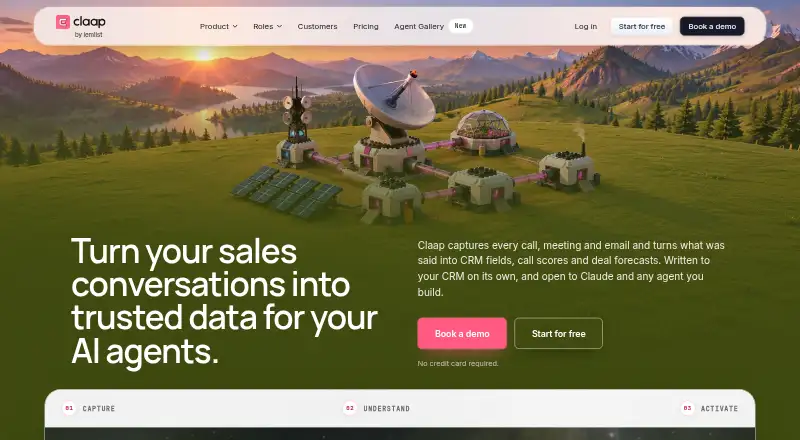
Claap is a call and meeting recorder that turns conversations into CRM data, scores and forecasts. It is best suited to revenue teams that want recording and sales coaching in the same workflow. Its strongest case is the combination of capture and structured sales analysis; its main trade-off is that storage, AI credits and advanced sales tools vary sharply by plan.
Overview
Claap records Zoom, Google Meet and Microsoft Teams calls either without joining as a participant or through a visible bot recorder. Its mobile app also captures in-person meetings. Rather than stopping at transcripts, the product turns calls, meetings and emails into CRM fields, call scores and deal forecasts.
This sales focus makes Claap more compelling for teams coordinating follow-up and coaching than for someone who only needs a basic screen recorder. Webcam, system audio and microphone recording cover common recording needs, while integrations with HubSpot, Salesforce, Attio, Pipedrive, Zoom, Google Meet, Teams, Aircall, Slack and Notion connect it to a broader sales stack.
Key features
Recording and capture
Recording calls without joining as a participant avoids adding another attendee to the meeting; the visible bot option provides an explicit alternative. In-person capture extends the product beyond video calls. The Basic tier's limited video and minute allowance, however, makes it better for a small trial or light use than as an unrestricted team archive.
Coaching and CRM workflows
Configurable scorecards support MEDDIC, MEDDPICC, BANT and SPICED, and teams can create their own criteria. That is useful when managers need calls evaluated against a specific sales method; it is less of a draw for teams that do not use structured sales coaching. CRM automation ranges from auto-logging on Pro to advanced CRM integration on Business, with deal forecasting, account scoring and contact insights at Enterprise.
AI and integrations
Paid plans offer increasing monthly AI credits per seat, with summaries and follow-up emails on Pro and AI coaching and Magic Clips video editing on Business. Claap's MCP connector works from Claude or ChatGPT, and agents can connect through Zapier, Make, n8n or webhooks. Pro, Business and Enterprise list transcripts in 99+ languages.
Claap states that it uses EU hosting, is GDPR compliant and SOC 2 Type II certified, and does not train models on customer data. Its Trust Center lists a SOC 2 Type 2 report and 38 controls.
Pricing
Claap has a free Basic tier and a 14-day trial. Paid plans start at €29/user/mo (annual). The plan prices below are billed annually; seat-based AI credits and retention periods are important distinctions when comparing the tiers.
| Plan | Price | What it includes |
|---|---|---|
| Basic | free | 10 videos per user, 300 total minutes, up to 5 Basic licenses and 3 months of recording storage. Standard email and chat support. |
| Pro | €29 a month, billed annually | Unlimited recording through the desktop app, Chrome extension and audio; 400 AI credits per seat per month; 2-year storage; AI summaries, follow-up emails and CRM auto-logging. Priority email and chat support. |
| Business | €59 a month, billed annually | Unlimited recordings; 1,000 AI credits per seat per month; 3-year storage; call scoring, AI coaching, advanced CRM integration and Magic Clips AI video editing. Priority email and chat support. |
| Enterprise | €99 a month, billed annually | Unlimited recordings, 2,000 AI credits per seat per month, unlimited storage, deal forecasting, account scoring, contact insights, SSO, SCIM and a dedicated account manager. |
Basic is the low-commitment choice, but 300 total minutes and three months of storage constrain ongoing use. Pro suits teams wanting unlimited recording and CRM logging without the coaching suite, though its 400 monthly credits per seat and two-year retention are lower than higher tiers. Business is the better fit when call scoring and AI coaching are central; Enterprise adds longer-term storage flexibility, forecasting and identity controls. Enterprise includes dedicated account management, while Basic support is standard rather than priority.
Platforms
Claap supports web, macOS, Windows, iOS, Android and a Chrome extension. An API is also listed, giving teams another integration route beyond its named CRM, meeting and productivity connections.
Who it's for
Claap is aimed at revenue teams, including sales leaders, sales representatives, RevOps and Customer Success. Sales managers can use scorecards to make coaching more consistent, while reps benefit from meeting capture and CRM auto-logging. Teams that need only occasional recording, or have no use for sales-specific scoring and CRM workflows, are less likely to need the higher tiers.
Pros and cons
Pros
- Records major video-call platforms without joining as a participant, while retaining a visible bot option.
- Scorecards cover established sales frameworks and allow teams to define their own criteria.
- Paid plans scale from CRM auto-logging to coaching, forecasting and account insights.
- Mobile in-person capture and broad desktop and mobile platform support extend its use beyond browser meetings.
Cons
- Basic is capped at 10 videos per user, 300 total minutes and three months of storage, limiting it for regular team use.
- AI credits are capped per seat on paid plans, so teams must weigh usage against the monthly allowance.
- Storage remains time-limited on Pro and Business, at two and three years respectively.
- Advanced coaching and forecasting are reserved for higher-priced plans, making Claap less suitable for users who only want straightforward recording.
Alternatives
Choose Fellow if a freemium option for getting started is preferable; its Free plan includes five AI notes per user for the lifetime of the account.
JOEY is another freemium alternative with a free plan.
FollowUpThen is worth considering when follow-up reminders are the priority: its free plan allows 50 active followups per month, and its Base Plan is $5 a month billed monthly.
Avoma offers a Startup plan at $19 a month billed annually, with up to 25 paid seats and free view-only seats.
CloseFlow offers a 30-day free-account period with every available feature, no payment method required and no automatic charge.
Sybill may suit teams seeking a free meeting assistant with unlimited recordings and transcripts, 20 AI meeting summaries and briefs per month, and three months of storage.
Oc8via has a free tier with 50 credits per month, three AI follow-ups and one team member.
OptiKratos Email is an email-focused alternative, with a free tier of 15,000 emails per month.
For category browsing, see Sales Follow-Up Software, Video Messaging Software, AI Screen Recorders and Screen Recording Software.
Verdict
Claap is a strong choice for revenue teams that want call capture tied directly to CRM workflows and structured coaching. Choose Pro for unlimited recording and auto-logging, or Business when scorecards and AI coaching justify the higher spend. Look elsewhere if you need only a basic recorder, want longer retention without moving up to Enterprise, or expect to use more AI than a per-seat credit allowance supports.
Getting started
- Visit https://www.claap.io/.
- Choose the Basic plan or review Pro, Business and Enterprise; the paid plans have a 14-day trial.
- Use the web app, desktop app, mobile app or Chrome extension on a supported platform.
- Connect relevant tools such as a CRM, meeting platform or agent integration.
- Record a call or meeting; use the mobile app for in-person capture.
Limits worth knowing
Basic allows 10 videos per user, 300 total minutes and up to five Basic licenses, with three months of recording storage. Pro has two-year storage, while Business has three-year storage; Enterprise includes unlimited storage.
Questions
Is Claap free?
Yes. Basic costs €free and supports up to five Basic licenses, 10 videos per user and 300 total minutes.
What do the paid plans cost?
Pro is €€29 a month, billed annually; Business is €€59 a month, billed annually; Enterprise is €€99 a month, billed annually. A 14-day trial is listed.
Which platforms does Claap support?
Claap supports web, macOS, Windows, iOS, Android and a Chrome extension.
What integrations are available?
Listed integrations include HubSpot, Salesforce, Attio, Pipedrive, Zoom, Google Meet, Teams, Aircall, Slack and Notion. Claap also lists an MCP connector for Claude or ChatGPT and agent connections through Zapier, Make, n8n or webhooks.
Does Claap offer sales coaching tools?
Yes. It offers configurable call scorecards with MEDDIC, MEDDPICC, BANT and SPICED, and teams can define their own criteria.
What security assurances does Claap state?
Claap states that it uses EU hosting, is GDPR compliant and SOC 2 Type II certified, and does not train models on customer data. Its Trust Center lists a SOC2 type 2 report and 38 controls.
Alternatives to Claap
- 1

Cap
Free planOpen sourceWebAPIExtensionLinux9.0From $29 a year - 2

Loom
Free planAndroidiOSWebmacOS8.9From $18 a month - 3

Vmaker
Free planiOSWebExtensionmacOS8.9From $18 a month - 4

ScreenPal
Free planAndroidiOSWebmacOS8.8From $4 a month - 5

Screencastify
Free planWebExtensionLinuxmacOS8.7From $7 a month - 6

Kommodo
Free planAndroidiOSWebAPI8.7From $9 a month