FollowUpThen
FollowUpThen is an email reminder and personal follow-up assistant.
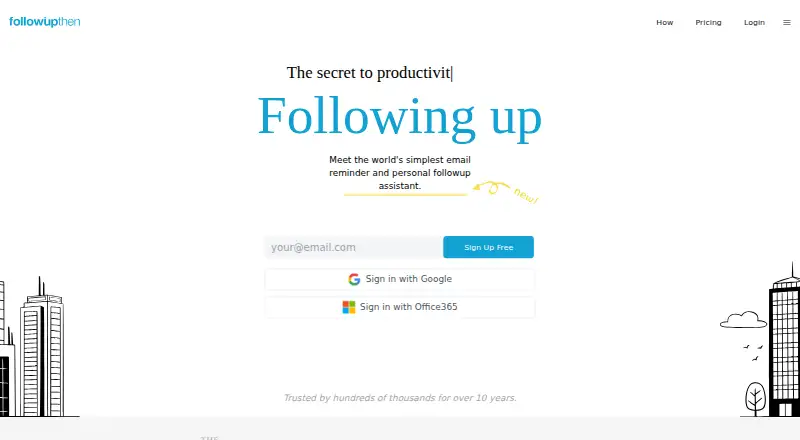
What FollowUpThen is
FollowUpThen is an email reminder and personal follow-up assistant. To schedule a reminder, a user places a date or time before the service's email address; it accepts formats for intervals, specific dates, and recurring reminders. Adding it in BCC keeps the reminder private to the sender, while adding it in CC sends the due follow-up to everyone in the email's To field. Upcoming reminders can be managed in the web app, by emailing [email protected], or through a daily agenda. The basic email reminder workflow does not require inbox access. Listed add-ons include response detection, SMS notifications, recurring reminders, persistent tasks, and automatic cancellation when a reply arrives. The service also lists Zapier connections and Google Calendar features. Its free plan allows 50 active follow-ups per month; the Base Plan costs $5 a month. A 14-day trial is listed. The service is available on Android, iOS, and the web, and its email-address-based workflow also works on phones, PCs, and tablets.
Good
- BCC can keep a reminder private to its sender.
- CC can send a due follow-up to the To field.
- Upcoming reminders can be managed in three ways.
- Basic reminders do not require inbox access.
- Free plan allows 50 active follow-ups per month.
Watch out
- Free plan is limited to 50 active follow-ups per month.
- Base Plan costs $5 a month.
- Privacy mode retains subject and headers for threading.
Who it suits
FollowUpThen suits people who want to schedule email follow-ups from an email message without connecting an inbox. It also offers add-ons for users who need reminders, task persistence, or reply detection.
Verdict
FollowUpThen turns email addressing into a way to schedule personal or group follow-ups. Its free monthly allowance may suit lighter use, while paid functionality and add-ons cover additional reminder needs.
Plans and prices
From FollowUpThen's own pricing page, checked 15 Oct 2026.
| Plan | Price | What it gives you |
|---|---|---|
| Free | Free | 50 active followups per month · free forever |
| Base annual | $4 a month | Unlimited followups · attachments · calendar integration · tasks · recurring reminders · email actions · billed annually |
| Team | $4 a month | Base Plan · individual skill budgets · centralized billing · team data ownership · per user per month |
| Base monthly | $5 a month | Unlimited followups · attachments · calendar integration · tasks · recurring reminders · email actions · monthly |
| Base Plan | $5 a month | Basic functionality · attachments · calendar integration · tasks · cancellation · recurring followups · $5/mo (monthly) |
| Skills | — | Optional à la carte add-ons · examples include response detection, SMS and calendar integration · $2~20/mo |
The facts
Each one read from FollowUpThen's own pages, with the date it was checked.
What it does
- API status
- The core FollowUpThen API is still being developed and has not been released as a ready public API.checked 15 Oct 2026
- Auto-Cancel skill
- Auto-Cancel can cancel followups on the same email thread.checked 15 Oct 2026
- Autocomplete
- An autocomplete feature can be configured for FollowUpThen addresses.checked 15 Oct 2026
- Calendar integration
- A calendar feed lets paid users manage followups on an external calendar, while Google Calendar refreshes can take several hours.checked 15 Oct 2026
- Date formats
- The service accepts thousands of relative and absolute date formats in reminder addresses.checked 15 Oct 2026
- Documentation
- The help center documents setup, scheduling, time formats, accounts, teams, premium features, response detection and SMS.checked 15 Oct 2026
- Email access
- The service says no inbox connection is required for its basic email reminder workflow.checked 2 Oct 2026
- Encryption and retention
- The help page says follow-up message bodies are stored with 128-bit encryption and email contents are automatically deleted between four weeks and six months after a follow-up is sent.checked 2 Oct 2026
- Exchange limitation
- Microsoft Exchange must allow IMAP connections for inbox-linked features to work.checked 15 Oct 2026
- Extension API
- An open extensions API is described as a way to build, deploy and share inbox extensions, with early access available by request.checked 15 Oct 2026
- Features
- Listed add-ons include response detection, SMS notifications, recurring reminders, persistent tasks and automatic cancellation when a reply arrives.checked 2 Oct 2026
- Follow-up management
- Users can manage upcoming follow-ups in a web app, email [email protected], or receive a daily agenda.checked 2 Oct 2026
- Funding
- Crunchbase lists one funding round with Y Combinator as the investor.checked 15 Oct 2026
- GDPR and data export
- The GDPR page says users can delete their account and export their follow-ups as a portable CSV, and that a data processing agreement for EU customer data is available on request.checked 2 Oct 2026
- Group reminders
- Placing FollowUpThen in CC sends a follow-up to everyone in the To field when it is due.checked 2 Oct 2026
- Inbox access
- Connecting an inbox is optional except for features such as response detection, which reads headers rather than message content.checked 15 Oct 2026
- Installation
- It requires no installed application and is designed to work on every device through email.checked 15 Oct 2026
- Integrations
- The product lists Zapier, which it says connects to 4000+ other apps, and Google Calendar features for managing follow-ups.checked 2 Oct 2026
- Limit: integrations
- A Rebump comparison says FollowUpThen lacks email tracking and CRM integrations.checked 15 Oct 2026
- Limit: mobile postpone
- An independent MacAutomationTips review reports that postponing reminders can fail in Gmail iOS, Mailbox iOS and some Android clients.checked 15 Oct 2026
- Limit: project scope
- MacAutomationTips says the service is poorly suited to managing larger projects and that its free tier historically limited retention and recurring reminders.checked 15 Oct 2026
- Limit: review evidence
- Trustburn marks the company information as unverified and says the business has not responded to negative reviews.checked 15 Oct 2026
The company
- Company founded
- LinkedIn lists FollowUpThen as founded in 2010 with 2–10 employees.checked 15 Oct 2026
- Company headquarters
- Crunchbase lists FollowUpThen's headquarters in San Jose, California, United States.checked 15 Oct 2026
The full review of FollowUpThen
FollowUpThen is an email-first tool for setting personal reminders and coordinating follow-ups with a group. It is best suited to people who already manage work through email and want to schedule a nudge without handing over inbox access; those seeking a broad sales or project-management suite should look elsewhere.
Overview
Put a date or time before FollowUpThen’s email address and the service schedules a reminder. It accepts thousands of date formats, including intervals, specific dates and recurring schedules. That keeps the basic workflow close to the email conversation, rather than requiring a separate calendar or task list, but it also makes the product a focused follow-up utility rather than a general-purpose organizer.
Use BCC to keep a reminder private to its sender, or CC to have the reminder go to everyone in the message’s To field when it is due. Upcoming follow-ups can be managed in the web app, by emailing [email protected], or through a daily agenda. The choice of routes is useful for an email-centered queue, though users who prefer to manage all tasks in one broader workspace may find the scope limited.
Key features
Listed add-ons include response detection, SMS notifications, recurring reminders, persistent tasks and automatic cancellation when a reply arrives. The service also lists Zapier, which it says connects to 4000+ other apps, and Google Calendar features for managing follow-ups. These options expand the reminder workflow, but some capabilities sit behind optional add-ons rather than the basic plan.
Basic email reminders do not require an inbox connection, an important privacy and permissions advantage. The help page says follow-up message bodies are stored with 128-bit encryption and email contents are deleted automatically between four weeks and six months after a follow-up is sent. Privacy mode removes message bodies and attachments when a reminder is scheduled, retaining the subject and headers for threading. However, headers and subjects are saved in an unencrypted, searchable format for support, debugging and system operations. The company says it receives an annual security audit from a Google-approved third-party firm using manual and automated penetration testing. Users can delete their account and export follow-ups as a portable CSV; an EU data processing agreement is available on request.
Pricing
The free plan costs nothing and allows 50 active followups per month, with no stated end date. That is a reasonable starting allowance for occasional personal reminders, but users with a heavier queue may hit the cap. The pricing note says paid plans start at $4/mo and include a 14-day trial; the Base Plan is priced at $5 a month, billed $5/mo (monthly).
The Base Plan includes basic functionality, attachments, calendar integration, tasks, cancellation and recurring followups. It suits users who need those capabilities regularly, but its monthly billing is less suited to someone who only needs an occasional reminder.
Platforms
FollowUpThen lists Android, iOS and web platforms. The company says its email-address-based service works on phones, PCs, tablets and other devices, which favors users who want to trigger a reminder from their usual email client rather than depend on a particular desktop app.
Who it's for
This is a strong fit for individuals who want private email reminders and small groups that need a due follow-up sent to everyone on a message. It is less compelling for teams that need a broad shared work-management environment, or for users whose reminder volume exceeds the free plan and who do not want another paid service.
Pros and cons
- Pro: No inbox connection is required for basic reminders, limiting the access users need to grant.
- Pro: BCC and CC routing cover both private nudges and group follow-ups without changing the email-first workflow.
- Pro: The free plan is free forever and permits 50 active followups per month, enough to assess the service or handle light use.
- Con: The free allowance is capped, so frequent users may need the monthly Base Plan or optional add-ons.
- Con: Privacy mode still retains subject and header data, and those fields are stored in an unencrypted searchable format for operational purposes.
Alternatives
For a broader comparison, see Email Scheduling Software and Sales Follow-Up Software.
- Boomerang is a freemium option for Android, iOS, web and browser extension users; its free Basic plan gives 10 message credits per month for Gmail and Google Workspace accounts.
- SendLater is a Windows option if that platform suits you; its free plan schedules email once and limits resend delay to a maximum of four hours.
- Right Inbox is another freemium choice, available as an extension, on macOS and on the web; its free Limited plan is solo use only and allows five emails per month.
- Later.io is a web-based alternative with a free allowance of 30 emails created per month.
- Schedule Email is an extension with a free Basic plan for one user that includes Gmail integration and the ability to review or cancel scheduled emails.
- Mailmeteor is an extension and web option whose free Hobby plan includes 500 emails per month, templates, tracking, scheduling and attachments.
- Mixmax is a freemium choice across web, desktop, extension and API platforms; its free plan includes 20 tracked emails per month and up to 50 sequence recipients per month.
- YAMM is an extension and web alternative whose free plan allows 20 recipients per day for one user.
Verdict
Choose FollowUpThen if you want to schedule private or group follow-ups directly from email without connecting your inbox. Its focused workflow and permanent free tier are the strongest reasons to start here; the capped free allowance, add-on costs and retained subject and header data are reasons to compare alternatives if your needs or privacy expectations are broader.
Getting started
- Open the FollowUpThen website
- Choose the free plan or start the listed 14-day trial
- Place a date or time before the service email address
- Use BCC for private reminders or CC for group follow-ups
- Manage pending items in the web app, by email, or through the daily agenda
Limits worth knowing
The free plan permits 50 active follow-ups per month. The Base Plan costs $5 a month and adds attachments, calendar integration, tasks, cancellation, and recurring follow-ups.
Questions
Is there a free plan?
Yes. The Free plan is 0.00 USD and remains free forever, with 50 active follow-ups per month.
What does the Base Plan cost?
The Base Plan is listed at $5 a month. A 14-day trial is also listed.
Which platforms are supported?
FollowUpThen is available on Android, iOS, and the web, and its email workflow works on phones, PCs, and tablets.
Does it connect to other services?
Listed integrations include Zapier, Google Calendar features, CRM sync, and calendar sync.
Can reminders recur or use SMS?
Recurring follow-ups are supported, and SMS notifications are listed as an add-on.
Alternatives to FollowUpThen
- 1

Mailmeteor
Free planAndroidiOSWebAPI8.2From $5.99 a month - 2
Mixmax
Free planWebAPIExtensionLinux8.1From $29 a month - 3
Boomerang
Free planAndroidiOSWebExtension8.0From $4.98 a month - 4

Right Inbox
Free planWebExtensionLinuxmacOS7.9From $9.95 a month - 5

Instantly
AndroidiOSWebAPI7.8From $47 a month - 6

Yesware
Free planWebExtensionmacOSWindows7.3From $19 a month