
Mailmeteor
Mailmeteor is a personalized email campaign tool that helps users manage replies from Gmail, Outlook and other tools.
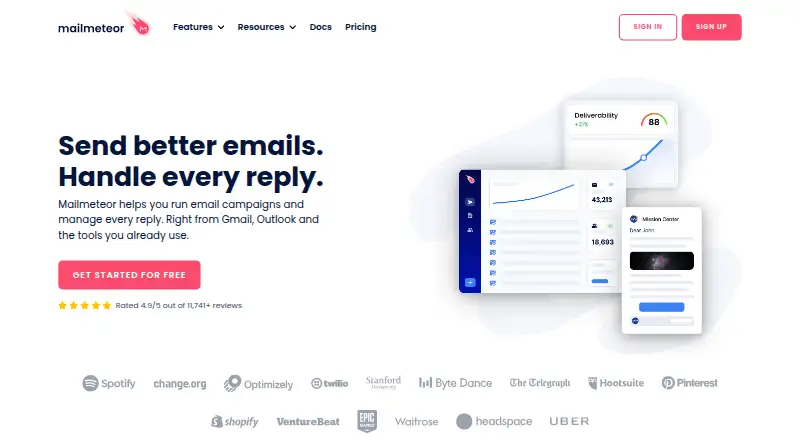
What Mailmeteor is
Mailmeteor is a personalized email campaign tool that helps users manage replies from Gmail, Outlook and other tools. Users can create campaigns from Gmail, Outlook, Excel, Google Sheets or Google Docs, with features for tracking, scheduling, templates, attachments, audience segmentation, unsubscribe management and conditional follow-ups. Its AI assistant can sort emails and draft, rewrite, improve or shorten messages in the user's tone, but the assistant is currently available only for Gmail. Mailmeteor works with Zapier and its ecosystem of 5,000+ apps, and supports Google Sheets automations. Users can log sent email in Salesforce or HubSpot by adding a CRM's unique BCC address. The free Hobby plan includes 500 emails per month, templates, tracking, scheduling and attachments, with support for Gmail, Sheets and Excel. Mailmeteor says it requests only essential permissions for sending email and does not need permission to read, modify or delete email data; it also says customer data stays in the Google Spreadsheet by design. Daily and monthly sending limits vary by plan.
Good
- Campaigns can be created from Gmail, Outlook and spreadsheets.
- Includes scheduling, tracking and conditional follow-ups.
- Free Hobby plan includes 500 emails per month.
- Works with Zapier and Google Sheets automations.
- AI assistant can draft and revise Gmail messages.
Watch out
- AI email assistant is currently available only for Gmail.
- Hobby plan is limited to 500 emails per month.
- No free trial is offered.
- Daily and monthly sending limits vary by plan.
Who it suits
Mailmeteor suits sales teams, marketers, recruiters, founders, customer support teams and freelancers sending personalized email campaigns. It is particularly relevant to users working with Gmail, Outlook, spreadsheets or Google Docs.
Verdict
Mailmeteor brings mail merge, campaign management and reply-related tools together for users working from email clients and spreadsheets. Its free plan is limited, and users should check the plan-specific sending caps and Gmail restriction on the AI assistant.
Plans and prices
From Mailmeteor's own pricing page, checked 15 Oct 2026.
| Plan | Price | What it gives you |
|---|---|---|
| Hobby | Free | 500 emails/month · email templates · tracking · scheduling and attachments · free |
| Starter | $5.99 a month | 5,000 emails/month · 250 emails/day · 1 sender · Autopilot · shared templates · email verification · Zapier · Deliverability Hub · per user / month |
| Premium | $17.99 a month | 30,000 emails/month · 1,000 emails/day · 5 senders · follow-ups · Sheets Automations · email warmup · AI assistant · custom tracking domain · per user / month |
| Professional | $35.99 a month | 60,000 emails/month · 2,000 emails/day · 10 senders · inbox rotation · pipelines · higher limits · priority support · per user / month |
The facts
Each one read from Mailmeteor's own pages, with the date it was checked.
What it does
- AI assistant
- The Gmail assistant can sort conversations, draft replies in the user’s tone and rewrite messages.checked 15 Oct 2026
- Automation
- Mailmeteor works with Zapier and its ecosystem of 5,000+ apps, and supports Google Sheets automations.checked 29 Sep 2026
- Campaign tools
- Features include email tracking, scheduling, templates, attachments, audience segmentation, unsubscribe management, and conditional follow-ups.checked 29 Sep 2026
- Changelog: January 27 2026
- The January 27, 2026 release introduced an AI email assistant for Gmail inbox work.checked 15 Oct 2026
- Changelog: June 30 2026
- The June 30, 2026 release added Deliverability Hub and Inbox Rotation.checked 15 Oct 2026
- CRM integration
- Mailmeteor says users can log sent email in CRMs such as Salesforce or HubSpot by adding the CRM's unique BCC address.checked 29 Sep 2026
- Custom extensibility
- A private-beta Gmail panel feature lets selected accounts display data returned by their own API endpoints.checked 15 Oct 2026
- Data protection
- Mailmeteor says it complies with French data protection laws and GDPR, and that customer data stays in the Google Spreadsheet by design.checked 29 Sep 2026
- Documentation
- The help center covers campaigns, templates, contacts, analytics, senders, automations, AI assistant features and troubleshooting.checked 15 Oct 2026
- Email assistant
- Its AI assistant can sort emails, draft replies in the user's tone, and rewrite, improve, or shorten emails; the assistant is currently available only for Gmail.checked 29 Sep 2026
- Email limits
- The pricing comparison lists daily limits of 250 emails for Starter, 1,000 for Premium, and 2,000 for Professional, alongside monthly limits of 5,000, 30,000, and 60,000.checked 29 Sep 2026
- Email providers
- Supported sending services are Gmail, Google Workspace, Outlook, Zoho and arbitrary SMTP servers with IMAP reply detection.checked 15 Oct 2026
- Follow-ups
- Automated follow-up sequences can react to events such as opens, clicks and replies.checked 15 Oct 2026
- Intended users
- The site describes use cases for sales teams, marketers, recruiters, founders, customer support teams, and freelancers.checked 29 Sep 2026
- Legal entity and founders
- Crunchbase lists the legal name Mailmeteor SAS and founders Corentin Brossault and Jean Dubrulle.checked 15 Oct 2026
- Limit: G2 analytics
- G2 reviewers repeatedly ask for deeper reporting, bounce management and more advanced campaign analytics.checked 15 Oct 2026
- Limit: Trustpilot reliability
- Trustpilot reviewers report emails stuck in retrying, unclear failure states, tracking problems and restrictive provider sending limits.checked 15 Oct 2026
Where it runs
- Browser requirement
- The Gmail extension is designed for Google Chrome and can also run in Chrome-compatible browsers such as Microsoft Edge.checked 15 Oct 2026
- Limit: GetApp flexibility
- GetApp reviewers cite inflexible scheduling, template management, automation, customization and sending quotas as improvement areas.checked 15 Oct 2026
The company
- Company
- Mailmeteor describes itself as an independent software company located in Paris, France, and says it started Mailmeteor in 2018.checked 29 Sep 2026
- Company profile
- LinkedIn lists Mailmeteor in Paris, France, with 2–10 employees and partnership status.checked 15 Oct 2026
- Founded
- Mailmeteor’s own About page says the company started in 2018.checked 15 Oct 2026
- Headquarters
- Paris, Francechecked 23 Sep 2026
Money
- Free use
- The pricing page offers a free Hobby plan with 500 emails per month, while its FAQ describes free use up to 50 emails per day.checked 29 Sep 2026
The full review of Mailmeteor
Overview
Mailmeteor combines personalized email campaigns with tools for managing replies across Gmail, Outlook, spreadsheets, and documents. It is best suited to people already organizing outreach in those tools, from freelancers to sales and recruiting teams. Its campaign controls are broad, but sending quotas and Gmail-only AI support put meaningful boundaries on the lower tiers and on Outlook users.
Key features
Mail merge works from Gmail, Outlook, Excel, Google Sheets, and Google Docs, making Mailmeteor useful when contact lists and workflows live in different places. Campaign features include templates, attachments, scheduling, audience segmentation, unsubscribe management, and conditional follow-ups. Open, link, and reply tracking add ways to monitor engagement; the value of those controls depends on choosing a plan with enough daily and monthly sending capacity.
The AI assistant sorts email, drafts replies in the user's tone, and can rewrite, improve, or shorten messages. It is available only for Gmail, so Outlook users miss this part of the product. Automation includes Zapier connections to an ecosystem of 5,000+ apps and Google Sheets automations. For Salesforce or HubSpot, users can log sent email by adding the CRM's unique BCC address; CRM integrations are not included as a native integration category.
Mailmeteor says it requests only essential permissions to send email, without access to read, modify, or delete email data. It also says customer data stays in the Google Spreadsheet by design and that it complies with French data protection laws and GDPR. Its Security Center says TAC Security audited its infrastructure and source code in November 2025 for CASA Tier 3 requirements and Google API usage.
Pricing
Mailmeteor has a free Hobby plan and three paid plans billed per user per month. There is no free trial. The main trade-off between tiers is capacity and sender scale, with follow-ups, automation, and AI arriving above Starter.
| Plan | Price | What it includes | Best fit |
|---|---|---|---|
| Hobby | free | 500 emails/month; templates, tracking, scheduling and attachments; Gmail, Sheets, Excel | Occasional, low-volume campaigns |
| Starter | $5.99 a month, billed per user / month | 5,000 emails/month, 250/day, 1 sender, 50,000 contacts, Autopilot, email verification, Zapier | One-sender outreach that needs more room than the free tier |
| Premium | $17.99 a month, billed per user / month | 30,000 emails/month, 1,000/day, 5 senders, 500,000 contacts, follow-ups, Sheets automations, AI assistant, warmup | Teams needing follow-ups, multiple senders, or Gmail AI assistance |
| Professional | $35.99 a month, billed per user / month | 60,000 emails/month, 2,000/day, 10 senders, 1,000,000 contacts, inbox rotation, dedicated onboarding, priority support | Higher-volume teams that need more senders and onboarding support |
Hobby's 500-email monthly allowance makes it a constrained starting point rather than a plan for sustained outreach. The FAQ also describes free use up to 50 emails per day, so users should account for both the stated monthly allowance and daily framing. Starter raises capacity and adds Autopilot and verification, but its single sender and 250-email daily cap make it a poor fit for broader campaigns. Premium's five senders and follow-ups are a substantial step up, while Professional is for operations that can use its 10 senders, inbox rotation, and support. The daily and monthly quotas both matter: reaching either can limit a campaign's pace.
Platforms
Mailmeteor is available as an extension and on the web. Campaign creation can use Gmail, Outlook, Excel, Google Sheets, and Google Docs, but the AI assistant is Gmail-only.
Who it's for
Sales teams, marketers, recruiters, founders, customer support teams, and freelancers can use Mailmeteor for personalized outreach and campaign follow-up. It is most compelling for users who already work from email and spreadsheet tools and want tracking and automation alongside mail merge. It is less suitable for Outlook users who specifically want the AI assistant, or for senders whose volume exceeds the plan caps.
Pros and cons
- Pros: Mail merge spans email clients, spreadsheets, and documents, reducing the need to move a contact list into a single workflow.
- Pros: Tracking, scheduling, segmentation, unsubscribe management, and conditional follow-ups bring useful campaign controls into one offering.
- Pros: Zapier and Sheets automation extend campaign workflows, while Salesforce and HubSpot logging can use a BCC address.
- Cons: The free plan's 500 emails per month is restrictive for regular outreach, and the FAQ's 50-per-day framing is another limit to bear in mind.
- Cons: Sending caps remain substantial on paid tiers, and Starter is limited to one sender.
- Cons: The AI assistant is limited to Gmail, leaving Outlook users without that feature.
Alternatives
YAMM is worth considering for users who prefer a cheaper annual Gmail option: its Pro Gmail plan costs $25 a year for one user and allows 400 recipients per day, while its free plan allows 20 recipients per day.
Mergo may suit someone who only needs an occasional small campaign: the first campaign is free, then the free plan allows up to 30 emails per campaign.
BetterMerge is another option for Gmail senders seeking a free daily allowance; its free plan allows 50 emails per day on Gmail.com and Google Workspace, with one sender, up to five campaigns per month, and open and click tracking.
G Merge Plus is an alternative for readers comparing mail-merge tools.
Carbone, PDFMonkey, APITemplate.io, and CraftMyPDF are alternatives in the document-generation space.
Explore more options in Mail Merge Software, Email Tracking Software, Email Scheduling Software, and Email Outreach Software.
Verdict
Mailmeteor is a strong fit for people who build personalized campaigns from email clients and spreadsheets and want tracking, scheduling, and follow-up tools in the same workflow. Its main advantage is that breadth across campaign creation and management; its main drawback is that quotas and sender limits define how far each plan can stretch. Choose it if those caps match your volume, but look elsewhere if you need higher throughput on a modest plan or want the AI assistant in Outlook.