
Fellow
Fellow is an AI meeting assistant that records and transcribes meetings, then creates a Meeting Recap with a summary, transcript, decisions, and action items.
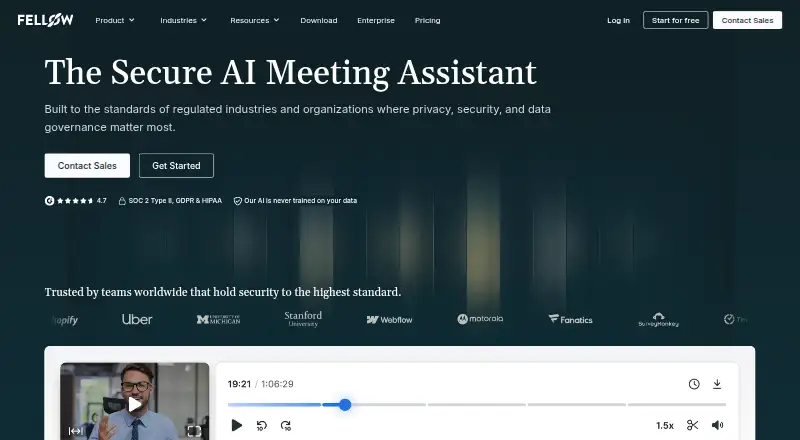
What Fellow is
Fellow is an AI meeting assistant that records and transcribes meetings, then creates a Meeting Recap with a summary, transcript, decisions, and action items. Its outputs can include audio, video, and speaker labels, while Ask Fellow searches past transcripts, summaries, and notes to answer questions or surface decisions and tasks. Meetings can be captured by a bot, or desktop and mobile apps can record audio directly without a bot joining. Supported settings include Google Meet, Zoom, Microsoft Teams, Slack Huddles, and in-person meetings. Fellow lists transcription in 99 languages, while the AI Note Taker description specifies 93. The Free plan includes five AI notes and five AI recordings per user for life, with a maximum of five seats. Fellow is available on web, mobile, desktop, through an extension, and by API. The maker is based in Ottawa and was founded in 2017.
Good
- Meeting recaps include transcripts, decisions, and action items.
- Botless recording is available through desktop and mobile apps.
- Ask Fellow searches notes and transcripts across past meetings.
- Meeting data is not used to train AI models.
- All plans include chat and email support.
Watch out
- Free plan caps at five seats.
- Free plan provides five AI notes and recordings per user for life.
- Trial workspace downgrades to Free when the trial ends.
Who it suits
Fellow suits individuals and teams that want meeting records, summaries, and follow-up tasks in one place. It may fit organizations looking for admin retention, consent, or access controls, with advanced options listed for Enterprise.
Verdict
Fellow combines meeting capture with searchable records and follow-up summaries, and offers both bot and botless capture options. Review the Free plan's lifetime limits and the annual per-user pricing before choosing a plan.
Plans and prices
From Fellow's own pricing page, checked 28 Sep 2026.
| Plan | Price | What it gives you |
|---|---|---|
| Free | Free | For those getting started with Fellow · 5 AI notes (lifetime) per user · 5 AI recordings (lifetime) per user · billed annually |
| Team | $7 a month | For small teams · 10 AI notes/user/month · 10 AI recordings/user · 20 maximum seats · per user / month billed annually; $11 billed monthly |
| Business | $15 a month | For org-wide AI meeting support · Unlimited AI notes · Unlimited AI recordings · 50 maximum seats · per user / month billed annually; $23 billed monthly |
| Enterprise | $25 a month | Advanced control, security and AI meeting support; starts at 10 users · Unlimited AI notes · Unlimited AI recordings · Starts at 10 users · Unlimited maximum seats · per user / month billed annually; Contact sales |
The facts
Each one read from Fellow's own pages, with the date it was checked.
What it does
- Action-item tracking
- Yeschecked 23 Sep 2026
- AI note taker
- Fellow's AI Note Taker supports transcription in 93 languages.checked 28 Sep 2026
- AI summaries
- Yeschecked 23 Sep 2026
- AI training policy
- Meeting data is not used to train Fellow or third-party AI models, including on the Free plan.checked 28 Sep 2026
- Ask Fellow
- Ask Fellow searches transcripts, summaries, and notes across past meetings to answer questions and surface decisions and action items.checked 28 Sep 2026
- Botless recording
- Desktop and mobile apps capture audio directly without a bot joining the call.checked 28 Sep 2026
- Calendar integrations
- Yeschecked 20 Sep 2026
- Capture modes
- Fellow supports bot or botless capture for Zoom, Microsoft Teams, Google Meet, in-person meetings, Slack Huddles, and other conferencing tools through desktop audio capture.checked 28 Sep 2026
- Consent controls
- Admins can configure consent workflows, while users can pause and resume recording for off-the-record conversations.checked 28 Sep 2026
- Core product
- Fellow is an AI meeting assistant that records, transcribes, and summarizes meetings.checked 28 Sep 2026
- Customer reach
- Fellow says more than 5,000 teams use it and leaders in over 100 countries have benefited from it.checked 28 Sep 2026
- Developer API
- The Developer API provides transcripts and structured notes through REST calls and is available on paid workspaces.checked 28 Sep 2026
- Enterprise admin controls
- Enterprise includes RBAC, SSO/SAML, provisioning, retention controls, audit logs, and a Super Admin API.checked 28 Sep 2026
- Enterprise controls
- Enterprise features include SSO/SAML, role-based access controls, user provisioning, audit logs, custom retention policies, and a Super Admin API.checked 28 Sep 2026
- Integration count
- Fellow connects to more than 50 tools across CRMs, project management, AI, automation, and compliance.checked 28 Sep 2026
- Integrations
- Fellow says it integrates with over 50 tools, including CRM, project-management, communication, and AI tools.checked 28 Sep 2026
- Meeting capture
- botchecked 20 Sep 2026
- Meeting outputs
- Fellow captures transcripts, audio, video, summaries, decisions, and automatically identified action items.checked 28 Sep 2026
Money
- Billing basis
- Workspaces are billed monthly or yearly for the number of active users at the start of the billing cycle.checked 28 Sep 2026
- Free plan
- Yeschecked 23 Sep 2026
- Free plan limits
- Free includes 5 AI notes and 5 AI recordings per user for life, with a maximum of 5 seats.checked 28 Sep 2026
The company
- Company address
- Fellow lists its address as 532 Montréal Rd #275, Ottawa, ON K1K 4R4, Canada.checked 28 Sep 2026
- Founded
- 2017checked 23 Sep 2026
- Headquarters
- Ottawa, Ontario, Canadachecked 23 Sep 2026
The full review of Fellow
Fellow is an AI meeting assistant for people who want meeting records and follow-up tasks gathered in one searchable place. It suits teams that need flexible bot or botless capture and can work within its per-user quotas or pay for higher limits.
Overview
Fellow turns meetings into recaps containing transcripts, summaries, decisions, and identified action items. It supports Google Meet, Zoom, Microsoft Teams, Slack Huddles, and in-person meetings, so the record can span both video calls and face-to-face conversations.
Capture can use a meeting bot, or the desktop and mobile apps can record audio directly without one joining the call. That choice is useful for teams with different meeting settings, though recording still calls for clear consent practices. Admins can configure consent workflows, and users can pause or resume recording for off-the-record discussion.
Fellow was founded in 2017 and is headquartered in Ottawa, Ontario, Canada. Its security and privacy provisions are substantial for organizations handling sensitive conversations: Fellow is SOC 2 Type II certified, HIPAA-eligible, GDPR compliant, and CCPA compliant. Meeting data is not used to train Fellow or third-party AI models, including on the Free plan, and admins can configure retention policies, including optional zero-day retention.
Key features
Recaps and follow-through
Meeting Recaps bring together the transcript, summary, decisions, and action items, with speaker labels to help distinguish contributions. Automatic action-item identification and tracking reduce the effort of turning discussion into follow-up, while note templates and calendar integrations support meeting organization. The practical value is strongest for teams that routinely need to revisit commitments; Fellow is less compelling if all you need is a basic transcript.
Search across meetings
The searchable archive covers meeting records, and Ask Fellow can search transcripts, summaries, and notes to answer questions or surface decisions and action items. This makes past discussions more useful than isolated files, especially for recurring projects. Fellow connects to more than 50 tools across CRM, project management, AI, automation, and compliance, including Salesforce, HubSpot, Jira, Asana, Linear, ClickUp, Trello, GitHub, Claude, Zapier, Glean, and Global Relay.
Capture and language support
Fellow offers bot capture as well as direct audio capture through its desktop and mobile apps. Its AI Note Taker supports transcription in 93 languages, while the product also lists support for 99 transcription languages. That breadth is attractive for multilingual teams, although the two language counts differ.
Pricing
Fellow uses per-user workspace billing, monthly or yearly, based on active users at the start of each billing cycle. The annual prices are lower, but they commit buyers to annual billing; monthly prices are higher. The 14-day trial ends with the workspace reverting to Free, rather than continuing as a paid plan automatically. All plans include chat and email support; higher tiers add onboarding and dedicated account management.
| Plan | Price and limits | Best fit |
|---|---|---|
| Free | free; 5 AI notes per user for life, 5 AI recordings per user for life, maximum 5 seats. | Individuals or very small teams evaluating the workflow. Lifetime quotas make it a test bed, not a sustainable option for frequent meeting capture. |
| Team | $7 a month per user billed annually, or $11 billed monthly; 10 AI notes per user per month, 10 AI recordings per user, maximum 20 seats. | Small teams that can stay within the monthly note quota and recording allowance. |
| Business | $15 a month per user billed annually, or $23 billed monthly; unlimited AI notes and recordings, maximum 50 seats. | Organizations needing broad AI meeting support without Team's stated quotas. |
| Enterprise | $25 a month per user billed annually; custom pricing; starts at 10 users, unlimited maximum seats, unlimited AI notes and recordings. | Larger organizations needing advanced control and security. Enterprise includes RBAC, SSO/SAML, provisioning, retention controls, audit logs, and a Super Admin API. |
Free's five lifetime notes and recordings per user are a particularly tight ceiling, and its five-seat cap rules out larger pilots. Team raises capacity but retains per-user limits; Business is the clearer fit when usage is unpredictable or heavy. Enterprise combines unlimited usage with administrative controls, but the 10-user starting point and custom pricing make it a poor fit for smaller buyers. Workspaces can pay by credit card, check, or bank transfer.
Platforms
Fellow is available on Android, iOS, macOS, Windows, as a browser extension, through its API, and on the web. The mix of desktop and mobile apps also enables its botless audio capture.
Who it's for
Fellow is best suited to teams that want recordings, searchable meeting history, and action-item follow-through under shared privacy and retention controls. Its botless option and configurable consent workflows suit teams that need flexibility around how meetings are captured. Buyers who only need occasional notes should be wary of the Free plan's lifetime caps and compare quotas before choosing Team.
Pros and cons
- Pros: Meeting records combine transcripts, summaries, decisions, and action items, reducing the gap between discussion and follow-up.
- Pros: Bot and botless capture options, plus pause/resume and configurable consent workflows, give teams more control over recording.
- Pros: More than 50 integrations and a searchable archive make it easier to connect meeting output with other work systems.
- Pros: Privacy certifications, configurable retention, and a no-training policy apply even to Free users.
- Cons: Free's five lifetime notes and recordings per user are too limited for ongoing use, and the plan is capped at five seats.
- Cons: Team's 10 monthly AI notes per user can constrain frequent meeting schedules; removing usage limits means moving to the more expensive Business tier.
- Cons: Enterprise starts at 10 users, putting its advanced controls beyond the needs of small teams.
Alternatives
For a broader look at the category, compare Meeting Notes Software, AI Meeting Assistants, Meeting Management Software, Sales Follow-Up Software, Meeting Assistant Software, and Meeting Intelligence Software.
- Otter.ai is a freemium option with a Basic plan offering 300 transcription minutes per user monthly, five workspace members, and three lifetime imported files per user.
- Circleback is worth comparing if you want free AI meeting notes and action items for online and in-person meetings, with limited automations.
- Notta offers a free plan with one seat and 120 transcription minutes per month, which suits a solo user with modest needs.
- Laxis has a free Basic plan with 300 transcription minutes per month, 30 days of conversation history, and a 45-minute maximum per recording.
- MeetGeek offers a free Basic plan with three hours of transcription per month and three months of transcript storage.
- Fathom may suit users who prioritize unlimited free recordings and transcriptions, bot or bot-free capture, and instant AI call summaries.
- Fireflies.ai offers a free plan with 400 minutes of team storage and 20 AI credits, making those caps central to a comparison.
- tl;dv offers unlimited recordings and transcriptions on its free plan.
Verdict
Choose Fellow if your team needs searchable meeting records, dependable follow-up structure, flexible capture, and meaningful administrative privacy controls. Its broad integrations and recaps make it a capable hub for recurring meetings. Look elsewhere if you need generous free use: Fellow's lifetime limits are restrictive, and regular users will need a paid tier whose per-user annual commitment and usage caps deserve close attention.
Getting started
- Visit https://fellow.ai/
- Choose the Free plan or begin the 14-day trial
- Use Fellow on Android, iOS, macOS, Windows, or web, or use its extension or API
- Connect a calendar and select a supported meeting platform or capture an in-person meeting
- Choose bot capture or record audio through the desktop or mobile app
Limits worth knowing
The Free plan includes five AI notes and five AI recordings per user for life, and a maximum of five seats. After the 14-day trial, the workspace is downgraded to Free.
Questions
Is there a free plan?
Yes. Free includes five AI notes and five AI recordings per user for life, with a maximum of five seats.
How much do paid plans cost?
Business is $15 per user per month billed annually, or $23 monthly; Enterprise is $25 per user per month billed annually and starts at 10 users.
Which platforms does Fellow support?
Fellow is available on Android, iOS, macOS, Windows, and web, as well as through an extension and API.
What meetings can it capture?
Supported settings include Google Meet, Zoom, Microsoft Teams, Slack Huddles, and in-person meetings. Capture can use a bot or direct audio recording through desktop and mobile apps.
Does Fellow train AI models on meeting data?
Fellow says it does not use meeting data to train its own or third-party AI models, including on the Free plan.
What happens after the trial?
The workspace moves to the Free plan when the 14-day trial ends.
Alternatives to Fellow
- 1

Fathom
Free planiOSWebAPIExtension9.1From $15 a month - 2
tl;dv
Free planAndroidiOSWebAPI9.1From $18 a month - 3

Avoma
Free planAndroidiOSWebAPI9.1From $19 a month - 4

Notta
Free planAndroidiOSWebExtension9.0From $8.17 a month - 5

Read AI
Free planAndroidiOSWebAPI9.0From $15 a month - 6

Circleback
Free planAndroidiOSWebAPI8.9From $15 a month