
Notta
Notta turns meeting recordings and uploaded files into searchable transcripts, summaries, and action items.
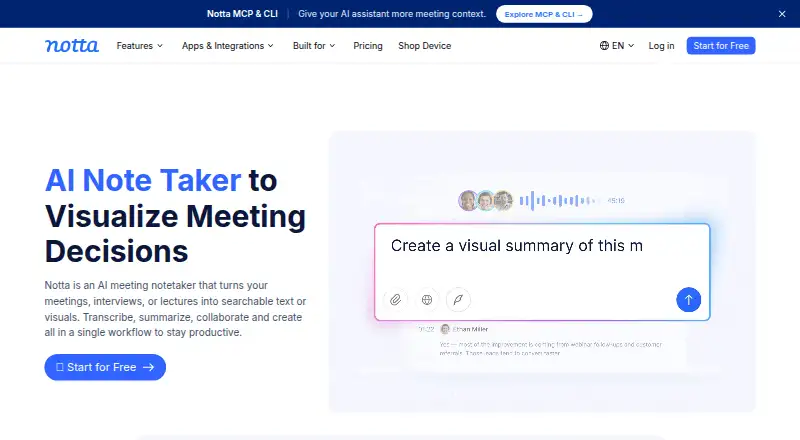
What Notta is
Notta turns meeting recordings and uploaded files into searchable transcripts, summaries, and action items. It supports bot-based and bot-free meeting capture, screen recording, mobile memo recording, and file transcription. Transcripts can include speaker labels and timestamps, and exports are available as TXT, DOCX, SRT, PDF, and XLSX. Notta supports 58 languages and meetings on Zoom, Google Meet, Microsoft Teams, and Webex. It also connects with calendars, Notion, Zapier, CRM tools, Slack, and cloud storage. Access is available through web, iOS, Android, a Chrome extension, and Mac and Windows desktop apps. The free plan provides 120 transcription minutes monthly, with a three-minute limit per conversation, 50 uploads, and 10 AI summaries per month. Business adds collaboration and administration features and has a 7-day trial. Notta lists SOC 2 Type II and ISO 27001 certification, GDPR compliance, and HIPAA in its security section.
Good
- Supports transcription in 58 languages.
- Offers several meeting and recording modes.
- Exports transcripts in five listed formats.
- Includes speaker labels and timestamps.
- Connects with meeting platforms and productivity tools.
Watch out
- Free conversations are limited to three minutes.
- Free plan has 120 transcription minutes monthly.
- Free plan allows only 10 AI summaries monthly.
Who it suits
Notta suits people who need transcripts, summaries, or action items from meetings and recordings. Teams needing shared content and administration features can consider Business or Enterprise workspaces.
Verdict
Notta combines meeting capture, transcription, summaries, and exports across multiple devices and meeting platforms. The free plan’s per-conversation limit is worth checking if you plan to use it for longer recordings.
Plans and prices
From Notta's own pricing page, checked 27 Sep 2026.
| Plan | Price | What it gives you |
|---|---|---|
| Free | Free | No credit card required; 1 seat and 120 transcription minutes/month · 1 seat · 120 transcription minutes/month · 3 minutes per conversation · 50 file uploads/month · 10 AI Summary/month |
| Pro | $8.17 a month | For professionals who want more minutes and features · 1 seat · 1,800 transcription minutes/month · 5 hours per recording · 100 file uploads/month · 100 AI Summary/month · Billed annually; total $97.99 |
| Business | $16.67 a month | For teams that need collaboration and administration features · 5 hours per recording · 200 file uploads/month · 200 AI Summary/month · Billed annually; total $199.99 |
| Enterprise | Priced on request | Starting from 51 seats; customized transcription and advanced security, control, and support · Starting from 51 seats · 5 hours per recording · Unlimited file uploads · Unlimited AI summary |
The facts
Each one read from Notta's own pages, with the date it was checked.
What it does
- Admin controls
- Business includes security controls and usage reports; Enterprise adds SAML SSO, audit logs, and data access controlchecked 27 Sep 2026
- Available integrations
- Integrates with Zoom, calendars, Notion, Zapier, CRM tools, Slack, cloud storage, and morechecked 27 Sep 2026
- Cancellation access
- Canceled paid plans retain paid-feature access until the subscription period endschecked 27 Sep 2026
- Data after cancellation
- Transcription data is saved, but Free users can view only the first 3 minuteschecked 27 Sep 2026
- Data hosting
- Customer data is hosted on Amazon Web Services and regularly backed upchecked 27 Sep 2026
- Export formats
- Document Builder creates PDF, Word, Excel, and slide fileschecked 27 Sep 2026
- Healthcare compliance
- The security and compliance section lists HIPAAchecked 27 Sep 2026
- Included minutes
- 1800checked 20 Sep 2026
- Languages supported
- 58checked 20 Sep 2026
- Paid from
- 8.17checked 20 Sep 2026
- Recording modes
- Supports bot-based, bot-free, screen, mobile memo, and uploaded-file transcriptionchecked 27 Sep 2026
- Security certifications
- SOC 2 Type II and ISO 27001 certified; GDPR compliantchecked 27 Sep 2026
- Speaker identification
- Yeschecked 20 Sep 2026
- Support options
- Enterprise includes priority support; the site also provides a Help Center and Contact Uschecked 27 Sep 2026
- Timestamp support
- Yeschecked 20 Sep 2026
The company
- Founded
- 2020checked 23 Sep 2026
- Headquarters
- Tokyo, Japanchecked 23 Sep 2026
- Team collaboration
- Business and Enterprise workspaces let members view and collaborate on team contentchecked 27 Sep 2026
Money
- Free plan
- Yeschecked 20 Sep 2026
- Free tier limits
- 120 transcription minutes/month, 3 minutes per conversation, 50 uploads/month, and 10 AI summaries/monthchecked 27 Sep 2026
- Paid starting price
- Pro starts at $8.17/month when billed annuallychecked 27 Sep 2026
- Trial offer
- Business has a 7-day trialchecked 27 Sep 2026
Where it runs
- Meeting platforms
- Zoom, Google Meet, Microsoft Teams, and Webexchecked 27 Sep 2026
- Supported platforms
- Web app, iOS and Android mobile app, Chrome extension, and Mac and Windows desktop appchecked 27 Sep 2026
The full review of Notta
Notta is a meeting transcription service for people who need searchable records, summaries and action items from calls or recordings. It suits professionals who move between meeting platforms and devices; teams needing shared workspaces and administrative controls should consider Business or Enterprise. Its chief trade-off is the free plan’s three-minute cap per conversation, which sharply limits use for full-length meetings.
Overview
Notta captures virtual and offline meetings as well as uploaded files, then turns them into transcripts with speaker labels and timestamps. AI summaries, action items and a searchable archive make it useful beyond producing a verbatim record: users can review key points or locate a passage without scanning an entire transcript.
Capture options include bot-based and bot-free meeting recording, screen recording, mobile memos and file uploads. Notta supports Zoom, Google Meet, Microsoft Teams and Webex, with integrations for calendars, Notion, Zapier, CRM tools, Slack and cloud storage. It supports 58 transcription languages. The company, founded in 2020 and headquartered in Tokyo, says it has more than 10 million users.
Key features
- Transcription with context: Speaker identification and timestamps help distinguish participants and find moments in a conversation. This is more useful for reviewing discussions than a plain block of text.
- Summaries and action items: AI-generated recaps and tracked action items can make follow-up easier, though the Free plan allows only 10 summaries each month.
- Multiple recording routes: Bot-based and bot-free capture, screen recording, mobile memos and uploaded files offer flexibility across meeting styles. Support for four major meeting platforms and a range of work integrations helps it fit into an existing workflow.
- Exports: TXT, DOCX, SRT, PDF and XLSX formats give users options for editing, sharing or retaining transcripts in different forms.
Notta holds SOC 2 Type II and ISO 27001 certifications and is GDPR compliant; its security and compliance section also lists HIPAA. Customer data is hosted on Amazon Web Services and regularly backed up.
Pricing
The Free plan costs $0.00 per free, requires no credit card and provides one seat, 120 transcription minutes per month, 50 file uploads per month and 10 AI summaries per month. Its three-minute-per-conversation ceiling is the decisive restriction: it can cover brief notes or a taste of the workflow, but not a full-length meeting transcript.
Pro costs $8.17 per month billed annually, with a total annual charge of $97.99. It is a one-seat plan for professionals, raising the allowance to 1,800 transcription minutes, 100 uploads and 100 AI summaries per month, and allowing recordings up to five hours. Compared with Free, it removes the three-minute recording ceiling and substantially expands quotas, but remains a single-user option.
Business costs $16.67 per month billed annually, totaling $199.99. It is aimed at teams and includes five hours per recording, 200 uploads and 200 AI summaries per month, plus team collaboration and administration features. The plan description gives no seat count, so teams should confirm their needs before choosing it. Business has a seven-day trial; the stated trial does not extend to other plans.
Enterprise uses custom pricing and starts at 51 seats. It offers customized transcription, advanced security, control and support, five-hour recordings, and unlimited uploads and AI summaries. It is the fit for larger organizations that need controls beyond Business, including SAML SSO, audit logs and data access control; priority support is also included.
Canceled paid subscriptions keep paid-feature access through the end of the subscription period. Transcription data is saved after cancellation, but Free users can view only the first three minutes.
Platforms
Notta is available on the web, iOS and Android, through a Chrome extension, and as a desktop app for macOS and Windows. That range suits users who record on one device and review on another.
Who it's for
Notta is a strong fit for professionals who regularly need meeting records, summaries and action items across several conferencing platforms, especially if they also work with uploaded recordings. Pro suits an individual with sustained transcription needs; Business and Enterprise are more appropriate when shared team content or administrative controls matter. The free tier is better for short conversations and occasional evaluation than for routine meetings.
Pros and cons
- Pro: Multiple meeting and recording modes, 58 languages and broad device support give users several ways to capture and review conversations.
- Pro: Speaker labels, timestamps, summaries, action items and searchable transcripts support both quick recaps and detailed review.
- Pro: Business and Enterprise workspaces add collaboration and progressively stronger administrative controls.
- Con: Free recordings stop at three minutes per conversation, making the free allowance unsuitable for complete meetings even with 120 monthly minutes.
- Con: Pro is limited to one seat, while Business's seat allowance is not given; teams should verify fit rather than assume the listed price covers a particular headcount.
- Con: Enterprise starts at 51 seats, putting its custom-priced controls outside the stated scope of smaller teams.
Alternatives
- Otter.ai is worth considering for a free transcription option: its Basic plan offers 300 minutes per user monthly, but limits workspaces to five members and imported files to three per user over a lifetime.
- Superwhisper may suit users looking for voice-to-text in any app, meeting recording and transcription, and support for more than 100 languages on its free plan.
- Speechmatics is an option for API, web, desktop or self-hosted workflows; its free plan includes $100 in credits.
- AssemblyAI is an API-oriented alternative with $50 in free audio credits and pay-as-you-go Universal-2 pricing at 0.15 USD.
- Google Cloud Speech-to-Text is another API option, with Standard recognition priced at $0.02 a month and a free Dynamic Batch Recognition option.
- sherpa is a free alternative for users seeking support across mobile, desktop and web platforms.
- Amazon Transcribe is an API and web alternative with a free tier of 60 minutes per month for 12 months, subject to restrictions.
- Talon Voice is an alternative for users seeking voice-control software.
Verdict
Choose Notta if you need meeting capture plus searchable transcripts, summaries and action items across devices and conferencing platforms, and can match your workload to its paid quotas. Pro is the clearest fit for an individual; teams should weigh Business collaboration against Enterprise's higher seat threshold. Look elsewhere if you need full-length meeting transcription at no cost or a team plan with a clearly stated seat allowance.
Getting started
- Open Notta on the web or use its iOS, Android, Mac, or Windows app.
- Alternatively, add the Chrome extension.
- Start with the Free plan, which requires no credit card, or choose a paid plan.
- Connect a supported meeting platform or calendar, or use a recording mode or uploaded file.
- Export completed transcripts in TXT, DOCX, SRT, PDF, or XLSX format.
Limits worth knowing
The Free plan has one seat, 120 transcription minutes per month, a three-minute limit per conversation, 50 uploads per month, and 10 AI summaries per month. Pro includes 1,800 minutes per month, five hours per recording, 100 uploads, and 100 AI summaries; Business includes five hours per recording, 200 uploads, and 200 AI summaries.
Questions
Is there a free plan?
Yes. The Free plan has one seat and 120 transcription minutes per month, with limits of three minutes per conversation, 50 uploads, and 10 AI summaries.
What platforms does Notta support?
Notta is available on the web, iOS and Android, Mac and Windows, and as a Chrome extension.
Which languages does Notta support?
Notta supports 58 transcription languages.
Can I use it with meeting platforms and calendars?
Notta supports Zoom, Google Meet, Microsoft Teams, and Webex, and calendar integrations are available.
What security and compliance details does Notta list?
Notta lists SOC 2 Type II and ISO 27001 certifications, GDPR compliance, and HIPAA in its security and compliance section.
Alternatives to Notta
- 1

Fathom
Free planiOSWebAPIExtension8.8From $15 a month - 2

Avoma
Free planAndroidiOSWebAPI8.8From $19 a month - 3
tl;dv
Free planAndroidiOSWebAPI8.7From $18 a month - 4

Speechmatics
Free planWebAPILinuxmacOS8.5From $0.01 a month - 5
Rev
Free planAndroidiOSWebAPI8.5From $25.49 a month - 6
Simon Says
Free planiOSWebExtensionmacOS8.3From $15 a month