
Superwhisper
Superwhisper turns speech into polished, formatted text across applications, including apps where text can be entered.
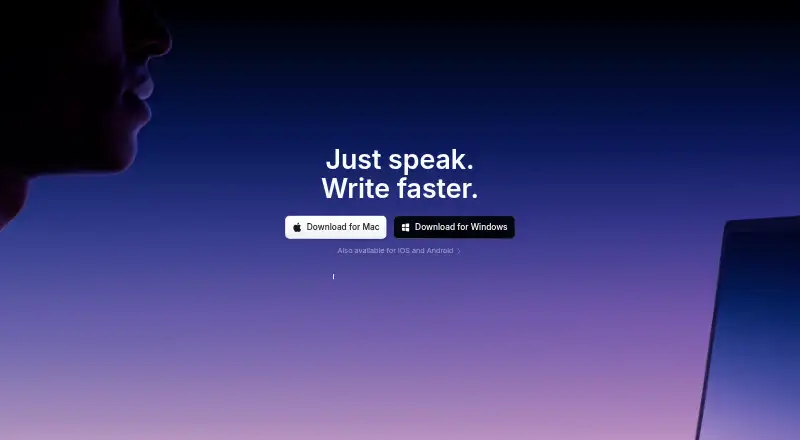
What Superwhisper is
Superwhisper turns speech into polished, formatted text across applications, including apps where text can be entered. Its Super Mode reads the screen and adapts dictation to the current context, such as shaping email text as a message or coding prompts technically. It supports more than 100 languages, with automatic detection and translation between languages. On-device speech models process audio locally, work without internet, and do not send audio off the device. For cloud models, audio and text pass through the Superwhisper proxy to the provider; the product says they are not retained for training. It names Slack, Cursor, and Notion, and offers coding plugins for Claude Code, OpenCode, Codex, and Pi. The CLI can search and export transcripts, report recording statistics, and start a local MCP server. Pro features can be tried for 3,000 words before free-tier features remain available. Free includes email support; Pro adds priority support and audio and video file transcription. Pro is $8.49 per month, or $84.99 per year.
Good
- Super Mode adapts dictated text to app context.
- Supports more than 100 languages with automatic detection.
- On-device audio processing works without internet.
- Free plan includes meeting recording and transcription.
- Pro includes audio and video file transcription.
Watch out
- Pro features are limited to a 3,000-word trial.
- Pro priority support and file transcription are paid features.
- Listed requirements include macOS 13.3, Windows 10, or iOS 18.
Who it suits
It suits people who want to dictate formatted text in different apps, including those who work across languages or need offline speech processing. Its coding plugins and CLI may also suit users of the named coding tools and AI workflows.
Verdict
Superwhisper combines cross-app dictation with context formatting, language support, and local processing. The free tier remains available after the 3,000-word Pro feature trial, while Pro costs $8.49 per month or $84.99 per year.
Plans and prices
From Superwhisper's own pricing page, checked 20 Sep 2026.
| Plan | Price | What it gives you |
|---|---|---|
| Pro | $8.49 a month | Own AI API keys · Unlimited cloud and local AI models · Translation to English · Audio and video transcription · Priority support · billed monthly |
| Free | Free | Voice-to-text in any app · meeting recording/transcription · 100+ languages · unlimited Whisper models · custom prompts · email support |
| Pro monthly | $8.49 a month | Everything in Free · own AI API keys · unlimited cloud/local models · translation to English · audio/video transcription · priority support · monthly |
| Pro annual | $84.99 a year | Everything in Free and monthly Pro · yearly |
| Pro lifetime | $249.99, paid once | Everything in Pro; lifetime entitlement is subject to product availability and terms · one-time |
| Enterprise | Priced on request | SOC 2 Type II · centralized billing/authentication · model access control · enterprise-hosted models · volume discounts |
The facts
Each one read from Superwhisper's own pages, with the date it was checked.
What it does
- API keys
- Pro supports bring-your-own AI API keys, and enterprise customers can use their own keys or compatible models behind a VPC.checked 14 Oct 2026
- CLI and MCP
- The official CLI searches history, exports JSON or Markdown, reports recording statistics, manages vocabulary and snippets, and starts a local MCP server.checked 14 Oct 2026
- Cloud model handling
- For cloud models, audio and text pass through the Superwhisper proxy to the provider, and the page says they are not retained for training.checked 30 Sep 2026
- Context-aware formatting
- Super Mode adapts punctuation, tone and structure to the application, such as email, Slack or coding tools.checked 14 Oct 2026
- Context formatting
- Super Mode reads the screen and adapts the dictated text to the app, such as formatting email as a message and code prompts technically.checked 30 Sep 2026
- Data retention
- Terms state that local audio/transcripts stay on-device and cloud processing is transient with zero retention; account and usage metadata are retained for service operation.checked 14 Oct 2026
- Documentation
- SuperUltra maintains a public documentation repository and links documentation from the product site and CLI pages.checked 14 Oct 2026
- File transcription
- Pro supports transcription of audio and video files, including common recordings and voice memos.checked 14 Oct 2026
- Integrations
- Official workflows and plugins cover Claude Code, OpenCode, Pi, Codex, Grok and DeepSeek Harness, while system-level insertion works in apps such as Slack, Cursor and Notion.checked 14 Oct 2026
- Languages
- The product advertises automatic detection and support for more than 100 languages.checked 14 Oct 2026
- Limit: cloud-context concern
- One Trustpilot reviewer reported Claude Code context being sent to the cloud despite disabling a related setting and encountering API-limit errors.checked 14 Oct 2026
- Limit: paywalled local models
- The same review notes that some faster on-device models remain behind the paid plan despite running locally.checked 14 Oct 2026
- Limit: setup complexity
- An independent hands-on review says configuring modes, hotkeys, model downloads and API keys can feel closer to configuring a server than installing a simple app.checked 14 Oct 2026
- Meeting transcription
- Meeting mode records and transcribes meetings, with use-case pages naming Zoom, Teams, Google Meet and Discord.checked 14 Oct 2026
- Model catalog
- Available models include Whisper, Parakeet, S1-Voice, Scribe V2, Nova, Ultra, Claude, GPT-5 and Gemini.checked 14 Oct 2026
- Notable news
- Superwhisper announced its official CLI and MCP release on July 16, 2026.checked 14 Oct 2026
The company
- Company headquarters and size
- LinkedIn lists Toronto headquarters and an 11–50 employee company size.checked 14 Oct 2026
- Company legal name
- The terms identify the provider as SuperUltra, Inc.checked 14 Oct 2026
- Company ownership
- An independent review describes SuperUltra as bootstrapped and based in Toronto.checked 14 Oct 2026
- Founded
- An independent company profile lists Superwhisper as founded in 2023.checked 14 Oct 2026
Money
- Free plan
- Yeschecked 20 Sep 2026
- Free trial limit
- The homepage says Pro features can be tried for 3,000 words, after which free tier features remain available.checked 30 Sep 2026
- Limit: billing and support complaints
- Trustpilot complaints include duplicate charges, difficult refund/account handling, slow or absent support responses and concerns about an outdated privacy policy.checked 14 Oct 2026
Where it runs
- Intel Mac limitation
- Intel Macs are described as working best with cloud models, while offline models run best on Apple Silicon.checked 14 Oct 2026
The full review of Superwhisper
Superwhisper is a cross-app voice dictation tool that turns speech into text shaped for the app in use. It suits people who move between messages, notes, and coding prompts, especially when offline processing matters. Its main trade-off is that Pro features stop after a 3,000-word trial, while file transcription and priority support require a paid plan.
Overview
Superwhisper’s strongest idea is context formatting: Super Mode reads the screen and adapts dictation to the task, such as making speech read like an email or a technical coding prompt. That is more useful than plain speech recognition for people who dictate across different kinds of apps; those who only want literal voice-to-text may not need the extra layer. It works in any app that accepts text, with Slack, Cursor, and Notion among the named examples.
Key features
- Context-aware dictation: Super Mode uses on-screen context to format speech for the active app. It can reduce cleanup when switching between conversational writing and technical prompts, though this benefit depends on wanting adapted prose rather than verbatim transcription.
- Languages and speaker labels: It supports more than 100 languages, automatic language detection, translation between languages, and speaker identification. Pro adds translation to English, making it the better fit for users who need that capability in their workflow.
- Local and cloud processing: On-device speech models work offline and keep audio on the device, a meaningful option for privacy-conscious users or unreliable connections. Cloud-model audio and text pass through Superwhisper’s proxy to the provider; the company says they are not retained for training. Those are distinct processing paths, so users should choose local models when keeping audio on-device is essential.
- Developer and workflow tools: Coding plugins are available for Claude Code, OpenCode, Codex, and Pi. The CLI can search and export transcripts, report recording statistics, and start a local MCP server for AI workflows. These tools make Superwhisper more compelling for technical workflows than a basic dictation utility.
- File transcription: Audio and video file transcription is a Pro feature, so people who mainly need to dictate live can stay on Free, while users processing recordings need a paid plan.
- Security and compliance: The Trust Center lists SOC 2, HIPAA, GDPR, and PIPEDA compliance, relevant for organizations assessing software for sensitive workflows.
Pricing
Superwhisper is freemium. Free includes voice-to-text in any app, meeting recording and transcription, more than 100 languages, unlimited Whisper models, and email support. Pro features can be tried for 3,000 words; after that, the free features remain available. That makes Free a reasonable ongoing choice for basic dictation, but not for continued access to Pro capabilities.
- Pro monthly: $8.49 per month for cloud and local AI models, custom API keys, audio and video transcription, and priority support. Choose it to avoid an annual commitment.
- Pro annual: $84.99 per year for the same listed features. It suits people who expect to use Pro throughout the year; the monthly option costs more over twelve months.
- Pro Lifetime: $249.99 per month is shown with a one-payment billing term and Pro features with a one-time license. The stated price and billing term conflict, so confirm the purchase terms before choosing this option.
- Enterprise: Custom pricing for SOC 2 Type II certification, centralized billing and authentication, model access control, enterprise-hosted models, and volume discounts. It is aimed at organizations that need centralized administration or controlled model access.
Free includes email support; Pro upgrades that to priority support. The listed plans do not give a seat count or usage quota for paid tiers, so teams comparing costs should check whether the Enterprise offer matches their needs.
Platforms
Superwhisper supports Android, iOS, macOS, and Windows. The download page sets minimum requirements of macOS 13.3, Windows 10, and iOS 18, and links to Google Play for Android.
Who it's for
Superwhisper is a strong fit for people who dictate into multiple apps and want the result adapted to each context, or who need offline, on-device speech processing. Developers may also value its coding plugins, CLI, and local MCP server. It is a weaker fit for someone seeking only straightforward dictation or ongoing file transcription without paying for Pro.
Pros and cons
- Pros: Context-aware formatting can reduce rewriting between email-like messages and technical prompts; on-device models work offline and keep audio local; support for more than 100 languages and broad app compatibility cover varied workflows.
- Cons: The 3,000-word Pro trial is finite, after which Free no longer includes Pro features; file transcription and priority support require a paid plan; the stated Lifetime price is paired with a monthly unit despite a one-payment term.
Alternatives
For category comparisons, browse Dictation software, Speech Recognition Software, and Transcription Software.
- Wispr Flow is another freemium option across Android, iOS, macOS, and Windows; its Free plan caps use at 2,000 desktop words and 1,000 mobile words per week and limits Weekly Notetaker use.
- Dictanote suits readers who want a free plan with up to 50 notes in one notebook, 60 minutes of dictation a day, and support for more than 50 languages.
- WakaScribe is worth considering for its free Local plan, which offers unlimited words with no time limit.
- Voice In has a free plan with 60 minutes of dictation per day and supports Linux, macOS, and Windows.
- Dragon Professional is a paid Windows option.
- Braina offers a Pro plan at $99.00 per year for use on one Windows PC.
- Lispr has a free plan capped at 60 dictation minutes per week and a Pro plan at $79.00 per year with a fair-use ceiling of 1,500 dictation minutes.
- Serenade is a free, open-source option for macOS, Windows, and Linux.
Verdict
Choose Superwhisper if you want voice dictation that adapts to the app, supports a wide range of languages, and can process speech locally offline. Its context formatting and developer tools distinguish it from a basic dictation layer, but the 3,000-word Pro trial ends and file transcription is paid. If those Pro features are central to your work, compare the annual and monthly terms carefully; if you only need simple dictation, the free tier may be enough.
Getting started
- Visit the Superwhisper website.
- Install on a supported platform: macOS 13.3 or later, Windows 10 or later, or iOS 18 or later; Android is linked through Google Play.
- Use the free plan for voice-to-text and meeting recording and transcription.
- Try Pro features for up to 3,000 words, then choose a paid plan if needed.
- Choose local models for on-device processing, or cloud models for cloud processing.
Limits worth knowing
The Pro feature trial lasts for 3,000 words, after which free-tier features remain available. The Free plan does not include the listed Pro features such as audio and video file transcription and priority support.
Questions
Is Superwhisper free?
Yes. The Free plan includes voice-to-text in any app, meeting recording and transcription, more than 100 languages, unlimited Whisper models, and email support.
How much does Pro cost?
Pro is $8.49 per month or $84.99 per year. Pro Lifetime is listed as a one-time payment of $249.99 for Pro features.
Which platforms does it support?
Platforms listed are Android, iOS, macOS, and Windows. The download page specifies macOS 13.3 or later, Windows 10 or later, and iOS 18 or later, and links to Google Play for Android.
Can it work offline?
On-device speech models process audio locally and work without internet. Audio is not sent off the device when those models are used.
What happens to audio with cloud models?
Audio and text pass through the Superwhisper proxy to the model provider. The product says they are not retained for training.
Alternatives to Superwhisper
- 1

Notta
Free planAndroidiOSWebExtension8.2From $8.17 a month - 2

Rev AI
Free planAndroidiOSWebAPI8.1Free plan - 3

Whisper
Free planOpen sourceAPILinuxmacOSSelf-hosted8.1$0.01 usage-based - 4

Happy Scribe
Free planAndroidiOSAPImacOS7.8From $8.50 a month - 5
Simon Says
Free planiOSWebExtensionmacOS7.7From $15 a month - 6

ElevenLabs
Free planWebAPI7.6From $6 a month