Nextiva
Nextiva is a hosted VoIP phone system for business communications, with voice calling, messaging and collaboration tools.
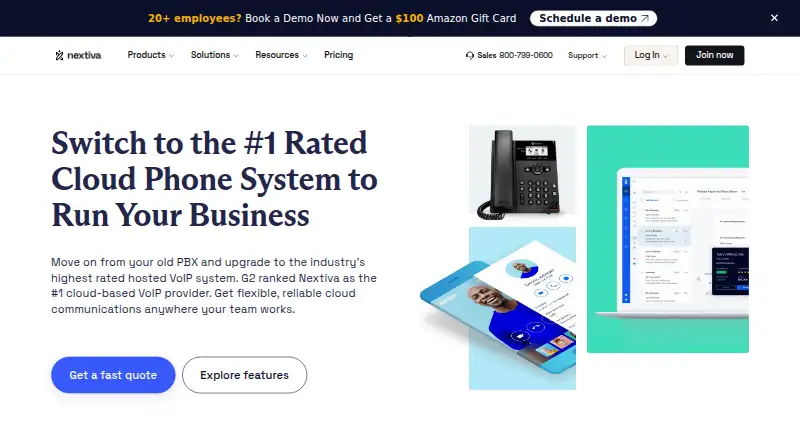
What Nextiva is
Nextiva is a hosted VoIP phone system for business communications, with voice calling, messaging and collaboration tools. Its Core plan includes inbound and outbound voice, business SMS, video meetings, screen and file sharing, call routing and team chat. Listed call-handling features include auto attendants, local and toll-free numbers, advanced routing, call recording, voicemail transcription and call forwarding. Engage adds customer-to-team SMS, toll-free service and minutes, advanced reporting, an inbound call center, live chat and a chatbot. Apps are listed for Windows, macOS, Linux, iOS and Android, and a Chrome extension connects Nextiva Contact Center to the browser. Integrations include Salesforce, HubSpot, Zoho, Microsoft Teams and Zendesk; Nextiva recommends confirming availability for integrations not shown. The cloud phone system requires at least 100 kbps of upload speed per phone line. All its plans include 24/7 customer support. Core is $15 a month, Engage is $25 a month, and Scale is $75 a month. There is no free plan or trial.
Good
- Core includes voice, SMS, video meetings and team chat.
- Call handling includes routing and voicemail transcription.
- Apps are listed for desktop and mobile platforms.
- All cloud phone system plans include 24/7 support.
Watch out
- No free plan or trial is listed.
- Requires at least 100 kbps upload per phone line.
Who it suits
Nextiva is aimed at small companies seeking a business phone system, with options to scale to unified communications. It may suit teams that want calling alongside messaging and collaboration tools.
Verdict
Nextiva combines business calling with messaging, meetings and call-handling tools. Review plan features and the internet speed requirement against your team's needs.
Plans and prices
From Nextiva's own pricing page, checked 21 Oct 2026.
| Plan | Price | What it gives you |
|---|---|---|
| Core | $15 a month | Inbound/outbound voice · Business SMS · Video meetings · Screen/file sharing · Call routing · Team chat · Mobile app · $23 Save 35% |
| Engage | $25 a month | Everything in Core · Customer-to-team SMS · Toll-free number and minutes · Advanced reporting · Inbound call center · Live chat and chatbot · $50 Save 50% |
| Scale | $75 a month | Voice and web chat · Blended inbound/outbound · AI transcription and summaries · Skills-based routing · Journey orchestration |
The facts
Each one read from Nextiva's own pages, with the date it was checked.
What it does
- Auto attendant
- Yeschecked 21 Sep 2026
- Auto attendants
- The phone system can present callers with menu prompts that route them to departments or staff.checked 21 Oct 2026
- Bandwidth requirement
- Standard calls require 100 kbps upload and download per simultaneous call, with zero packet loss and under 20 ms jitter recommended.checked 21 Oct 2026
- Business numbers
- multiplechecked 21 Sep 2026
- Call handling
- The product page lists auto attendants, local and toll-free numbers, advanced call routing, call recording, voicemail transcription, and call forwarding.checked 30 Sep 2026
- Calling and collaboration
- The Core plan lists inbound and outbound voice, business SMS, video meetings, screen and file sharing, call routing, team chat, and a mobile app.checked 30 Sep 2026
- Call recording
- Nextiva supports recording calls in its virtual PBX and stores recordings for authorized access.checked 21 Oct 2026
- Call routing
- Administrators can route inbound calls using configured criteria, transfer calls and conference participants through the app.checked 21 Oct 2026
- Contact center pricing
- The pricing page lists Essential contact center from $ 75 /agent/mo and says Professional and Premium require contacting sales.checked 30 Sep 2026
- Developer extensibility
- NEXT Studio is a visual no-code/low-code builder for journeys, workflows, reusable functions and AI chatbots across voice, chat, SMS, email and social channels.checked 21 Oct 2026
- Documentation
- The Customer Hub contains product-specific guides, FAQs and troubleshooting content, with 767 software articles listed across products.checked 21 Oct 2026
- Funding and valuation
- LinkedIn and Crunchbase state that Nextiva secured $200 million from Goldman Sachs Asset Management in 2021 at a reported $2.7 billion valuation.checked 21 Oct 2026
- HIPAA limits
- HIPAA accounts disable or restrict voicemail-to-email, voicemail transcription and email-based fax functions, and SMS cannot carry protected health information.checked 21 Oct 2026
- Independent product assessment
- Fit Small Business scores Nextiva 4.3 out of 5 overall and cites unlimited voice/video calling, collaboration and a 99.999% uptime guarantee as strengths.checked 21 Oct 2026
- Integrations
- Nextiva lists integrations for Salesforce, HubSpot, Microsoft Teams, Microsoft Dynamics, Google Calendar, Outlook, Zendesk, Shopify, ServiceNow, NetSuite, Square, Zoho and many other systems.checked 21 Oct 2026
- Intended users
- Nextiva describes the cloud phone system as suitable for small companies and says it can scale to advanced unified communications as needs grow.checked 30 Sep 2026
- Internet requirement
- Nextiva says a cloud phone system needs at least 100 kbps of upload speed per phone line.checked 30 Sep 2026
Where it runs
- Browser integration
- Nextiva lists a Chrome Extension that integrates Nextiva Contact Center into the browser.checked 30 Sep 2026
- Desktop and mobile apps
- Yeschecked 21 Sep 2026
- Limit: app reliability
- Apple App Store reviewers describe missed notifications, random logouts, dropped calls, one-way audio and unreliable operation away from Wi-Fi.checked 21 Oct 2026
The company
- Company legal identity
- Crunchbase lists the legal name as Nextiva, Inc., with Tomas Gorny and Tracy Conrad as founders.checked 21 Oct 2026
- Company profile
- LinkedIn lists Nextiva as privately held, founded in 2008, headquartered in Scottsdale, Arizona, with 1,001–5,000 employees.checked 21 Oct 2026
- Headquarters
- Scottsdale, Arizona, United Stateschecked 28 Sep 2026
Money
- Limit: contracts and billing
- GetApp and Capterra reviews include complaints about difficult cancellation, continued charges, contract terms and limited account-management controls.checked 21 Oct 2026
The full review of Nextiva
Nextiva is a hosted business phone system that brings calling together with messaging and team collaboration. It is best suited to small companies that want those capabilities in one service and may add contact-center functions as they grow. Its monthly Core and Engage plans provide a clear starting point, but the internet requirement and higher-tier pricing merit a careful fit check.
Overview
Nextiva combines inbound and outbound voice with business SMS, video meetings, screen and file sharing, and team chat. Auto attendants, custom call routing, call forwarding, call recording, local and toll-free numbers, and voicemail transcription address common business call flows. That range makes it a stronger fit than a voice-only service for teams that want communication tools together; businesses needing a full contact-center package should compare the higher-priced options against their requirements.
Nextiva says each phone line needs at least 100 kbps of upload speed. Because that requirement applies per line, teams should account for concurrent calls when assessing whether their connection is sufficient.
Key features
Calling and collaboration
Core brings voice, business SMS, video meetings, screen and file sharing, call routing, team chat, and a mobile app into one plan. This is a useful foundation for small businesses that want phone and collaboration tools together. Engage adds customer-to-team SMS, toll-free number and minutes, advanced reporting, an inbound call center, live chat, and a chatbot, making it the more relevant step up for teams handling customer conversations across channels.
Apps, integrations, and security
Nextiva offers desktop and mobile apps, alongside a Chrome Extension that integrates Nextiva Contact Center into the browser. Its integrations directory includes Salesforce, HubSpot, Zoho, Microsoft Teams, Zendesk, and other apps; confirm availability with Nextiva for integrations not shown. Nextiva says its data centers are independently audited, calls are encrypted with TLS and SRTP, and its compliance coverage includes SOC 2, PCI-DSS, HIPAA with signed BAAs, GDPR, and HITRUST. All cloud phone system plans include 24/7 customer support.
Pricing
Core costs $15 a month, billed monthly, and includes inbound and outbound voice, business SMS, video meetings, screen and file sharing, call routing, and team chat. It is the leanest fit for teams that need core business communications but can do without the added customer-service tools.
Engage costs $25 a month, billed monthly. It includes everything in Core plus customer-to-team SMS, a toll-free number and minutes, advanced reporting, an inbound call center, live chat, and a chatbot. The extra cost makes sense for teams that will use those contact-handling features; teams that only need calling and collaboration may not need to move up.
Scale costs $75 a month and includes voice and web chat, blended inbound and outbound, AI transcription and summary, skills-based routing, and journey orchestration. It targets more advanced contact-center needs, but is a substantial jump from Engage. The separate contact-center pricing lists Essential from $ 75 /agent/mo; Professional and Premium require contacting sales. The Core and Engage prices are monthly, and the cloud phone system has no free plan or free trial.
Platforms
Apps are available for Windows, macOS, Linux, iOS, and Android, with browser access and a Chrome Extension for Nextiva Contact Center. This range accommodates teams using a mix of desktop and mobile devices.
Who it's for
Nextiva suits small companies that want calling, messaging, meetings, and basic call handling in one hosted system, with a path toward more advanced unified communications. It is less compelling for teams that do not need the collaboration bundle, or whose internet connection cannot reliably meet the per-line upload requirement.
Pros and cons
- Pros: Core combines voice, SMS, meetings, file sharing, routing, and team chat at $15 a month, billed monthly.
- Pros: Engage adds customer-service channels, reporting, and toll-free calling for teams that need more than a standard phone system.
- Pros: Windows, macOS, Linux, iOS, and Android apps support a mixed-device workforce, and all cloud phone system plans include 24/7 customer support.
- Cons: Each phone line needs at least 100 kbps of upload speed, so concurrent lines raise the connection requirement.
- Cons: Scale costs $75 a month, while Essential contact center starts at $ 75 /agent/mo, making advanced capabilities a larger commitment than Core or Engage.
- Cons: There is no free plan or free trial for teams that want to evaluate the service before paying.
Alternatives
For businesses evaluating adjacent workforce-management and contact-center products, Daktela WFM is a paid option with a free plan and free trial; its Admin plan is free for users without scheduled shifts, while its Agent plan is 20.0. 8x8 Contact Center is another paid option, with custom pricing available by contacting sales. Aspect Workforce uses tailored per-seat pricing by team size and requires a custom quote. QStory Workforce Management discusses pricing with QStory rather than publishing an amount. Verint Workforce Management directs buyers to sales for pricing. QueuePilot offers a Starter plan for smaller teams and a Pro plan for active WFM teams, with prices not published. Eleveo Workforce Management offers subscription pricing for on-premises or hybrid use and SaaS pricing. MaxContact Auto QA is typically priced by conversation volume, with monthly or annual contracts and a customised quote.
Browse Business Phone Systems for more phone-system choices, or Business Texting Software if messaging is the priority. Teams focused on staffing and scheduling can compare Customer Service Workforce Management Software and Contact Center Workforce Management Software. For other customer-facing needs, see Online Reputation Management Software and Social Media Customer Service Software.
Verdict
Choose Nextiva if your small business wants calling, messaging, meetings, and call handling in one service, with a monthly Core plan and room to add customer-service tools. Its breadth and broad device support are the main reasons to choose it; the per-line internet requirement, lack of a trial, and higher cost of advanced features are reasons to look elsewhere if your needs are narrower or your connection is constrained.
Getting started
- Visit the Nextiva cloud phone system website.
- Choose Core at $15 a month, Engage at $25 a month, or Scale at $75 a month.
- Confirm your connection can provide at least 100 kbps of upload speed per phone line.
- Download the app for Windows, macOS, Linux, iOS or Android, or use the Chrome Extension for Contact Center integration.
- Contact Nextiva to confirm availability for integrations not shown in its directory.
Limits worth knowing
There is no free plan or free trial. Core is listed at $15 a month; the listed contact center Essential plan starts at $ 75 /agent/mo, while Professional and Premium require contacting sales.
Questions
How much does Nextiva cost?
Core is $15 a month, Engage is $25 a month and Scale is $75 a month.
Does Nextiva have a free plan or trial?
No. The pricing information says there is no free plan and no free trial.
Which platforms does Nextiva support?
Apps are listed for Windows, macOS, Linux, iOS and Android. A Chrome Extension connects Nextiva Contact Center with the browser.
Which integrations are named?
The directory lists Salesforce, HubSpot, Zoho, Microsoft Teams and Zendesk, among other apps. Nextiva recommends contacting it to confirm availability for integrations not shown.
What does Core include?
Core lists inbound and outbound voice, business SMS, video meetings, screen and file sharing, call routing, team chat and a mobile app.
What upload speed does the phone system require?
Nextiva says a cloud phone system needs at least 100 kbps of upload speed per phone line.
Alternatives to Nextiva
- 1
Microsoft Teams
Free planAndroidiOSWebLinux9.0Free plan - 2

VitalPBX
Free planAndroidiOSWebAPI8.8From $100 a month - 3
NFON Cloudya
AndroidiOSWebAPI8.6From €4.50 a month - 4
Ringover
AndroidiOSWebAPI8.6 - 5
OnSIP
Free planAndroidiOSWebmacOS8.6From $49.95 a month - 6
Zoho Voice
Free planAndroidiOSWebAPI8.6From $39 a month