Microsoft Teams
Microsoft Teams is a communications and collaboration app for chat, channels, calls, meetings, and screen sharing.
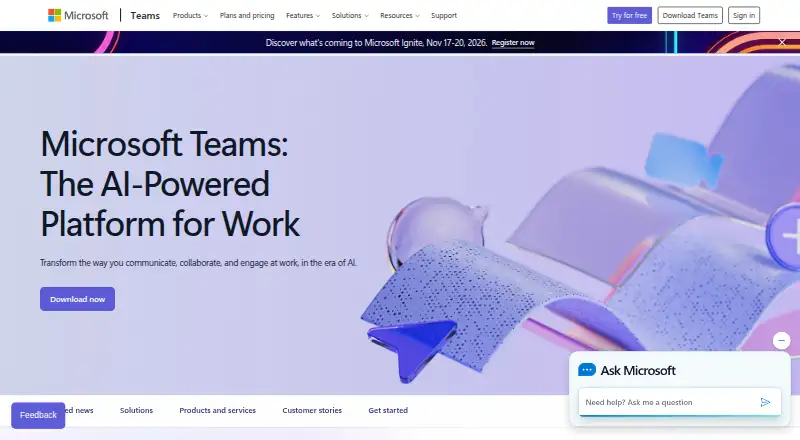
What Microsoft Teams is
Microsoft Teams is a communications and collaboration app for chat, channels, calls, meetings, and screen sharing. It supports guest access and unlimited message history, and people can join meetings without a Teams account. Its free plan requires no subscription; users can sign in with an email address or phone number. Free group meetings and calls last up to 60 minutes, while one-to-one calls have no time limit. Teams is available on Android, iOS, Linux, macOS, Windows, and the web. It connects with Microsoft 365, SharePoint, OneDrive, Outlook, Exchange, Planner, Forms, Power BI, OneNote, Power Apps, Power Automate, and LinkedIn, and lists more than 250 integrated business apps. Business plans include features such as encryption for meetings, chats, calls, and files; recordings and transcripts may also be included. Microsoft Teams Essentials is listed at $4 a year, billed at $4.00 per user/month, paid yearly. Microsoft 365 Business Basic is $7 a year, billed at $7.00 per user/month, paid yearly.
Good
- Free plan needs no subscription.
- One-to-one calls have no time limit.
- Unlimited message history.
- Available across desktop, mobile, and web.
- Guests can join meetings without accounts.
Watch out
- Free group calls and meetings stop at 60 minutes.
- The listed yearly prices are billed per user each month.
- Free plan lists 5 GB cloud storage.
Who it suits
Teams suits individuals who want chat and calls without a subscription, as well as businesses coordinating meetings and work across Microsoft 365 apps. Its listed business plans cover organizations with up to 300 users, with an enterprise option presented for more than 300 people.
Verdict
Microsoft Teams combines chat, meetings, calls, and screen sharing with a broad set of Microsoft integrations. The free plan covers basic use, while listed business plans add longer meetings and options such as recordings and transcripts.
Plans and prices
From Microsoft Teams's own pricing page, checked 27 Sep 2026.
| Plan | Price | What it gives you |
|---|---|---|
| Microsoft Teams Free | Free | No subscription needed · 100 participants · 60-minute group meetings · 5 GB cloud storage |
| Microsoft Teams Essentials | $4 | Annual subscription—auto renews · 1–300 employees · 10 GB cloud storage per user · 300 meeting participants · 30-hour meetings · $4.00 user/month, paid yearly |
| Microsoft 365 Business Basic | $7 | Annual subscription–auto renews · 1–300 employees · 1 TB cloud storage per user · 300 meeting participants · 30-hour meetings · $7.00 user/month, paid yearly |
| Microsoft 365 Business Standard with Copilot | $23.50 | Annual subscription—auto renews · 1–300 employees · 1 TB cloud storage per user · 300 meeting participants · 30-hour meetings · $23.50 user/month, paid yearly |
| Microsoft Teams Phone Standard | — | Cloud-based phone system · Voice and video calls · PSTN connectivity options · Call transfers across devices · 99.999% uptime SLA |
| Microsoft Teams Phone Standard | Priced on request | Cloud-based phone system · Voice and video calls · PSTN connectivity options · Call transfers across devices · 99.999% uptime SLA |
| Teams Phone with pay-as-you-go calling | — | Teams Phone Standard included · Pay-as-you-go calling · Microsoft phone number · Metered outbound calling minutes |
| Teams Phone with pay-as-you-go calling | Priced on request | Teams Phone Standard included · Pay-as-you-go calling · Microsoft phone number · Metered outbound calling minutes |
| Teams Phone with Calling Plan | — | 3,000 domestic minutes in the US, UK, and Canada · 1,200 domestic minutes in other listed regions |
| Teams Phone with Calling Plan | Priced on request | 3,000 domestic minutes in the US, UK, and Canada · 1,200 domestic minutes in other listed regions |
| Microsoft Teams Rooms Basic | Priced on request | 25 rooms |
| Microsoft Teams Rooms Basic | — | 25 rooms |
| Microsoft Teams Rooms Pro | Priced on request | One-touch meeting join · Wireless content sharing · Room management and security · Device analytics · ITSM integration |
| Microsoft Teams Rooms Pro | — | One-touch meeting join · Wireless content sharing · Room management and security · Device analytics · ITSM integration |
| Microsoft Teams Premium | Priced on request | AI-powered intelligence · Personalization · Additional security features |
| Microsoft Teams Premium | — | AI-powered intelligence · Personalization · Additional security features |
| Microsoft 365 Business Standard with Copilot (no Teams) | $20.30 | Annual subscription—auto renews · $20.30 user/month, paid yearly |
The facts
Each one read from Microsoft Teams's own pages, with the date it was checked.
What it does
- Business user limit
- Small-business plans support up to 300 users or people.checked 27 Sep 2026
- Channels
- Yeschecked 21 Sep 2026
- Cloud storage
- Business plans include 1 TB per user, while Teams Essentials includes 10 GB per user.checked 27 Sep 2026
- Enterprise size
- Enterprise Teams is presented for more than 300 people.checked 27 Sep 2026
- Guest access
- Yeschecked 21 Sep 2026
- Guest meeting access
- People can join meetings without a Teams account as guests.checked 27 Sep 2026
- Integrations
- Microsoft 365,SharePoint,OneDrive,Outlook,Exchange,Planner,Forms,Power BI,OneNote,Power Apps,Power Automate,LinkedInchecked 21 Sep 2026
- Maximum members
- 25000checked 21 Sep 2026
- Meeting recordings
- Business plans can include meeting recordings and transcripts.checked 27 Sep 2026
- Message history
- unlimitedchecked 21 Sep 2026
- Real-time translation
- Teams supports real-time translation and interpretation for meetings.checked 27 Sep 2026
- Screen sharing
- Teams supports screen sharing in free use and business plans.checked 27 Sep 2026
- Security encryption
- Meetings, chats, calls, and files have data encryption in listed business plans.checked 27 Sep 2026
- Support channels
- Listed business plans include anytime phone and web support.checked 27 Sep 2026
The company
- Company recognition
- Microsoft says it was named a Gartner UCaaS Leader for the eighth consecutive year in 2026.checked 27 Sep 2026
- Founded
- 1975checked 23 Sep 2026
- Headquarters
- Redmond, Washington, United Stateschecked 23 Sep 2026
Money
- Free account requirement
- Users can sign in with an email address or phone number; no subscription is needed.checked 27 Sep 2026
- Free group calls
- Free group calls last up to 60 minutes.checked 27 Sep 2026
- Free meeting limit
- Free meetings last up to 60 minutes.checked 27 Sep 2026
- Free one-to-one calls
- One-to-one calls have no time limit.checked 27 Sep 2026
- Free plan
- Yeschecked 21 Sep 2026
Where it runs
- Integrated business apps
- Teams has over 250 integrated business apps.checked 27 Sep 2026
- Supported platforms
- Teams is available on desktop, web, mobile, Windows, and macOS.checked 27 Sep 2026
The full review of Microsoft Teams
Overview
Microsoft Teams is a workplace communications app built around chat, meetings, calls, and collaboration. It is a natural fit for organizations already using Microsoft 365, though its free tier also serves people who need straightforward group meetings and messaging. Its breadth is useful; the main trade-off is that its strongest case depends on a team’s need for Microsoft’s wider business environment.
Key features
Channels, guest access, and unlimited message history give teams a persistent place to organize conversations, while guests can join meetings without a Teams account. Free accounts require no subscription and can be created with an email address or phone number. That makes it practical for occasional use, although free group meetings and group calls stop at 60 minutes; one-to-one calls have no time limit.
Screen sharing works in both free and business use. Business plans support meetings of up to 300 participants and 30 hours, a meaningful upgrade for longer sessions, and can include recordings and transcripts. Business plans also include data encryption for meetings, chats, calls, and files, plus anytime phone and web support.
The integration set is a substantial advantage for Microsoft-centered workplaces: it includes Microsoft 365, SharePoint, OneDrive, Outlook, Exchange, Planner, Forms, Power BI, OneNote, Power Apps, Power Automate, and LinkedIn. Teams also supports more than 250 integrated business apps. Real-time translation and interpretation for meetings can help multilingual groups, while the 25,000-member maximum accommodates large organizations.
Pricing
Microsoft Teams Free costs nothing, with no subscription needed. It allows 100 participants, 60-minute group meetings, and 5 GB of cloud storage. It suits personal use and small groups with short sessions, but the meeting cap and limited storage are constraints for regular business use.
Microsoft Teams Essentials costs $4 a year, billed $4.00 user/month, paid yearly. The annual subscription auto-renews and covers 1–300 employees, with 10 GB storage per user, 300 meeting participants, and meetings up to 30 hours. It removes the free meeting-length ceiling and raises participant capacity, but offers far less storage than the Microsoft 365 business tiers.
Microsoft 365 Business Basic costs $7 a year, billed $7.00 user/month, paid yearly. Its annual subscription auto-renews; it supports 1–300 employees, includes 1 TB of cloud storage per user, and allows 300 participants and 30-hour meetings. It is the stronger fit when storage matters alongside longer meetings.
Microsoft 365 Business Standard with Copilot costs $23.50 a year, billed $23.50 user/month, paid yearly. It also auto-renews annually and supports 1–300 employees, 1 TB per user, 300 participants, and 30-hour meetings. The supplied plan terms do not distinguish its meeting or storage limits from Business Basic, so its higher price is not justified by those limits alone.
Phone options have custom pricing. Teams Phone Standard adds a cloud phone system, voice and video calls, PSTN connectivity options, cross-device call transfers, and a 99.999% uptime SLA. Teams Phone with pay-as-you-go calling includes Phone Standard, a Microsoft phone number, and metered outbound minutes. Teams Phone with Calling Plan includes 3,000 domestic minutes in the US, UK, and Canada, or 1,200 domestic minutes in other listed regions. These plans suit organizations adding business telephony, with the calling option depending on whether metered use or included minutes fit better. Listed business plans offer a free trial option.
Platforms
Teams is available on the web, Windows, macOS, Linux, iOS, and Android, with desktop and mobile apps. That range supports mixed-device workplaces rather than requiring one operating system.
Who it's for
Teams is best suited to businesses that rely on Microsoft 365 integrations and want messaging, meetings, and calling in one service. Essentials suits smaller organizations needing longer meetings without the larger storage allowance; Business Basic is more compelling where per-user storage is important. Free is a reasonable starting point for groups that can work within its 60-minute meeting cap. Organizations with more than 300 people should consider enterprise Teams rather than the small-business plans.
Pros and cons
- Pro: Deep Microsoft 365 and business-app integrations reduce the need to move between disconnected work tools.
- Pro: Free one-to-one calls have no time limit, and guests can join meetings without a Teams account.
- Pro: Business plans raise meeting capacity to 300 participants and duration to 30 hours.
- Con: Free group meetings and calls are capped at 60 minutes, and free storage is 5 GB.
- Con: Essentials includes only 10 GB per user, compared with 1 TB per user in the two listed Microsoft 365 business plans.
- Con: The named business plans support up to 300 employees, so larger organizations need the enterprise offering.
Alternatives
For a broader comparison, browse Video Conferencing Software, Business Phone Systems, Team chat apps, Unified Communications Software, Secure Video Conferencing Software, and Team Collaboration Software.
Google Meet is a freemium option across the same listed platforms; its Business Starter plan costs $7 a month on an annual/fixed-term plan with monthly payment, and includes 30 GB pooled storage per user and 100 meeting participants. Consider it if those terms better suit your meeting and storage needs.
Zoom Workplace offers a free plan and the same listed platform range, plus an extension. Its Workplace Basic plan has no published price and lists 100 participants and 40-minute meetings; it may suit teams comparing a capped free meeting option.
VSee is a freemium alternative with a free trial and broad platform support, including API access. Its Free plan is limited to one provider, so it is worth considering when that provider-based arrangement fits.
Zoom Scheduler is a freemium scheduling option with a free Basic plan for one personal booking page and one calendar connection; choose it when booking pages, rather than a broader collaboration suite, are the priority.
TrueConf offers a free plan and supports self-hosting, making it an alternative to evaluate when self-hosting is important.
Webex App has a free plan with unlimited meetings up to 40 minutes and 100 attendees; consider it if those free-plan limits suit your needs.
Zoho Meeting offers a free plan for 100 participants and 60-minute meetings, with a paid Standard plan also listed; it is another option for groups comparing meeting caps.
TeamLink has a free plan for 20 participants, 45-minute meetings, and one meeting room, making it an option for smaller groups with short sessions.
Verdict
Choose Microsoft Teams if your workplace needs a single communications hub tied closely to Microsoft 365, with business plans that extend meetings and storage for teams of up to 300. Look elsewhere if your group needs longer meetings without a paid plan, substantially more free storage, or a more focused tool than Microsoft’s broad collaboration environment.
Getting started
- Open the Microsoft Teams website or use an app on a supported platform.
- Sign in with an email address or phone number for free use; no subscription is needed.
- Start with free meetings, calls, chat, channels, and screen sharing.
- Choose a listed business plan if you need its additional capacity or features.
- Use the available free trial option for listed business plans if desired.
Limits worth knowing
The free plan allows 100 participants, 60-minute group meetings and calls, and 5 GB of cloud storage; one-to-one calls have no time limit. Microsoft Teams Essentials is listed for 1–300 employees, with 10 GB per user, 300 meeting participants, and meetings up to 30 hours.
Questions
Is Microsoft Teams free?
Yes. Microsoft Teams Free costs nothing and requires no subscription.
What platforms does Teams support?
Teams is available on the web, Windows, macOS, Linux, iOS, and Android.
How long can free Teams calls last?
Free group calls and meetings last up to 60 minutes. One-to-one calls have no time limit.
Can guests join Teams meetings without an account?
Yes. People can join meetings as guests without a Teams account.
What does Microsoft Teams Essentials cost?
It is listed at $4 a year, billed at $4.00 user/month, paid yearly; the annual subscription auto-renews.
What integrations does Teams offer?
Listed integrations include Microsoft 365, SharePoint, OneDrive, Outlook, Exchange, Planner, Forms, Power BI, OneNote, Power Apps, Power Automate, and LinkedIn.
Alternatives to Microsoft Teams
- 1
Nextiva
AndroidiOSWebAPI8.8From $15 a month - 2

VitalPBX
Free planAndroidiOSWebAPI8.8From $100 a month - 3
NFON Cloudya
AndroidiOSWebAPI8.6From €4.50 a month - 4
Ringover
AndroidiOSWebAPI8.6 - 5
OnSIP
Free planAndroidiOSWebmacOS8.6From $49.95 a month - 6
Zoho Voice
Free planAndroidiOSWebAPI8.6From $39 a month