Webex App
A cross-device service for online meetings and team conversations, available on Android, iOS, desktop, and the web.
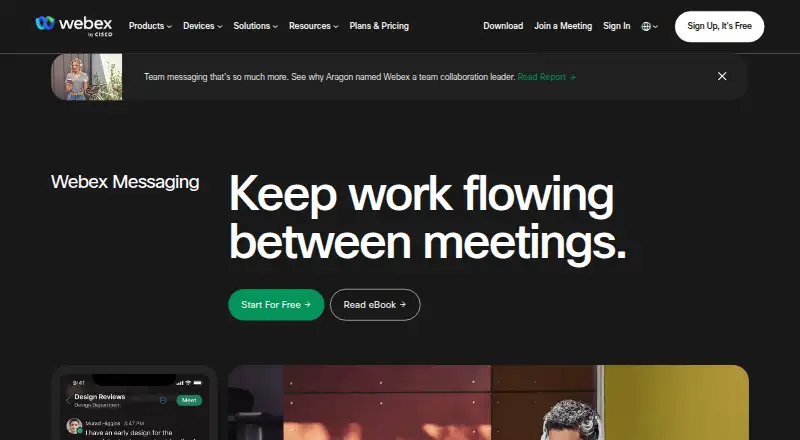
What Webex App is
Webex App brings together online meetings, group chat, screen sharing, recordings, and breakout sessions. The core service is available through its Android app as well as browser, Windows, macOS, and iOS clients. On the no-cost tier, meetings can run for 40 minutes with up to 100 attendees; paid options extend session length and add features such as cloud recording or higher capacity.
Good
- Apps and browser support span Android, iOS, Windows, and macOS
- No-cost meetings handle up to 100 attendees for 40 minutes
- Screen sharing, recording, and breakout rooms are available
- Messaging offers files, threads, mentions, and co-creation
- Enterprise accommodates as many as 1,000 attendees
Watch out
- Free sessions end at the 40-minute mark
- The free option caps attendance at 100 people
- The installed application is needed for certain features
- Paid subscription costs are supplied on request
- Cloud recording is offered with a paid plan
Who it suits
Teams that want meetings and messaging on multiple device types; Groups beginning with no-cost meetings for up to 100 attendees; Organizations seeking higher limits on a paid plan
Skip it if
You require the full feature set to run in a browser; You need subscription prices without contacting Webex; Your free meetings often run longer than 40 minutes
Verdict
Webex App suits teams that want meetings, messaging, and collaboration in one service. Android users get a dedicated app, and browser access covers basic use on other devices. Signup for the free tier does not require payment details, and meetings can include up to 100 attendees, though they end after 40 minutes. Enterprise raises capacity to 1,000 attendees, while paid pricing is provided by request. Check which functions need the installed app before choosing it.
Plans and prices
From Webex App's own pricing page, checked 28 Sep 2026.
| Plan | Price | What it gives you |
|---|---|---|
| Webex Free | Free | Unlimited meetings up to 40 minutes and up to 100 attendees per meeting. · 100 attendees · 40 minutes per meeting · billed monthly |
| Webex Meet | Priced on request | 200 attendees · 24 hours per meeting · 10 GB cloud recording |
| Webex Meet | — | 200 attendees · 24 hours per meeting · 10 GB cloud recording |
| Webex Suite | — | 200 attendees · 24 hours per meeting |
| Webex Suite | Priced on request | 200 attendees · 24 hours per meeting |
| Webex Enterprise | Priced on request | 1,000 attendees |
| Webex Enterprise | — | 1,000 attendees |
The facts
Each one read from Webex App's own pages, with the date it was checked.
Where it runs
- App integrations
- Webex integrates with more than 100 industry-leading apps.checked 28 Sep 2026
- Platform access
- Webex works in a browser, while the app is needed for all features such as PSTN calling.checked 28 Sep 2026
What it does
- Breakout rooms
- Yeschecked 22 Sep 2026
- Enterprise security
- The Enterprise plan includes FedRAMP authorized security.checked 28 Sep 2026
- External collaboration
- Users can collaborate outside their organization by adding an external person's email address to a space.checked 28 Sep 2026
- Key integrations
- Box,Salesforce,Google Workspace,Microsoft,Slack,Miro,Calendly,Apple,Samsungchecked 22 Sep 2026
- Max participants
- 1000checked 22 Sep 2026
- Meeting duration limit
- 1440checked 22 Sep 2026
- Meeting recording
- Yeschecked 22 Sep 2026
- Messaging features
- Messaging supports file sharing, co-creation, mentions, forwarding, flags, pins, and threads.checked 28 Sep 2026
- Named integrations
- Named integrations include Box, Salesforce, Google, Microsoft, Twitter, Slack, Appspace, Vbrick, ADP, and ACTextBot.checked 28 Sep 2026
- Payment methods
- Paid plans accept credit cards, debit cards, PayPal, and Apple Pay.checked 28 Sep 2026
Money
- Downgrade billing
- After the current billing period ends, a downgraded account moves to the Webex free plan.checked 28 Sep 2026
- Free attendee limit
- Free meetings support up to 100 attendees per meeting.checked 28 Sep 2026
- Free meeting limit
- Free meetings last up to 40 minutes.checked 28 Sep 2026
- Free plan
- Yeschecked 22 Sep 2026
- Free plan price
- The Webex Free plan costs $0 per user per year.checked 28 Sep 2026
- Free recording
- The free plan includes local recording.checked 28 Sep 2026
- Free signup payment
- No credit card or payment details are required to sign up for a free plan.checked 28 Sep 2026
- Free support
- The free plan includes basic support.checked 28 Sep 2026
- Paid plan cancellation
- Paid plans can be canceled or downgraded to free at any time through account management.checked 28 Sep 2026
- Paid plan starting price
- Additional features, storage, and support start at one low price, but no amount is printed.checked 28 Sep 2026
The company
- Founded
- 1984checked 23 Sep 2026
- Headquarters
- San Jose, California, United Stateschecked 23 Sep 2026
The full review of Webex App
The gist
Webex App provides online meetings alongside team conversations. It is aimed at people who want meetings, file exchange, screen sharing, and collaboration across mobile devices, computers, and browsers.
Depending on the subscription, a meeting may include as many as 1,000 participants.
On Android
The Android app provides access to Webex meetings and messaging. Messaging includes file sharing, co-creation, mentions, forwarding, flags, pins, threads, and end-to-end encryption.
Webex also works on iPhone and iPad, Windows, macOS, and the web. Browser access is available, though the installed app is needed for the complete feature set, including PSTN calling.
What it does
Webex runs online meetings with screen sharing, recording, and breakout rooms. Session lengths range from 40 minutes on the free option to 24 hours on paid meeting plans.
Its messaging spaces support work with people inside or outside an organization. You can add an outside person's email address to a space, then share files and work together.
Webex connects with services including Box, Salesforce, Google, Microsoft, Slack, Miro, Calendly, Apple, and Samsung.
Standouts
The service covers meetings and team messaging in one app, with local recording available on the free plan.
Paid plans include options for 24-hour meetings, cloud recording storage, and attendance ranging up to 1,000 people.
The Enterprise plan includes FedRAMP authorized security.
Trade-offs
On the free option, each meeting ends after 40 minutes and is limited to 100 attendees. Local recording and basic support are included, while longer sessions and cloud recording come with paid plans.
A browser can open Webex, but the installed application is needed for certain capabilities. Pricing for paid plans is supplied only on request, making direct cost comparisons harder.
Account owners may cancel a paid subscription or move it to the free tier whenever they choose. The change to free service occurs once the current billing period has finished.
Pricing
The Webex Free plan is $0 per user annually. It permits 40-minute meetings for up to 100 attendees, includes local recording and basic support, and requires no card or payment information at registration.
Webex Meet is quoted on request and provides 200 attendees, meetings lasting up to 24 hours, and 10 GB of cloud recording. Webex Suite is also quote-based and supports 200 attendees with 24-hour meetings.
Webex Enterprise is quote-based and accommodates as many as 1,000 attendees. Credit cards, debit cards, PayPal, and Apple Pay are accepted for paid subscriptions.
Verdict
Webex fits groups seeking meetings and team conversations on Android, iOS, desktop, and the browser, with a free entry tier and room to move to larger sessions.
For brief meetings with no more than 100 participants, the free option can work well when local recording meets your needs. Verify the app dependency if PSTN calling or another app-only function is important.
For 24-hour meetings, cloud recording, or attendance above 100, expect to contact Webex for paid pricing.
Getting started
- Open the Webex team collaboration website
- Use Webex in a browser or install the app for Android, iOS, macOS, or Windows
- Start the free plan without entering card or payment details
- Choose a paid Webex plan through account management if higher limits are needed
- Connect supported services such as Box, Salesforce, Google, Microsoft, Slack, or Miro
Limits worth knowing
The free plan allows meetings of up to 40 minutes and 100 attendees. It includes local recording and basic support; higher listed plans raise meeting capacity and duration.
Questions
Is Webex App available on Android?
Yes. An Android client is available, as are apps for iOS, Windows, and macOS, plus browser access.
How long can a free Webex meeting last?
A meeting on the free plan can run for up to 40 minutes, with a maximum of 100 attendees.
Does the free plan include recording?
Yes. The free option provides local recording and basic support.
How many people can a Webex meeting support?
Enterprise meetings can reach 1,000 participants; Meet and Suite support 200, and the free option supports 100.
Can people outside my organization join a Webex space?
Yes. Add the external participant's email address to the space to collaborate.
Do I need the Webex app?
Browser access is available, but the app is required for the complete feature set, including PSTN calling.
Can I cancel a paid Webex plan?
Yes. Account management lets you cancel or switch a paid plan to free. The switch occurs after the current billing period ends.