
Pendo Analytics
Pendo Analytics tracks product usage so teams can examine engagement, retention, and product success without manually tagging events.
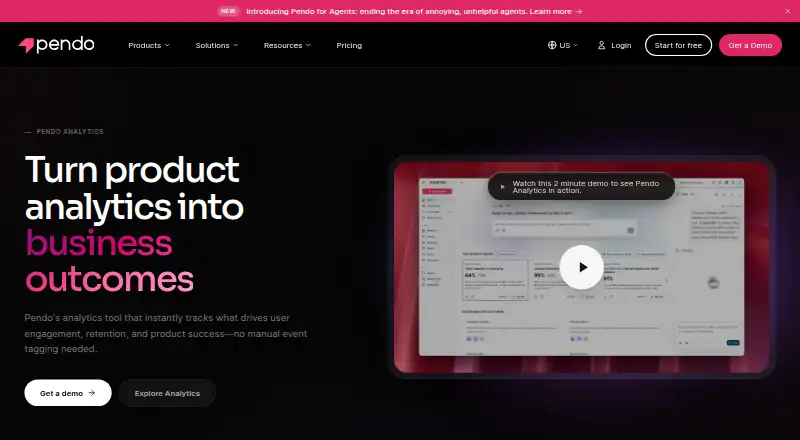
What Pendo Analytics is
Pendo Analytics tracks product usage so teams can examine engagement, retention, and product success without manually tagging events. Its tools include Data Explorer, paths, funnels, workflows, retention analysis, behavioral insights, and Product Engagement Score. Pendo says it captures historical behavior from installation, so teams can label pages and features later and still analyze earlier activity. AI tagging uses an application's routing structure and DOM to identify pages and features. Leo answers natural-language questions using live Pendo data, and Pendo's public MCP server can query analytics and product objects from AI tools. Teams can connect usage data with user feedback and session replays to investigate behavior. Mobile support includes native iOS and Android apps and frameworks such as React Native, Flutter, SwiftUI, and Jetpack Compose. The free plan supports up to 500 monthly active users and includes product analytics, in-app guides, and unlimited web and mobile app keys. Other plans are priced by monthly active users and selected functionality; their prices are not listed.
Good
- Includes funnels, paths, workflows, and retention analysis.
- Historical behavior can be analyzed after later tagging.
- AI tagging identifies pages and features from app structure.
- Connects analytics with feedback and session replays.
- Free plan supports up to 500 monthly active users.
Watch out
- Free plan is limited to 500 monthly active users.
- Paid plan prices are not listed.
- Plan pricing depends on monthly active users and selected functionality.
Who it suits
Pendo Analytics suits product teams that need to study user engagement, retention, and behavior across web and mobile applications. Its free plan may suit teams with up to 500 monthly active users who need analytics and in-app guides.
Verdict
Pendo Analytics brings usage analysis, feedback, and session replay together, with options for mobile applications and AI-assisted queries. The free plan has a defined user limit, while paid plan costs are not listed.
Plans and prices
From Pendo Analytics's own pricing page, checked 14 Oct 2026.
| Plan | Price | What it gives you |
|---|---|---|
| Free | Free | 500 monthly active users · product analytics · in-app guides · Pendo-branded roadmaps · Pendo-branded NPS surveys · unlimited web and mobile app keys |
| Novus | Free | open beta · no MAU limit during beta · continuous product monitoring · Slack recommendations · AI-generated PRs · GitHub auto-instrumentation |
| Base | Priced on request | custom MAU volume · product analytics · in-app guides |
| Core | Priced on request | custom MAU volume · product analytics · in-app guides · session replay |
| Ultimate | Priced on request | custom MAU volume · product analytics · in-app guides · session replay · sentiment surveys · journey orchestration · Listen · Data Sync |
The facts
Each one read from Pendo Analytics's own pages, with the date it was checked.
What it does
- AI analytics
- Leo answers natural-language questions using live Pendo product data, while the public MCP server exposes analytics to compatible AI tools.checked 14 Oct 2026
- AI assistant and API
- Leo answers natural-language questions using live Pendo data, and Pendo’s public MCP server can query analytics and product objects from AI tools.checked 30 Sep 2026
- AI tagging
- AI tagging reads routing and DOM structure to identify pages and features without manual tagging.checked 14 Oct 2026
- Analytics tools
- Its analytics functions include Data Explorer, paths, funnels, workflows, retention analysis, behavioral insights, and Product Engagement Score.checked 30 Sep 2026
- Automatic capture
- Pendo says installation starts collecting app and user data without manual event tagging.checked 14 Oct 2026
- Cloud hosting
- Pendo hosts and processes application data in a managed, multi-tenant Google Cloud SaaS/PaaS environment.checked 14 Oct 2026
- Dashboards
- The product provides collaborative dashboards combining quantitative and qualitative data.checked 14 Oct 2026
- Data collection
- Default collection includes page views, clicks, focus events, visitor/account metadata and, when enabled, DOM-based session replay with masking controls.checked 14 Oct 2026
- Data Explorer
- Data Explorer lets users build analyses of actions, segments and behavior over time.checked 14 Oct 2026
- Documentation and support
- Pendo provides a Help Center, developer documentation, API references, SDK release notes, Academy training, certification and community forums.checked 14 Oct 2026
- Historical data
- Pendo says it captures historical behavior from installation, allowing teams to tag pages and features later and still analyze earlier behavior.checked 30 Sep 2026
- Installation methods
- Implementations use a JavaScript install script, the Pendo Launcher browser extension or a mobile SDK.checked 14 Oct 2026
- Integrations
- Pendo lists 51 integrations, including Salesforce, Segment, Slack, Snowflake, Tableau, Jira, Zendesk, HubSpot, Marketo and Webhooks.checked 14 Oct 2026
- Intended users
- Pendo says organizations from Fortune 500 companies to B2B technology startups, educational institutions, and healthcare systems use its products to increase software adoption.checked 30 Sep 2026
- Licence
- Pendo is a proprietary commercial service; its site reserves all rights to Pendo.io, Inc. trademarks and product materials.checked 14 Oct 2026
- Limit: guide builder
- Review summaries cite missing simultaneous editing and folder organization, plus a guide-builder interface that can feel unintuitive.checked 14 Oct 2026
- Limit: reporting
- Reviewers request better charting, sorting, dashboard organization and more flexible comparison reporting.checked 14 Oct 2026
Where it runs
- Browser requirements
- The Pendo application supports current Edge, Chrome, Firefox and Safari; the Visual Design Studio is not supported on current Safari versions.checked 14 Oct 2026
The company
- Company facts
- LinkedIn identifies Pendo.io as a privately held software-development company founded in 2013, headquartered in Raleigh, North Carolina, with 501–1,000 employees.checked 14 Oct 2026
- Company ownership and funding
- Crunchbase lists Pendo as private, with 13 funding rounds, 501–1,000 employees and investors including J.P. Morgan and Thoma Bravo.checked 14 Oct 2026
- Founded
- 2013checked 28 Sep 2026
- Headquarters
- Raleigh, North Carolina, United Stateschecked 28 Sep 2026
Money
- Free trial
- Pendo says its 30-day free trial provides access to the platform’s analytics, in-app guides, feedback, journey orchestration, and more.checked 30 Sep 2026
- Limit: learning and price
- Trustpilot reviewers describe the product as difficult to learn and expensive, with repetitive setup for guides.checked 14 Oct 2026
The full review of Pendo Analytics
Overview
Pendo Analytics is a product-usage analytics platform for teams measuring how people engage with web and mobile software. It suits organizations that want behavioral analysis alongside feedback and session replay, rather than analytics in isolation. Its breadth is a strength; pricing tied to monthly active users and functionality may make it harder to budget as needs grow.
It combines product usage data with feedback and replay tools, helping teams investigate both what users do and possible reasons for those patterns. Its analytics include retention, revenue, funnel and cohort analysis, with data export and product planning tools also in scope.
Teams comparing this category can browse Product Analytics Tools and Customer Analytics Software.
Key features
- Behavior analysis: Data Explorer, paths, funnels, workflows, retention analysis, behavioral insights and Product Engagement Score provide several ways to examine engagement and product success. Funnel and retention views are especially relevant for teams trying to spot where journeys lose momentum or whether users return.
- Historical behavior: Pendo captures behavior from installation, allowing teams to tag pages and features later and still analyze earlier activity. That reduces the risk that a question arising after launch cannot be investigated because relevant events were not manually defined in advance.
- AI-assisted tagging and queries: AI tagging uses an application's routing structure and DOM to identify pages and features without manual tagging. Leo answers natural-language questions using live Pendo data, and the public MCP server lets AI tools query analytics and product objects. These options can reduce setup and query friction, though they are most useful to teams already working with Pendo data.
- Feedback and replay: Analytics connect with user feedback and session replays, giving teams a path from an observed pattern to investigation of its context. Feedback collection includes NPS surveys, feature requests, a feedback portal and in-app feedback; sentiment analysis and product roadmapping are also supported.
- Data and integrations: Sources include web and mobile applications, install-script and mobile SDK events, Salesforce, HubSpot, Segment, APIs, and account or visitor metadata. Integrations also include tools such as Intercom, Jira, Marketo, Okta, Slack, Snowflake and Zendesk, making it relevant where product behavior needs to be considered alongside connected business systems.
- Security and support: Pendo says it observes SOC 2, GDPR, TX-RAMP and HIPAA requirements, encrypts customer data in transit and at rest, and offers role-based access controls and audit trails. Its services include onboarding, training, education, customer success and technical guidance, useful for organizations that need structured implementation support.
Pricing
Pendo uses a freemium model with a free plan and a 30-day trial. Plans are priced according to monthly active users and selected functionality, so the free tier's cap is an important boundary for teams evaluating whether it can remain a long-term option.
- Free — free: Supports up to 500 monthly active users and includes product analytics, in-app guides, and unlimited web and mobile app keys. It is a sensible starting point for small products or an initial evaluation, but the user cap limits its fit for a growing audience.
- Base — custom pricing: Custom MAU volume, Product Analytics and In-app Guides. It retains the core analytics and guidance combination but does not include the listed replay and sentiment-related capabilities of Ultimate.
- Core — custom pricing: Custom MAU volume, Product Analytics, In-app Guides and Session Replay. This is the more fitting paid configuration for teams that need replay alongside core analysis and guidance.
- Ultimate — custom pricing: Custom MAU volume, Product Analytics, In-app Guides, Session Replay, Sentiment, Orchestrate, Listen and Data Sync. Its broader set suits organizations seeking analytics with a wider collection of feedback and data capabilities; teams that need only core analysis may not need this scope.
The free plan is the only plan with a stated user quota and price. Paid plans' custom MAU volumes mean a buyer should match expected audience size and required functionality to a quote before comparing total cost.
Platforms
Pendo covers web, iOS and Android, with API support. Pendo for Mobile supports native iOS and Android apps as well as React Native, Flutter, SwiftUI, Jetpack Compose, MAUI and Compose Multiplatform, making it applicable to teams building across native and cross-platform mobile stacks.
Who it's for
Pendo is aimed at organizations working to improve software adoption, from large enterprises to B2B technology startups, educational institutions and healthcare systems. It is a strong fit for product teams that need usage, retention and funnel analysis in one workflow and want to connect those findings to feedback or replay. Smaller teams with fewer than 500 monthly active users can start on the free plan; teams above that threshold or needing paid capabilities should assess custom pricing. It is less compelling for buyers seeking a narrowly scoped, low-cost analytics tool with predictable paid pricing.
Pros and cons
- Pro: Historical behavior can be analyzed after pages and features are tagged, which helps teams investigate questions that were not anticipated at launch.
- Pro: Analytics connect to feedback and session replay, giving teams more context for interpreting engagement patterns.
- Pro: Mobile support spans native apps and several cross-platform frameworks, useful for products that ship across multiple app technologies.
- Con: The free plan stops at 500 monthly active users, so products growing beyond that limit need to consider a paid tier.
- Con: Paid plans use custom pricing based on MAU volume and selected functionality, making cost harder to compare without a quote.
Alternatives
For guided onboarding, Stonly is another freemium option with a free plan and guide-focused limits, including 400 guide views per month, five published guides, one language, and one team member on Basic. Choose it when a bounded guide-authoring setup is the priority rather than Pendo's broader product analytics and feedback combination.
Wakeline offers a free plan with three flows, up to 1,000 monthly active users and one teammate. It may suit a small team focused on flows and seeking a higher free MAU cap than Pendo's 500-user tier.
Driver.js is a free option with unlimited projects and personal and commercial use. Consider it when a free tool is the priority; the supplied plan details do not describe a comparable analytics suite.
Flook has a free plan with watermarked widgets and a Pro plan at $39 a month with all widget types and custom branding. It is worth comparing when widget capabilities and branding are the relevant need.
Baltu offers a free tier up to 500 MAUs and a Growth plan at $49 a month, billed monthly, with no annual contracts and cancellation at any time. Its stated free audience cap matches Pendo's, while the monthly Growth price may appeal to buyers seeking a stated price and flexible term.
Dock is a freemium option whose free plan includes workspaces, CMS assets, slides, playbooks, a course, an order form and limited AI usage. Consider it when those deal-desk materials are more central than product usage analysis.
StepBeam has a free plan for up to 1,000 MAU, three team seats and one application, with basic analytics and community support. It may suit a team that needs a higher free MAU allowance and a defined seat count.
Usertour has an open-source core under the MIT license, with public source and self-hosting via Docker. It is an alternative for teams prioritizing an open-source, self-hostable option.
For adjacent categories, see Customer Onboarding Software, Customer Feedback Software, Product Adoption Software and Product Management Software.
Verdict
Pendo Analytics is best for product teams that need broad web and mobile usage analysis tied directly to feedback and replay. Historical behavior and AI-assisted tagging strengthen its case when teams want to investigate product activity without planning every event upfront. Look elsewhere if a firm paid price is essential or the free plan's 500-MAU cap is too restrictive.
Getting started
- Visit https://www.pendo.io/product/analytics/.
- Choose the Free plan, which supports up to 500 monthly active users, or review the 30-day trial.
- Connect web or mobile application data, or another listed data source.
- Use analytics tools to examine engagement, funnels, paths, retention, or behavior.
Limits worth knowing
The Free plan supports up to 500 monthly active users and includes product analytics, in-app guides, and unlimited web and mobile app keys. Other plans use custom monthly active user volumes and selected functionality.
Questions
Does Pendo Analytics have a free plan?
Yes. Free supports up to 500 monthly active users and includes product analytics, in-app guides, and unlimited web and mobile app keys.
Is there a free trial?
Yes, the pricing note lists a 30-day trial.
What platforms does it support?
Its listed platforms are Android, iOS, web, and API. Mobile support includes native iOS and Android apps and several frameworks.
Which integrations are listed?
Salesforce, HubSpot, Intercom, Jira, Marketo, Okta, Segment, Slack, Snowflake, and Zendesk are among the listed integrations.
Who uses Pendo's products?
Pendo says its products are used by organizations ranging from Fortune 500 companies to B2B technology startups, educational institutions, and healthcare systems.
Alternatives to Pendo Analytics
- 1

Countly
Free planOpen sourceAndroidiOSWebAPI8.7From $175 a month - 2

Unity
Free planAndroidiOSWebAPI8.4Free plan - 3

Amplitude
Free planAndroidiOSWebAPI8.3From $995 a month - 4

Contentsquare
Free planAndroidiOSWebAPI8.3Free plan - 5

GameAnalytics
Free planAndroidiOSWebAPI8.2From $49 a month - 6

Statsig
Free planAndroidiOSWebAPI8.1From $150 a month