
Unity
Unity Engine is development software for making games and apps, including immersive experiences built from CAD and 3D data.
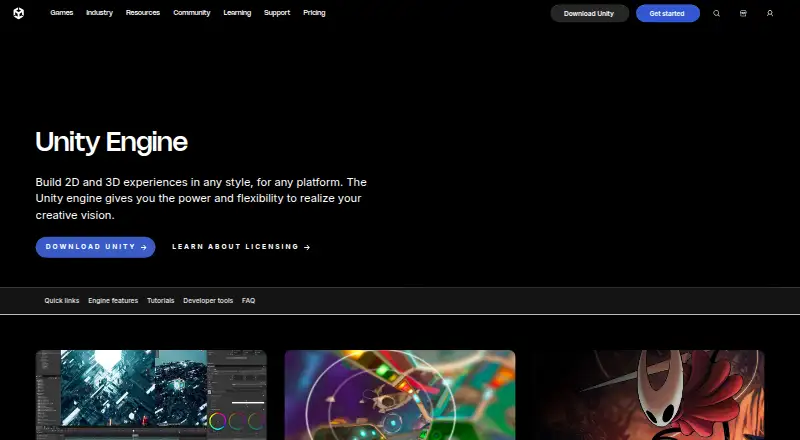
What Unity is
Unity Engine is development software for making games and apps, including immersive experiences built from CAD and 3D data. It provides real-time lighting, shading, and rendering optimization tools, and uses .NET and C# with support for tools such as Visual Studio and JetBrains Rider. Unity also describes features for multiplayer experiences, collaboration, and LiveOps. Deployment options span desktop and mobile systems, web, consoles, and XR; its Build Automation service can trigger cloud builds across platforms. Unity 6.0 is identified as the latest long-term supported release. Unity Personal is free for hobbyists and small indie teams making games or entertainment applications, below the stated $200K eligibility threshold. Pro is listed at $210 a month and is required above that threshold; higher financial thresholds apply to Industry and Enterprise plans, whose prices are custom. Industry is required for non-game or entertainment applications when company finances exceed $1,000,000 USD. Enterprise is required above $25M in annual revenue. Unity provides an Issue Tracker and Editor bug-reporting flow; support levels vary by plan.
Good
- Supports .NET and C# scripting
- Includes real-time lighting and rendering tools
- Build Automation can trigger cloud builds
- Unity Personal is free below its eligibility threshold
Watch out
- Personal is limited to games and entertainment applications
- Pro is listed at $210 a month
- Industry and Enterprise use custom pricing
- Some paid plans have financial eligibility thresholds
Who it suits
Unity suits game and app developers working across supported platforms, including teams building multiplayer or immersive experiences. Plan choice depends on application type and the stated revenue or funding thresholds.
Verdict
Unity combines creation, scripting, collaboration, and deployment tools across a wide range of platforms. Review the plan eligibility rules and costs against your project before choosing a tier.
Plans and prices
From Unity's own pricing page, checked 22 Sep 2026.
| Plan | Price | What it gives you |
|---|---|---|
| Free tier | Free | Unlimited cloud seats · 25 GB storage per organization per month · 100 GB egress per month · Free tier; usage beyond included limits is pay-as-you-go. |
| Pay-as-you-go | Priced on request | 25 GB free storage per organization per month · 100 GB free egress per month |
| Pay-as-you-go | — | 25 GB free storage per organization per month · 100 GB free egress per month |
| Unity Personal | Free | Gaming and entertainment only · Publish to web, desktop, AR/VR and mobile · 1,000 monthly Unity AI credits |
| Unity Pro | $210 a month | Businesses over $200K funding or revenue · Console and Apple Vision Pro builds · Expedited support · 2,000 monthly Unity AI credits · per month |
| Unity Pro | $2,310 a year | Businesses over $200K funding or revenue · Console and Apple Vision Pro builds · Expedited support · 2,000 monthly Unity AI credits · from $2,310.00 /yr |
| Unity Industry | Priced on request | Industry-specific solutions and toolkits · Custom pricing |
| Unity Enterprise | Priced on request | Businesses over $25M annual revenue · Cloud and on-premises build automation · Read-only source access · Dedicated support · Offline-machine licensing · 3,000 monthly Unity AI credits · Custom pricing |
The facts
Each one read from Unity's own pages, with the date it was checked.
What it does
- API
- Unity Cloud Services APIs provide low-level API access to Unity Cloud Services, and the UGS CLI automates dashboard and administrative operations.checked 21 Oct 2026
- Builds
- Unity Build Automation can trigger builds in the cloud across multiple platforms.checked 30 Sep 2026
- Collaboration
- The platform includes centralized collaboration workflows and real-time communication features.checked 21 Oct 2026
- Deployment
- Unity lists deployment support for Windows, Linux, iOS, Android, macOS, web, consoles, and XR platforms.checked 30 Sep 2026
- Documentation
- Unity describes its documentation as an in-depth repository covering features, interface and workflows, with user manuals and scripting references.checked 21 Oct 2026
- Graphics
- The engine includes real-time lighting, shading, and rendering optimization tools for a range of graphical styles and platforms.checked 30 Sep 2026
- Industry eligibility
- Unity Industry is required for applications outside games or entertainment when company finances exceed $1,000,000 USD.checked 30 Sep 2026
- Installation
- Unity Hub installation is documented for Windows 10 21H1 or later and macOS 12 or later.checked 21 Oct 2026
- Integrations
- Unity Integrations connect Cloud Build, Cloud Diagnostics and Collaborate with webhooks, Discord, Slack and email.checked 21 Oct 2026
- Investors
- Crunchbase lists 24 Unity investors, including Sequoia Capital and Silver Lake.checked 21 Oct 2026
- Latest release
- Unity’s product page identifies Unity 6.0 as the latest long-term supported release.checked 30 Sep 2026
- Licence
- The Unity Editor is proprietary; Unity source-code access is governed by restricted proprietary terms rather than an open-source license.checked 21 Oct 2026
- Licensing model
- Unity licenses may use named-user, serial-based or floating licensing; floating licensing uses an on-premises license server.checked 21 Oct 2026
- Limit: assets and shaders
- TrustRadius reviewers request a larger marketplace and more built-in assets, and say native shaders and lightmapping may need third-party add-ons.checked 21 Oct 2026
- Limit: compatibility and networking
- TrustRadius reviewers mention compatibility problems after updates and ask for a stronger built-in real-time networking stack.checked 21 Oct 2026
- Limit: interface and compilation
- G2 reviewers report an overwhelming starting interface and long compilation times.checked 21 Oct 2026
- Limit: learning curve
- GetApp reviewers say advanced Unity features have a steep learning curve and that graphics quality can trail other engines.checked 21 Oct 2026
- Limit: licensing complaints
- Trustpilot reviewers complain that console development requires an expensive Unity Pro subscription and that monthly billing can still create a yearly commitment.checked 21 Oct 2026
The company
- Company founded
- Unity was founded in Copenhagen on August 2, 2004 by David Helgason, Nicholas Francis and Joachim Ante.checked 21 Oct 2026
- Company headquarters
- Unity Technologies is headquartered in San Francisco, United States.checked 21 Oct 2026
- Company legal name
- Crunchbase lists the legal name as Unity Technologies, Inc.checked 21 Oct 2026
- Company size
- Wikipedia lists 4,987 employees in 2024, while Crunchbase categorizes the company in the 1,001–5,000 employee range.checked 21 Oct 2026
- Headquarters
- San Francisco, California, United Stateschecked 28 Sep 2026
Money
- Free plan
- Yeschecked 22 Sep 2026
The full review of Unity
Unity Engine is development software for building games and immersive experiences from CAD and 3D data. It best suits teams that need C# scripting, cross-platform deployment and a path from a free tier to business plans. Its breadth is a strength, but eligibility thresholds and paid publishing requirements deserve careful attention.
Overview
Unity brings real-time graphics, scripting, multiplayer and LiveOps tools, collaboration features and cloud build automation into one engine. Its graphics tools cover lighting, shading and rendering optimization across graphical styles and platforms, while its .NET and C# workflow supports Visual Studio and JetBrains Rider.
Unity identifies version 6.0 as its latest long-term supported release. Named platform partners include Apple, Google, Magic Leap, Microsoft, Nintendo, Oculus and PlayStation. Unity also describes regular service testing, secure storage and separation of user assets, and a responsible disclosure and bug bounty program. Its Trust Center displays PCI and SOC 2 Type II badges and security, audit and compliance documents.
Key features
Unity’s mix of real-time rendering and broad deployment support makes it suited to projects targeting more than one device family. Unity lists deployment to Windows, Linux, macOS, web, iOS, Android, consoles and XR platforms. Cloud-based Build Automation can trigger builds across multiple platforms, a practical advantage for teams managing several targets.
For scripting, Unity uses .NET and C# and supports Visual Studio and JetBrains Rider. Multiplayer, collaboration and LiveOps tools extend its remit beyond making a standalone game. Those capabilities come with plan and eligibility considerations: publishing to consoles and Apple Vision Pro, for example, requires Pro under the stated plan terms.
Unity directs users to its Issue Tracker and Editor bug-reporting flow. Pro adds expedited customer support, while Enterprise adds dedicated support. That distinction matters for teams that need a faster or more direct support route than bug reporting.
Pricing
Unity uses a freemium model, with a free option and paid plans. The right tier depends not only on budget but also on application type, company finances, publishing targets and cloud usage.
- Free tier: free. It provides unlimited cloud seats, 25 GB of storage per organization per month and 100 GB of egress per month. Usage beyond included limits is pay-as-you-go, so teams should account for overages as activity grows.
- Pay-as-you-go: custom pricing. It includes 25 GB of free storage per organization per month and 100 GB of free egress per month. The free allowances are useful reference points, but this option does not provide a stated fixed price.
- Unity Personal: free. Aimed at hobbyists and small indie teams, it is limited to gaming and entertainment applications and is available below the stated $200K eligibility threshold. It supports publishing to web, desktop, AR/VR and mobile, but not the console and Apple Vision Pro publishing identified with Pro.
- Unity Pro: $210.00 per month, billed $210.00 per month; a yearly option is shown as from $2,310.00 /yr. It is required for businesses with over $200K in funding or annual revenue, and adds game console and Apple Vision Pro publishing plus expedited customer support. It is the relevant step up for qualifying commercial teams, but represents a substantial recurring commitment.
- Unity Industry: custom pricing. It is required for industry applications outside games or entertainment when company finances exceed $1,000,000 USD. The eligibility rule makes this a distinct route for commercial non-entertainment work.
- Unity Enterprise: custom pricing and requires sales. It is required for businesses with more than $25M in annual revenue; minimum subscription or spending commitments may apply. It includes cloud and on-prem build automation, read-only source code access and dedicated support, making it a business-focused tier rather than a simple upgrade for a small team.
A free trial is available. For Unity Personal, the $200K threshold and gaming-and-entertainment restriction are central limits; higher-revenue or differently focused organizations may need a paid plan even if they can begin with free tools.
Platforms
Unity supports Android, iOS, Linux, macOS, web and Windows. Its deployment reach also includes consoles and XR platforms, with console and Apple Vision Pro publishing called out under Pro. That breadth favors projects that need multiple device targets, although the plan requirement can affect which targets are practical for a given business.
Who it's for
Unity is a strong fit for game and immersive-experience developers who value C# scripting, real-time graphics and deployment across desktop, mobile, web, console and XR. Small indie teams and hobbyists can start with Personal if they remain under its eligibility threshold and work in games or entertainment. Businesses with higher funding or revenue, non-entertainment industry users, and larger enterprises should match their circumstances to Pro, Industry or Enterprise requirements before committing.
It is less suitable for a business seeking a single unrestricted free tier: application category, financial thresholds, publishing needs and cloud usage can all change the appropriate plan.
Pros and cons
- Pro: Broad deployment across desktop, mobile, web, consoles and XR supports projects intended for varied devices.
- Pro: C# and .NET support alongside Visual Studio and JetBrains Rider gives developers a clear scripting and editor-tooling combination.
- Pro: Cloud builds, multiplayer, collaboration and LiveOps cover production and operations needs as well as engine work.
- Con: Free Personal is limited to gaming and entertainment and has a $200K eligibility threshold, so it does not suit every small business or application type.
- Con: Pro costs $210.00 per month on monthly billing, and qualifying businesses are required to use it; console and Apple Vision Pro publishing are not part of the stated Personal plan.
- Con: Industry and Enterprise use custom pricing, while Enterprise may carry minimum subscription or spending commitments, making those tiers harder to budget as fixed-cost options.
Alternatives
Godot Engine is worth choosing if a free and open-source engine with no contracts or hidden fees matters more than Unity’s paid publishing and support tiers.
Flax Engine may suit non-commercial or educational use at no cost; commercial releases pay a 4% royalty on earnings exceeding $250,000 per calendar year.
Defold is a free alternative for teams prioritizing no licensing fees, royalties or runtime fees.
GDevelop is another freemium option for readers comparing game-development software with a free starting plan.
Construct 3 is an alternative with a free trial and a personal license that unlocks all features for individuals and hobbyists.
CRYENGINE is an option to consider if its royalty-based licensing terms fit the project.
PlayCanvas may be preferable for a web-only project that benefits from unlimited public projects, public teammates, free app hosting and 1GB storage on its free plan.
Roblox Studio is an alternative for creators working within its Windows or macOS app requirements and Roblox account requirement.
Browse Game Development Software, Game Engine Software, Game Profiling Software, Game Audio Middleware, Game Asset Marketplaces and Game Analytics Software for adjacent categories.
Verdict
Unity is best for developers who need one engine for graphics, C# scripting, collaboration and deployment across a wide range of targets. Its strongest case is that breadth, backed by cloud builds and plans that scale to larger organizations. Look elsewhere if free use without category or financial eligibility rules is essential, or if Pro’s recurring cost and business thresholds do not fit the project.
Alternatives to Unity
- 1

Unity Version Control
Free planWebAPILinuxmacOS8.1Free plan - 2

Perforce P4 (Helix Core)
Free planWebAPILinuxmacOS7.9From $39 a month - 3

Diversion
Free planWebAPILinuxmacOS7.8From $25 a month - 4

GitHub CodeQL
Free planWebExtensionLinuxmacOS7.5From $30 a month - 5
GitUI
Free planOpen sourceAndroidLinuxmacOSSelf-hosted7.5Free plan - 6

Gitnuro
Free planOpen sourceLinuxmacOSWindows7.4Free plan