
Flax Engine
Flax Engine is a 3D game engine written in C++ and C#.
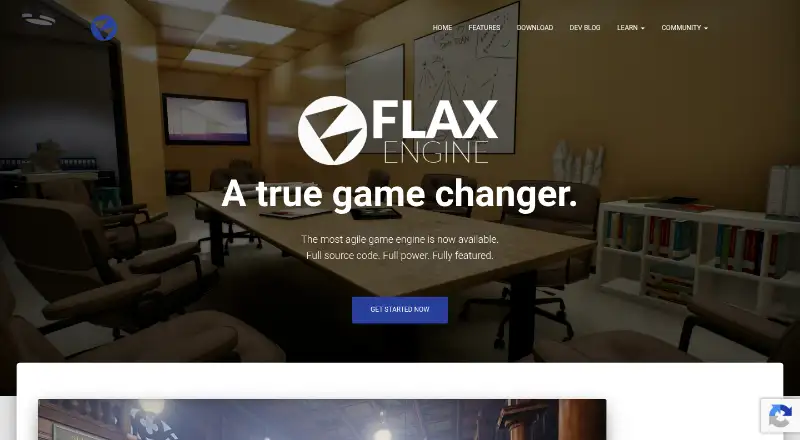
What Flax Engine is
Flax Engine is a 3D game engine written in C++ and C#. It supports C++, C# and visual scripting, with hot-reloading for both programming languages in the editor. Its rendering tools include real-time global illumination, reflections using custom software ray tracing, and GPU lightmap baking. For world building, it provides terrain, foliage, fog, nested prefabs, level streaming and large-world coordinates. Multiplayer projects can use its low- and high-level networking APIs; its online system connects services such as Steam, Xbox Live and PlayStation Network for profiles, friends, achievements, presence and cloud saves. Flax provides the full editor source code, while NDA-protected platform support is excluded from the public repository. Supported targets include Windows, Linux, Android, iOS, macOS, web, PlayStation, Xbox and Nintendo Switch. Web support is experimental and lacks C# scripting, video playback and some other engine features. The engine is free for non-commercial or educational use. Commercial releases pay a 4% royalty on earnings exceeding $250,000 per calendar quarter.
Good
- Supports C++, C# and visual scripting.
- Includes multiplayer networking APIs.
- Full Editor source code is available.
- Supports large-world coordinates and level streaming.
- Free for non-commercial or educational use.
Watch out
- Web support is experimental and has feature gaps.
- Commercial releases owe a 4% royalty above the stated threshold.
- NDA-protected platform support is excluded from the public repository.
Who it suits
Flax Engine suits solo developers and larger teams building 3D games with visual or code-based scripting. Its listed targets include desktop, mobile, web and consoles, though web support has feature limitations.
Verdict
Flax Engine combines 3D rendering, world-building, scripting and multiplayer tools with a free non-commercial or educational license. Check its experimental web limitations and commercial royalty terms against your project needs.
Plans and prices
From Flax Engine's own pricing page, checked 28 Sep 2026.
| Plan | Price | What it gives you |
|---|---|---|
| Flax Engine license | Free | Free for non-commercial or educational usage · commercial releases pay 4% royalty on earnings exceeding $250,000 per calendar quarter · full source code and supported platforms included |
| Custom licensing | Priced on request | Per-seat monthly/yearly licensing or flat fee per project · price depends on team size and product use |
The facts
Each one read from Flax Engine's own pages, with the date it was checked.
What it does
- Community Channels
- The site links to a community forum and Discord.checked 28 Sep 2026
- Console export
- Yeschecked 24 Sep 2026
- Developer Scalability
- Flax says projects can grow from 5 to 50 developers.checked 28 Sep 2026
- Development audience
- The homepage says Flax is intended for solo indie developers and larger teams, with projects scaling from 5 to 50 developers.checked 28 Sep 2026
- Development Performance
- Flax describes its development performance as highly agile and fast.checked 28 Sep 2026
- Editor Extensibility
- Flax includes an extensible Flax Editor.checked 28 Sep 2026
- Import Compilation
- Flax says it avoids long importing and slow compilation.checked 28 Sep 2026
- Launcher
- The Flax Launcher can install and manage multiple engine versions, including daily builds from the GitHub master branch.checked 28 Sep 2026
- Mobile export
- Yeschecked 24 Sep 2026
- Multiplayer tools
- Yeschecked 24 Sep 2026
- Networking
- The engine provides low-level and high-level networking APIs for multiplayer games.checked 28 Sep 2026
- News Frequency
- Flax Facts is described as a monthly blog series.checked 28 Sep 2026
- Online integrations
- Its Online system supports services such as Steam, Xbox Live and PlayStation Network for profiles, friends, achievements, presence and cloud saves.checked 28 Sep 2026
- Pricing Page
- The provided pricing URL returns a page-not-found message.checked 28 Sep 2026
- Privacy
- The privacy policy says Google Analytics data is retained for five years for internal marketing and that private analytics data is never sold or exposed.checked 28 Sep 2026
- Product
- Flax Engine is a modern 3D game engine written in C++ and C#.checked 28 Sep 2026
- Rendering
- The feature set includes realtime global illumination, reflections with custom software ray tracing, and GPU lightmap baking.checked 28 Sep 2026
- Samples
- Flax provides ready-to-use sample projects through the Store or GitHub.checked 28 Sep 2026
- Scripting
- It provides seamless C++, C# and Visual Scripting, plus hot-reloading of C# and C++ in the Editor.checked 28 Sep 2026
- Scripting languages
- C#,C++checked 24 Sep 2026
The company
- Company Location
- The site says it was made in Poland.checked 28 Sep 2026
- Founded
- 2012checked 23 Sep 2026
- Headquarters
- Polandchecked 23 Sep 2026
Money
- Free plan
- Yeschecked 24 Sep 2026
The full review of Flax Engine
Overview
Flax Engine is a C++ and C# 3D game engine for building and shipping games across desktop, mobile, console and web targets. It suits developers who want rendering, world-building, scripting and multiplayer systems in one editor, particularly teams that need access to the engine’s source. Its commercial royalty and experimental web support are important trade-offs to weigh before committing.
The editor combines C++, C#, visual scripting and hot-reloading for C# and C++, giving teams different ways to work and iterate. Flax also provides sample projects through its Store or GitHub, while the Launcher can manage multiple engine versions, including daily builds from the GitHub master branch. The latter offers access to frequent builds, but choosing them means working with versions from the master branch.
Key features
Rendering and world building
Realtime global illumination, reflections with custom software ray tracing and GPU lightmap baking give developers several rendering tools in the engine itself. Large-world 64-bit coordinates, terrain and foliage tools, fog, nested prefabs and level streaming support expansive environments and structured scene work. This breadth makes Flax a credible option for ambitious 3D projects; teams should still judge the particular rendering and workflow fit against their needs.
Scripting and multiplayer
Projects can use C++, C# or Visual Scripting, and hot-reloading lets developers update C# and C++ scripts in the Editor. The combination offers flexibility for teams with different coding workflows, though it does not remove the need to choose and maintain a suitable approach for a project.
Low- and high-level networking APIs support multiplayer development. Flax’s Online system integrates services including Steam, Xbox Live and PlayStation Network for profiles, friends, achievements, presence and cloud saves. That gives developers tools for both game networking and common platform services, rather than requiring those capabilities to be built from scratch.
Editor, source and team workflow
The extensible Editor and full Editor source code give teams room to adapt their development environment. NDA-protected platform support is excluded from the public repository, so source availability does not mean every platform component is public. Flax supports version control and is intended for projects ranging from solo development to larger teams; the engine describes growth from five to 50 developers as a supported scale. Direct communication with engine developers is offered, with a contact form and community forum and Discord also available.
Pricing
Flax Engine license — free. Non-commercial and educational use is free, with full source code and supported platforms included. Commercial releases owe a 4% royalty on earnings exceeding $250,000 per calendar quarter. This is a strong fit for learning, education and non-commercial projects; studios planning commercial releases should account for the threshold and recurring quarterly calculation before choosing the engine.
Custom licensing — custom pricing. Flax offers per-seat monthly or yearly licensing, or a flat fee per project, with price depending on team size and product use. This option may suit teams whose requirements call for a tailored arrangement, but they will need a quote to compare its cost with the free license and royalty terms.
Platforms
Official targets include Windows, Linux, Android, iOS, PlayStation 4 and 5, Xbox One and Series, Nintendo Switch, macOS and Web. Mobile and console export broaden its reach beyond desktop development. Web support is experimental and does not yet include C# scripting, video playback or some other engine features, so web-first projects should treat that target as a limitation rather than assume parity with other platforms.
Platform support also has a source-code caveat: NDA-protected platform support is not part of the public repository. Teams that need public source access to every platform component should factor that restriction into their decision.
Who it's for
Flax is best suited to indie developers and larger teams building 3D games that benefit from its rendering, world-building and multiplayer systems, with scripting options to match different workflows. Its free non-commercial and educational license makes it accessible for learning and qualifying projects. Commercial teams should be comfortable with the 4% royalty above the quarterly earnings threshold or pursue custom licensing. It is a weaker fit when a project depends on mature web support or public source access to NDA-protected platform components.
Pros and cons
- Pros: Full Editor source code and an extensible Editor let teams adapt their tools and inspect the engine.
- Pros: C++, C#, visual scripting and hot-reloading support varied development workflows and in-editor iteration.
- Pros: Rendering, large-world tools, networking APIs and online service integrations cover a broad range of 3D game needs.
- Pros: The free license covers non-commercial and educational work and includes supported platforms.
- Cons: Commercial releases pay a 4% royalty on earnings exceeding $250,000 per calendar quarter, which may not suit studios seeking a royalty-free commercial license.
- Cons: Experimental Web support lacks C# scripting, video playback and some other engine features.
- Cons: NDA-protected platform support is excluded from the public repository, limiting how much platform code source users can access.
Alternatives
Construct 3 is worth considering for individuals and hobbyists who want a freemium tool with a free trial and a personal license that unlocks all features and can be cancelled at any time.
Armory3D offers an open-source engine with a Blender add-on and external SDK, a different route for developers seeking that setup.
CRYENGINE is another free-to-download engine with royalty-based licensing terms.
Godot Engine is a free and open-source alternative with no contracts or hidden fees, making it worth comparing for teams that want those terms.
Defold is free forever with no licensing, royalty or runtime fees, which may suit developers who prioritize predictable fee-free use.
GDevelop has a free plan for creating a first game and may be a fit for developers considering a freemium option.
Stencyl offers a Starter plan for publishing to web/HTML5 and an Indie plan at $99 a year for Web and Desktop publishing.
Clickteam Fusion 2.5 has a free edition with limited HTML5 export and a 99.99 USD one-time PC edition for commercial games and apps.
Verdict
Choose Flax Engine for a 3D project that needs substantial rendering and world-building tools, flexible scripting, multiplayer support and source access, especially if development is non-commercial or educational. Its main attraction is the breadth of those capabilities under a free qualifying license. Look elsewhere if experimental web support is too restrictive, public access to all platform code is essential, or the commercial royalty does not fit your release plans.
Getting started
- Visit the Flax Engine website.
- Install and manage engine versions with the Flax Launcher.
- Choose a ready-to-use sample project from the Store or GitHub.
- Select a supported target; treat Web as experimental.
- Use the free plan for non-commercial or educational projects; commercial releases pay the stated royalty.
Limits worth knowing
The free plan is for non-commercial or educational use. Commercial releases pay a 4% royalty on earnings exceeding $250,000 per calendar quarter.
Questions
How much does Flax Engine cost?
The Flax Engine license is free for non-commercial or educational use. Commercial releases pay a 4% royalty on earnings exceeding $250,000 per calendar quarter; custom licensing has no listed price.
Is Flax Engine open source?
Flax provides full Editor source code. NDA-protected platform support is excluded from the public repository.
Which platforms does it support?
Targets include Windows, Linux, Android, iOS, PlayStation 4 and 5, Xbox One and Series, Nintendo Switch, macOS, and Web. Web support is experimental and lacks C# scripting, video playback, and some other engine features.
Which scripting options are available?
Flax supports C++, C#, and Visual Scripting, with C# and C++ hot-reloading in the Editor.
Who makes Flax Engine?
The site says Flax was made in Poland and lists the company headquarters as Poland.
Alternatives to Flax Engine
- 1

Felgo
Free planAndroidiOSWebAPI8.7Free plan - 2

Construct 3
Free planAndroidiOSWebLinux8.6Free plan - 3

Ren'Py
Free planOpen sourceAndroidiOSWebAPI8.6Free plan - 4
Bevy
Free planAndroidiOSWebLinux8.6From $5 a month - 5

Unity
Free planAndroidiOSWebAPI8.5Free plan - 6

Godot Engine
Free planAndroidiOSWebAPI8.3Free plan