
GitHub CodeQL
GitHub CodeQL is a language and toolchain for analyzing code as data.
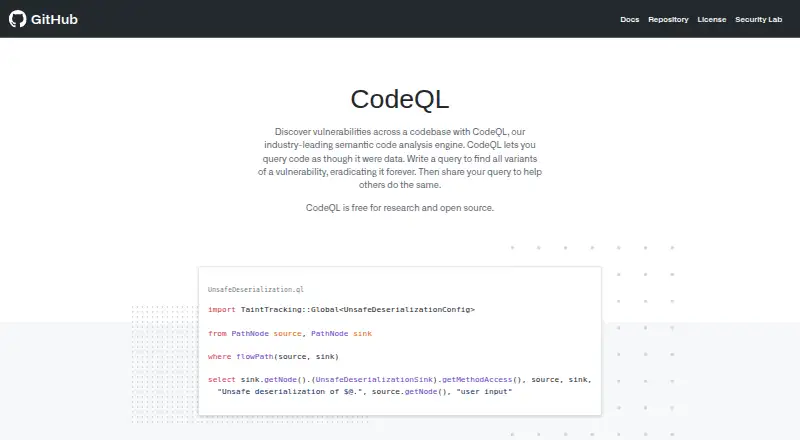
What GitHub CodeQL is
GitHub CodeQL is a language and toolchain for analyzing code as data. It creates a database from a codebase, runs queries, and presents results for review and triage. Queries can address security, correctness, maintainability, and readability issues, and users can create custom queries packaged in CodeQL packs for code scanning or CLI analysis. GitHub provides a command-line interface and a Visual Studio Code extension. For GitHub-hosted repositories, the standard way to run queries is through code scanning with GitHub Actions; external CI systems can use the CodeQL bundle to generate results and upload them to GitHub. Supported languages and workflows include C/C++, C#, Go, Java, Kotlin, JavaScript, TypeScript, Python, Ruby, Rust, Swift, and GitHub Actions. CodeQL 2.26.2's Default suite contains 497 security queries covering 170 CWEs; Extended adds 131 queries covering 32 additional CWEs. Supported operating systems for the latest release include specified Ubuntu, Windows, and macOS versions. Code scanning is available for public repositories and for eligible organization repositories with GitHub Code Security enabled. Pricing includes free options and GitHub Code Security at $30 a month, billed per active committer/month.
Good
- Analyzes security, correctness, maintainability, and readability
- Supports custom queries and CodeQL packs
- Offers a CLI and Visual Studio Code extension
- Integrates with GitHub Actions and external CI
Watch out
- Does not support languages such as PHP and Scala
- Repository code-scanning eligibility depends on repository type or plan
- Latest release supports only specified operating system versions
Who it suits
CodeQL is for developers and security teams who want query-based code analysis in an IDE, CLI, or CI workflow. Its availability depends on supported languages, operating systems, and repository eligibility.
Verdict
CodeQL offers customizable query-based analysis and several ways to incorporate results into code-scanning workflows. Check language support, platform requirements, and repository eligibility before choosing a setup.
Plans and prices
From GitHub CodeQL's own pricing page, checked 21 Sep 2026.
| Plan | Price | What it gives you |
|---|---|---|
| Free for research and open source | Free | Research use · Open-source codebases |
| CodeQL for open source and research | Free | OSI-approved open source · academic research · specified automated analysis, CI, or CD |
| GitHub Code Security | $30 a month | Team or Enterprise plan required · private repositories · per active committer/month |
| GitHub Free with CodeQL code scanning | — | CodeQL available for public repositories · per month |
The facts
Each one read from GitHub CodeQL's own pages, with the date it was checked.
What it does
- CI integration
- The CodeQL bundle can be downloaded for an external CI system to generate code-scanning results and upload them to GitHub.checked 28 Sep 2026
- CodeQL tools
- GitHub provides the CodeQL CLI and a CodeQL extension for Visual Studio Code.checked 28 Sep 2026
- Core workflow
- CodeQL analysis creates a database, runs queries against it, and interprets the results for review and triage.checked 28 Sep 2026
- Custom queries
- Users can write custom queries and package them in CodeQL packs for code scanning or CLI analysis.checked 28 Sep 2026
- GitHub Actions
- The standard way to run CodeQL queries on a GitHub-hosted repository is to enable code scanning with GitHub Actions.checked 28 Sep 2026
- Language limitation
- CodeQL does not support languages outside its listed supported languages, including PHP and Scala.checked 28 Sep 2026
- Paid from
- 30checked 21 Sep 2026
- Purpose
- CodeQL is a language and toolchain for code analysis that treats code as data.checked 28 Sep 2026
- Query types
- CodeQL queries analyze code for security, correctness, maintainability, and readability issues.checked 28 Sep 2026
- Repository eligibility
- Code scanning is available for public repositories and for organization-owned repositories on GitHub Team, GitHub Enterprise Cloud, or GitHub Enterprise Server with GitHub Code Security enabled.checked 28 Sep 2026
- Security analysis
- CodeQL is designed to automate security checks and help security researchers perform variant analysis.checked 28 Sep 2026
- Security coverage
- CodeQL 2.26.2's Default suite contains 497 security queries covering 170 CWEs, while Extended adds 131 queries covering 32 more CWEs.checked 28 Sep 2026
- Supported languages
- CodeQL supports C/C++, C#, Go, Java, Kotlin, JavaScript, TypeScript, Python, Ruby, Rust, Swift, and GitHub Actions workflows.checked 28 Sep 2026
Money
- Free plan
- Yeschecked 21 Sep 2026
Where it runs
- Platform requirements
- The latest CodeQL release supports Linux Ubuntu 22.04/24.04, Windows 10 or Windows Server 2019 and Windows 11 or Windows Server 2022/2025, and macOS 14/15/26.checked 28 Sep 2026
The full review of GitHub CodeQL
Overview
GitHub CodeQL is a source-code analysis language and toolchain for teams that want to inspect code through queries. It suits security teams and developers who need customizable checks and can work within its supported languages and GitHub scanning options. Its strongest case is combining broad security query coverage with custom analysis; language and repository eligibility can rule it out for some projects.
CodeQL builds a database from source code, runs queries against it, and returns results for review and triage. Queries can target security, correctness, maintainability, and readability, making it useful beyond vulnerability checks, though teams must interpret and act on the findings.
For category comparisons, see SAST Tools, Static Application Security Testing Software, and Static Analysis Tools.
Key features
Custom and security queries
Teams can write queries and package them in CodeQL packs for code scanning or CLI analysis. That flexibility is valuable when standard checks do not match a codebase or review process, but it also makes CodeQL a better fit for teams willing to shape and manage analysis than for those seeking only a fixed, hands-off check.
CodeQL 2.26.2's Default suite contains 497 security queries covering 170 CWEs; the Extended suite adds 131 queries covering 32 additional CWEs. This gives security-focused teams substantial built-in coverage, while the separate suites let them choose between the default set and broader checks.
CLI, IDE, and CI workflows
GitHub provides a CLI and a Visual Studio Code extension. For a GitHub-hosted repository, the standard route is enabling code scanning with GitHub Actions. Teams using an external CI system can download the CodeQL bundle, generate code-scanning results, and upload them to GitHub. That supports different build environments, although the GitHub-hosted workflow is centered on Actions.
CodeQL supports pull request scans and IDE use. Custom packs can be used with code scanning or the CLI, so teams can carry their own analysis into either workflow.
Pricing
CodeQL has free and paid options, but eligibility and billing differ by plan. Free for research and open source costs nothing for research use and open-source codebases. CodeQL for open source and research also costs nothing and covers OSI-approved open source, academic research, and specified automated analysis, CI, or CD.
GitHub Code Security costs $30 a month, billed per active committer/month. It includes CodeQL code scanning, Copilot Autofix, and Dependency review. The per-committer billing means the monthly cost depends on the number of active committers; the plan's stated inclusions extend beyond CodeQL alone.
GitHub Free with CodeQL code scanning makes CodeQL available for public repositories and is billed per month, with no price stated. Code scanning eligibility is broader for organization-owned repositories only when they use GitHub Team, GitHub Enterprise Cloud, or GitHub Enterprise Server with GitHub Code Security enabled. Readers should check repository eligibility before choosing a workflow; the free research and open-source plans have their own stated use conditions.
Platforms
The latest release supports Ubuntu 22.04 and 24.04, Windows 10 or Windows Server 2019, Windows 11 or Windows Server 2022/2025, and macOS 14, 15, and 26. CodeQL is also offered as a web workflow, CLI, Visual Studio Code extension, and self-hosted option. Language support covers C/C++, C#, Go, Java, Kotlin, JavaScript, TypeScript, Python, Ruby, Rust, Swift, and GitHub Actions workflows. Despite the broad selection, PHP and Scala are not supported, so teams working in those languages should look elsewhere.
Who it's for
CodeQL is a strong fit for teams building in supported languages that want query-based security and quality analysis, especially those using GitHub code scanning or willing to connect an external CI system. Its custom-query model also suits security researchers and teams that need checks tailored to their code. It is a poor fit when a project depends on unsupported languages or an organization-owned repository does not meet the required GitHub plan and Code Security conditions.
Pros and cons
Pros
- Substantial security query coverage: the Default and Extended suites together cover 202 CWEs, with a choice of broader analysis.
- Custom analysis: teams can write queries and package them for CLI use or code scanning rather than being limited to built-in checks.
- Workflow options: GitHub Actions is the standard route, while the bundle supports external CI result uploads.
- Free routes for eligible users: research and open-source plans are free, and public repositories can use code scanning through GitHub Free.
Cons
- Language gaps: PHP and Scala are unsupported, which excludes some codebases from direct analysis.
- Repository restrictions: organization-owned repository scanning requires a qualifying GitHub plan and Code Security enabled.
- Paid-seat exposure: GitHub Code Security is billed per active committer/month, so the monthly bill varies with active committer count.
- Query-based work requires review: results are for review and triage, so teams need a process to evaluate findings rather than treating analysis as an automatic resolution.
Alternatives
Choose Semgrep Code if its free tier's stated allowance of up to 10 repositories, 10 contributors, and 60 AI credits better matches a small team; it also offers Code and Supply Chain in that tier. Choose OpenText Fortify SAST if you want to compare another paid SAST option across Linux, macOS, web, and Windows.
PVS-Studio is another paid alternative with a free plan and trial, and its Team plan is described for fewer than 10 developers on one supported platform. Klocwork, CodeSonar, and DerScanner are additional paid options to consider.
Fluid Attacks is a paid alternative with a free trial and an Essential plan requiring at least 10 authors per month. Kiuwan Code Security is another paid alternative with a free trial; its Professional plan is $49 a year, billed annually, with a 10-user minimum and coverage for up to 25 applications.
For C and C++-specific comparisons, browse C and C++ Static Analysis Tools. See Database Schema Comparison Tools and Nintendo Switch Emulators for those separate categories.
Verdict
Choose GitHub CodeQL if your codebase uses a supported language and you want substantial query-based security coverage with the option to write rules of your own. Its mix of Actions, CLI, IDE, and external CI workflows is a meaningful strength. Look elsewhere if language coverage or repository eligibility is a barrier, or if per-active-committer billing does not suit your organization.
Alternatives to GitHub CodeQL
- 1

Gitnuro
Free planOpen sourceLinuxmacOSWindows7.4Free plan - 2

GitWand
Free planOpen sourceAPIExtensionLinuxmacOS7.2Free plan - 3

SmartGit
Free planLinuxmacOSWindows7.2From $5 a month - 4

GitButler
Free planLinuxmacOSWindows6.9Free plan - 5
Working Copy
Free planiOS6.8$35.99 one-time - 6

GitComet
Free planLinuxmacOSWindows6.7€20 one-time