Driver.js
Driver.js is a free, open-source JavaScript library for product tours, page highlights, and contextual help.
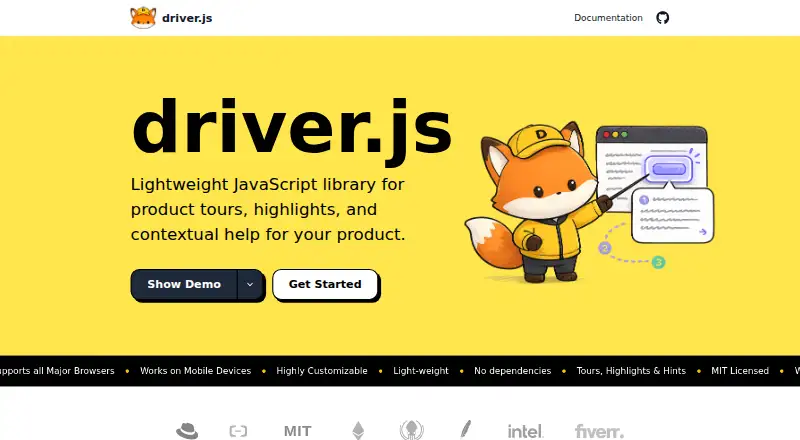
What Driver.js is
Driver.js is a free, open-source JavaScript library for product tours, page highlights, and contextual help. It can guide users through multi-step tours or spotlight one page element with a popover. Its clickable hints use pulsing beacons to open popovers, optionally with a page overlay. The maker lists user onboarding, interactive tutorials, feature adoption, form guidance, and drawing attention to page elements among its use cases. Configuration can be set globally, per step, or while a tour is running. Driver.js works with any framework or library as well as vanilla JavaScript, and can be installed through npm, pnpm, or yarn, or loaded from a CDN. The homepage describes it as dependency-free and about 5 KB. It is distributed under the MIT license, with personal and commercial use and no attribution required. The maker also lists accessibility, major-browser support, and mobile-device support. One technical constraint is that only one Driver.js instance can be active on screen at a time.
Good
- Supports multi-step tours and single-element highlights.
- Works with any framework or vanilla JavaScript.
- Can be installed through package managers or a CDN.
- MIT-licensed for personal and commercial use.
Watch out
- Only one instance can be active on screen at a time.
Who it suits
Driver.js may suit developers adding guided onboarding, tutorials, contextual help, or form guidance to web experiences. It supports framework-based projects and vanilla JavaScript.
Verdict
Driver.js provides tours, highlights, and hints with flexible setup and broad JavaScript framework compatibility. The one-active-instance limit is worth considering when planning overlapping guidance.
Plans and prices
From Driver.js's own pricing page, checked 3 Oct 2026.
| Plan | Price | What it gives you |
|---|---|---|
| Free | Free | Unlimited projects · Personal and commercial use · No attribution required |
The facts
Each one read from Driver.js's own pages, with the date it was checked.
What it does
- Accessibility
- The homepage lists accessibility and support for major browsers and mobile devices among the product characteristics.checked 3 Oct 2026
- Customization
- Configuration can be set globally, per step, or while a tour is running.checked 3 Oct 2026
- Dependencies and size
- The homepage describes Driver.js as having no dependencies and being about 5 KB.checked 3 Oct 2026
- Frameworks
- The maker says Driver.js works with any framework or library, as well as vanilla JavaScript.checked 3 Oct 2026
- Hints
- Hints are clickable pulsing beacons that open popovers, and can be shown with an optional page overlay.checked 3 Oct 2026
- Installation
- The package can be installed with npm, pnpm, or yarn, or loaded from a CDN.checked 3 Oct 2026
- License
- Driver.js is open source under the MIT license.checked 3 Oct 2026
- Maintainer
- The project repository identifies Kamran Ahmed as the MIT license copyright holder.checked 3 Oct 2026
- Product
- Driver.js is a lightweight JavaScript library for product tours, highlights, and contextual help.checked 3 Oct 2026
- Technical limits
- The API documentation says only one Driver.js instance can be active on screen at a time.checked 3 Oct 2026
- Tours and highlights
- The library can run multi-step tours and highlight a single page element with a popover.checked 3 Oct 2026
- Use cases
- The maker lists user onboarding, interactive tutorials, feature adoption, contextual help, form guidance, and focusing attention as use cases.checked 3 Oct 2026
The full review of Driver.js
Driver.js is a JavaScript library for developers adding product guidance directly to an interface. It suits teams that want a small, framework-flexible building block rather than a packaged onboarding service. Its free commercial use is a strong draw, though the one-active-instance limit matters for overlapping guidance.
Overview
Driver.js handles both structured walkthroughs and brief explanations: it can run a multi-step tour, spotlight one page element with a popover, or use clickable hints to draw attention to an interface detail. That makes it applicable to onboarding, tutorials, feature adoption, form guidance, and contextual help. The range is useful when a product needs several kinds of guidance; implementation and configuration still fall to developers.
The library works with vanilla JavaScript and any framework or library. Developers can install it through npm, pnpm, or yarn, or load it from a CDN. It has no dependencies and is about 5 KB, keeping its software footprint small. Configuration can be set globally, per step, or while a tour is running, which gives teams control over shared defaults as well as individual guidance.
Key features
- Multi-step tours and focused highlights: A sequence can guide someone through a process, while a single-element highlight with a popover suits a one-off explanation. This lets teams match the amount of guidance to the task instead of forcing every prompt into a full tour.
- Clickable hints: Pulsing beacons open popovers and can be displayed with an optional page overlay. They provide a user-invoked prompt for interface details, rather than requiring every explanation to appear as a step in a walkthrough.
- Layered configuration: Global, per-step, and in-progress settings give developers more than one place to shape a tour. That flexibility is useful when guidance shares common behavior but some steps need their own treatment.
- Framework and delivery choice: Support for any framework or library, vanilla JavaScript, package managers, and CDN loading makes Driver.js adaptable to different JavaScript setups.
- Mobile and browser support: The project describes accessibility and support for major browsers and mobile devices as product characteristics, a relevant consideration for guidance used across device types.
The key technical constraint is that only one Driver.js instance can be active on screen at once. Teams planning separate guidance experiences that overlap should account for that limit; it is less restrictive when guidance is scheduled to run one instance at a time.
Pricing
Free — free. The plan includes unlimited projects, personal and commercial use, and no attribution requirement. It suits individual developers and teams that want to add in-app tours or contextual guides without a software fee. The plan's stated project allowance is unlimited, though the single-active-instance constraint still shapes how concurrent guidance can be designed.
Driver.js is open source under the MIT license, with Kamran Ahmed identified as the license copyright holder. The license and commercial-use terms make it a practical option for products that need a library they can integrate without paying for a commercial plan.
Platforms
Driver.js is listed for Android, iOS, and web, with support for mobile devices among its product characteristics. Its JavaScript and framework compatibility make it a fit for teams building web-based product guidance across supported devices.
Who it's for
Driver.js is best for developers who want to build onboarding, interactive tutorials, feature-adoption prompts, form guidance, or contextual help into their own product. It is particularly appealing when dependency-free code, a small package size, an MIT license, and freedom to use a preferred JavaScript framework matter. Teams seeking a ready-made onboarding service rather than a library to integrate should look elsewhere.
Pros and cons
- Pro: Multiple guidance formats. Tours, single-element highlights, and clickable hints cover both guided sequences and smaller contextual prompts.
- Pro: Broad implementation choice. Framework-agnostic support, vanilla JavaScript, package-manager installation, and CDN loading suit varied JavaScript projects.
- Pro: Small, dependency-free footprint. At about 5 KB with no dependencies, it adds little software overhead.
- Pro: No-cost commercial use. The free plan allows personal and commercial use, unlimited projects, and no attribution requirement.
- Con: One active instance at a time. Teams designing overlapping guidance need to plan around the limit.
- Con: It is a library to integrate. Developers must implement and configure guidance within their product rather than adopting a packaged onboarding service.
Alternatives
For a ready-made onboarding option, compare User Onboarding Software, Customer Onboarding Software, and Product Adoption Software.
- Wakeline is worth considering if you need a freemium option with a stated free allowance of 3 flows, 1,000 monthly active users, and 1 teammate.
- Clew may suit teams looking for a freemium, self-hosted or web option with a free allowance of one site, one team seat, and up to three published tours.
- Candu is an alternative for teams considering a freemium tool whose free plan is limited to overlays and three live experiences.
- Guidez is another freemium option, with a Hobby plan including 100 MAU per month, one team member, and one environment.
- Tour Kit offers a free development, evaluation, testing, CI, and preview option; production use requires a license key.
- Guida.js is a free MIT-licensed alternative described as about 4.8 KB minified and gzipped with no external dependencies.
- Usertour is an alternative whose core is MIT-licensed, publicly sourced, and self-hostable with Docker.
- Appcues is a paid alternative with no free plan and a free trial.
Verdict
Choose Driver.js if you want a compact, MIT-licensed JavaScript library for building tours, highlights, and contextual prompts in your own product, with commercial use at no charge. Its broad framework compatibility and several guidance formats are compelling strengths. Look elsewhere if you need a packaged onboarding service or if your design depends on multiple Driver.js instances being active on screen at the same time.
Getting started
- Open the Driver.js website
- Install the package with npm, pnpm, or yarn, or load it from a CDN
- Import Driver.js into your JavaScript project
- Configure tour steps, highlights, or hints globally or per step
- Run the tour or display a highlighted element
Questions
What does Driver.js cost?
The Free plan costs nothing and includes unlimited projects for personal and commercial use without attribution.
Is Driver.js open source?
Yes. It is open source under the MIT license.
Which platforms does it support?
Driver.js is listed for Android, iOS, and the web, with support for major browsers and mobile devices.
How can I install Driver.js?
Install it through npm, pnpm, or yarn, or load it from a CDN.
Can multiple Driver.js instances run at once?
No. The API documentation says only one instance can be active on screen at a time.
Who maintains Driver.js?
The repository identifies Kamran Ahmed as the MIT license copyright holder.
Alternatives to Driver.js
- 1

Helppier
AndroidiOSWebAPI7.7From $49 a month - 2

Candu
Free planWebAPIExtension7.5From $199 a month - 3

Wakeline
Free planAndroidiOSWebExtension7.5From $41 a month - 4

Chameleon
WebAPIExtension7.2From $279 a month - 5

Guidez
Free planWebAPIExtension7.2From $79 a month - 6

Inline Manual
WebAPIExtensionSelf-hosted7.2From $3 a month