OpenKM
OpenKM is document management software that brings document storage, collaboration, workflow, and search into one system.
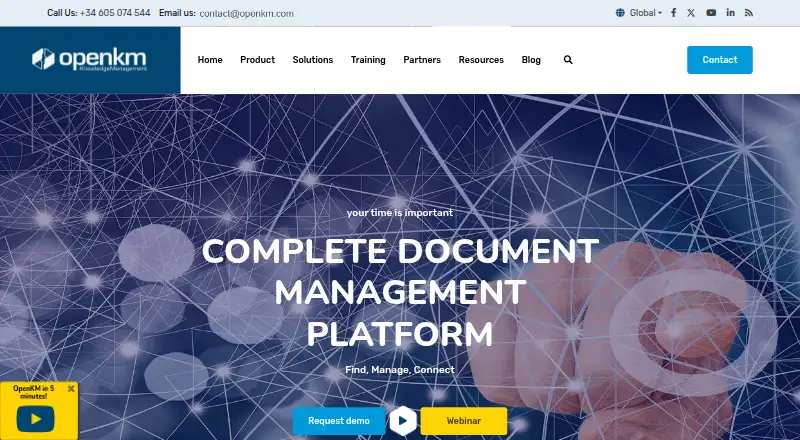
What OpenKM is
OpenKM is document management software that brings document storage, collaboration, workflow, and search into one system. It handles version history, metadata, previews, bulk uploads, and live editing, while its search can use document content, keywords, dates, authors, document types, metadata, and tags. Review, approval, validation, parallel, and serial workflows support structured document processes. Integrations include Microsoft Office add-ins, LDAP, Active Directory, SSO/CAS, CMIS, REST, and web services. Security features include granular access control, permissions, user roles, activity records, SSL communications, encryption, and electronic signatures. OpenKM offers web and mobile clients, with iPhone and Android access, and supports Android, iOS, Linux, Windows, self-hosted deployments, APIs, and the web. Buyers can select Community Edition, Cloud, or Professional Edition. Community Edition costs nothing and includes public forum support. Cloud is hosted and includes installation, configuration, backups, SSL, OCR, and antivirus. Professional Edition runs on the customer’s server and includes professional support and updates. OpenKM was founded in 2005, and its maker is Open Document Management System S.L. in Palma de Mallorca, Spain.
Good
- Structured review, approval, validation, parallel, and serial workflows
- Search across content, metadata, dates, authors, types, and tags
- Version history, previews, bulk upload, and live editing
- Granular permissions, roles, activity records, encryption, and signatures
- Web and mobile clients for iPhone and Android
- Integrations include Office, LDAP, Active Directory, SSO/CAS, CMIS, REST, and web services
Watch out
- Community Edition 7.0 and later distribute binaries without published source code
- Cloud and Professional Edition pricing requires contacting OpenKM
- Community Edition support is provided through a public forum
Who it suits
OpenKM suits organizations needing controlled document storage, searchable records, and formal review or approval workflows. It also fits teams that need web, mobile, self-hosted, or hosted deployment choices with integrations and granular permissions.
Verdict
Choose OpenKM if your document work needs searchable files, formal workflows, detailed permissions, and flexible deployment. Community Edition provides a free starting point, while Cloud and Professional add hosted or supported options. Look elsewhere if published source code is essential for Community Edition 7.0 or later, or if you need a publicly listed price for the paid editions.
Plans and prices
From OpenKM's own pricing page, checked 20 Oct 2026.
| Plan | Price | What it gives you |
|---|---|---|
| Community Edition | Free | Free download · community forum support · self-hosted installer |
| Basic | $100 a month | Pricing-directory listing · free version · free trial · per month |
| Cloud | Priced on request | Hosted service · backups · updates · multi-device access · minimum 99% network availability |
| Professional | Priced on request | On-premises server · certified support · professional modules · guaranteed response times |
| Professional Edition | Priced on request | Hosted on your server; professional support and updates; contact sales for information |
The facts
Each one read from OpenKM's own pages, with the date it was checked.
The company
- 2026 company news
- OpenKM announced Community Edition 7.0 on March 3, 2026 as a new stage for its document-management project.checked 20 Oct 2026
- Company founding date
- OpenKM's own history says the project originated in 2005 and its first product release arrived in January 2007.checked 20 Oct 2026
- Company size and headquarters
- LinkedIn lists OpenKM as a self-owned software-development company with 11–50 employees headquartered in Palma de Mallorca, Spain.checked 20 Oct 2026
- Founded
- 2005checked 28 Sep 2026
- Headquarters
- Palma de Mallorca, Balearic Islands, Spainchecked 28 Sep 2026
- Maker
- The maker identifies itself as Open Document Management System S.L. and lists its address in Palma de Mallorca, Spain.checked 30 Sep 2026
What it does
- Cloud access
- OpenKM Cloud is described as reachable from PCs, smartphones and tablets anywhere with Internet access.checked 20 Oct 2026
- Cloud hosting
- The cloud service page lists 24/7 monitoring and minimum 99% network availability.checked 30 Sep 2026
- Community edition limit
- Starting with Community Edition 7.0, OpenKM distributes a free binary package without publishing the source code; versions 6.3 and earlier use GPL-2.0.checked 30 Sep 2026
- Community source status
- The download page calls Community the free version, but the licence documentation distinguishes older GPL releases from later EULA releases.checked 20 Oct 2026
- Database support
- Documented supported databases include MySQL, Oracle, PostgreSQL and SQL Server.checked 20 Oct 2026
- Deployment
- OpenKM can run on Linux, Windows or macOS and is offered as cloud-hosted or on-premises software.checked 20 Oct 2026
- Documentation depth
- The documentation portal contains edition guides, versioned API references, SDK material, desktop tools, extensions and release notes, while some areas require an active support subscription.checked 20 Oct 2026
- Document handling
- Features include version history, metadata, document preview, bulk upload, and live editing.checked 30 Sep 2026
- Integrations
- Listed integrations include Microsoft Office, Kofax, Abby Flexicapture, LDAP, Active Directory, CMIS, REST and web services.checked 20 Oct 2026
- Intended users
- OpenKM presents Community as a free version, Cloud as a service, and Professional as hosted on the customer's server.checked 30 Sep 2026
- Latest notable release
- OpenKM 8.2.9 was dated September 16, 2026 and added a document/email details view, repository analytics and Linux live editing.checked 20 Oct 2026
- Licence
- Community 6.3 and earlier use the GNU GPL, while Community 7.0 onward and Professional use an OpenKM EULA; extensions are generally EULA-licensed.checked 20 Oct 2026
- Limit: edition feature gap
- A SourceForge reviewer reported that zonal OCR advertised in descriptions was only available in the paid edition.checked 20 Oct 2026
- Limit: mobile preview
- A Capterra reviewer wanted a built-in file previewer in the mobile app.checked 20 Oct 2026
- Limit: resource usage
- SourceForge feedback includes reports of high memory use and heavier resource needs because the system is Java-based.checked 20 Oct 2026
- Limit: usability and help
- Software Advice reviews describe an outdated interface, inconsistent OCR results, documentation gaps and effort required to configure permissions.checked 20 Oct 2026
- Mobile access
- OpenKM describes web and mobile clients and says its client is available for iPhone and Android.checked 30 Sep 2026
- OCR
- The feature set supports OCR engines, scanning workflows and automatic extraction of text from paper documents.checked 20 Oct 2026
The full review of OpenKM
OpenKM is a document management platform that combines file storage, search, collaboration and governed approval processes. It is best suited to organizations that need structured document lifecycles, granular permissions and a choice of cloud or self-managed deployment. Its free Community Edition lowers the entry cost, while the paid editions target teams that need hosting or ongoing professional assistance.
Overview
OpenKM handles documents throughout their lifecycle. Version history, metadata, previews, bulk upload and live editing support everyday work, while OCR helps turn scanned material into searchable content. The platform is more appropriate for controlled repositories than for a simple shared-folder replacement.
Its search engine can examine document text, keywords, dates, authors, document types, metadata and tags. That combination is useful when a collection has grown beyond filename-based browsing and staff need several ways to locate the same record.
Review, approval and validation workflows can run in serial or parallel. Teams can therefore route files through sequential sign-offs or involve several reviewers at once, rather than depending on email handoffs.
Key features
Controls and integrations
Granular access control, permissions, user roles and activity records provide a foundation for separating confidential material and tracing actions. SSL communications, encryption and electronic signatures add security and approval controls. These features make OpenKM a credible fit for organizations with formal governance requirements, although they also imply administrative work.
Microsoft Office add-ins, LDAP, Active Directory and SSO/CAS can connect identity and editing workflows to existing environments. CMIS, REST and web services support broader integration, giving technical teams several ways to connect other systems.
Mobile and deployment
OpenKM offers web and mobile clients, with apps for iPhone and Android, alongside Linux, Windows and self-hosted options and an API. This range suits mixed-device organizations and teams that need to decide where their repository runs.
The Community Edition's licensing position matters. From version 7.0 onward, OpenKM distributes a free binary package without publishing source code; versions 6.3 and earlier use GPL-2.0. Organizations requiring publicly available source for current releases should treat that as a significant drawback.
Pricing
Community Edition
Community Edition costs free. It includes the Community distribution, a public forum for support and an installer for all platforms. It is the sensible starting point for budget-conscious teams that can handle administration and accept community-level assistance. There is no stated seat cap, but the binary-only distribution from 7.0 limits its appeal to buyers who require published source.
Cloud
Cloud has custom pricing. It is a hosted service with installation, configuration, backups, SSL, OCR and antivirus included. OpenKM also states 24/7 monitoring and minimum 99% network availability for the cloud service. This plan fits teams that want managed infrastructure and fewer operational duties, but a quote is required before costs can be compared.
Professional Edition
Professional Edition also uses custom pricing and is hosted on your server. Professional support includes 24/7/365 tracker and documentation access, installation and migration help, performance tuning, integration support, updates and remote monitoring. It is aimed at organizations that need support around a customer-controlled deployment rather than a fully hosted service.
A fully functional cloud evaluation is offered, and an on-server trial is available on request. No trial duration is stated.
Platforms
OpenKM supports Android, iOS, Linux and Windows, with web access, an API and self-hosted deployment. That combination covers browser users, mobile staff, desktop environments and organizations that need control over infrastructure.
Who it's for
Choose OpenKM for teams managing regulated or high-volume document collections, where searchable metadata, OCR, audit records and formal approvals matter. Community fits organizations with technical capacity and a zero software budget; Cloud suits those preferring managed hosting; Professional fits customers that must run the system on their own server but want vendor assistance.
It is less suitable for buyers who require current open-source code, a transparent paid price, or a lightweight file-sharing tool without workflow administration.
Pros and cons
- Pros: Deep search across content and metadata; review, approval, validation, serial and parallel workflows; granular permissions with audit records; OCR, electronic signatures and broad directory/API integrations; cloud and customer-server deployment choices.
Alternatives
For a broader directory of options, see Document Management Software.
Group-Office is a stronger alternative when published open-source software and an unlimited-user Community plan are priorities; its Professional plan is priced at €439 a month.
LogicalDOC suits readers wanting an open-source Community edition with basic access control, advanced search and SOAP and REST APIs.
Transkribus is worth considering for document work centered on its free plan and credit-based usage.
Invenio fits organizations seeking free open-source products and an MIT-licensed framework.
FlinkISO is an option for teams wanting free on-premise quality-management modules with unlimited concurrent users.
OpenDocMan offers a self-installed community edition with unlimited users, file locking and custom metadata.
SeedDMS is a free alternative with no stated limits on users or documents.
DocuWare is a paid alternative with cloud tiers defined by user counts and storage allowances.
Verdict
OpenKM is a strong choice for organizations that need searchable documents, formal workflows, detailed access control and deployment flexibility. Choose Community when technical ownership and its current distribution model are acceptable; choose Cloud or Professional when hosting and support justify custom pricing. Look elsewhere if publicly published source code, transparent pricing or a simpler file-sharing experience is essential.
Getting started
- Visit the OpenKM website
- Choose Community Edition, Cloud, or Professional Edition
- Install the Community Edition package using its listed installer for your platform
- Use the Cloud contact form to request a hosted-service quote
- Contact sales for Professional Edition information
Limits worth knowing
Community Edition costs nothing and includes public forum support. Starting with Community Edition 7.0, the free distribution is a binary package without published source code.
Questions
Is OpenKM free?
Community Edition is listed as free. OpenKM also offers Cloud and Professional Edition options.
Does OpenKM have a free trial?
Yes. OpenKM offers a fully functional cloud evaluation and an on-server trial on request.
Which platforms does OpenKM support?
Listed platforms are Android, iOS, Linux, Windows, self-hosted, web, and API access.
What integrations are listed for OpenKM?
Integrations include Microsoft Office add-ins, LDAP, Active Directory, SSO/CAS, CMIS, REST, and web services.
Is OpenKM open source?
Versions 6.3 and earlier use GPL-2.0. From Community Edition 7.0, OpenKM distributes a free binary package without publishing the source code.
Who makes OpenKM?
The maker is Open Document Management System S.L., based in Palma de Mallorca, Spain.
Alternatives to OpenKM
- 1

DocuWare
AndroidiOSWebAPI7.9From £1,060 a month - 2
Oracle WebCenter Content
AndroidiOSWebAPI7.7$3,450 one-time - 3

LogicalDOC
Free planAndroidiOSWebAPI7.1Free plan - 4

Hyland OnBase
AndroidiOSWebAPI7.0 - 5

Laserfiche
AndroidiOSWebAPI6.9From $500 a year - 6

Dokmee
AndroidiOSWebAPI6.8From $31 a month