FlinkISO
FlinkISO is open-source quality management software for organizing documents, forms, workflows and QMS records.
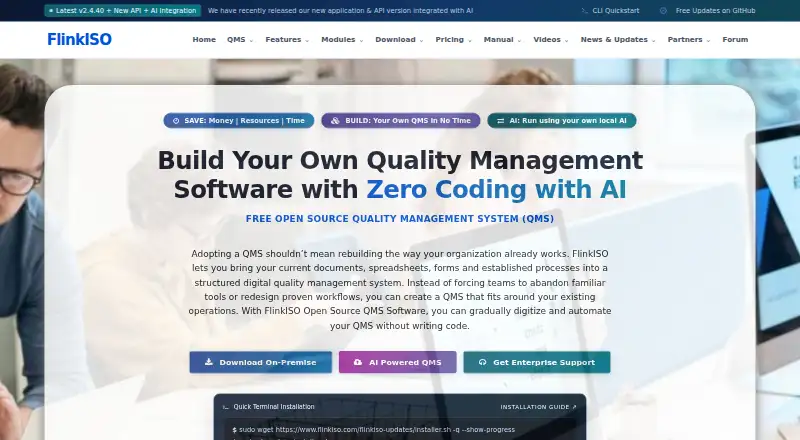
What FlinkISO is
FlinkISO is open-source quality management software for organizing documents, forms, workflows and QMS records. It supports ISO 9001, ISO 14001, ISO 45001 and ISO 13485, with additional standards configurable. Document controls include restricted access, search, version history and approval workflows. Users can create HTML forms with drag-and-drop fields, validations, layouts and business rules without coding. Modules cover audits, change control, management reviews, complaints, nonconformities, corrective actions, training, equipment records and calibration. FlinkISO works with ONLYOFFICE editors and can connect to cloud OpenAI-compatible providers or self-hosted Ollama for chat and form-building workflows. It can be installed on Linux or Windows servers, or used as a hosted QMS. The Free On-Premise plan costs nothing and has no expiry; paid plans include On-Cloud QMS at $80 a month and a Startup Plan at $750, paid once. Hosted uploads are limited to 25 MB per file.
Good
- Free on-premise plan includes all QMS modules.
- Supports four named ISO standards and configurable additions.
- Custom HTML forms need no coding.
- Document access controls and approval workflows are available.
- ONLYOFFICE integration supports document collaboration and publishing.
Watch out
- Hosted uploads are limited to 25 MB per file.
- The Startup Plan is a 750.00 USD one-time payment.
- Enterprise Support pricing requires a quote.
Who it suits
FlinkISO suits organisations that need QMS document controls, forms and compliance workflows, including teams that want to run the system on their own Linux or Windows server. Its Startup Plan is designed for small and medium organisations seeking guided on-premise setup and training.
Verdict
FlinkISO brings document management, forms and QMS processes into one system, with both self-hosted and hosted options. Check the hosted file-size limit and plan costs against your organisation’s needs.
Plans and prices
From FlinkISO's own pricing page, checked 15 Oct 2026.
| Plan | Price | What it gives you |
|---|---|---|
| Free On-Premise | Free | Unlimited concurrent users · all QMS modules · self-managed hosting · no expiry · API access limited/optional |
| On-Cloud QMS | $80 a month | Unlimited users and records · daily backups · 25 MB maximum uploaded file · hosted ONLYOFFICE · USD 80 / month API charge plus storage usage |
| Form Creation API | $80 a month | Create HTML forms · modify generated forms · build table relationships · generated files remain local · USD 80 / month |
| Form Creation API 3 Months | $220, paid once | Form creation and modification access · reduced total pricing · USD 220 for 3 months |
| Form Creation API 6 Months | $400, paid once | Form creation and modification access · phased module rollout · USD 400 for 6 months |
| Startup Plan | $750, paid once | Installation · ONLYOFFICE setup · online training · API access for three months · priority support · One-time payment for three months |
| Form Creation API 12 Months | $750 a year | Form creation and modification access · full-year access · USD 750 for 12 months |
| Enterprise Support | Priced on request | Assisted implementation · customization · reports · upgrades · priority support · Quote |
The facts
Each one read from FlinkISO's own pages, with the date it was checked.
What it does
- Access control
- Generated forms inherit document access restrictions and approval rights can prevent limited-role users from publishing records.checked 15 Oct 2026
- AI integration
- FlinkISO can connect to cloud OpenAI-compatible providers or self-hosted Ollama servers for AI chat and form-building workflows.checked 30 Sep 2026
- AI providers
- AI can use a self-hosted Ollama server or an OpenAI-compatible cloud provider, with separate text and vision models supported.checked 15 Oct 2026
- AI safeguards
- Provider credentials are encrypted at rest, access checks remain active, generated operations are validated and only MR users can apply structural changes.checked 15 Oct 2026
- API data export
- Generated custom forms provide JSON and XML export actions that authorized integrations can call using a table route and custom table ID.checked 30 Sep 2026
- API data handling
- Operational QMS records stay on the customer server; the API receives credentials, table and schema metadata and relationships needed for generation.checked 15 Oct 2026
- API extensibility
- The form API supports layouts, tabs, child forms, permissions, charts, panels, email triggers, tasks and configured JavaScript.checked 15 Oct 2026
- API generation
- The Form Creation API generates database tables and Add, Edit, View and Index pages from saved JSON definitions.checked 15 Oct 2026
- API status
- API v2 adds capability reporting, validated structured definitions, streaming responses, request status and cancellation while the original API remains available.checked 15 Oct 2026
- Audit trails
- The product records document downloads with issue number, timestamps and user details and provides audit-trail controls.checked 15 Oct 2026
- Automated installer limits
- The automated installer supports Ubuntu LTS AMD64 only and does not enforce minimum RAM or disk values.checked 15 Oct 2026
- Cloud limits
- The hosted edition has no set limit on users, employees, documents, processes, custom forms or file uploads, but each uploaded file is limited to 25 MB.checked 30 Sep 2026
- Compliance references
- The site lists compliance information for 21 CFR Part 11 and EU Annex 11.checked 30 Sep 2026
- Custom forms
- A drag-and-drop builder creates HTML forms and modules without conventional coding.checked 15 Oct 2026
- Deployment
- The application can be installed on Linux or Windows servers, with manual installation using Apache or IIS, MySQL and PHP.checked 30 Sep 2026
- Digital signatures
- Users can create digitally signed, password-protected PDF copies when downloading QMS documents.checked 15 Oct 2026
- Documentation
- The online manual covers installation, access controls, document workflows, signatures, form architecture, AI setup and data entry.checked 15 Oct 2026
- Document management
- The system provides document version control, access restrictions, sharing, collaboration and approval workflows.checked 15 Oct 2026
- Funding
- Wellfound reports $132,000 raised in one seed round dated August 2014.checked 15 Oct 2026
The company
- Company founding
- Gust gives March 2013 as the founding date.checked 15 Oct 2026
- Company legal name
- The maker is identified as TECHMENTIS GLOBAL SERVICES PVT. LTD., also described as Techmentis Global Services Pvt Ltd.checked 15 Oct 2026
- Company location
- Gust lists the company in Mumbai, Maharashtra, India.checked 15 Oct 2026
- Company size
- Wellfound lists Techmentis Global Services as having 1–10 employees.checked 15 Oct 2026
- Headquarters
- Mumbai, Maharashtra, Indiachecked 28 Sep 2026
The full review of FlinkISO
Overview
FlinkISO is an open-source quality management system (QMS) for organisations that need controlled documents, configurable forms and records of quality processes in one place. It is best suited to teams willing to manage their own installation or pay for hosted service and support. Its breadth is a strength, but the hosted file-size cap and usage-based storage costs deserve attention before choosing a plan.
It supports ISO 9001, ISO 14001, ISO 45001 and ISO 13485, with additional standards configurable. That makes it relevant to organisations working across more than one quality framework, although the software alone does not establish compliance.
FlinkISO fits the wider Quality Management Software category, with overlap in Document Management Software and Audit Management Software.
Key features
Controlled documents and approvals
Document storage, search, retrieval, access restrictions, version control and approval workflows bring document control into the same system as QMS records. ONLYOFFICE integration supports document creation, editing, collaboration, approval and publishing. Password-protected PDF downloads and records of download issue numbers, timestamps and users add useful traceability for controlled distribution.
Forms and QMS processes
A drag-and-drop form builder supports HTML forms with validations, layouts and business rules, without requiring coding. Generated forms can expose JSON and XML export actions for authorized integrations. This suits teams that need tailored data capture, though the export mechanism is tied to a table route and custom table ID.
Modules cover audits, change control, management reviews, complaints, nonconformities, corrective actions, employee training, equipment records and calibration. That range is useful for organisations consolidating quality activities rather than tracking only audits or documents.
AI and compliance references
FlinkISO can connect to cloud OpenAI-compatible providers or self-hosted Ollama servers for AI chat and form-building workflows. Organisations can choose between those deployment approaches, but should account for their own AI provider and data-handling requirements. The platform also references 21 CFR Part 11 and EU Annex 11 compliance information.
Pricing
The free Free On-Premise plan costs free and has no expiry. It includes all QMS modules, unlimited concurrent users, and self-hosted data and documents. The trade-off is operational responsibility: users install and manage it on their own infrastructure. Free self-hosted users receive manuals, videos, a community forum and email support.
Form Creation API costs $80 a month and covers creation of custom forms and modules and modification of generated forms. It is aimed at organisations extending form functionality rather than buying a hosted QMS.
On-Cloud QMS costs $80 a month for API access, with storage charged based on monthly average daily usage and rates varying by usage band. It includes unlimited users and records, daily backups and hosted ONLYOFFICE. There is no set limit on users, employees, documents, processes, custom forms or uploads, but each uploaded file is capped at 25 MB. That makes the plan broad in record volume, while large individual files and storage usage can affect suitability and cost.
The Startup Plan costs $750, paid once as a one-time payment for a three-month plan. It includes installation, training, three months of API access and priority support, and is designed for small and medium organisations seeking guided setup of an on-premise QMS. Enterprise Support has custom pricing and includes implementation assistance, customisation and reports, plus priority support.
A 15-day trial is available. Compare its duration with the time needed to assess setup, workflows and storage needs before committing.
Platforms
FlinkISO supports API, Linux, self-hosted, web and Windows. On-premise installation is available on Linux or Windows servers and uses Apache or IIS, MySQL and PHP; this gives infrastructure control but requires an organisation able to manage a server stack. The cloud option avoids that installation work, with the 25 MB per-file limit and usage-based storage to factor into the decision.
Who it's for
FlinkISO is a strong fit for organisations seeking a broad QMS with configurable forms, document approvals and operational quality modules, especially those that value self-hosting or need a guided on-premise setup. It is less suitable for teams that cannot administer server infrastructure and need predictable hosted storage costs, or whose workflows depend on uploading files larger than 25 MB.
Pros and cons
- Pros: The free on-premise plan includes all QMS modules and unlimited concurrent users, with no expiry, making it viable for organisations able to operate their own installation.
- Pros: Document control, form building, audits, corrective actions, training and equipment records sit within one system, reducing the need to split those QMS processes across separate tools.
- Pros: Hosted service includes unlimited users and records, daily backups and hosted ONLYOFFICE, while self-hosted deployment offers control over data and documents.
- Cons: Self-hosting requires Linux or Windows server administration and the Apache or IIS, MySQL and PHP stack.
- Cons: Cloud storage is billed by usage band, and every uploaded file is limited to 25 MB.
- Cons: The Startup Plan covers only three months, so organisations should weigh its one-time setup and training against what they will need afterward.
Alternatives
Choose SafetyCulture (now Mitti) instead if mobile access on Android or iOS is central: its free plan supports up to 10 seats, 300 AI credits per seat per month and five active inspection templates, alongside basic analytics, training, tasks and issue reporting.
SupplyOn is another option for supplier solutions, with some solutions free and a fee-based plan capped at $45 a month per customer; fees may be waived under an existing contract.
Netwrix Password Secure is a paid alternative.
Diligent Audit is a paid audit-focused alternative with custom pricing.
QSC QS1 is another paid option.
Workiva Audit Management is a paid audit alternative with customized packaging and unlimited seats or users.
Ideagen Internal Audit is another paid option, offered on the web.
NiftyISO is worth comparing for teams seeking a paid QMS with mobile access; its Essential plan costs $9 a month for two users, while Professional costs $25 a month for five users.
Verdict
Choose FlinkISO if your organisation wants a broad QMS, needs configurable forms and document controls, and can either run its own infrastructure or budget for hosted storage by usage. Its free, no-expiry on-premise plan is the clearest reason to consider it; look elsewhere if you need larger cloud uploads or fixed storage costs.
Getting started
- Visit https://www.flinkiso.com/.
- Choose the free self-hosted option or a paid plan.
- For on-premise installation, use a Linux or Windows server.
- Use manual installation with Apache or IIS, MySQL, and PHP.
- For hosted QMS, select On-Cloud QMS at $80 a month.
- Use the 15-day trial if evaluating the service.
Limits worth knowing
Free On-Premise requires you to install and manage the software on your own infrastructure. On-Cloud QMS limits each uploaded file to 25 MB and bills storage based on usage; the Startup Plan covers three months.
Questions
Is FlinkISO free?
Yes. Free On-Premise costs nothing, has no expiry, and includes all QMS modules. Users install and manage it on their own infrastructure.
How much does the hosted QMS cost?
On-Cloud QMS costs $80 a month, with storage charges based on usage. Each uploaded file is limited to 25 MB.
What is included in the Startup Plan?
The Startup Plan costs $750, paid once for three months. It includes installation, training, three months of API access, and priority support.
What platforms and deployment options are available?
FlinkISO lists API, Linux, self-hosted, web, and Windows platforms. It can be installed on Linux or Windows servers or used as a hosted QMS.
Is FlinkISO open source?
Yes. FlinkISO is described as free open-source quality management software.
What integrations does it support?
It integrates with ONLYOFFICE editors. It can also connect to cloud OpenAI-compatible providers or self-hosted Ollama servers for AI chat and form-building workflows.
Alternatives to FlinkISO
- 1

Box
Free planAndroidiOSWebAPI8.3From $5 a month - 2
Group-Office
Free planOpen sourceAndroidiOSWebLinux8.2From €12 a month - 3
OpenKM
Free planAndroidiOSWebAPI8.2From $100 a month - 4

DocuWare
AndroidiOSWebAPI7.9From £1,060 a month - 5
Oracle WebCenter Content
AndroidiOSWebAPI7.7$3,450 one-time - 6
Same-Page eStudio
AndroidiOSWebLinux7.2From $39 a month