
Netwrix Password Secure
Netwrix Password Secure provides centralized password management with end-to-end encryption and secure team sharing.
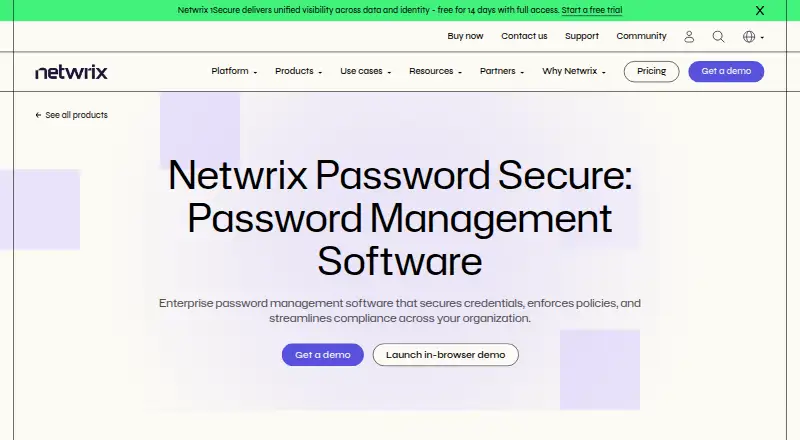
What Netwrix Password Secure is
Netwrix Password Secure provides centralized password management with end-to-end encryption and secure team sharing. It includes business and delegated administration controls, Active Directory auditing, lifecycle automation, reporting, and password self-service. Deployment is on premises, and listed platforms include web, Windows, macOS, Linux, iOS, and Android, with a Chrome extension also listed. The self-service plan is priced at $60 per enabled Active Directory user, with a minimum one-year purchase commitment. A separate Password Secure self-service listing also gives a price of $60 per year and describes customer-hosted deployment for teams of up to 250 identities. Other listed capabilities include audit templates, risk assessment, compliance frameworks, and API access. The feature list additionally covers structured and unstructured data discovery, rules-based classification, exposure and permission analysis, remediation workflows, configuration monitoring, real-time alerts, and compliance reports. These data governance and monitoring features are listed alongside password administration. Readers evaluating the product can weigh both its password-management functions and the broader set of listed capabilities, along with its deployment and plan details.
Good
- Provides end-to-end encrypted password management.
- Includes secure team sharing.
- Offers delegated administration and Active Directory auditing.
- Lists password self-service and lifecycle automation.
Watch out
- No free plan is listed.
- Minimum purchase commitment is one year.
- Customer-hosted listing is limited to teams with up to 250 identities.
Who it suits
It suits teams seeking centrally managed passwords and secure sharing with administration and auditing controls. The listed data discovery and governance features may also matter to organizations evaluating its wider scope.
Verdict
Netwrix Password Secure combines password administration and sharing with audit and lifecycle features. Review the distinct self-service plan details and one-year minimum commitment when considering deployment.
Plans and prices
From Netwrix Password Secure's own pricing page, checked 21 Oct 2026.
| Plan | Price | What it gives you |
|---|---|---|
| Password Secure self-service | $60 a year | Self-service plans are for teams of up to 250 identities · $60 per enabled Active Directory user + cloud-only Entra ID user per year |
| Self-service | $60 a year | Centralized end-to-end encrypted password management · Secure team sharing · Full IT control · Minimum purchase commitment is one year; self-service pricing starts at $60 per enabled Active Directory user + cloud-on |
The facts
Each one read from Netwrix Password Secure's own pages, with the date it was checked.
Where it runs
- Android app backend requirement
- Google Play says the Android app requires an existing Netwrix Password Secure backend.checked 21 Oct 2026
- Android store listing
- The Google Play listing shows more than 5,000 downloads; it did not show a rating or rating count in the opened page.checked 21 Oct 2026
- Documented applications
- The product supports configured logins for RDP, SSH, general SSO and web applications.checked 21 Oct 2026
- Limit: mobile app usability
- An Apple App Store reviewer said the app's dated interface and usability problems led their organization not to deploy it to end users.checked 21 Oct 2026
What it does
- API
- The API is accessed through C# and JavaScript SDK wrappers, with API calls implemented asynchronously.checked 21 Oct 2026
- Auditing
- The product records credential access, updates and sharing actions for audit and reporting purposes.checked 21 Oct 2026
- Business admin controls
- Yeschecked 16 Sep 2026
- Central vault
- The product stores user, administrator and service credentials in an encrypted central vault.checked 21 Oct 2026
- Changelog
- The 26.6.100 release added French localization and logbook visibility controls and fixed a vulnerability that could let authenticated users invoke sensitive server operations.checked 21 Oct 2026
- Compliance claims
- The maker says credential actions are logged for audit and reporting to support GDPR, HIPAA, SOX and CMMC requirements.checked 21 Oct 2026
- Database requirement
- The documented deployment uses Microsoft SQL Server for storage, with SQL Express available for smaller installations.checked 21 Oct 2026
- Deployment
- The vendor describes on-premises, self-hosted cloud and hybrid deployment options.checked 21 Oct 2026
- Deployment scale
- The installation guide describes a three-tier client, application server and database server architecture, while allowing single-server installs for small or test environments.checked 21 Oct 2026
- Documentation depth
- The public documentation includes installation, requirements, client, web application, browser extension, configuration, maintenance, FAQ and end-user guides.checked 21 Oct 2026
- Encryption
- The mobile security documentation lists AES-256 and RSA-4096 encryption, PBKDF2 with up to 100,000 iterations and end-to-end encryption for app clients.checked 21 Oct 2026
- Integrations
- Capterra lists Google Chrome, Microsoft Edge, Firefox and Remote Desktop Manager as integrations.checked 21 Oct 2026
- Limit: Gartner reviewer report
- A Gartner Peer Insights reviewer criticized absent TOTP integration, unreliable offline access, occasional backend update failures and a slow, unstable client.checked 21 Oct 2026
- Limit: interface and setup
- Capterra reviewers describe the interface as dated or unintuitive and say initial setup or advanced permission settings can take time to learn.checked 21 Oct 2026
The company
- Company founded
- Netwrix says it was founded in 2006.checked 21 Oct 2026
- Company headquarters and size
- LinkedIn lists Netwrix Corporation's headquarters as Remote and company size as 501–1,000 employees.checked 21 Oct 2026
- Company ownership
- Netwrix's company history says it received a majority investment from TA Associates in 2020.checked 21 Oct 2026
- Founded
- 2006checked 28 Sep 2026
- Headquarters
- 6160 Warren Parkway, Suite 100, Frisco, TX, US 75034checked 28 Sep 2026
Money
- Free plan
- Nochecked 16 Sep 2026
The full review of Netwrix Password Secure
Netwrix Password Secure is an on-premises password-management product for organizations that need IT-administered credentials and team sharing. Its appeal is the combination of password controls with data discovery and governance tools; that broader scope is less compelling if you only need a personal password vault.
Overview
Centralized password management, encrypted sharing, and business administration controls make this a managed team product rather than a lightweight individual app. Its data discovery, classification, and monitoring capabilities broaden its role for security teams, though they also make it a more specialized choice than a password-only tool.
Key features
Password administration
Centralized end-to-end encryption and secure team sharing are paired with delegated administration, full IT control, password self-service, and lifecycle automation. That mix suits organizations that need administrators to govern shared credentials while giving users a self-service route. AD auditing adds relevance for teams managing Active Directory users.
Data discovery and governance
Structured and unstructured discovery, sensitive-data discovery, custom classifications, and rules-based classification cover data held in file systems, SharePoint, OneDrive for Business, SQL Server, MySQL, and Oracle Database. Exposure and permission analysis, configuration monitoring, real-time alerts, and remediation workflows extend the product from locating data to helping teams identify and address risk. Compliance reports, audit templates, risk assessment, and API access add support for governance work.
These capabilities are a meaningful advantage when password administration and data oversight belong in the same security operation. They are less useful to buyers who want only credential storage and sharing.
Pricing
There is no free plan. The Self-service plan costs $60 a year, with a minimum one-year purchase commitment; pricing starts at $60 per enabled Active Directory user plus cloud-on. It includes centralized end-to-end encrypted password management, secure team sharing, and full IT control. This is the clearer fit for teams organized around enabled Active Directory users, but the per-user basis and annual commitment should be accounted for before rollout.
Password Secure self-service also costs $60 a year, billed annually. It includes centralized end-to-end encryption, secure team sharing, and customer-hosted deployment, and is available for teams with up to 250 identities. That cap makes it a defined option for smaller teams; organizations above 250 identities need another arrangement. Both plans are paid and the one-year minimum commitment is an important purchasing constraint.
Platforms
Supported platforms include web, Windows, macOS, Linux, iOS, Android, and a Chrome extension. This offers broad device coverage for teams working across desktop and mobile environments. Deployment is on-premises, so it is best considered by organizations prepared to host the product themselves rather than those seeking a purely cloud-hosted password service.
Who it's for
Netwrix Password Secure is best suited to organizations that want centralized password sharing and administration alongside data discovery, classification, and governance controls. Its AD auditing and identity-based pricing are particularly relevant to Active Directory environments. It is not the natural choice for individuals or teams that need only a straightforward password manager, or for a team that exceeds the 250-identity limit on the named self-service option.
Pros and cons
- Pros: Centralized encrypted management and secure team sharing are backed by delegated administration, password self-service, and lifecycle automation, supporting controlled team use.
- Pros: Discovery, classification, exposure and permission analysis, alerts, and remediation workflows give security teams data-risk capabilities beyond password administration.
- Pros: Web, desktop, mobile, and Chrome extension support cover a broad range of work devices.
- Cons: The minimum one-year commitment and annual billing reduce flexibility for short-term or exploratory deployments.
- Cons: Password Secure self-service is capped at 250 identities, which can rule it out for larger teams.
- Cons: On-premises deployment and the wider data-governance scope may be unnecessary overhead for buyers seeking only a password vault.
Alternatives
FlinkISO is a freemium alternative with a free on-premise plan, unlimited concurrent users, and all QMS modules, making it worth considering when quality-management software and self-hosting are the priority.
SafetyCulture (now Mitti) offers a free plan for up to 10 seats with inspection templates and basic analytics, training, tasks, and issue reporting; choose it when those operational tools matter more than password management.
QSC QS1 is another paid option available on Android, iOS, and the web.
Diligent Audit is a paid audit product with custom pricing and Android, iOS, API, and web support; it may suit buyers focused on audit workflows.
Performance Logic Audit and Corrective Actions is a paid alternative available on iOS, web, and Windows.
SupplyOn offers a freemium option and a fee-based supplier-solutions plan priced at $45 a month, with unlimited users and transactions; consider it when supplier solutions are the focus.
Workiva Audit Management uses customized pricing based on organizational needs and offers unlimited seats or users, making it an option for buyers prioritizing audit management at scale.
Ideagen Internal Audit is a paid, web-based alternative.
Browse Audit Management Software, Data Discovery and Classification Software, Identity Threat Detection and Response Software, Data Loss Prevention Software, Data Security Posture Management Software, and Active Directory Management Software for category options.
Verdict
Choose Netwrix Password Secure if your organization needs centrally governed team passwords and wants data discovery and governance capabilities in the same on-premises product. Its combination of administration and data-risk controls is the main reason to select it; the annual commitment, deployment model, and identity cap are reasons to look elsewhere if flexibility or a password-only tool matters more.
Alternatives to Netwrix Password Secure
- 1

Proton Pass
Free planOpen sourceAndroidiOSWebAPI9.4From $35.88 a year - 2

Padloc
Free planOpen sourceAndroidiOSWebExtension9.1From $3.49 a month - 3

NordPass
Free planAndroidiOSWebAPI9.0Free plan - 4

Zoho Vault
Free planAndroidiOSWebAPI8.9Free plan - 5
LogMeOnce
Free planAndroidiOSWebAPI8.8From $2.50 a month - 6

1Password
AndroidiOSWebAPI8.7From $2.99 a month