Matrix42 FastViewer
Matrix42 FastViewer is remote support software for IT teams that need to access and control employee computers, other company devices, and servers.
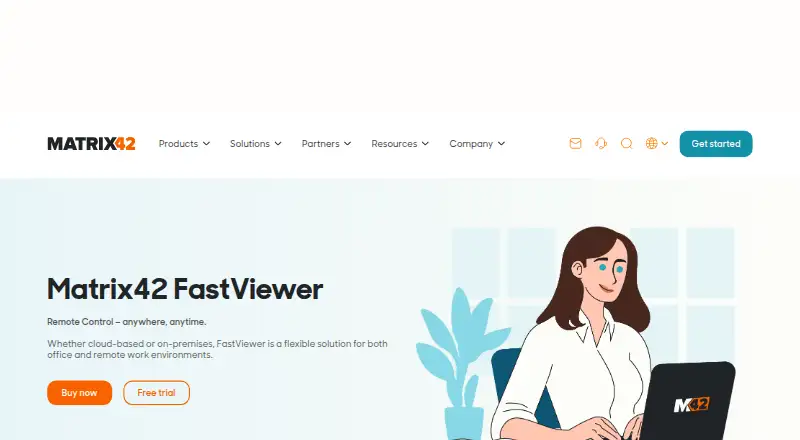
What Matrix42 FastViewer is
Matrix42 FastViewer is remote support software for IT teams that need to access and control employee computers, other company devices, and servers. It offers browser and web access, Windows and Mac desktop apps, and mobile apps for iOS and Android. Support tools include unattended access, multiple sessions, multi-monitor support, file transfer, and clipboard sharing; transfers are limited to 2 GB per file. Administrators can run remote PowerShell or CMD, reboot devices, and switch users. FastViewer can be used in the cloud or on premises and integrates with Matrix42 solutions, including Enterprise Service Management. Security features include two-factor authentication, access profiles, and 256-bit AES encryption. A license costs €540 per concurrent session per year, plus 19% VAT, and covers up to 100 installed agents; only the supporter needs a license. A free 30-day cloud trial includes online support, requires no credit card, and ends without a charge if not continued.
Good
- Supports unattended access and multiple sessions.
- Includes multi-monitor support and remote administration.
- Transfers files and shares clipboard content.
- Cloud and on-premises deployment are available.
- Free 30-day trial requires no credit card.
Watch out
- No free plan is available.
- Each license covers one concurrent session.
- File transfers are limited to 2 GB per file.
- The annual fee is 540.00 EUR plus 19% VAT.
Who it suits
It suits IT departments, service agents, and developers who need remote support, device control, or file sharing. Matrix42 Enterprise Service Management users can integrate it into that platform.
Verdict
FastViewer combines remote device control, administration, and file sharing, with cloud and on-premises deployment options. Check the one-session license limit and annual price against your support needs.
Plans and prices
From Matrix42 FastViewer's own pricing page, checked 29 Sep 2026.
| Plan | Price | What it gives you |
|---|---|---|
| Matrix42 FastViewer | €540 a year | One concurrent session per license · up to 100 installed agents per license · 540.00 € per concurrent session per year; plus 19% VAT |
The facts
Each one read from Matrix42 FastViewer's own pages, with the date it was checked.
What it does
- Access mode
- bothchecked 20 Sep 2026
- Access options
- It offers a standalone browser app, Windows and Mac desktop apps, and a web app integrated with Matrix42 Enterprise Service Management.checked 29 Sep 2026
- Administration
- Administrators can use remote PowerShell or CMD, reboot devices, and switch users.checked 29 Sep 2026
- Collaboration
- FastViewer supports file transfer and clipboard sharing; the maker’s FAQ says file transfers are limited to 2 GB per file.checked 29 Sep 2026
- Deployment
- FastViewer is offered for cloud or on-premises use, and the marketplace page says an on-premises server solution is available.checked 29 Sep 2026
- File transfer
- Yeschecked 20 Sep 2026
- Integration
- FastViewer integrates with Matrix42 solutions and can be integrated into Matrix42 Enterprise Service Management, where agents can use AI-assisted ticket insights before a session.checked 29 Sep 2026
- Intended users
- The maker describes FastViewer for IT departments, service agents, and developers who need remote support, device control, or file sharing.checked 29 Sep 2026
- License limit
- Each license covers one concurrent session and up to 100 installed agents; only the supporter needs a license.checked 29 Sep 2026
- Purpose
- FastViewer lets IT teams access and remotely control employee computers and other company devices, including servers.checked 29 Sep 2026
- Remote support
- Listed support features include unattended access, multiple sessions, and multi-monitor support.checked 29 Sep 2026
- Security
- The product page lists two-factor authentication and access profiles; the marketplace page states that data is protected by 256-bit AES encryption.checked 29 Sep 2026
- Session recording
- Yeschecked 20 Sep 2026
The company
- Founded
- 1992checked 28 Sep 2026
- Headquarters
- Frankfurt am Main, Germanychecked 28 Sep 2026
- Maker
- Matrix42 says it is headquartered in Frankfurt am Main, Germany, and was founded in 1992.checked 29 Sep 2026
Money
- Free plan
- Nochecked 20 Sep 2026
- Trial
- The maker offers a free 30-day trial with cloud access, online support, and no credit card requirement; access ends automatically without a charge.checked 29 Sep 2026
Where it runs
- Managed devices
- 100checked 20 Sep 2026
- Mobile apps
- Yeschecked 20 Sep 2026
- Supported platforms
- web,Windows,macOS,iOS,Androidchecked 20 Sep 2026
The full review of Matrix42 FastViewer
Overview
Matrix42 FastViewer is remote-support software for controlling employee computers, servers, and other company devices. It is best suited to IT teams and service agents that need remote administration as well as support, particularly those working in the Matrix42 ecosystem. Its mix of access options and management tools is compelling, though the per-session annual license makes cost scale with simultaneous support work.
Key features
FastViewer supports attended and unattended access, multiple sessions, and multi-monitor support. Supporters can also reboot devices, switch users, and run remote PowerShell or CMD commands. Those administrative controls make it useful for ongoing device management, not just troubleshooting; session recording adds a record of support sessions.
File transfer and clipboard sharing help move information during a session, but transfers are capped at 2 GB per file. That is a practical limit for teams that routinely need to send larger files. Two-factor authentication and access profiles provide access controls, while data is protected with 256-bit AES encryption.
Access is available through a standalone browser app, Windows and Mac desktop apps, and a web app integrated with Matrix42 Enterprise Service Management. In that integration, agents can use AI-assisted ticket insights before starting a session. Cloud and on-premises deployment options suit organizations with different operating requirements, including those that want an on-premises server solution.
Pricing
The Matrix42 FastViewer plan costs €540 a year, billed at 540.00 € per concurrent session per year, plus 19% VAT. Each license covers one concurrent session and up to 100 installed agents, and only the supporter needs a license. The 100-agent allowance gives one supporter broad device reach, but teams needing more simultaneous sessions must budget for additional licenses.
There is no free plan. The 30-day trial includes cloud access and online support, requires no credit card, and ends automatically without a charge. It is a useful way to assess the service before committing to an annual license.
Platforms
FastViewer supports web, Windows, macOS, iOS, and Android, with mobile apps as well as desktop and browser access. Its cloud and self-hosted deployment options add flexibility for organizations choosing where to run the service.
Who it's for
FastViewer fits IT departments, service agents, and developers who need remote device access, administration, or file sharing. It is particularly relevant when a team already uses Matrix42 solutions: the Enterprise Service Management integration can bring ticket insights into the support workflow. Teams that need only occasional support or frequent transfers larger than 2 GB per file may find the annual concurrent-session license less suitable.
Pros and cons
- Pros: Remote PowerShell or CMD, reboot, and user switching make it capable of device administration as well as support.
- Pros: One license can cover up to 100 installed agents, while licensing is required only for the supporter.
- Pros: Cloud and on-premises deployment, plus web, desktop, and mobile access, offer useful operating flexibility.
- Cons: Each license covers only one concurrent session, so simultaneous support capacity raises the license requirement.
- Cons: The 2 GB per-file transfer cap can constrain teams moving larger files.
- Cons: There is no free plan, and the annual price is plus 19% VAT.
Alternatives
LBi HR HelpDesk is worth considering for organizations seeking a free starting point: its free plan has no expiration date and covers up to 100 employees and two administrative users. Its listed platforms include web, self-hosted, Android, and iOS.
Hornbill IT Asset Management may suit buyers looking for scalable packages with pricing tailored to their requirements; it also has a free plan. Avature is another paid option with Android, iOS, API, and web platforms.
Sunrise HRCM is a paid alternative with a free trial. Applaud HR Case Management uses per-user monthly subscription pricing, starts at 500 users, and requires contacting the provider for a price.
Infor Learning Management System is a paid alternative with a free trial. Ivanti Neurons for Enterprise Service Management may be a better fit for buyers seeking a broader service-management package spanning ITSM, HR, facilities, GRC, PPM, security operations, and self-service.
Neocase HR Case Management is a paid alternative with modular pricing based on employee users and usage for some features.
For broader category comparisons, browse Enterprise Service Management Software, IT Service Catalog Software, Software Asset Management Software, SaaS Management Platforms, IT Problem Management Software, and HR Service Delivery Software.
Verdict
Choose FastViewer if your support team needs remote administration, broad device access, and a route into Matrix42 service-management workflows. The one-session-per-license model and 100-agent allowance are clear, but the annual per-session cost and 2 GB transfer cap are reasons to look elsewhere if you need more concurrent capacity or routinely move larger files.
Getting started
- Open the Matrix42 FastViewer website
- Choose cloud or on-premises deployment
- Start the 30-day cloud trial without a credit card
- Select browser, desktop, or mobile access
- Install agents on up to 100 devices for each license
- Connect through Matrix42 Enterprise Service Management if required
Limits worth knowing
A license covers one concurrent session and up to 100 installed agents. File transfers are limited to 2 GB per file, and the free trial provides cloud access for 30 days.
Questions
How much does Matrix42 FastViewer cost?
The Matrix42 FastViewer plan costs €540 per concurrent session per year, plus 19% VAT.
Is there a free plan or trial?
There is no free plan, but a 30-day cloud trial is available without a credit card. Access ends automatically without a charge if it is not continued.
Which platforms does FastViewer support?
Supported access includes web, Windows, macOS, iOS, and Android, with standalone browser, desktop, mobile, and integrated web options.
Can FastViewer be self-hosted?
Yes. FastViewer is offered for cloud or on-premises use, including an on-premises server solution.
What does one license cover?
Each license covers one concurrent session and up to 100 installed agents. Only the supporter needs a license.
Does it integrate with Matrix42 products?
FastViewer integrates with Matrix42 solutions, including Enterprise Service Management, where agents can receive AI-assisted ticket insights before a session.
Alternatives to Matrix42 FastViewer
- 1

DWService
Free planOpen sourceAndroidiOSWebAPI9.2From $40 a year - 2

ManageEngine Remote Access Plus
Free planAndroidiOSWebAPI9.0From $75 a year - 3

Zoho Assist
Free planAndroidiOSWebLinux8.9From $10 a month - 4

HopToDesk
Free planAndroidiOSLinuxmacOS8.8From $159 a year - 5

ThinLinc
Free planAndroidiOSWebLinux8.7From $103 a year - 6

TeamViewer Remote
Free planAndroidiOSWebLinux8.5Free plan