
Zoho Assist
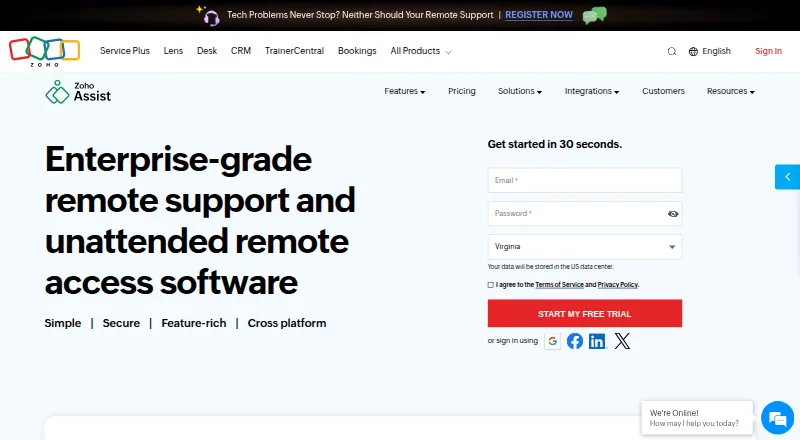
Zoho Assist provides attended and on-demand remote support, along with unattended access for technicians.
What Zoho Assist is
Zoho Assist provides attended and on-demand remote support, along with unattended access for technicians. It supports Windows, macOS, Linux, iOS, Android, Chrome OS, Raspberry Pi, and web browsers. Tools include screen sharing, multi-monitor navigation, chat, scheduled sessions, file transfer, and diagnostics. On-demand support can begin without prior downloads, and technicians do not need an installation to initiate sessions. Remote camera sharing can provide augmented-reality assistance through smartphone cameras or smartglasses. Browser cobrowse allows live guidance with page highlighting and masking for sensitive data. The free plan includes one technician and five devices. Remote Support Standard is $10 a month billed annually and includes two concurrent sessions per technician. Plans can be upgraded, downgraded, or canceled at any time. Listed security measures include TLS 1.2 and AES 256-bit encryption, with recurring audits of applications, infrastructure, and internal policies. Enterprise Support provides 24/7 technical assistance through live chat or email.
Good
- Supports attended, on-demand, and unattended access.
- On-demand sessions do not require prior downloads.
- Includes file transfer and session recording.
- Plans can be upgraded, downgraded, or canceled anytime.
- Enterprise Support offers 24/7 chat or email help.
Watch out
- Free plan is limited to one technician and five devices.
- Standard plan price is billed annually.
- Higher-plan administration features are not in the free-plan details.
Who it suits
Zoho Assist suits technicians and support teams that need attended, on-demand, or unattended access across desktop, mobile, and other listed platforms. Its cobrowse and camera assistance tools may suit support situations that benefit from visual guidance.
Verdict
Zoho Assist combines remote access with several ways to guide users, including cobrowse and camera sharing. The free allowance is small, and the listed Standard price is tied to annual billing; higher tiers add capabilities such as departments and session recording.
Plans and prices
From Zoho Assist's own pricing page, checked 20 Sep 2026.
| Plan | Price | What it gives you |
|---|---|---|
| Free | Free | 1 technician · 5 devices |
| Remote Support - Standard | $10 a month | 2 concurrent sessions per technician · Billed annually |
| Remote Support - Professional | — | 4 concurrent sessions per technician |
| Remote Support - Enterprise | — | 6 concurrent sessions per technician |
| Unattended Access - Standard | — | Unlimited technicians |
| Unattended Access - Professional | — | Unlimited technicians |
| Remote Support Standard | — | Customer support teams; includes Free Edition features plus file transfer and 2 concurrent sessions · Monthly |
| Remote Support Standard Yearly | — | Customer support teams; volume discount available · Yearly |
| Unattended Access Professional | — | IT support teams; includes Standard Edition features plus session recording and mobile and IoT device support · Monthly |
| Unattended Access Standard | — | IT support teams; adds unlimited technicians to configured devices · Monthly |
| Remote Support Enterprise | — | Customer support teams; includes Professional Plan features plus departments and session recording · Monthly |
| Remote Support Professional | — | Customer support teams; includes Standard Edition features plus mobile device support and 4 concurrent sessions · Monthly |
| Free Edition | Free | Basic support requirements |
The facts
Each one read from Zoho Assist's own pages, with the date it was checked.
What it does
- Access mode
- bothchecked 20 Sep 2026
- Access modes
- It supports attended, on-demand remote support and unattended access.checked 28 Sep 2026
- Camera assistance
- Remote camera sharing provides augmented-reality assistance through smartphone cameras or smartglasses.checked 28 Sep 2026
- Core features
- Features include screen sharing, multi-monitor navigation, chat, session scheduling, file transfer, and diagnostic tools.checked 28 Sep 2026
- File transfer
- File transfer is included in Remote Support Standard and Unattended Access Standard.checked 28 Sep 2026
- No-download access
- On-demand sessions require no prior downloads, and technicians need no installation to initiate sessions.checked 28 Sep 2026
- Reported scale
- The page reports more than 850 million installations, 11 million remote sessions, and global customers.checked 28 Sep 2026
- Security audits
- Security is supported by recurring audits of applications, infrastructure, and internal policies.checked 28 Sep 2026
- Security encryption
- The service uses TLS 1.2 and AES 256-bit encryption, with transmissions through SSL and AES encryption protocols.checked 28 Sep 2026
- Session recording
- Session recording is available in the Enterprise and Unattended Access Professional plans.checked 28 Sep 2026
- Support channels
- Enterprise Support offers premium technical assistance 24/7 via live chat or email.checked 28 Sep 2026
- Third-party integrations
- Integrations include Zoho ecosystem tools, popular third-party tools, and Zendesk.checked 28 Sep 2026
Where it runs
- Browser cobrowse
- Cobrowse supports real-time guidance without downloads or plugins, including field highlighting and sensitive-data masking.checked 28 Sep 2026
- Mobile apps
- Zoho Assist offers a mobile app with separate Technician App and Customer App options.checked 28 Sep 2026
- Supported platforms
- Supported platforms include Windows, Mac, Linux, Raspberry Pi, Android, iOS, and Chrome OS.checked 28 Sep 2026
Money
- Flexible billing
- Plans are pay-as-you-go and can be upgraded, downgraded, or canceled at any time.checked 28 Sep 2026
- Free plan
- Yeschecked 20 Sep 2026
- Free trial
- A 15-day free trial is available without a credit card.checked 28 Sep 2026
The company
- Founded
- 1996checked 23 Sep 2026
- Team administration
- Higher plans include departments, group permissions, bulk deployment, custom reports, and session audits.checked 28 Sep 2026
The full review of Zoho Assist
Zoho Assist is remote-support software for guiding users and accessing devices across desktop, mobile, and web environments. It suits support teams that need both live assistance and unattended access, especially when browser cobrowse or camera-based guidance matters. Its combination of support modes is compelling, but the free plan is narrowly capped and most paid tiers have custom pricing.
Overview
Assist covers attended and on-demand support as well as unattended access to configured devices. Sessions can include screen sharing, chat, scheduling, file transfer, and diagnostics. For on-demand help, users need not download software beforehand, and technicians can start sessions without installing anything.
Two features broaden its reach beyond conventional remote desktop support: browser cobrowse guides users without downloads or plugins, with field highlighting and sensitive-data masking; camera sharing lets technicians provide augmented-reality assistance through smartphone cameras or smartglasses. Zoho reports more than 850 million installations and 11 million remote sessions.
Key features
Remote support and access
Attended and on-demand sessions serve users who need immediate help, while unattended access is useful for maintaining configured devices without someone at the other end. Multi-monitor navigation, file transfer, chat, scheduling, and diagnostics make the session tools relevant to both troubleshooting and routine support. Session recording is supported, but its inclusion depends on the plan.
Visual guidance
Cobrowse is a practical choice when a support agent needs to point out fields on a webpage without asking the customer to install a plugin. Sensitive-data masking is a useful safeguard in that setting. Camera sharing offers a different kind of help: smartphone or smartglass views can show a physical issue that screen sharing cannot.
Security and administration
Assist uses TLS 1.2 and AES 256-bit encryption, with transmissions through SSL and AES protocols, and undergoes recurring audits of applications, infrastructure, and internal policies. Higher plans add departments, group permissions, bulk deployment, custom reports, and session audits, making them more relevant to larger teams with administrative controls to manage. Integrations include Zoho tools, popular third-party tools, and Zendesk. Enterprise Support provides 24/7 premium technical help by live chat or email.
Pricing
The free plan costs nothing and allows one technician and five devices. That is a useful starting point for an individual or a small device set, but the technician and device caps constrain broader deployment. A 15-day trial is also offered.
Remote Support Standard is $10 a month, billed annually, and allows two concurrent sessions per technician. It is the clearest paid entry point for support teams that need more than the free allowance. The lower tier gives up the higher concurrency of the Professional and Enterprise plans: those allow four and six concurrent sessions per technician, respectively, but both have custom pricing.
For IT teams focused on unattended access, Standard and Professional plans offer unlimited technicians for configured devices; both have custom pricing. The Professional plan adds session recording and mobile and IoT device support. Monthly-billed customer-support plans are also offered: Standard includes Free Edition features, file transfer, and two concurrent sessions; Professional adds mobile-device support and four concurrent sessions; Enterprise adds departments and session recording. Each has custom pricing. Plans are pay-as-you-go and can be upgraded, downgraded, or canceled at any time.
Platforms
Assist supports Windows, macOS, Linux, iOS, Android, Chrome OS, Raspberry Pi, and web browsers. Mobile apps are available. That range can accommodate mixed fleets, from desktops and phones to Raspberry Pi devices, without limiting support to one operating system.
Who it's for
Zoho Assist is best suited to support and IT teams that need several access modes in one service, or that benefit from cobrowse and camera-based guidance alongside screen sharing. The free tier can suit a solo technician handling a handful of devices. Teams that need more technicians, concurrent sessions, recording, or administrative controls should weigh the paid tiers, particularly because prices beyond Remote Support Standard are custom.
It is a weaker fit for buyers who need predictable pricing across team plans before choosing a product, or whose work does not require the visual guidance and varied access modes that distinguish Assist.
Pros and cons
- Pros: Attended, on-demand, and unattended access cover different support workflows in one service.
- Pros: Cobrowse and camera sharing give agents ways to guide users through web tasks and physical issues, respectively.
- Pros: Broad platform support includes Chrome OS and Raspberry Pi as well as major desktop and mobile systems.
- Cons: The free plan is limited to one technician and five devices, so it is not a broad team allowance.
- Cons: The $10 a month Remote Support Standard price is billed annually, while most other plans have custom pricing.
- Cons: Concurrent sessions per technician rise by plan, so teams with heavier simultaneous workloads may need a higher, custom-priced tier.
Alternatives
For a web-centered service-support experience, LiveCall has a free plan for one service URL and one user account, with a Standard plan offering unlimited URLs and accounts at a monthly fee that varies by number of users. Median is another freemium option, with a free-for-life Starter plan that includes one-click screen sharing and privacy controls, but excludes features such as show cursor, highlight, draw, and full controls. Choose either when those stated plan details better match your needs than Assist's mix of remote access modes.
XMReality Remote Guidance may suit teams seeking a paid visual-guidance product with a Basic plan at $35 a month per user with yearly billing, or $42 with monthly billing, for up to five users and unlimited calls. Blitzz Visual Remote Assistance is a paid alternative with Concierge Professional at $175 a month, billed annually, including the first five users and three participants per session; additional users cost $35/mo.
If web or mobile cobrowse is the priority, Cobrowse.io has paid named-agent plans at $18 per agent per month billed annually for web, or $36 for web and mobile apps. RemoteCall is a paid, cross-platform alternative whose Base Pack costs $49.92 a month billed annually and includes five sessions per ID and 1,000 MB of file transfer. Surfly is a freemium web alternative. Agentforce Contact Center is a paid web and mobile option with plans at $125.00 and $250 a month.
Compare options across Video Customer Support Software, Remote Support Software, Remote desktop software, and Unattended Remote Access Software.
Verdict
Choose Zoho Assist if your team needs remote support and unattended access together, particularly when cobrowse or camera sharing can make guidance clearer. Its broad platform coverage and flexible plan changes are strengths; the small free allowance and custom pricing beyond the annual Standard tier make it less suitable for teams that need generous free use or transparent pricing across tiers.
Getting started
- Open the Zoho Assist website.
- Choose the Free plan or review the listed paid plans.
- Use the web, desktop, or mobile platform supported for the device.
- Start an attended, on-demand, or unattended support session.
Limits worth knowing
The free plan allows one technician and five devices. Remote Support Standard is listed at $10 a month billed annually and allows two concurrent sessions per technician.
Questions
Is Zoho Assist free?
Yes. The Free plan is free and includes one technician and five devices.
How much does Remote Support Standard cost?
It is listed at $10 a month, billed annually, with two concurrent sessions per technician.
Which platforms does Zoho Assist support?
It supports Windows, macOS, Linux, iOS, Android, Chrome OS, Raspberry Pi, and web browsers.
Can Zoho Assist be used for unattended access?
Yes. It supports attended, on-demand remote support and unattended access.
Does Zoho Assist offer a free trial?
Yes. The pricing note lists a 15-day trial.
What integrations does Zoho Assist include?
Integrations include Zoho ecosystem tools, popular third-party tools, and Zendesk.
Alternatives to Zoho Assist
- 1

DWService
Free planOpen sourceAndroidiOSWebAPI9.2From $40 a year - 2

ManageEngine Remote Access Plus
Free planAndroidiOSWebAPI9.0From $75 a year - 3

HopToDesk
Free planAndroidiOSLinuxmacOS8.8From $159 a year - 4

ThinLinc
Free planAndroidiOSWebLinux8.7From $103 a year - 5

TeamViewer Remote
Free planAndroidiOSWebLinux8.5Free plan - 6

Getscreen.me
Free planAndroidWebAPIExtension8.5Free plan