
Adobe Scan
Adobe Scan is a mobile app for turning paper documents into digital files.
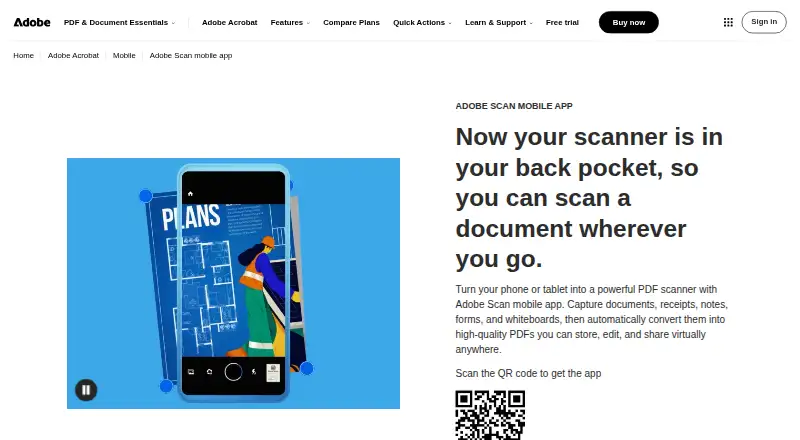
What Adobe Scan is
Adobe Scan is a mobile app for turning paper documents into digital files. Capture modes and automatic boundary detection help frame scans, while AI enhancement corrects perspective, sharpens text, and reduces glare and shadows. OCR converts scans into editable, searchable PDFs and can extract text. Users can add drawings or shapes and export scans as PDF, JPEG, or Word files. Scans can be shared by link or email, or saved to Adobe storage and connected services such as Dropbox and Google Drive. Custom folders help organize files, and markup changes sync across devices. Saved scans are accessible through Acrobat desktop, web, and mobile apps, where Acrobat supports forms, signatures, notes, comments, and review with others. Adobe Scan is free to download, and users can create and share PDFs for free. A free Acrobat Pro trial adds file combining, format conversion, password protection, and advanced editing. The app supports Android 8.0 or later and iOS 15 or later. Files are encrypted in transit and at rest and accessible only to the user unless shared.
Good
- OCR creates editable, searchable PDFs.
- Capture includes automatic boundary detection.
- Exports as PDF, JPEG, or Word.
- Scans can be shared by link or email.
- Files are encrypted in transit and at rest.
Watch out
- Requires Android 8.0 or later or iOS 15 or later.
- File combining and advanced editing require the Acrobat Pro trial.
- Files are accessible only to the user unless shared.
Who it suits
Adobe Scan may suit people who want to digitize paper documents with a phone and turn them into searchable PDFs. It also suits users who want to share scans or organize them in connected storage services.
Verdict
Adobe Scan covers capture, OCR, markup, and sharing, with free PDF creation and sharing. Some extra editing options are tied to a separate Acrobat Pro trial.
Plans and prices
From Adobe Scan's own pricing page, checked 27 Sep 2026.
| Plan | Price | What it gives you |
|---|---|---|
| Adobe Acrobat Pro Free Trial | Free | Free trial |
| Adobe Scan | Free | Free to download |
The facts
Each one read from Adobe Scan's own pages, with the date it was checked.
What it does
- Acrobat Access
- Saved scans are accessible through Acrobat desktop, web, and mobile applications.checked 27 Sep 2026
- Acrobat Workflows
- Acrobat supports forms, signatures, notes, comments, and review with others.checked 27 Sep 2026
- AI Enhancement
- AI corrects perspective, sharpens text, and removes glares and shadows.checked 27 Sep 2026
- Auto capture
- Yeschecked 23 Sep 2026
- Capture Modes
- Different capture modes and automatic boundary detection help produce scans.checked 27 Sep 2026
- Cloud Integrations
- Files can be saved to Adobe storage or connected services such as Dropbox and Google Drive.checked 27 Sep 2026
- Copyright Holder
- The page identifies Adobe as the copyright holder in 2026.checked 27 Sep 2026
- Export Formats
- Scanned files can be exported as PDF, JPEG, or Word.checked 27 Sep 2026
- File Encryption
- Files are encrypted in transit and at rest.checked 27 Sep 2026
- File Organization
- Files can use recommended filenames and dates and be organized into custom folders.checked 27 Sep 2026
- JPEG Export
- Scans can be saved as JPEG files.checked 27 Sep 2026
- Markup Tools
- Users can add drawings or shapes to scans in the app.checked 27 Sep 2026
- Multipage PDF
- Yeschecked 23 Sep 2026
- OCR Editing
- OCR converts scans into editable, searchable PDFs and supports text extraction.checked 27 Sep 2026
- OCR included
- Yeschecked 23 Sep 2026
Where it runs
- Android app
- Yeschecked 23 Sep 2026
- Cross-Device Sync
- Markup changes sync automatically across devices.checked 27 Sep 2026
- iOS app
- Yeschecked 23 Sep 2026
The company
- Founded
- 1982checked 28 Sep 2026
- Headquarters
- San Jose, California, USAchecked 28 Sep 2026
Money
- Free Download
- Adobe Scan is free to download.checked 27 Sep 2026
- Free plan
- Yeschecked 23 Sep 2026
- Free Tier
- The app lets users create scans and share PDFs for free.checked 27 Sep 2026
- Pro Trial
- A free Acrobat Pro trial adds file combining, format conversion, password protection, and advanced editing.checked 27 Sep 2026
The full review of Adobe Scan
Overview
Adobe Scan is a free-to-download document scanning app for iOS and Android. It captures pages, detects their boundaries, and can combine multiple pages into a PDF. Optical character recognition (OCR) makes scans searchable and editable, and supports text extraction. A scan can also be saved as a JPEG.
The app connects mobile capture with Adobe Acrobat: saved scans can be opened through Acrobat's desktop, web, and mobile applications. Adobe, the maker identified for the app, is headquartered in San Jose, California, and was founded in 1982.
Key features
Capture and cleanup
Adobe Scan offers different capture modes and automatic boundary detection to help frame a page. Its AI enhancement corrects perspective, sharpens text, and removes glare and shadows. Those corrections are intended to make captured pages easier to read and use as documents.
OCR and document output
OCR turns scans into searchable, editable PDFs and supports extracting text. Scanned files can be exported as PDF, JPEG, or Word documents, and multipage PDF support lets users collect pages in a single file. In-app markup tools allow drawings and shapes to be added to scans.
Organization, sharing, and connected workflows
Files can receive recommended filenames and dates, then be sorted into custom folders. Users can share scans by link or email, upload them to cloud apps, or save them to Adobe storage and connected services such as Dropbox and Google Drive. Adobe Scan files are stored in Adobe Document Cloud and are accessible only to the user unless shared. Files are encrypted in transit and at rest.
Markup changes sync automatically across devices. Acrobat supports related document tasks including forms, signatures, notes, comments, and review with others. The listed capabilities also include audit trails, bulk sending, API access, document templates, SMS authentication, signature order options, PDF tagging, reading-order and alternative-text tools, PDF/UA support, batch processing, annotations, form filling, and text-to-speech. These broader workflow capabilities are associated with the listed platform support and should not be confused with the app's core scanning and capture functions.
Pricing
Adobe Scan is free to download, and users can create scans and share PDFs for free. The listed pricing model is free; no price is provided for the Adobe Scan plan. A free Acrobat Pro trial adds file combining, format conversion, password protection, and advanced editing. The trial is listed without a price.
Platforms
Adobe Scan is available for iOS 15 or later and Android 8.0 or later. An iOS app and an Android app are both listed. Saved scans can also be accessed through Acrobat desktop, web, and mobile applications.
Who it's for
Adobe Scan suits people who need to capture paper pages on a phone, turn them into searchable PDFs, and keep or share them through Adobe and connected cloud services. Its OCR and export options are useful when a scan needs to be searched, edited, or moved into another document workflow. People who need file combining, conversion, password protection, or advanced editing can consider the free Acrobat Pro trial, while recognizing those are trial features rather than part of the core free scanning offer.
Pros and cons
Pros
- Scanning and PDF sharing are available for free.
- Automatic boundary detection, AI cleanup, OCR, and multipage PDF support cover common capture needs.
- PDF, JPEG, and Word export, plus cloud connections, give users several ways to keep and use scans.
- Saved files are encrypted in transit and at rest, and are private unless shared.
Cons
- The listed mobile requirements are iOS 15 or later and Android 8.0 or later.
- File combining, format conversion, password protection, and advanced editing are described as benefits of the Acrobat Pro trial, not the free scanning offer.
Alternatives
For other mobile capture options, browse Mobile Scanning Apps. If accessibility remediation is the priority, options listed in that area include PDFix Desktop, Grackle GO, PDFAccessibility.ai, AccessiblePDF, Fruition PDF Accessibility, and ComplyLoft PDF Accessibility Checker. For related document services, see Adobe PDF Services API or veraPDF. Readers comparing adjacent categories can also visit PDF Accessibility Software, Electronic Signature Software, Document Workflow Software, PDF Form Software, and E-Signature Software.
Verdict
Adobe Scan combines mobile page capture, image cleanup, OCR, and multiple export formats with cloud storage and Acrobat access. Its free scanning and sharing offer is clearly separated from the additional document-editing tools available in the Acrobat Pro trial. It is a practical fit for people whose main need is capturing paper documents on iOS or Android and making the resulting files searchable, organized, and shareable.
Alternatives to Adobe Scan
- 1

Smallpdf
Free planAndroidiOSWebWindows8.9From $10 a month - 2

DocuWare
AndroidiOSWebAPI8.6From £1,060 a month - 3

Docutain
Free planAndroidiOSWindows8.4From €2.08 a month - 4

CamScanner
Free planAndroidiOSWebmacOS8.3From $59.99 a year - 5

Google Photos
Free planAndroidiOSWebAPI8.3Free plan - 6
TapScanner
Free planAndroidiOSWeb8.2From $39.99 a year