Adobe PDF Services API
Adobe PDF Services API is a cloud-based web API for creating, converting, and organizing PDF documents.
What Adobe PDF Services API is
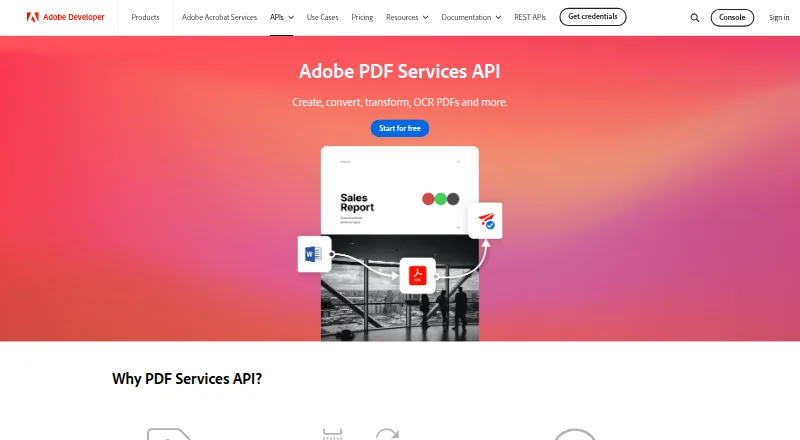
Adobe PDF Services API is a cloud-based web API for creating, converting, and organizing PDF documents. It can make PDFs from HTML, Office files, text, images, ZIP files, and URLs. For document generation, it merges JSON data with Word templates to produce PDF or Word documents, with conditional logic and bulk generation available. The API can convert PDFs to supported Office formats and images, and combine, split, insert, replace, reorder, or rotate pages. It can also OCR scanned PDFs into searchable documents. Listed output formats are PDF and DOCX. Integrations include Microsoft Power Automate, Workfront Fusion, and UiPath. Support options include community resources, tickets, and documentation. The listed compliance standards are SOC 2, ISO 27001, and GDPR. The free tier lists 500 document transactions per month, but no price is provided. Paid plans require a sales quote and are purchased through ETLA or VIP agreements.
Good
- Creates PDFs from varied input types.
- Merges JSON data with Word templates.
- Supports conditional and bulk document generation.
- Includes OCR for scanned PDFs.
- Free tier lists 500 monthly document transactions.
Watch out
- Paid plan pricing requires a sales quote.
- Paid plans require ETLA or VIP agreements.
- No free trial is listed.
Who it suits
The API suits developers and organizations that need to generate, convert, or organize PDFs through cloud integrations. Its template merging and bulk generation may suit document workflows driven by JSON data.
Verdict
Adobe PDF Services API covers PDF creation, document generation, conversion, page operations, and OCR. The free tier lists 500 document transactions monthly; paid pricing requires contacting sales.
Plans and prices
From Adobe PDF Services API's own pricing page, checked 23 Sep 2026.
| Plan | Price | What it gives you |
|---|---|---|
| Free Tier | Priced on request | 500 Document Transactions per month · Custom price |
| Paid Plans | Priced on request | Contact sales for a quote; purchased through ETLA or VIP agreements · Custom price |
The facts
Each one read from Adobe PDF Services API's own pages, with the date it was checked.
What it does
- Compliance
- SOC 2, ISO 27001, GDPRchecked 23 Sep 2026
- Deployment
- cloudchecked 23 Sep 2026
- Integrations
- Microsoft Power Automate, Workfront Fusion, UiPathchecked 23 Sep 2026
- Key features
- Create PDFs from HTML, Microsoft Office, text, image, ZIP and URL inputs · Generate PDF or Word documents by merging JSON data with Word templates · Convert PDFs to supported Office formats and images · Combine, split, insert, replace, reorder and rotate PDF pages · OCR scanned PDFs into searchable documents · Extract text, tables, images and document structure to JSON · Compress, linearize, password-protect and remove password protection · Use REST API or SDKs for Node.js, Java, Python and .NETchecked 23 Sep 2026
- Support
- community, ticket, docschecked 23 Sep 2026
The company
- Founded
- 1982checked 23 Sep 2026
- Headquarters
- San Jose, California, USAchecked 23 Sep 2026
The full review of Adobe PDF Services API
Overview
Adobe PDF Services API is a cloud service for teams building document workflows into software and business processes. It suits developers who need to create, transform or assemble PDFs programmatically, especially when document generation from Word templates is part of the job. Its breadth is compelling, but custom-priced paid access makes it less straightforward for buyers who need predictable costs.
Key features
- Document creation: It can turn static or dynamic HTML, Office files, text, images, ZIP files and URLs into PDFs. That range gives teams several ways to feed existing business content into a workflow.
- Template generation: JSON data can be merged with Word templates to create PDF or Word documents, with conditional logic and bulk generation supported. This fits recurring, data-driven documents better than manually assembling each file.
- Conversion and page operations: PDFs can be converted to supported Office formats and images; pages can be combined, split, inserted, replaced, reordered or rotated. This makes the API useful for more than generation, though it is not presented as a standalone PDF editor.
- OCR: Scanned PDFs can be made searchable, extending the service to document-processing workflows involving scans.
- Integration and deployment: API access, cloud deployment and integrations with Microsoft Power Automate, Workfront Fusion and UiPath support use in larger automated processes. Outputs include PDF and DOCX.
Pricing
The Free Tier has custom pricing and includes 500 document transactions per month. That monthly allowance offers a bounded way to run a modest workflow, but teams with heavier volume will need another plan.
Paid Plans use custom pricing, require contacting sales for a quote and are purchased through ETLA or VIP agreements. This is a fit for organizations able to procure through those agreements; buyers seeking a published per-seat or usage price cannot readily estimate spend from the plan terms.
There is no free trial. The published plan details do not give a seat count or a paid transaction quota, so the free tier is the clearest option for sizing a limited workload before discussing paid access.
Platforms
The service is available on the web and deployed in the cloud, with API access for programmatic use. Support includes community resources, tickets and documentation. Adobe lists SOC 2, ISO 27001 and GDPR compliance.
Who it's for
Adobe PDF Services API is best suited to developers and organizations automating document creation, conversion and page handling, particularly when JSON-to-Word-template generation or bulk output is central. Its integrations and broad input support are useful when document processing needs to connect to existing workflows.
It is less suitable for individuals who want a visual PDF editor or teams that need transparent paid pricing and a published paid quota before engaging sales. The 500-transaction monthly free tier may work for smaller workflows, but does not remove the cost uncertainty for expansion.
Pros and cons
- Pro: Broad input support covers HTML, Office files, text, images, ZIP files and URLs, reducing the need to standardize on one source format.
- Pro: JSON merge, conditional logic and bulk generation support repeatable document production from templates.
- Pro: Conversion, OCR and page operations give it a wider document-processing role than PDF creation alone.
- Con: Paid plans require a sales quote and ETLA or VIP agreement, which makes costs less direct to compare.
- Con: The free tier is capped at 500 document transactions monthly, and no free trial is offered.
Alternatives
For document automation options, compare Document Automation Software; for PDF-focused services, see PDF API Software, PDF Converter Software, PDF Creation Software and PDF Compression Software.
- DocuGenerate is worth considering when a free API plan with 20 documents per month, two templates and single-document generation is enough.
- Docassemble is an option for teams seeking free, self-hosted software, with hosting typically costing $10–$40 per month or more depending on needs.
- Docmosis offers a Cloud Professional plan at $49 a month, with 4,000+ pages monthly, one user and one environment.
- TemplateDocs has a free plan with 50 credits, two seats, five templates and five workflows for buyers who want those stated allowances.
- DocPayload offers a free Starter plan for up to five documents, with basic templates, email support and 2GB storage.
- PandaDoc provides a free plan with a yearly 60-document allowance for users comparing a document workflow with that annual cap.
- DocMake offers a free plan with 1,000 documents per month, unlimited templates and one seat, for users prioritizing a larger stated monthly document allowance.
- SmartCOMM is another paid web-based alternative.
Verdict
Choose Adobe PDF Services API if your team needs a flexible cloud API for template-driven document generation alongside PDF conversion and page operations. Its strongest case is the combination of varied inputs, JSON-based generation and workflow integrations. Look elsewhere if public paid pricing, a published paid quota or a visual editor matters more than that breadth.