TemplateDocs
TemplateDocs automates document workflows from collecting information through generating and delivering files.
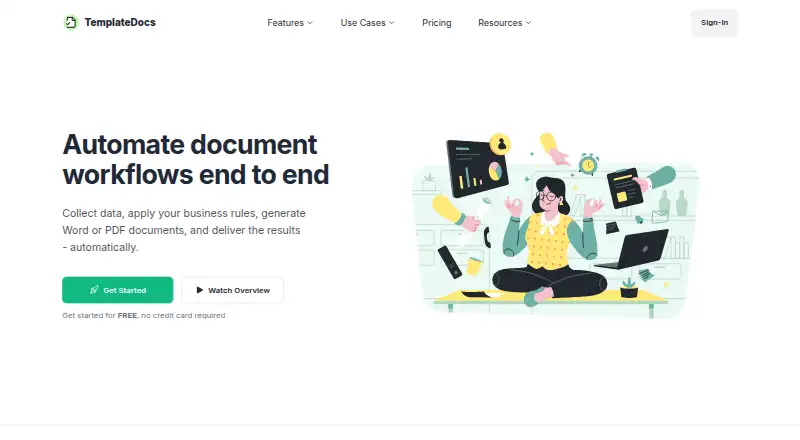
What TemplateDocs is
TemplateDocs automates document workflows from collecting information through generating and delivering files. It uses Microsoft Word DOCX templates to create DOCX and PDF documents, with support for dynamic text, links, images, repeated sections, tables, and preserved Word formatting. Workflows can collect data through forms or webhooks, apply conditions and formulas, and send results by email or integrations. For bulk work, users can provide a CSV to run a workflow for each row, or generate template documents together and download them as a ZIP. Integrations include Zapier, Make, and viaSocket, and the REST API can manage templates and generate documents. Listed use cases include proposals, invoices, onboarding documents, certificates, labels, and reports. A free plan includes 50 credits, two seats, five templates, five workflows, and 30 days of run history. Starter costs $29 a month. The service lists security measures including encryption in transit and at rest, organization-level data isolation, and role-based access. Its DPA excludes payment card data requiring PCI DSS compliance and protected health information requiring HIPAA compliance.
Good
- Generates DOCX and PDF from Word templates.
- Supports conditions, formulas, and multiple data inputs.
- Bulk generation can produce a ZIP download.
- REST API can manage templates and generate documents.
- Free plan includes 50 credits.
Watch out
- Free plan is limited to five templates and workflows.
- No e-signatures are listed.
- Not designed for PCI DSS-required payment card data.
- Not designed for HIPAA-required protected health information.
Who it suits
TemplateDocs suits teams that generate repeatable documents from forms, webhooks, spreadsheets, or API data. Its listed use cases include proposals, invoices, HR onboarding, and documents for law, real estate, and accounting.
Verdict
TemplateDocs links data collection, document creation, and delivery in configurable workflows. It supports common bulk and integration paths, but its stated compliance limits make it unsuitable for certain regulated data.
Plans and prices
From TemplateDocs's own pricing page, checked 30 Sep 2026.
| Plan | Price | What it gives you |
|---|---|---|
| Free | Free | 50 credits · 2 seats · 30 days run history · 5 templates · 5 workflows · /month |
| Starter | $29 a month | 500 monthly credits · 5 seats · 30 days run history · Unlimited templates and workflows · /month |
| Professional | $79 a month | 2,000 monthly credits · 10 seats · 90 days run history · Unlimited templates and workflows · /month |
| Business | $149 a month | 5,000 monthly credits · 20 seats · 90 days run history · Unlimited templates and workflows · /month |
| Scale | $249 a month | 10,000 monthly credits · 50 seats · 1 year run history · Unlimited templates and workflows · /month |
The facts
Each one read from TemplateDocs's own pages, with the date it was checked.
What it does
- API
- The REST API can manage templates and generate documents, and its documentation lists quota and rate-limit errors.checked 30 Sep 2026
- Audience
- The site identifies proposals, invoices, HR onboarding documents, certificates, labels, reports, law firms, real estate, and accounting as use cases.checked 30 Sep 2026
- Bulk generation
- Users can upload a CSV and run a workflow for each row or generate template documents in bulk and download them as a ZIP.checked 30 Sep 2026
- Compliance limitation
- The DPA says the service is not designed for payment card data requiring PCI DSS compliance or protected health information where HIPAA compliance is required.checked 30 Sep 2026
- Data location
- The privacy policy says primary application infrastructure, databases, queues, and file storage are located in Europe, while authorized personnel in Israel may access production systems when necessary.checked 30 Sep 2026
- Document formats
- It uses Microsoft Word DOCX templates to generate DOCX and PDF files.checked 30 Sep 2026
- Integrations
- The documentation describes integrations with Zapier, Make, and viaSocket.checked 30 Sep 2026
- Privacy
- The privacy policy says customer data is not used for advertising or to train AI models.checked 30 Sep 2026
- Purpose
- TemplateDocs automates document workflows from data collection through document generation and delivery.checked 30 Sep 2026
- Retention
- Workflow data and generated documents follow configured retention and plan defaults, with a standard default run-history period of 30 days; direct API-generated documents are not stored after delivery.checked 30 Sep 2026
- Security
- Listed security measures include TLS/HTTPS in transit, encryption at rest through infrastructure providers, organization-level data isolation, role-based access, and restricted production access.checked 30 Sep 2026
- Support
- The site lists support by email and says it usually replies within 24 hours.checked 30 Sep 2026
- Template features
- Templates support dynamic text, links, images, repeated sections, tables, and preserved Word formatting.checked 30 Sep 2026
- Workflow tools
- Workflows can collect data through forms or webhooks, apply conditions and formulas, and deliver results by email or integrations.checked 30 Sep 2026
The company
- Headquarters
- Kfar Adummim, Israelchecked 28 Sep 2026
The full review of TemplateDocs
Overview
TemplateDocs turns incoming data into Word-based documents and routes the results through configurable workflows. It suits teams that need repeatable DOCX or PDF generation from forms, files, or connected systems. Its strongest case is flexible document automation; its limits matter for teams handling certain regulated data.
Key features
A visual editor builds workflows around form submissions, webhooks, API calls, and connected-app events. Workflows can apply conditions and formulas before delivering documents by email or integration, making the service useful for recurring processes rather than one-off file conversion.
Templates use Microsoft Word DOCX files and support dynamic text, links, images, repeated sections, and tables while preserving Word formatting. Outputs are DOCX or PDF. CSV uploads can trigger one workflow per row, and bulk document generation can be downloaded as a ZIP—practical options for batches of proposals, invoices, labels, or reports.
Integrations include Zapier, Make, and viaSocket. The REST API can manage templates and generate documents, though its documentation includes quota and rate-limit errors, so high-volume integrations need to account for usage limits. TemplateDocs does not offer e-signatures.
Security measures include TLS/HTTPS in transit, encryption at rest through infrastructure providers, organization-level data isolation, role-based access, and restricted production access. Primary infrastructure and file storage are in Europe; authorized personnel in Israel may access production systems when necessary. Customer data is not used for advertising or AI training. The DPA excludes payment card data requiring PCI DSS compliance and protected health information requiring HIPAA compliance, ruling it out for those requirements. Workflow records and generated documents follow configured retention and plan defaults; run history defaults to 30 days, while documents generated directly through the API are not stored after delivery. Email support usually replies within 24 hours.
Pricing
There is no free trial, but the free plan provides a way to start without a subscription. The trade-off is a small allowance: 50 credits, 2 seats, 5 templates, 5 workflows, and 30 days of run history.
Starter costs $29 a month and raises the allowance to 500 monthly credits and 5 seats, with 30 days of run history and unlimited templates and workflows. It fits a small team with regular document volume; the free plan is the better fit for evaluation or light use.
Professional costs $79 a month for 2,000 monthly credits, 10 seats, and 90 days of run history, with unlimited templates and workflows. Business costs $149 a month for 5,000 monthly credits and 20 seats, retaining 90 days of history. Scale costs $249 a month for 10,000 monthly credits, 50 seats, and a year of history. These higher tiers suit growing teams that need more capacity, collaborators, or a longer audit trail. Across paid plans, the main constraints are credit and seat caps; templates and workflows are unlimited.
Platforms
TemplateDocs is available through the web and API. Its data inputs also include online forms, CSV, JSON/API payloads, webhooks, Zapier, Make, and connected apps.
Who it's for
TemplateDocs is a fit for teams in law, real estate, and accounting, as well as businesses producing proposals, invoices, HR onboarding documents, certificates, labels, or reports. It is especially relevant when an organization wants Word templates combined with conditional workflow steps and bulk generation. Teams that require e-signatures or need PCI DSS- or HIPAA-compliant handling should look elsewhere.
Pros and cons
- Pros: Word formatting is preserved across templates with dynamic content, tables, images, and repeated sections, helping teams build on familiar DOCX files.
- Pros: Forms, webhooks, API calls, CSV batches, and integrations provide several routes from source data to delivered documents.
- Pros: Paid plans keep templates and workflows unlimited, while higher tiers expand credits, seats, and history retention.
- Cons: The free plan caps users at 2 seats, 5 templates, and 5 workflows, limiting how far a team can move beyond a small trial.
- Cons: There is no e-signature feature, so document creation does not cover signing.
- Cons: The stated PCI DSS and HIPAA exclusions make it unsuitable for workflows that require those protections.
Alternatives
For a broader shortlist, see Document Automation Software.
- PandaDoc is worth considering when Android or iOS access, e-signatures, or its free allowance of 60 documents per year and two recipients per document are a better fit.
- PDF4me Merge & Split is a better match for API-focused PDF merging or splitting; its free API tier has limited calls, and a 500-call pack costs 25.00 USD one-time.
- S-Docs may suit Salesforce users who want its free tier of unlimited templates, up to 150 documents, and up to 50 e-signatures.
- Docassemble is the alternative for teams seeking free, self-hosted software, with hosting typically costing $10–$40 per month or more.
- DocPayload offers a free starter allowance of up to 5 documents and 2GB storage, or a pay-as-you-go option at $0.50 per document.
- DocuGenerate may suit lighter API and integration needs, with 20 free documents per month and 2 templates.
- Motifuse DocForge has a free tier of 3 completed cloud tasks per account, with up to 100 templates and 1,000 rows per job, but no API keys.
- DocMake offers a free allowance of 1,000 documents per month, unlimited templates, and API access, making it a candidate for users prioritizing a larger stated document quota.
Verdict
Choose TemplateDocs if your team needs configurable workflows that turn Word templates and varied data sources into bulk DOCX or PDF output. The combination of preserved Word formatting, automation paths, and scalable paid quotas is its central appeal. Look elsewhere if e-signatures are essential or your documents require PCI DSS or HIPAA compliance.
Alternatives to TemplateDocs
- 1

PandaDoc
Free planAndroidiOSWebAPI8.2From $19 a month - 2

S-Docs
Free planiOSWebAPI7.9From $25 a month - 3

Docassemble
Free planOpen sourceWebAPILinuxmacOS7.8Free plan - 4

Proposify
iOSWebAPI7.5 - 5
Motifuse DocForge
Free planWebAPI7.3From $29 a month - 6
DocPayload
Free planWebAPISelf-hosted7.2From $79 a month