
Google Photos
Google Photos provides tools to edit, organize, search, back up and share photos and videos on Android, iOS and the web.
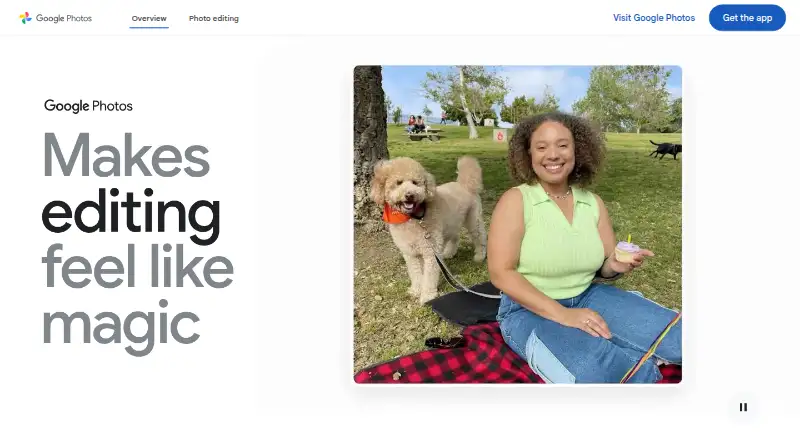
What Google Photos is
Google Photos provides tools to edit, organize, search, back up and share photos and videos on Android, iOS and the web. A Google Account includes 15 GB shared across Photos, Gmail and Drive at no cost. Users can enable automatic backup or save media manually, then share photos, videos and albums with contacts who do not use Google Photos. The app lists editing tools including Magic Eraser and Photo Unblur. It supports full-resolution RAW image backup and cloud storage for 4K video; Original quality backups count against storage limits. Paid monthly options include Basic at $1.99 a month for 100 GB and up to five additional people, Google AI Plus at $9.99 a month for 2 TB, and Google AI Pro at $19.99 a month for 5 TB; each allows up to five additional people. Natural-language search examples are limited to eligible US users aged 18 or older with an English (United States) account language, Face Groups on and location estimates enabled. Google says data is encrypted in transit and at rest, and users can delete or export their content.
Good
- Includes 15 GB shared storage at no cost.
- Supports automatic or manual media backup.
- Can share albums with people outside Google Photos.
- Supports full-resolution RAW backup and 4K video storage.
- Users can delete or export their content.
Watch out
- Free storage is shared with Gmail and Google Drive.
- Original quality backups count against storage limits.
- Natural-language search examples have specific US eligibility and settings limits.
Who it suits
Google Photos suits people who want cloud backup and organization across mobile and desktop devices. It can also suit households sharing storage, though paid plans and the free allowance span Google Photos, Gmail and Drive.
Verdict
Google Photos combines media backup, organization, editing and sharing, with storage shared across Google services. Consider the storage allowance and search eligibility conditions when deciding whether its features fit your needs.
Plans and prices
From Google Photos's own pricing page, checked 21 Sep 2026.
| Plan | Price | What it gives you |
|---|---|---|
| Google AI Pro | $19.99 a month | 5 TB storage · Up to 5 additional people · billed monthly |
| Free | Free | 15 GB shared across Google Photos, Gmail and Google Drive |
| Basic | $1.99 a month | 100 GB shared storage · share with up to five others · US$1.99/mo |
| Google AI Plus | $9.99 a month | 2 TB shared storage · share with up to five others · access to new Google AI features · US$9.99/mo |
| Google One Basic (100 GB) | ¥290 a month | 100 GB shared across Google Photos, Drive, and Gmail · share storage with up to 5 others · Monthly |
| Google AI Plus (2 TB) | ¥1,450 a month | 2 TB shared across Google Photos, Drive, and Gmail · share storage with up to 5 others · Monthly |
| Google AI Pro (5 TB) | ¥2,900 a month | 5 TB shared across Google Photos, Drive, and Gmail · share storage with up to 5 others · Monthly |
The facts
Each one read from Google Photos's own pages, with the date it was checked.
What it does
- AI editing
- The product provides Magic Eraser, Photo Unblur and an experimental feature that applies edits from natural-language instructions.checked 15 Oct 2026
- AI organization
- Google Photos automatically groups similar images with Photo Stacks and sorts documents such as screenshots, receipts and notes into albums.checked 15 Oct 2026
- API authorization
- The Photos APIs use OAuth 2.0, require users to sign in to a Google Account and do not support service accounts.checked 15 Oct 2026
- API documentation
- The developer site includes guides, REST references, API Explorer access, samples, UX guidance, quota information and support links.checked 15 Oct 2026
- API overview
- Google exposes a Photos Picker API for user-selected media and a Library API for app-created uploads, albums and media management.checked 15 Oct 2026
- Automatic backup
- Turning on Backup automatically saves photos and videos to the user's Google Account, and the library can be synchronized across devices.checked 15 Oct 2026
- Backup
- Users can automatically save photos and videos to their Google Account by turning on backup, or back them up manually.checked 29 Sep 2026
- Creations
- The Create tab supports style remixes, animated videos and collages.checked 15 Oct 2026
- Data control
- Google says users can delete or export content they add to Google Photos.checked 29 Sep 2026
- Desktop and mobile availability
- Google provides mobile apps for Android and iOS plus a desktop uploader for automatically backing up computer photos.checked 15 Oct 2026
- Editing
- The product lists AI editing tools including Magic Eraser and Photo Unblur, and says these features are available in the Google Photos app.checked 29 Sep 2026
- File support
- Google Photos supports full-resolution RAW image backup and secure cloud storage for 4K video files; Original quality backups count against storage limits.checked 29 Sep 2026
- Inactive-account limit
- Google says Photos content may be deleted after at least two years of inactivity, with advance notice and a download opportunity.checked 15 Oct 2026
- Integrations
- Google Photos lists camera and digitization partners including Canon and Photomyne, print partners including Walgreens and Shutterfly, and TV platforms including Google TV and Samsung.checked 29 Sep 2026
- Launch news
- Google announced Google Photos as a standalone product on May 28, 2015, with automatic backup, organization, search and sharing across Android, iOS and the web.checked 15 Oct 2026
- Library API scope
- The REST Library API documents album creation and updates plus batch media creation, retrieval and listing for media created by an application.checked 15 Oct 2026
- Limit: editing depth
- TechRadar and Tom's Guide characterize the editing toolset as limited or basic for advanced users.checked 15 Oct 2026
The company
- Company founded
- Google says Google Inc. was officially born in August 1998 after a $100,000 investment from Sun co-founder Andy Bechtolsheim.checked 15 Oct 2026
- Company headquarters
- Google's corporate history identifies the Googleplex in Mountain View, California as its current headquarters.checked 15 Oct 2026
- Company legal name
- Google's service terms identify Google LLC as the service provider, organized under Delaware law.checked 15 Oct 2026
- Company profile
- Crunchbase describes Google as an internet-services and software company headquartered in Mountain View with a 10,001-plus employee category.checked 15 Oct 2026
Where it runs
- Device support
- Google says Photos works on iOS and Android devices and can also be used on desktop and tablet devices.checked 29 Sep 2026
Money
- Free plan
- Yeschecked 21 Sep 2026
- Limit: editing freeze incident
- Android Central reported September 2026 user complaints that edited photos became unresponsive on several Pixel models after an update.checked 15 Oct 2026
The full review of Google Photos
Overview
Google Photos is a cloud service for backing up, organizing, editing, searching and sharing photos and videos. It suits people who want a library accessible across phones and desktop devices, especially if they already use Google services. Its strongest case is the breadth of its library tools; the trade-off is that its free storage is shared with Gmail and Drive.
Key features
Backup and library tools
Backup can run automatically after it is switched on, or users can save items manually. Full-resolution RAW images and 4K video are supported, which makes the service useful for libraries that include more than phone snapshots. Original-quality backups count against the storage allowance, however, so large files can make a small plan run out faster.
Editing and search
The app includes AI editing tools such as Magic Eraser and Photo Unblur. These add practical editing options within the photo library, though the example natural-language search feature has narrower reach: it is limited to eligible US users aged 18 or older, with account language set to English (United States), Face Groups on and location estimates enabled. Readers who do not meet those conditions should not choose Photos expecting that particular search experience.
Sharing, privacy and connections
Photos, videos and albums can be shared with people who do not use Google Photos, including through apps such as WhatsApp and Snapchat. Google says Photos data is encrypted in transit with HTTPS and at rest, and says it does not sell users’ photos, videos or personal information or use photos and videos for advertising. Users can turn Face Groups off; Google says groups and labels are visible only to the user and are deleted from the account when the feature is disabled. Content added to Photos can also be deleted or exported.
Google lists camera and digitization partners including Canon and Photomyne, print partners including Walgreens and Shutterfly, and TV platforms including Google TV and Samsung. These connections broaden where a library can fit into a user's workflow.
Pricing
Google Photos is freemium. Every Google Account includes 15 GB at no cost, shared across Photos, Gmail and Drive, so the free allowance may already be partly used by email and other files.
| Plan | Price | Storage and sharing |
|---|---|---|
| Free | free | 15 GB |
| Basic | $1.99 a month, billed monthly | 100 GB; up to 5 additional people |
| Google AI Plus | $9.99 a month, billed monthly | 2 TB; up to 5 additional people |
| Google AI Pro | $19.99 a month, billed monthly | 5 TB; up to 5 additional people |
| Google One Basic (100 GB) | ¥290 a month, billed monthly | 100 GB shared across Google Photos, Drive and Gmail; share storage with up to 5 others |
| Google AI Plus (2 TB) | ¥1,450 a month, billed monthly | 2 TB shared across Google Photos, Drive and Gmail; share storage with up to 5 others |
| Google AI Pro (5 TB) | ¥2,900 a month, billed monthly | 5 TB shared across Google Photos, Drive and Gmail; share storage with up to 5 others |
The free plan is a sensible starting point for modest libraries, but its shared 15 GB ceiling makes it less suited to sustained full-quality backup. Basic is the lower-cost step up for people who need 100 GB; the 2 TB and 5 TB tiers are for users with substantially larger shared libraries or storage needs. The Japanese-priced Google One plans likewise specify shared Google Photos, Drive and Gmail storage, with sharing for up to five others. Each paid plan expands storage rather than removing the need to manage the shared quota.
Platforms
Google Photos works on Android and iOS, and can also be used on the web, desktop and tablet devices. That reach makes it a practical fit for a library spanning mobile and computer use.
Who it's for
Choose Google Photos if you want backup, search, editing and sharing together, need RAW or 4K backup, or want to share albums with contacts beyond the service. It is less compelling if you want a free allowance reserved solely for photos, or if your decision depends on the example natural-language search feature and you do not qualify for it.
Pros and cons
- Pros: Automatic or manual backup accommodates different workflows.
- Pros: Full-resolution RAW backup and 4K video storage support richer media libraries.
- Pros: Sharing works with contacts who do not use Google Photos.
- Pros: Face Groups controls and delete/export options give users control over library data.
- Cons: The free 15 GB is shared with Gmail and Drive, not reserved for Photos.
- Cons: Original-quality backups count against that quota, which can constrain large libraries.
- Cons: Natural-language search has US, age, language and settings eligibility requirements.
Alternatives
Amazon Photos is worth considering if its 5 GB free shared storage or listed unlimited full-resolution storage benefit with Prime better matches your needs.
Ente Photos offers a 10 GB free plan and paid storage starting at 50 GB, an alternative for readers comparing a different storage allowance.
Synology Photos is a free option if you have a Synology NAS.
Immich is a free alternative for readers prepared to run their own server.
Damselfly is free, open-source and self-hosted.
PhotoStructure offers a free Lite tier and a free trial for readers considering a portable library approach.
Lomorage is free software for readers who can provide external storage.
Flickr has a free tier capped at 1,000 public photo and video uploads and shown with ads; its Pro plan is listed at $8 a month, billed annually.
Browse more options in Photo Management Software, Photo Storage Services, Photo Scanning Software or Mobile Scanning Apps.
Verdict
Google Photos is a strong choice for people who want cross-device photo and video backup with editing, search and flexible sharing in one service. Its breadth is the main reason to choose it; the shared storage cap—and the eligibility conditions on its example natural-language search—are the clearest reasons to look elsewhere.
Getting started
- Open the Google Photos website
- Install the Android or iOS app, or use Photos on the web
- Sign in with a Google Account
- Turn on automatic backup or back up selected items manually
- Choose a paid storage plan if more capacity is needed
Limits worth knowing
The free plan includes 15 GB shared across Google Photos, Gmail, and Google Drive. Original-quality backups use that allowance, and larger capacities require paid plans starting at $1.99 a month.
Questions
Is Google Photos free?
Yes. Every Google Account includes a free plan with 15 GB shared across Google Photos, Gmail, and Google Drive.
What platforms does it support?
Google Photos works on Android, iOS, and the web, including desktop and tablet use.
Can it back up RAW photos and 4K video?
Yes. It supports full-resolution RAW backup and secure cloud storage for 4K video. Original-quality backups count against storage limits.
What paid plans are available?
Basic costs $1.99 a month for 100 GB, Google AI Plus costs $9.99 a month for 2 TB, and Google AI Pro costs $19.99 a month for 5 TB. Each allows up to five additional people.
Can I share with people who do not use Google Photos?
Yes. Photos, videos, and albums can be shared with contacts through services including WhatsApp and Snapchat.
Does Google Photos sell my photos?
Google says it does not sell users’ photos, videos, or personal information, and does not use their photos and videos for advertising.
Alternatives to Google Photos
- 1
FilmBox by Photomyne
Free planAndroidiOSWebmacOS8.0From $39.99 a year - 2

FilmLab
Free planAndroidiOSLinuxmacOS8.0From $59.99 a year - 3
Brother iPrint&Scan
Free planAndroidiOSmacOSWindows7.4Free plan - 4

NAPS2
Free planOpen sourceAPILinuxmacOSWindows7.4Free plan - 5

Nostalgia
Free planAndroidiOSWebmacOS7.4From $79.99 a year - 6

PaperScan
Free planWindows7.4$79 one-time