
PaperScan
PaperScan is a Windows application for document scanning through TWAIN and WIA, with an OCR engine for creating searchable text.
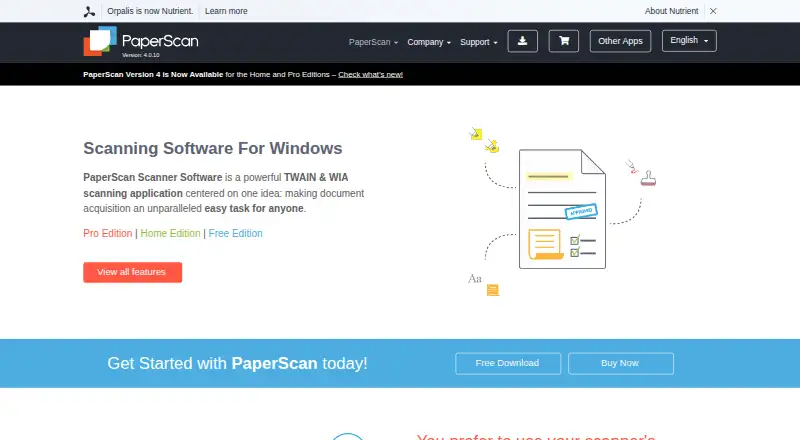
What PaperScan is
PaperScan is a Windows application for document scanning through TWAIN and WIA, with an OCR engine for creating searchable text. It accepts input from more than 100 document formats and supports PDF-OCR output in more than 60 languages. Image tools include deskewing, rotation, border and punch-hole removal, blank-page removal, color adjustment, filters, and effects. Annotation options include highlights, shapes, lines, text, sticky notes, and other tools. PaperScan can save to SharePoint on-premises or online and send email through Outlook. It can read encrypted PDFs, create encrypted PDFs, support digital signatures, and output PDF/A. The Free Edition is limited to 10-page batch scanning or importing. Home Edition costs $79 once for unlimited batch work, while Professional single-license costs $149 once for one user on one computer. Home and Professional trials provide all features for 30 days without a credit card; the software is blocked afterward until unlocked with a license key. Legally purchased licenses are lifetime licenses.
Good
- Supports TWAIN and WIA scanning.
- Accepts more than 100 input document formats.
- PDF-OCR output supports more than 60 languages.
- Includes SharePoint saving and Outlook email sending.
- Lifetime licenses include free upgrades within purchased major versions.
Watch out
- The Free Edition limits batch scanning or import to 10 pages.
- Available only for Windows.
- Home and Professional trials block the software after 30 days without a license key.
Who it suits
PaperScan suits Windows users who need scanning, OCR, and document cleanup or annotation tools. It may also fit users who need to save scans to SharePoint or handle encrypted PDFs and digital signatures.
Verdict
PaperScan combines scanner input, OCR, image processing, and annotation tools for Windows. The free edition has a 10-page batch limit, while Home Edition costs $79 once for unlimited batch work.
Plans and prices
From PaperScan's own pricing page, checked 15 Oct 2026.
| Plan | Price | What it gives you |
|---|---|---|
| PaperScan Free Edition | Free | 10-page batch TWAIN/WIA scanning/import · single-page output · ads · single license |
| Free Edition | Free | 10-page batch TWAIN/WIA scanning/import |
| Home Edition | $79, paid once | unlimited batch TWAIN/WIA scanning/import |
| PaperScan Home Edition | $79, paid once | unlimited batch TWAIN/WIA scanning/import · no OCR · no annotations · single license |
| Professional Edition — single license | $149, paid once | unlimited batch TWAIN/WIA scanning/import · one user/single computer |
| PaperScan Professional Edition | $599, paid once | up to 20 installations at one physical site · site license |
| Professional Edition — site license | $599, paid once | up to 20 installations at one physical site |
| Professional Edition — volume license | Priced on request | custom contracts for more than 250 installations |
The facts
Each one read from PaperScan's own pages, with the date it was checked.
What it does
- 32/64-bit installers
- The reference guide says PaperScan ships in both 32-bit and 64-bit versions so users can match installed scanner drivers.checked 15 Oct 2026
- Annotations
- Professional Edition includes annotations such as highlighters, shapes, freehand marks, rubber stamps, text and sticky notes.checked 15 Oct 2026
- Archival output
- The software supports PDF/A conformance levels and versions as an output format.checked 1 Oct 2026
- Barcode workflows
- Version 4 adds 1D and 2D barcode reading that can split document sets or contribute barcode values to output filenames.checked 15 Oct 2026
- Batch processing
- Professional Edition supports unlimited batch TWAIN/WIA scanning and automated deskew, rotation, border removal, punch-hole removal and negative processing.checked 15 Oct 2026
- Blank-page removal
- Professional Edition can automatically detect and remove blank pages during batch work.checked 15 Oct 2026
- Compression and PDF
- The product supports PDF encryption, Fast Web View, PDF/A output, JBIG2/JPEG 2000 compression and Mixed Raster Content compression.checked 15 Oct 2026
- Core function
- PaperScan is a TWAIN and WIA scanning application with an OCR engine for document acquisition.checked 1 Oct 2026
- Current version
- The site identifies version 4.0.10, dated March 20, 2024.checked 15 Oct 2026
- Developer SDK
- The developer page says PaperScan is powered by the GdPicture.NET document-imaging SDK, which is described as having more than 3,000 features and TWAIN/WIA capabilities.checked 15 Oct 2026
- Documentation depth
- Official support includes a 78-page reference guide, video walkthroughs, FAQ, glossary, contact form and a helpdesk for Professional license owners.checked 15 Oct 2026
- Image enhancement
- PaperScan offers color, grayscale and black-and-white conversion, brightness/contrast/saturation/gamma controls, filters, dithering and contour or sepia effects.checked 15 Oct 2026
- Image processing
- Features include autodeskew, rotation, border removal, punch-hole removal, blank-page removal, color adjustment, filters and effects.checked 1 Oct 2026
- Import and page arrangement
- Users can import image and PDF files, arrange pages into single-page or multipage documents, and save them in multiple formats.checked 15 Oct 2026
- Independent editorial assessment
- TechRadar calls PaperScan affordable, multilingual and available in a free tier, while describing it as best suited to post-processing on Windows.checked 15 Oct 2026
- Independent limit: setup and routing
- Worldmetrics rates PaperScan 7.9/10 and says scanner-specific setup can take time, export routing is less straightforward than cloud-folder sync and OCR quality varies with input quality.checked 15 Oct 2026
- Input formats
- The software supports input from more than 100 document formats.checked 1 Oct 2026
- Integrations
- PaperScan can save to SharePoint on-premises and SharePoint Online and send email through Outlook.checked 1 Oct 2026
Where it runs
- Android app complaints
- Google Play reviewers report hanging, crashes during QuickStore uploads, and automatic contrast/brightness filtering that cannot be adjusted; the listing also notes incompatibility with Galaxy S20 devices.checked 15 Oct 2026
The company
- Company founding history
- ORPALIS says its first GdPicture.NET SDK release was in 2003 and describes the company as privately held and self-funded.checked 15 Oct 2026
- Company headquarters
- The official contact address is 52 rue de Marclan, Le Verdi, 31600 Muret, France.checked 15 Oct 2026
- Company legal name
- The official site footer identifies the maker as Orpalis Imaging SAS.checked 15 Oct 2026
- Company size
- LinkedIn lists ORPALIS as having 11–50 employees and headquartered in Muret, Haute-Garonne.checked 15 Oct 2026
- Headquarters
- Muret, Francechecked 28 Sep 2026
The full review of PaperScan
PaperScan is a Windows scanning application that combines document capture with OCR, image cleanup, and annotation. It suits people who need to prepare and convert scans as part of a wider document workflow. The free edition’s 10-page batch cap is the key constraint; paid licenses remove it.
Overview
PaperScan works with TWAIN and WIA scanners, accepts more than 100 document formats, and can produce searchable PDF output through OCR in more than 60 languages. Its extensive export options include PDF, PDF/A, PDF/UA, office documents, image formats, HTML, and DXF. That range makes it more useful than a capture-only tool when scans need correction, markup, or a specific output format.
Key features
Cleanup and annotation
Automatic deskew, rotation, border and punch-hole removal, blank-page removal, color adjustment, filters, and effects cover common scan corrections in one workflow. Highlighters, freehand and shape tools, lines, pen, rubber stamps, text, sticky notes, and a ruler support document review without switching applications. This depth benefits people preparing or annotating scans, but is unnecessary overhead for someone who only needs a basic image capture.
Output and security
PaperScan can save to SharePoint on-premises and SharePoint Online, or send email through Outlook. It reads encrypted PDFs, creates encrypted PDFs, and supports digital signatures. PDF/A conformance levels and versions are useful when archival output matters. The range is a strength for document-heavy work, though its integrations are specifically SharePoint and Outlook rather than a broad set of named destinations.
Pricing
The Free Edition costs nothing and limits TWAIN/WIA scanning or import batches to 10 pages. It is a sensible way to handle occasional short batches, but frequent or longer jobs will run into that ceiling.
Home Edition costs $79, paid once and provides unlimited batch TWAIN/WIA scanning and import. It is the straightforward choice for an individual who needs to process larger batches without Professional support entitlement.
Professional Edition — single license costs $149, paid once for unlimited batch work and covers one user on a single computer. Professional Edition — site license costs $599, paid once for up to 20 installations at one physical site, making it the relevant tier for a small on-site group rather than a single workstation. Professional Edition — volume license uses custom pricing for contracts covering more than 250 installations.
Home and Professional trial packages include all features free for 30 days without a credit card; afterward the software is blocked until unlocked with a license key. Legally purchased licenses are lifetime licenses, with free upgrades for medium and minor sub-versions of the purchased major version. Professional license owners also receive Help Desk technical support; guides, videos, FAQs, and a glossary are provided.
Platforms
PaperScan runs on Windows, with a minimum requirement of Windows Vista or higher and 512 MB RAM on a PC. Its Windows-only availability rules it out for people who need one scanning application across Linux or macOS devices.
Who it's for
PaperScan is a good fit for Windows users who regularly scan multi-page documents, need OCR in a wide range of languages, or want cleanup, annotation, and archival output in the same application. Home Edition suits an individual whose main requirement is unlimited batches; the Professional tiers make more sense when Help Desk support or multiple installations matter. It is less compelling for occasional short scans that fit the free cap, or for users who need a non-Windows platform.
Pros and cons
- Pros: OCR output in more than 60 languages and input support for more than 100 formats accommodate varied document workflows.
- Pros: Scan cleanup, annotation, encrypted PDF handling, digital signatures, and PDF/A output combine capture and document preparation.
- Pros: Paid licenses are lifetime licenses, and Home Edition removes the free edition’s 10-page batch limit for a one-time price.
- Cons: Free batches stop at 10 pages, limiting its usefulness for regular multi-page scanning without an upgrade.
- Cons: Windows-only support excludes cross-platform workflows.
- Cons: The stated SharePoint and Outlook connections may not suit users whose document workflow depends on other named integrations.
Alternatives
NAPS2 is the better fit for someone who wants free scanning on Linux, macOS, or Windows without ads or restrictions. VueScan suits a reader looking for flatbed scanning with JPG, PDF, OCR, and TIFF while a monthly subscription is active; its Standard Edition is $7.46 a month, billed monthly, and does not include film or slide scanning.
PaperStream Capture is worth considering for a free download when the scanner is a current fi Series model and the required PaperStream IP TWAIN or ISIS drivers are in place. ExactScan is another scanner-software alternative. ABBYY FineReader PDF is a paid alternative for iOS, macOS, or Windows users. Readiris PDF is a paid option for macOS and Windows. scanservjs is free, self-hosted software for a SANE-compatible scanner with a Linux host or VM. ScanMole is a free alternative for Linux and API use.
Browse more options in Document Scanning Software, Scanner Software, and Photo Scanning Software.
Verdict
Choose PaperScan if you use Windows and want one application for scanner acquisition, multilingual OCR, scan correction, annotation, and varied output, especially if unlimited batch work is worth a one-time license. Look elsewhere if you need macOS or Linux support, or if your scanning is occasional enough that a free cross-platform option is the better fit.
Alternatives to PaperScan
- 1
Dynamic Web TWAIN
AndroidiOSWebAPI7.7$1,249 usage-based - 2

EzeScan
Free planWebAPISelf-hostedWindows7.6$500 usage-based - 3

NAPS2
Free planOpen sourceAPILinuxmacOSWindows7.4Free plan - 4
Avidemux
Free planOpen sourceWebLinuxmacOSWindows7.3Free plan - 5
Readiris PDF
macOSWindows6.6 - 6
ExactScan
LinuxmacOSWindows6.5€80 one-time