
EzeScan
EzeScan is a document and information capture suite for digitizing paper and electronic documents, including email, and automating information processing.
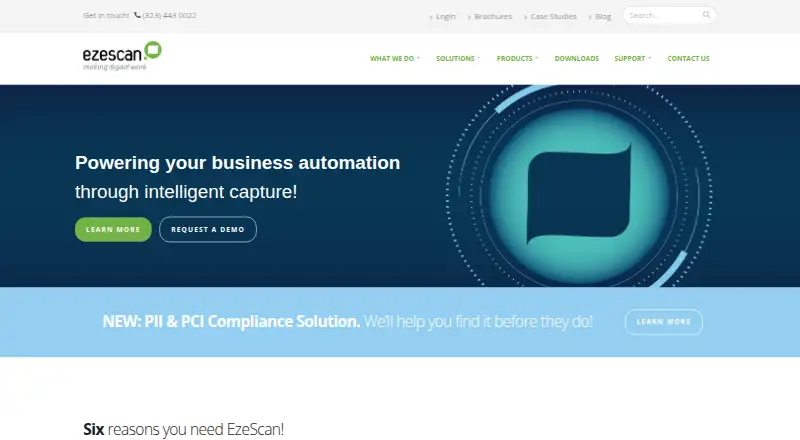
What EzeScan is
EzeScan is a document and information capture suite for digitizing paper and electronic documents, including email, and automating information processing. It supports batch scanning and import, reusable scan workflows, image enhancements, and searchable PDF and PDF/A output. Listed recognition options include AI-powered data capture, OCR, handwriting, OMR, barcode and MICR recognition, plus regular-expression capture through DISCOVERY. EzeScan Server can monitor network folders, email mailboxes, FTP servers, and WebApps for incoming files, then process and route them. Integrations include SharePoint, Box, DocuWare, Laserfiche, OpenText, NetDocuments, MYOB, Xero, and TechnologyOne; a Plugin SDK lets customers build output connectors for other systems. The suite can be hosted in the cloud or installed on an organization’s computers and servers. EzeScan states that it holds ISO/IEC 27001 certification and describes encryption, access controls, secure transmission, and audit logs. Pricing is on request, and a 30-day trial is offered. The product lists no volume scanning restrictions for EzeScan PRO and says document processing has no volume-based charges.
Good
- Supports batch scanning and searchable PDF output.
- Includes OCR, handwriting, barcode, and other recognition.
- Can monitor multiple sources for incoming documents.
- Offers cloud hosting and local installation.
- EzeScan PRO has no volume scanning restrictions.
Watch out
- Pricing is available on request.
- On-premise support and maintenance requires active cover.
- Trial licenses expire after 30 days if no date is specified.
Who it suits
EzeScan may suit organizations digitizing paper and electronic records that need capture automation, recognition tools, and connections to document or business systems. Its cloud and local deployment options can serve teams with different hosting preferences.
Verdict
EzeScan covers capture, recognition, and document routing, with both cloud and local deployment options. Request pricing and confirm the relevant licensing and support terms before adopting it.
Plans and prices
From EzeScan's own pricing page, checked 15 Oct 2026.
| Plan | Price | What it gives you |
|---|---|---|
| Evaluation license | Free | expires on supplied date or after 30 days · evaluation period |
| Starting price listing | $500 a month | subscription · no user reviews · usage based |
| Concurrent Annual License | — | up to 3 PCs · one active at a time · Authority Server required · Annual Software Maintenance and Licensing Agreement |
| EzeScan CLOUD | Priced on request | Flexible subscription models; 12, 24, 36 or 60 month subscription terms are listed for cloud support coverage |
| EzeScan Desktop/Server and WebApps | Priced on request | Subscription, perpetual named, and concurrent annual licenses; trial licenses expire on the supplied date or after 30 days if no date is specified |
| Standalone Named License | Priced on request | single named installation · annual Software Subscription & Support; perpetual use |
The facts
Each one read from EzeScan's own pages, with the date it was checked.
Where it runs
- App-store caveat
- A Google Play app using the EzeScan name is published by Simpleweb Studio in India, shows 5+ downloads and no star-rating count, and is not identified as an Outback Imaging product.checked 15 Oct 2026
What it does
- Automation
- EzeScan Server can watch network folders, email mailboxes, FTP servers, and WebApps for incoming documents, then process and route them.checked 9 Oct 2026
- Batch scanning
- EzeScan PRO supports batch scanning with separator pages, fixed page counts and barcode detection.checked 15 Oct 2026
- Cloud integrations
- EzeScan CLOUD states it has out-of-the-box integration with 40+ ERP and EDRMS solutions.checked 9 Oct 2026
- Cloud security
- Cloud documentation cites Azure hosting, regional isolation, HTTPS/TLS, FIPS 140-2 encryption and document-level auditing.checked 15 Oct 2026
- Cloud uptime
- EzeScan states a 99.5% or better uptime goal for its hosted Cloud service.checked 15 Oct 2026
- Custom connectors
- EzeScan says customers can use its Plugin SDK to build an output connector when their system is not on its supported list.checked 9 Oct 2026
- Data capture
- Its listed recognition engines include AI-powered data capture, OCR, handwriting recognition, OMR, barcode recognition, MICR, and DISCOVERY for regular-expression data capture.checked 9 Oct 2026
- Deployment
- Customers can run EzeScan on their own Windows computers or servers, or use the vendor-hosted EzeScan Cloud service.checked 15 Oct 2026
- Desktop requirements
- Version 5 desktop supports Windows 10 or 11, 8 GB RAM, a 250 GB SSD, .NET Framework 4.8+, Ethernet and a TWAIN or ISIS scanner.checked 15 Oct 2026
- Developer SDK
- The Developer Plugin SDK supports .NET DLL plugins that add custom Job, Index or Upload operations and includes sample projects.checked 15 Oct 2026
- Documentation
- The public knowledge base contains hundreds of troubleshooting and configuration articles covering scanners, OCR, integrations, permissions, APIs and upgrades.checked 15 Oct 2026
- Founder and date
- Outback Imaging says Mike Kirkby founded the company in October 2002.checked 15 Oct 2026
- Image processing
- Image tools include deskewing, despeckling, binarisation, cropping, border removal, rotation and page splitting.checked 15 Oct 2026
- Integrations
- Listed connectors include Box, DocuWare, iManage Work, Laserfiche, M-Files, SharePoint, NetDocuments, OpenText, Xero, MYOB and ODBC databases.checked 15 Oct 2026
- Invoice automation
- Invoice workflows can extract data, flag exceptions, route invoices for approval and connect to finance systems.checked 15 Oct 2026
- License model
- EzeScan is proprietary commercial software; its EULA grants limited non-transferable rights and prohibits reverse engineering and redistribution.checked 15 Oct 2026
- Limit: functional scope
- FitGap says EzeScan lacks built-in document version control, digital-signature integration and Salesforce integration.checked 15 Oct 2026
- Limit: implementation
- FitGap identifies customer-managed infrastructure and specialist configuration as drawbacks of the server product.checked 15 Oct 2026
- Limit: review evidence
- Capterra, GetApp and Software Advice each show no user reviews, leaving little independent evidence about day-to-day experience.checked 15 Oct 2026
- Limit: staffing
- The G2 reviewer said success can create demand that requires adding staff to keep up.checked 15 Oct 2026
The company
- Company
- LinkedIn lists EzeScan as a privately held IT services company with 11–50 employees and headquarters in Morningside, Queensland.checked 15 Oct 2026
- Founded
- 2002checked 28 Sep 2026
- Headquarters
- Brisbane, Queensland, Australiachecked 28 Sep 2026
The full review of EzeScan
EzeScan is a document capture and processing suite for organisations that need to digitise and route recurring flows of paper, email and electronic files. It is best suited to teams connecting capture work with business systems, not people seeking a simple personal scanning app. Its broad recognition and deployment options are a strength; custom pricing means buyers must ask for a quote before judging the cost.
Overview
EzeScan brings batch scanning and document import together with reusable workflows, image enhancement and searchable PDF or PDF/A output. EzeScan Server can monitor network folders, email mailboxes, FTP servers and WebApps, then process and route incoming documents. That range suits organisations with repeatable intake across multiple channels, while it is likely excessive for occasional scanning.
The suite can run in the cloud or on an organisation’s own computers and servers. EzeScan is Outback Imaging’s flagship product; the company is privately held, Australian-owned and headquartered in Brisbane. It was founded in 2002.
Key features
Capture and recognition
Recognition options include AI-powered data capture, OCR, handwriting, OMR, barcode and MICR recognition, plus DISCOVERY for regular-expression capture. This variety can accommodate different document types and extraction needs. Outputs include TIF, PDF, PDF/A-1a, PDF/A-1b, BMP, GIF, JPG, JP2, PNG, RTF, TXT, DOC, DOCX, XLS and XLSX, useful when downstream systems expect different formats.
Automation and integrations
EzeScan Server’s monitoring and routing can reduce manual handling for recurring document intake. The maker lists integrations including SharePoint, Box, DocuWare, Laserfiche, OpenText, NetDocuments, MYOB, Xero and TechnologyOne. EzeScan CLOUD offers out-of-the-box integration with more than 40 ERP and EDRMS solutions. If a required destination is not supported, customers can use the Plugin SDK to build an output connector, though that route requires development work.
Security and volume
EzeScan states that it holds ISO/IEC 27001 certification and describes encryption, secure transmission, access controls and audit logs. EzeScan CLOUD runs on Microsoft Azure and lists AES encryption, FIPS 140-2 compliance, TLS-protected HTTPS traffic and regionally deployed dedicated infrastructure. EzeScan PRO is described as having no volume scanning restrictions, and documents can be processed without volume-based charges. That is relevant to high-throughput operations, but it does not remove the need to confirm licensing and support costs.
Pricing
EzeScan is paid software with custom pricing and a 30-day trial. The EzeScan Desktop/Server and WebApps plan offers subscription, perpetual named and concurrent annual licences. Trial licences expire on the supplied date or after 30 days when no date is supplied. The range of licence models may suit different deployment needs, but buyers should confirm the cost and terms for their user and server setup.
EzeScan CLOUD uses flexible subscription models. Cloud support coverage is offered on 12, 24, 36 or 60-month terms. Support and maintenance includes remote help with software defects and configuration issues, escalation to R&D and software updates; on-premise customers need active cover. Without a published price, it is difficult to compare the total commitment across licence and support options before requesting a quote.
Platforms
EzeScan supports self-hosted, web and Windows deployments. Organisations can choose local installation on their own computers and servers or cloud hosting, making it relevant both to teams that need local deployment and those preferring a hosted setup. Scanner support, batch scanning and searchable PDF output are included.
Who it's for
EzeScan is a strong fit for organisations processing recurring document volumes that need recognition, automated routing and connections to records or business systems. Its no-volume-restriction positioning for EzeScan PRO may appeal to high-volume scanning teams. Smaller operations with occasional scanning, or buyers who need a clear published price before engaging a vendor, should look for a simpler or more transparent option.
Pros and cons
- Pros: Broad recognition options, from OCR and handwriting to barcode, MICR and AI-powered capture, support varied extraction needs.
- Pros: Server monitoring across folders, mailboxes, FTP and WebApps gives recurring intake a route to automated processing.
- Pros: Cloud and local deployment, plus a Plugin SDK, provide choices when standard integrations do not match an organisation’s setup.
- Cons: Custom pricing and multiple licence models make costs harder to compare without a quote.
- Cons: On-premise customers need active support cover, which is an ongoing term to factor into the decision.
- Cons: Its broad capture and routing scope is more than occasional or personal scanning requires.
Alternatives
For package and mailroom operations rather than document capture, Mailroom Management and Document Scanning Software are useful category starting points. Parcel Tracker is a better fit for parcel tracking across Android, iOS and web, with a free tier capped at 100 parcels per month and paid plans for unlimited parcels. WookiPost suits building mailrooms seeking parcel features and notifications, with a Starter plan covering one building, 250 rooms, 500 residents and 500 parcels.
Splan Delivery Management is worth considering for package delivery workflows that need unlimited delivery, role-based access, Active Directory integration, pre-registration and kiosk check-ins. TekTrack targets delivery management rather than document capture, with a Cloud plan shown at $99 a month and unlimited recipients and users. Envoy Deliveries is another delivery-focused option; its Enterprise plan is $250 a month, billed annually, excludes the platform fee and includes unlimited deliveries.
Smart Lockers Mailroom, Wasp PackageTracker and ConnX Mailroom are also paid mailroom or package-tracking alternatives.
Verdict
Choose EzeScan if your organisation needs recurring document capture, varied recognition and automated routing into business systems, with a choice of cloud or local deployment. Its breadth and lack of volume-based scanning charges for EzeScan PRO are persuasive for substantial capture operations. Look elsewhere if you need occasional scanning or a published price you can compare without requesting a quote.
Getting started
- Visit the EzeScan website.
- Choose cloud hosting or local installation on your organisation’s computers and servers.
- Select a Desktop/Server and WebApps license or EzeScan CLOUD subscription.
- Request pricing from EzeScan.
- Use the 30-day trial to evaluate the software.
Limits worth knowing
The 30-day trial ends after 30 days if no supplied expiry date applies. EzeScan PRO is described as having no volume scanning restrictions, and documents can be processed without volume-based charges.
Questions
How much does EzeScan cost?
Pricing is available on request. Desktop/Server and WebApps licenses include subscription, perpetual named, and concurrent annual options; EzeScan CLOUD offers flexible subscription models.
Is there a free trial?
Yes. Trial licenses expire on the supplied date or after 30 days if no date is specified.
Which platforms does EzeScan support?
It is listed for self-hosted, web, and Windows use. The suite offers cloud hosting and local installation.
What systems does it integrate with?
Listed integrations include SharePoint, Box, DocuWare, Laserfiche, OpenText, NetDocuments, MYOB, Xero, and TechnologyOne. EzeScan CLOUD states it has out-of-the-box integration with 40+ ERP and EDRMS solutions.
Can we connect a system that is not on the supported list?
Customers can use the Plugin SDK to build an output connector.
What file formats can it export?
Listed formats are TIF, PDF, PDF/A-1a, PDF/A-1b, BMP, GIF, JPG, JP2, PNG, RTF, TXT, DOC, DOCX, XLS, and XLSX.
Alternatives to EzeScan
- 1
Parcel Tracker
Free planAndroidiOSWeb6.7From $87 a month - 2
TekTrack
AndroidiOSWebWindows6.1From $99 a month - 3
Envoy Deliveries
AndroidiOSWeb5.9From $250 a month - 4
Splan Delivery Management
AndroidWebAPISelf-hosted5.6 - 5
WookiPost
AndroidiOSWeb5.5 - 6
PakLog
AndroidiOSWebWindows5.3