Splan Delivery Management
Splan Delivery Management is a package and mailroom system for registering incoming items, alerting employees, and handling outgoing deliveries.
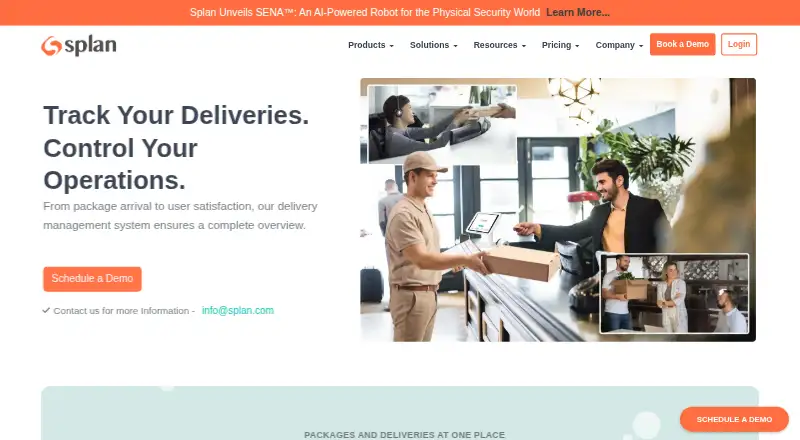
What Splan Delivery Management is
Splan Delivery Management is a package and mailroom system for registering incoming items, alerting employees, and handling outgoing deliveries. Arrival notifications can go by email, SMS, or phone call. Completed deliveries can be recorded with digital proof using a signature or photo. Staff can log failed attempts or unavailable recipients and then reschedule or redirect packages. Access is available through self-service kiosks, the SignInEasy mobile app, and a web portal. A central dashboard gathers package activity, while analytics cover delivery trends and workflow bottlenecks. The Standard plan lists unlimited package delivery, role-based access, Active Directory integration, pre-registration, email notifications, lobby workstation and kiosk check-ins, reports, and dashboards. Its listed pricing is “Book a Demo,” with personalized quotes available through sales. SMS, Teams, Slack, and emergency notifications are named as add-ons; MS Teams and Slack are also listed as package-delivery integration add-ons. Splan supports cloud and on-prem deployments. Its security details state that customer data is encrypted in transit and at rest using TLS and AES-256 and isolated by tenant. The company says it has SOC 2 Type 2 attestation and ISO/IEC 27001 certification.
Good
- Arrival alerts can use email, SMS, or phone calls.
- Proof of delivery can include signatures or photos.
- Staff can reschedule or redirect failed deliveries.
- Access includes kiosks, a mobile app, and a web portal.
- Standard lists unlimited package delivery.
Watch out
- Pricing is listed as “Book a Demo.”
- SMS, Teams, Slack, and emergency notifications are add-ons.
Who it suits
Splan Delivery Management may suit organizations that need to register incoming packages, notify recipients, and coordinate outgoing deliveries. It offers cloud and on-prem deployment options.
Verdict
Splan covers package intake, recipient alerts, delivery exceptions, and outgoing deliveries, with kiosk, mobile, and web access. Organizations should contact sales for a personalized quote and check which notification integrations require add-ons.
Plans and prices
From Splan Delivery Management's own pricing page, checked 4 Oct 2026.
| Plan | Price | What it gives you |
|---|---|---|
| Standard | Priced on request | Unlimited package delivery · Role based access · Active Directory Integration · Pre-registration · Email notifications · Lobby workstation and kiosk check-ins · Reports and dashboards |
The facts
Each one read from Splan Delivery Management's own pages, with the date it was checked.
The company
- Company
- Splan's news page identifies the company as Splan, Inc. and lists Newark, California, as a location.checked 4 Oct 2026
- Founded
- LinkedIn lists Splan as founded in 2013 and headquartered in Newark, California.checked 4 Oct 2026
What it does
- Compliance
- Splan's security page states that it has SOC 2 Type 2 attestation and ISO/IEC 27001 certification.checked 4 Oct 2026
- Dashboard and analytics
- The delivery page describes a centralized dashboard for package activity and analytics for delivery trends and workflow bottlenecks.checked 4 Oct 2026
- Deployment
- Splan's about page says its solutions support both cloud and on-prem deployments.checked 4 Oct 2026
- Exceptions
- The delivery page describes logging failed delivery attempts or unavailable recipients and rescheduling or redirecting packages.checked 4 Oct 2026
- Integrations
- The pricing page lists Active Directory integration in Standard and MS Teams and Slack integrations as add-ons for package delivery.checked 4 Oct 2026
- Notifications
- The delivery page says employees can receive arrival notifications by email, SMS, or phone call.checked 4 Oct 2026
- Pricing
- The pricing page lists Standard as “Book a Demo” and directs organizations to sales for a personalized quote.checked 4 Oct 2026
- Proof of delivery
- The delivery page says digital proof of delivery can use signatures or photos.checked 4 Oct 2026
- Purpose
- Splan describes its Delivery / Mailroom Management software as a way to pre-register packages, notify employees, and manage outgoing deliveries.checked 4 Oct 2026
- Security
- Splan's security page says customer data is encrypted in transit and at rest using TLS and AES-256 and isolated by tenant.checked 4 Oct 2026
Where it runs
- Kiosks and mobile access
- The delivery page lists access through self-service kiosks, the SignInEasy mobile app, and a web portal.checked 4 Oct 2026
- Mobile app
- The Google Play listing says the Splan app includes mailroom package tracking and delivery notifications.checked 4 Oct 2026
Money
- Plan limits and add-ons
- The pricing page lists unlimited package delivery in Standard and names SMS, Teams, Slack, and emergency notification integrations as add-ons.checked 4 Oct 2026
The full review of Splan Delivery Management
Splan Delivery Management is package and mailroom software for organizations coordinating incoming parcels and outgoing deliveries. It is best suited to workplaces with a staffed mailroom that need recipient alerts, handoff records, and a way to manage exceptions. Unlimited package delivery is a practical advantage, but custom pricing and add-on charges make it less straightforward to budget than a self-serve product.
Overview
Splan combines package pre-registration and tracking with recipient notifications and outgoing-delivery management. Staff can record proof of delivery with a signature or photo, and log failed attempts or unavailable recipients for later rescheduling or redirection. That combination is useful when teams need a record of handoffs as well as a process for packages that do not reach the intended recipient on the first attempt.
A centralized dashboard and analytics cover package activity, delivery trends, and workflow bottlenecks. These features give mailroom teams a way to monitor recurring work, though organizations looking for a published price or direct online purchase will need to work through sales.
Key features
- Package intake and tracking: Pre-registration and package tracking help staff match expected deliveries with received parcels. Standard includes unlimited package delivery, which avoids a stated volume ceiling.
- Recipient notifications: Email notifications are included in Standard; SMS is an add-on. The delivery page also describes phone-call alerts, so buyers should confirm which notification options are included in their quote.
- Delivery records and exceptions: Signatures or photos can serve as digital proof of delivery. Failed attempts and unavailable recipients can be logged, with packages rescheduled or redirected rather than left to informal follow-up.
- Access and oversight: Staff can use self-service kiosks, the SignInEasy mobile app, and a web portal. Reports and dashboards are part of Standard; analytics cover trends and workflow bottlenecks.
- Security and deployment: Splan says customer data is encrypted in transit and at rest using TLS and AES-256, and isolated by tenant. It states that it has SOC 2 Type 2 attestation and ISO/IEC 27001 certification. Its solutions support cloud and on-prem deployments, giving organizations a choice about deployment approach.
Pricing
Splan is paid software with custom pricing. Standard is presented as “Book a Demo,” with sales providing a personalized quote; there is no self-serve price to compare against a team’s budget.
| Plan | Price | What it includes |
|---|---|---|
| Standard | Custom pricing | Unlimited package delivery, role-based access, Active Directory integration, pre-registration, email notifications, lobby workstation and kiosk check-ins, reports, and dashboards. |
Unlimited delivery volume and Active Directory integration make Standard a substantial baseline for organizations handling steady package traffic. SMS, Teams, Slack, and emergency notification integrations are add-ons, so the cost of the alerting setup may rise beyond the core quote. Buyers should confirm which notification channels and integrations they need before comparing proposals.
Platforms
Splan lists Android, API, self-hosted, and web support. The SignInEasy mobile app provides package tracking and delivery notifications, while kiosk and web access serve shared mailroom and workplace workflows. Cloud and on-prem deployment support gives IT teams options, but the service is not positioned as an iOS offering in its platform listing.
Who it's for
Splan is a sensible fit for organizations with a dedicated mailroom or front desk that need package tracking, recipient alerts, documented delivery handoffs, and exception handling in one workflow. Its unlimited package allowance suits teams that do not want a stated parcel cap, and Active Directory integration may suit workplaces already managing access centrally. It is a weaker fit for small teams that prioritize transparent prices, a free tier, or an uncomplicated way to buy without a sales conversation.
Pros and cons
Pros
- Unlimited package delivery in Standard: There is no stated package quota to manage as volume grows.
- Handoff and exception records: Signatures or photos, plus logging and rescheduling tools, address both proof of receipt and failed deliveries.
- Multiple access points: Kiosk, mobile, and web access can accommodate staff and recipients working in different parts of a workplace.
- Security and deployment choices: Tenant isolation, encryption, stated security credentials, and cloud or on-prem support may matter to organizations with formal IT requirements.
Cons
- Custom pricing: Buyers must contact sales for a quote rather than assess a published price.
- Key integrations can cost extra: SMS, Teams, Slack, and emergency notification integrations are add-ons, which complicates cost comparison for teams that rely on them.
- Not a free or self-serve option: Organizations wanting to try a free plan or purchase directly should consider another product.
Alternatives
Mailroom Management is the broader category to browse when you want to compare products before choosing a package workflow.
- Parcel Tracker is worth considering when you want a free plan capped at 100 parcels per month, or a published monthly option with unlimited parcels at $87 a month.
- WookiPost may suit residential properties that want a free Starter tier with limits of one building, 250 rooms, 500 residents, and 500 parcels.
- TekTrack offers a published Cloud price of $99 a month and unlimited recipients and users, making it a comparison for buyers who prefer a stated starting price.
- Envoy Deliveries has an Enterprise plan at $250 a month, billed annually, with unlimited deliveries; consider it when those terms align with your needs.
- Smart Lockers Mailroom is another paid mailroom option to compare.
- PakLog is another paid package-tracking alternative.
- Wasp PackageTracker is another paid package-tracking option.
- ConnX Mailroom is another paid mailroom alternative.
Verdict
Choose Splan if your organization needs unlimited package handling, documented deliveries, exception management, and kiosk, mobile, and web access within a security-conscious deployment. Its breadth is a strong match for an established workplace mailroom. Look elsewhere if a published price, free entry tier, or included SMS and collaboration integrations are essential to your decision.
Alternatives to Splan Delivery Management
- 1

EzeScan
Free planWebAPISelf-hostedWindows7.6$500 usage-based - 2
Parcel Tracker
Free planAndroidiOSWeb6.7From $87 a month - 3
TekTrack
AndroidiOSWebWindows6.1From $99 a month - 4
Envoy Deliveries
AndroidiOSWeb5.9From $250 a month - 5
WookiPost
AndroidiOSWeb5.5 - 6
PakLog
AndroidiOSWebWindows5.3