
Lomorage
Lomorage backs up and organizes phone photos and videos on a computer, NAS, or Raspberry Pi controlled by the user.
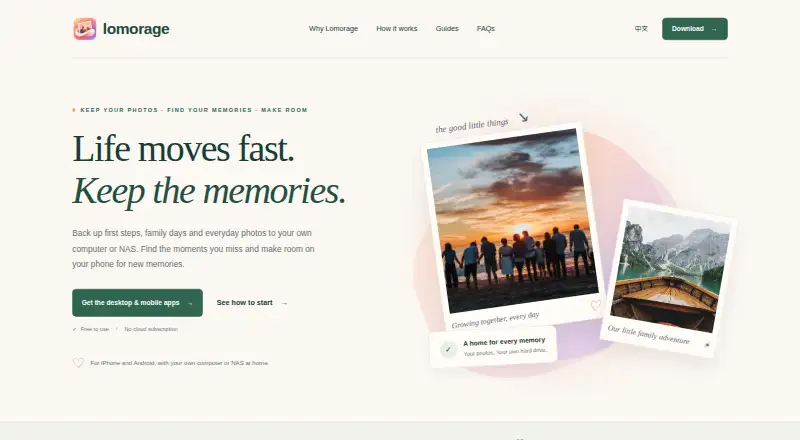
What Lomorage is
Lomorage backs up and organizes phone photos and videos on a computer, NAS, or Raspberry Pi controlled by the user. It keeps files at their original size with EXIF metadata and supports Live Photos. Automatic backup can be restricted to Wi-Fi, charging, nighttime, or selected folders. Image search can look for scenes, people, places, and words inside images, with AI processing available locally on the phone. After files are backed up, Free Up Space can remove large local files; duplicate and similar photos can also be reviewed. Multiple isolated family accounts can be configured, with sharing for moments and groups. Lomorage supports external drives and flash disks, and says it operates on a private network without collecting user privacy data. It is available for Android, iOS, Linux, macOS, Windows, and the web, with self-hosting supported. Remote access can be enabled through a third-party reverse-proxy tunnel or router port mapping. The computer or NAS must be on and reachable for backups, and iOS background backup is restricted by Apple’s background-execution limits. The software is free, but external storage is required.
Good
- Preserves original-size files and EXIF metadata.
- Supports Live Photos.
- Offers automatic backup scheduling options.
- Searches images by scene, person, place, and embedded words.
- Supports multiple isolated family accounts.
Watch out
- External storage is required.
- The host computer or NAS must be powered on and reachable.
- iOS background backup is limited by Apple restrictions.
- Remote access requires a separate tunnel or router configuration.
Who it suits
Lomorage suits people who want to back up phone media to their own computer, NAS, or Raspberry Pi. Family account and sharing features may also suit households managing separate photo libraries.
Verdict
Lomorage provides a self-hosted route for backing up and organizing phone media, with family accounts and local AI image processing. Its backups depend on an available host device, and iOS background execution imposes an additional limit.
Plans and prices
From Lomorage's own pricing page, checked 30 Sep 2026.
| Plan | Price | What it gives you |
|---|---|---|
| Free software | Free | External storage required · no hidden fees · no rate limit · no account-number limitation · Software is free |
The facts
Each one read from Lomorage's own pages, with the date it was checked.
What it does
- Backup limitation
- The computer or NAS must be powered on and reachable for backups, and iOS background backup is limited by Apple’s background-execution restrictions.checked 30 Sep 2026
- Backup modes
- The service supports automatic backups with Wi-Fi-only, charging-only, nighttime and folder-selection options.checked 30 Sep 2026
- Family accounts
- Multiple isolated accounts can be configured for family members, and family members can share moments and groups.checked 30 Sep 2026
- Integrations
- The customized Linux platform can use Transmission, Jellyfin and the enabled Samba share for additional functions and file backup.checked 30 Sep 2026
- Original files
- Photos and videos are stored at their original size with EXIF metadata preserved, and Live Photos are supported.checked 30 Sep 2026
- Phone storage
- Free Up Space can remove large local files after they have been backed up, while duplicate and similar photos can be reviewed.checked 30 Sep 2026
- Privacy
- Lomorage says it runs on a private network and will not collect user privacy data.checked 30 Sep 2026
- Purpose
- Lomorage backs up and manages photos and videos from phones to a user’s own computer, NAS or Raspberry Pi.checked 30 Sep 2026
- Remote access
- Remote access can be enabled through a third-party reverse-proxy tunnel such as ngrok or router port mapping.checked 30 Sep 2026
- Search
- Users can search by scene, person, place and words inside images, with AI processing available locally on the phone.checked 30 Sep 2026
- Storage compatibility
- Lomorage uses external hard drives or flash disks, supports multiple drives through a powered USB hub, and does not require reformatting popular file systems.checked 30 Sep 2026
- Support
- The FAQ directs users who cannot find an answer to contact Lomorage for help.checked 30 Sep 2026
The company
- Maker description
- Lomorage describes its maker as a small team focused on building a private photo cloud based on distributed-web technologies.checked 30 Sep 2026
- Maker listing
- The Android app lists WTAO LLC as the developer at 3456 Charing Cross Ln, San Jose, CA 95132-2007, United States.checked 30 Sep 2026
Where it runs
- Platforms
- The service can run on Windows, macOS, Raspberry Pi, Docker, Armbian, Ubuntu, Synology NAS and Unraid, with iOS, Android and web clients.checked 30 Sep 2026
The full review of Lomorage
Lomorage is a photo and video manager that backs up phone media to a computer, NAS or Raspberry Pi you control. It is best suited to people willing to keep that storage available and maintain it. Its strongest appeal is a no-cost library with local AI search and family accounts; its main compromise is relying on your own host for backups.
Overview
Lomorage keeps photos and videos at their original size, preserves EXIF metadata and supports Live Photos and RAW photos. It combines backup with image search and phone-storage cleanup, making it useful for people who want an archive they manage rather than one tied to a hosted storage plan. The trade-off is operational: the computer or NAS must be powered on and reachable when backups run.
Lomorage says it runs on a private network and does not collect user privacy data. That suits people who prioritize control over where their media lives. Remote access can be enabled through a third-party reverse-proxy tunnel such as ngrok or router port mapping, so access beyond the local network requires additional setup.
Key features
Configurable automatic backup
Backups can be limited to Wi-Fi, charging, nighttime or selected folders. These controls help manage data use and decide what gets copied, but do not make backup independent of the host. iOS users face a further constraint: Apple’s background-execution restrictions limit background backup, which makes Lomorage less suitable for anyone expecting consistently unattended uploads from an iPhone.
Search and phone storage
Search can find images by scene, person, place and words within images, with AI processing available locally on the phone. That combination gives a large personal library more useful ways to find specific images. Free Up Space can remove large local files after backup, while duplicate and similar photos can be reviewed; this helps reclaim phone capacity without treating unbacked files as ready to delete.
Family library and storage choices
Multiple isolated accounts can be configured for family members, who can also share moments and groups. This makes Lomorage a more practical household option than a single-user archive, while retaining separation between accounts. It supports external hard drives and flash disks, multiple drives via a powered USB hub, and popular file systems without reformatting. Its customized Linux platform can also use Transmission, Jellyfin and an enabled Samba share for additional functions and file backup.
Pricing
Free software: free. The software is free, with external storage required, no hidden fees, no rate limit and no account-number limitation. This is a compelling fit for people who already have suitable hardware and want to avoid a recurring software charge. The cost-free plan does not remove the need to supply and maintain storage, and backups still depend on an available host.
Platforms
Lomorage supports Android, iOS, Linux, macOS, Windows, web and self-hosted use. Its multi-platform reach covers the major phone and desktop environments, but platform availability does not eliminate iOS background-backup constraints.
Who it's for
Choose Lomorage if you want to keep original-quality phone photos and videos on storage you control, want local AI-assisted search, or need separate family accounts without an account-number cap. It is also a good match for users comfortable with external drives and keeping a computer or NAS running. Look elsewhere if you need backups to continue when your home host is offline, or if you want remote access without configuring a tunnel or router mapping.
Pros and cons
- Pros: Free software has no rate limit or account-number limitation, and works with external storage without requiring popular file systems to be reformatted.
- Pros: Original-size files, EXIF preservation, Live Photos and RAW support suit people who want to retain their media rather than accept reduced copies.
- Pros: Local AI search, cleanup tools and family accounts combine organization and household sharing in one system.
- Cons: Backups require a powered-on, reachable computer or NAS, so host downtime can interrupt the backup routine.
- Cons: iOS background-execution restrictions limit automatic backup, and remote access takes separate network configuration.
Alternatives
Photo Management Software is the broader category directory for comparing options. Choose Ente Photos if you prefer a freemium service with a 10 GB free plan and a 50 GB family plan for $2.49 a month. jAlbum is another freemium option, with a free plan capped at 24 objects and own-site storage. Amazon Photos offers 5 GB of shared free storage for photos and videos, or unlimited full-resolution photos with its Prime benefit.
Consider Tonfotos if lifetime use of a free license and full paid-version functionality matter, accepting a limit on the number of people in photos. Flickr may suit users who want a public-upload service, with its free plan capped at 1,000 photo and video uploads and shown with ads. Synology Photos is a free option that requires a Synology NAS. Damselfly is a free, open-source, self-hosted alternative. Google Photos is another alternative.
Verdict
Lomorage is a strong choice for households that want free, self-managed photo backups, broad file support and family accounts, and are prepared to keep the destination hardware online. Its best reason to choose it is control over storage without software fees or account limits. Its best reason to look elsewhere is the same self-hosted model: host availability and iOS background restrictions make it less dependable for fully hands-off phone backup.
Alternatives to Lomorage
- 1

Ente Photos
Free planOpen sourceAndroidiOSWebLinux8.6From $2.49 a month - 2
Lychee
Free planOpen sourceAndroidiOSWebAPI8.5Free plan - 3

Google Photos
Free planAndroidiOSWebAPI8.3Free plan - 4

iCloud Backup
Free planAndroidiOSWebAPI8.3From $0.99 a month - 5

Flickr
Free planAndroidiOSWebAPI8.2From $82 a year - 6
Tonfotos
Free planAndroidiOSLinuxmacOS8.0$59 one-time