Docutain
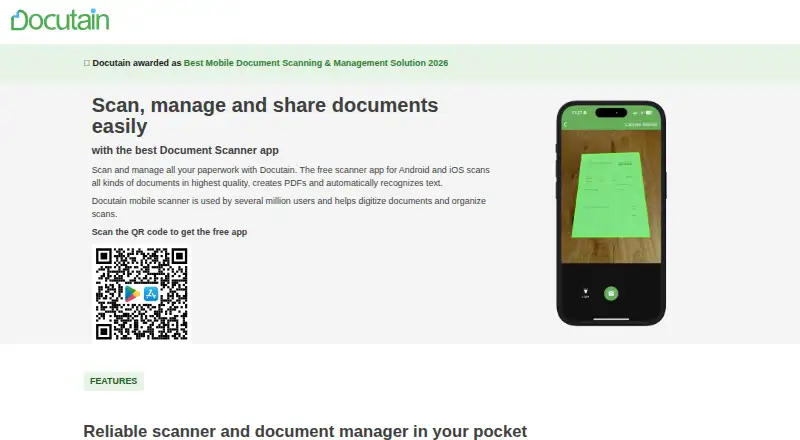
Docutain scans paper documents into searchable PDFs or images, using OCR text recognition and automatic capture.
What Docutain is
Docutain scans paper documents into searchable PDFs or images, using OCR text recognition and automatic capture. The Android and iOS apps allow unlimited scans on the free plan, and a Windows desktop version is also available. Scanning and OCR happen locally on the device. The service says personal data is not passed to third parties and provides encryption and password protection. Users can optionally connect cloud providers and choose where documents are stored, then share scans as PDFs or images by email, local folders, or messenger apps. The Windows version accepts documents from email, folders, and scanners. A desktop license covers up to three devices, while the mobile apps can be used on any number of the user's mobile devices. Docutain also offers an SDK for adding document scanning, barcode scanning, and data extraction to Android, iOS, or Windows apps. Windows desktop and Premium plans include a 14-day free trial, which ends without automatic action.
Good
- Free mobile plan includes unlimited scans and OCR.
- Scanning and OCR take place locally on the device.
- Can export scans as PDFs or images.
- Optional cloud connections let users choose document storage.
- Trial ends without automatic purchase.
Watch out
- Windows desktop license covers up to three devices.
- Windows and Premium trial lasts 14 days.
Who it suits
Docutain suits people who want to scan paper documents into searchable files on mobile or Windows. It may also suit app developers seeking document, barcode, or data extraction capabilities through an SDK.
Verdict
Docutain combines mobile scanning with a Windows desktop option and local OCR processing. Its free mobile plan allows unlimited scans, while Windows and Premium features have paid plans and a limited trial.
Plans and prices
From Docutain's own pricing page, checked 22 Sep 2026.
| Plan | Price | What it gives you |
|---|---|---|
| Docutain Free Android & iOS | Free | Unlimited scans · OCR text recognition · Cloud synchronization · 0 € für immer |
| Docutain Windows annual | €2.08 a month | 3 desktop devices · jährlich abgerechnet |
| Docutain Windows monthly | €3.99 a month | 3 desktop devices · bei monatlicher Abrechnung |
| Docutain Premium annual | €4.17 a month | Windows version · Premium app features · PDF import, reminders and bill payments · jährlich abgerechnet |
| Docutain Premium monthly | €4.99 a month | Windows version · Premium app features · PDF import, reminders and bill payments · bei monatlicher Abrechnung |
| Docutain Free | Free | Android and iOS; unlimited scans, OCR and cloud synchronization; no account or payment required. · Shown as EUR 0 per free on our read (localised); USD price not displayed to our checker |
The facts
Each one read from Docutain's own pages, with the date it was checked.
Where it runs
- Android app
- Yeschecked 22 Sep 2026
- Desktop device limit
- One license covers up to three desktop devices.checked 28 Sep 2026
- Desktop platform
- Docutain offers a Windows desktop version for PC.checked 28 Sep 2026
- iOS app
- Yeschecked 22 Sep 2026
- Mobile device limit
- The Android and iOS app can be used on any number of the user's mobile devices.checked 28 Sep 2026
What it does
- Auto capture
- Yeschecked 22 Sep 2026
- Cloud integrations
- Users can optionally connect common cloud providers and choose where documents are stored.checked 28 Sep 2026
- Compliance and location
- The service is made in Germany, GDPR-compliant and 100% local.checked 28 Sep 2026
- Data sharing
- The page says personal data is not passed to third parties.checked 28 Sep 2026
- Desktop inputs
- The Windows version supports email, folder and scanner inputs.checked 28 Sep 2026
- Local processing
- Scanning and OCR text recognition happen locally on the device.checked 28 Sep 2026
- Multipage PDF
- Yeschecked 22 Sep 2026
- OCR included
- Yeschecked 22 Sep 2026
- Refund policy
- The provided text does not state a refund policy.checked 28 Sep 2026
- SDK integration
- The SDK offers document scanning, barcode scanning and data extraction for Android, iOS or Windows apps.checked 28 Sep 2026
- Searchable PDF
- Yeschecked 22 Sep 2026
- Security controls
- Docutain provides state-of-the-art encryption algorithms and password protection.checked 28 Sep 2026
- Sharing formats
- Scanned documents can be shared as PDFs or images through email, local folders or messenger apps.checked 28 Sep 2026
- Support resources
- Support is provided through help articles and a contact channel.checked 28 Sep 2026
The company
- Founded
- 2018checked 28 Sep 2026
- Headquarters
- Koblenz, Germanychecked 28 Sep 2026
Money
- Free plan
- Yeschecked 22 Sep 2026
- Free scan limit
- The free plan provides unlimited scans.checked 28 Sep 2026
- Trial aftercare
- The trial ends without automatic action, and users actively decide whether to buy a license.checked 28 Sep 2026
The full review of Docutain
Overview
Docutain is a document-scanning app with Android and iOS versions plus a Windows desktop edition. It suits people who want unlimited mobile scans and on-device OCR, especially if they also need to work with documents on a Windows PC. Its strongest distinction is local processing; the trade-off is that Windows use and several document-management features require a paid plan.
Automatic capture, multipage PDFs and searchable PDF output cover the core scanning workflow. Documents can be shared as PDFs or images through email, local folders or messenger apps, while optional cloud connections let users choose where to store them. Scanning and OCR happen on the device, and Docutain says personal data is not passed to third parties; encryption and password protection add security controls. It describes its service as made in Germany, GDPR-compliant and 100% local.
For a broader comparison, see our Mobile Scanning Apps list.
Key features
- Automatic capture and OCR: Automatic capture reduces the need to frame each page manually, while OCR makes scans searchable. Both are useful for frequent paperwork, and OCR processing stays on the device.
- Multipage PDFs and sharing: Combining pages into PDFs suits receipts, forms and longer documents. Sharing as a PDF or image through common apps and local folders keeps handoff flexible.
- Optional cloud storage: Users can connect common cloud providers and choose where documents are stored. That offers a choice of destination rather than requiring one specific cloud workflow.
- Windows inputs: The desktop version accepts documents from email, folders and scanners, giving PC users more than a mobile-only import path.
- SDK: The SDK brings document scanning, barcode scanning and data extraction to Android, iOS or Windows apps, making Docutain relevant to developers as well as individual scanners.
Pricing
The free Android and iOS plan costs €0 forever and includes unlimited scans, OCR text recognition and cloud synchronization; it requires no account or payment. That is a capable starting point for mobile users, rather than a scan-limited sampler. Mobile apps can be used on any number of the user's mobile devices.
Windows-only access costs €2.08 per month billed annually or €3.99 per month billed monthly. Both Windows plans cover up to three desktop devices, so the annual option is the lower-cost fit for regular PC use, while monthly billing avoids an annual commitment at a higher monthly rate.
Premium costs €4.17 per month billed annually or €4.99 per month billed monthly. It includes the Windows version and Premium app features, including PDF import, reminders and bill payments. Choose it over Windows-only if those mobile features matter; otherwise, the Windows plan costs less.
Windows desktop and Premium plans include a 14-day free trial. The trial ends without automatic action, so users decide whether to buy a license. The free plan does not include paid Windows or Premium features.
Platforms
Docutain supports Android, iOS and Windows. The mobile apps permit use on any number of the user's mobile devices; one Windows license covers up to three desktop devices. The separate SDK supports integration into apps for all three platforms.
Who it's for
Docutain is a strong fit for people who scan regularly on a phone, want searchable documents without sending OCR processing off-device, and value a choice of cloud destination. It also suits users who need a Windows companion for scanner, folder or email inputs. It is less compelling for someone who only needs desktop scanning but does not want a recurring plan, or for a mobile user who needs Premium tools such as PDF import and reminders without paying.
Pros and cons
- Pro: Unlimited scans and OCR are included in the free mobile plan, so routine scanning does not hit a scan quota.
- Pro: Local scanning and OCR, encryption, password protection and optional cloud choice support a privacy-conscious workflow.
- Pro: Windows coverage includes email, folder and scanner inputs, and a license spans up to three desktop devices.
- Con: Windows use is paid, even though mobile scanning is free; PC users must budget for a recurring plan.
- Con: PDF import, reminders and bill payments are Premium features, so the free mobile tier does not cover the full document-management toolkit.
Alternatives
Genius Scan is worth considering if a free mobile scanner with unlimited, high-resolution scans and a privacy focus is the priority.
Easy Scanner may suit Android and iOS users looking for a Premium plan with 10 GB of cloud storage and a three-day trial.
Prizmo is an iOS and macOS option for readers who want on-device OCR and watermark-free exports in its Premium Pack, or cloud OCR and handwriting recognition in its Cloud Plan.
Adobe Scan is another Android and iOS option, with an Adobe Acrobat Pro free trial offered alongside the free-to-download app.
TapScanner could fit users who need Android, iOS or web access and can work within a free allowance of three completed tasks a day after sign-in, with per-task file and page caps.
ScanFlow is an iOS and Android alternative whose free tier includes unlimited scans, folders, tags and basic organization.
OnlyScans is another iOS and Android scanning option.
iScanner is available on web, iOS and Android.
Verdict
Choose Docutain if you want unlimited free mobile scanning with on-device OCR and the option to add Windows workflows under a paid license. Its local processing and flexible storage choices are compelling for privacy-conscious document handling; look elsewhere if you need Windows features without a subscription or want Premium document tools at no cost.
Alternatives to Docutain
- 1

Smallpdf
Free planAndroidiOSWebWindows8.9From $10 a month - 2

DocuWare
AndroidiOSWebAPI8.6From £1,060 a month - 3

CamScanner
Free planAndroidiOSWebmacOS8.3From $59.99 a year - 4

Google Photos
Free planAndroidiOSWebAPI8.3Free plan - 5
TapScanner
Free planAndroidiOSWeb8.2From $39.99 a year - 6
Easy Scanner
Free planAndroidiOS8.1From $4.49 a month