
Genius Scan
Genius Scan is a document-scanning app from The Grizzly Labs, a European company headquartered in Paris and founded in 2010.
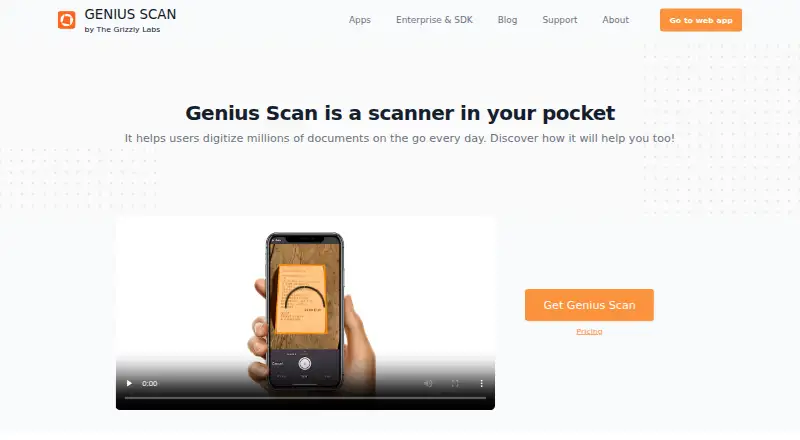
What Genius Scan is
Genius Scan is a document-scanning app from The Grizzly Labs, a European company headquartered in Paris and founded in 2010. It is designed to digitize paperwork on the go through iOS and Android apps, with access also described through a web app. The free Basic plan is fully functional, includes fast high-resolution scanning, and allows unlimited scans with no document-count limit. Documents can be organized with tags, archived, and searched quickly, while multipage PDFs support larger scan jobs. On-device OCR adds searchable, indexable text to PDFs. Scanned files are processed and stored on the phone unless you explicitly export them, and Face ID, Touch ID, or a PIN can help restrict access. Export destinations include Dropbox, Box, Google Drive, Evernote, OneDrive, OneNote, SugarSync, WebDAV, FTP, and others. Automatic export can run in the background and apply routing rules. Genius Cloud provides unlimited cloud storage, backups, syncing, storage savings, and web access. Ultra is listed at $39.99 a year and adds OCR, cloud exports, enhanced security, organization, backups, syncing, storage savings, and web access. Team options include centralized license management and a HIPAA-related BAA.
Good
- Basic plan offers unlimited scans
- High-resolution scanning is included free
- On-device OCR creates searchable PDF text
- Documents stay on the phone unless exported
- Exports support Dropbox, Google Drive, WebDAV, and others
- Face ID, Touch ID, or PIN protection
Watch out
- OCR requires the Ultra plan
- Cloud exports and web access are Ultra features
- Team BAA support is tied to Genius Scan Team
Who it suits
Genius Scan suits individuals who need a mobile scanner with unlimited basic scanning and local document privacy. Ultra fits users who need OCR, cloud exports, backups, syncing, and web access, while team administration supports organizations.
Verdict
Choose Genius Scan for a privacy-focused scanner with a fully functional free tier and unlimited scans. Ultra is the better fit when searchable PDFs, cloud services, backups, syncing, or web access matter. Consider another option if you need those paid capabilities without a subscription.
Plans and prices
From Genius Scan's own pricing page, checked 28 Sep 2026.
| Plan | Price | What it gives you |
|---|---|---|
| Basic | Free | Free, fully functional mobile document scanner with unlimited scans and full privacy. · Unlimited scans · High-resolution scans · Full privacy · billed annually |
| Ultra | $39.99 a year | Includes Basic features plus OCR, cloud exports, enhanced security, organization, backups, syncing, storage savings, and web access. · OCR · Cloud-provider exports · Unlimited cloud backups · Sync across devices · Web access · billed annually |
| For Teams | — | Volume discounts, centralized license management, enforced user settings, and document collaboration. · Everything in Ultra · Centralized license management · Volume discounts · Enforce user settings · From $40 to $20/license/year |
The facts
Each one read from Genius Scan's own pages, with the date it was checked.
Where it runs
- Android app
- Yeschecked 23 Sep 2026
- Device protection
- Face ID, Touch ID, or a PIN code can prevent unauthorized document access.checked 28 Sep 2026
- iOS app
- Yeschecked 23 Sep 2026
- Platform apps
- The page describes Genius Scan as a mobile app and mentions access through a web app.checked 28 Sep 2026
What it does
- Auto capture
- Smart algorithms detect documents, correct perspective, enhance colors, and can snap documents hands-free.checked 28 Sep 2026
- Cloud backup
- Genius Cloud offers unlimited cloud storage, backups, syncing, storage savings, and web access.checked 28 Sep 2026
- Cloud integrations
- Export support includes Dropbox, Box, Google Drive, Evernote, OneDrive, OneNote, SugarSync, WebDAV, FTP, and others.checked 28 Sep 2026
- Document organization
- Users can archive documents, group them with tags, and search for documents quickly.checked 28 Sep 2026
- Export automation
- Auto-export can run in the background, with rules that route documents to different locations.checked 28 Sep 2026
- HIPAA support
- A BAA is available with Genius Scan Team for organizations needing HIPAA-aligned handling.checked 28 Sep 2026
- Mobile scanner
- Genius Scan is a scanner in your pocket that helps users digitize documents on the go.checked 28 Sep 2026
- Multipage PDF
- Users can create multi-page PDFs, add pages, move pages, and merge documents.checked 28 Sep 2026
- OCR included
- Yeschecked 23 Sep 2026
- OCR text layer
- On-device OCR adds a searchable and indexable text layer to PDFs.checked 28 Sep 2026
- Privacy and security
- Documents are processed and stored on the phone unless explicitly exported; privacy references include GDPR and CCPA.checked 28 Sep 2026
- Searchable PDF
- Yeschecked 23 Sep 2026
- Support contact
- The site provides a Support link and invites visitors to ask questions.checked 28 Sep 2026
The company
- Company location
- The Grizzly Labs describes itself as a European-based company where privacy is important.checked 28 Sep 2026
- Founded
- 2010checked 28 Sep 2026
- Headquarters
- Paris, Francechecked 28 Sep 2026
- Team administration
- Teams get centralized license management, consolidated annual billing, and organization-approved payment methods.checked 28 Sep 2026
Money
- Free plan
- Yeschecked 23 Sep 2026
- Free scan limit
- The Basic plan has unlimited scans and no document-count limit.checked 28 Sep 2026
- Free tier
- Basic is free, fully functional, and includes fast high-resolution scanning.checked 28 Sep 2026
The full review of Genius Scan
Genius Scan is a mobile document scanner from Paris-based The Grizzly Labs, with a web app for accessing documents beyond the phone. It suits anyone who wants unlimited, high-resolution scanning without paying first, especially users who keep sensitive paperwork on-device. The compromise is that searchable PDFs, cloud workflows, syncing and web access are reserved for the paid tier.
Overview
Genius Scan turns a phone into a portable scanner for receipts, forms and other paperwork. Its Basic plan is fully functional rather than a restricted demonstration: scans are unlimited, document counts are uncapped and high-resolution capture is included. That makes it a practical choice for frequent scanning when the main requirement is creating digital copies.
The app is less complete as a free document-management system. OCR, cloud exports, backups, synchronization and the broader organization toolkit belong to Ultra, so people building a searchable filing archive will need to budget for the subscription.
Key features
Automatic capture reduces friction when photographing pages, while multipage PDF support handles longer documents without making each page a separate file. Basic is therefore well suited to routine paperwork and occasional large batches alike.
Ultra adds on-device OCR, placing searchable, indexable text into PDFs. This is a meaningful upgrade for invoices, records and reference material, but it is not part of the free tier. Documents are processed and stored on the phone unless explicitly exported, a strong privacy position for personal or confidential papers. Face ID, Touch ID or a PIN can add another barrier to access, and the maker cites GDPR and CCPA in its privacy approach.
Export destinations include Dropbox, Box, Google Drive, Evernote, OneDrive, OneNote, SugarSync, WebDAV, FTP and other services. Ultra also provides Genius Cloud with unlimited storage, backups, syncing across devices, storage savings and web access. Archiving, tags and document search help maintain a growing library, while background auto-export rules can send different documents to different destinations. Those tools justify Ultra for ongoing document administration; a user who only scans and exports manually may not recover the cost.
Genius Scan Team adds centralized license management, consolidated annual billing, organization-approved payment methods, enforced user settings and document collaboration. A BAA is available for organizations requiring HIPAA-aligned handling, making the team offering more relevant to regulated workplaces than the individual plans.
Pricing
| Plan | Price | What it includes |
|---|---|---|
| Basic | Free | Unlimited scans, unlimited documents, high-resolution scanning and full privacy on mobile. |
| Ultra | $39.99 a year, billed annually | Basic plus OCR, cloud-provider exports, unlimited Genius Cloud backups, cross-device sync, storage savings and web access. |
| For Teams | From $40 to $20 per license/year | Ultra features, centralized license management, volume discounts and enforced user settings. |
Basic is the clear value option for capture-only use: its unlimited quota removes the usual free-tier rationing. Ultra is aimed at people who need searchable PDFs or a connected archive, while Teams is priced for organizations and adds administrative control. The team price varies with volume, and no separate trial term is stated.
Platforms
Genius Scan has Android and iOS apps, plus a web app. Mobile is the primary scanning environment; web access is included with Ultra rather than the free Basic experience.
Who it's for
Choose Basic for unlimited, private, high-resolution scanning on a phone. Choose Ultra if OCR, cloud exports, automatic routing, backups, synchronization or browser access are central to your workflow. Teams is the better fit for organizations that need consolidated billing, policy enforcement, collaboration or HIPAA-aligned handling.
Pros and cons
Pros
- Unlimited scans and no document-count cap on the fully functional free Basic plan.
- High-resolution capture, automatic capture and multipage PDFs cover everyday and lengthy paperwork.
- On-device processing and storage by default support a privacy-conscious workflow.
- Ultra combines OCR, broad export support, unlimited cloud backups, syncing and web access.
- Team administration includes centralized licensing and enforced settings.
Cons
- Searchable OCR and most connected document-management features require the annual Ultra subscription.
- Web access, cloud backup and syncing are not part of Basic.
- Organizations must obtain custom pricing rather than a single published team rate.
Alternatives
CamScanner is a better comparison for readers needing broader platform coverage, including Windows and macOS, or a free allowance of up to 10 OCR recognitions.
Zoho Scanner suits users seeking premium workflows such as text export, translation, e-signing and Google Drive backup.
Smallpdf is preferable when a wider PDF toolkit matters; its free trial lasts seven days and its free plan includes 30 tools.
TapScanner is an alternative for task-based limits, offering three completed tasks per day after sign-in with per-task file, size and page caps.
Docutain is worth considering for Android and iOS users who want unlimited scans, OCR and cloud synchronization on its free plan.
vFlat Scan fits users comfortable with monthly quotas, including 10 exported or OCR pages per month on Free.
DocuWare is the alternative for paid document management with cloud plans organized around users and storage.
Easy Scanner is a simpler Android and iOS option with a $4.49 a month Premium plan and a three-day trial.
For a broader shortlist, see Mobile Scanning Apps.
Verdict
Genius Scan is an excellent choice for privacy-minded users who want unlimited, high-resolution mobile scanning at no cost. Its main reason to choose Ultra is the combination of searchable OCR, cloud connectivity and synchronized access; its main reason to look elsewhere is the need for those capabilities without an annual subscription.
Getting started
- Open the Genius Scan website or install the iOS or Android app
- Choose the free Basic plan or Ultra at $39.99 a year
- Scan documents and create multipage PDFs
- Organize files with tags or archive them
- Add OCR and searchable text with Ultra
- Export or automatically route documents to supported services
Limits worth knowing
Basic provides unlimited scans and no document-count limit, but OCR, cloud-provider exports, backups, syncing, storage savings, and web access are included with Ultra. Ultra is listed at $39.99 a year.
Questions
Is there a free plan?
Yes. Basic costs nothing, is fully functional, and includes unlimited scans.
What does Ultra cost?
Ultra is listed at $39.99 a year.
Which devices support Genius Scan?
Genius Scan has iOS and Android apps, and access is also described through a web app.
Does it include OCR?
On-device OCR is included with Ultra and adds searchable, indexable text to PDFs.
Where are documents stored?
Documents are processed and stored on the phone unless you explicitly export them.
Who makes Genius Scan?
The maker is The Grizzly Labs, headquartered in Paris, France, and founded in 2010.
Alternatives to Genius Scan
- 1

Smallpdf
Free planAndroidiOSWebWindows8.9From $10 a month - 2

DocuWare
AndroidiOSWebAPI8.6From £1,060 a month - 3

Docutain
Free planAndroidiOSWindows8.4From €2.08 a month - 4

CamScanner
Free planAndroidiOSWebmacOS8.3From $59.99 a year - 5

Google Photos
Free planAndroidiOSWebAPI8.3Free plan - 6
TapScanner
Free planAndroidiOSWeb8.2From $39.99 a year