
Smallpdf
Smallpdf is a PDF service for editing, converting, compressing, organizing, sharing, protecting, and scanning documents.
What Smallpdf is
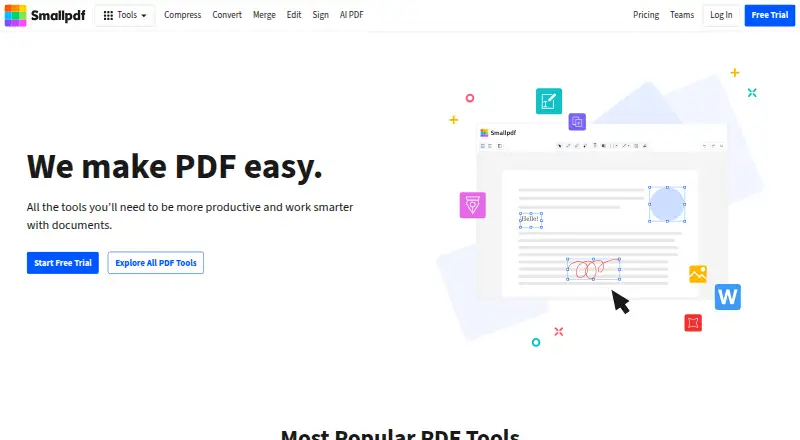
Smallpdf is a PDF service for editing, converting, compressing, organizing, sharing, protecting, and scanning documents. Users can add text, shapes, images, and freehand annotations, create forms, and use OCR. The service supports electronic signatures, including signing, requesting signatures, and tracking documents. Files can be stored, managed, and shared across devices, and its mobile app supports scans, organization, and file sharing. Smallpdf is available on the web, Windows, iOS, and Android, with a Chrome extension also supported. Integrations include Google Workspace and Dropbox. Thirty PDF tools are available for free, and the free trial lasts seven days. Pro costs $12 a month, billed monthly per user. Team costs $10 a month per user and covers 2 to 100 users, with a minimum of two seats. Smallpdf uses 256-bit TLS encryption for information transfer and states that it is ISO/IEC 27001 certified and compliant with GDPR, CCPA, and nFADP. Customer support is available around the clock.
Good
- Thirty PDF tools are available for free.
- Includes OCR and form creation.
- Supports signing, signature requests, and tracking.
- Files can be managed and shared across devices.
- Customer support is available around the clock.
Watch out
- The free trial lasts seven days.
- Team requires at least two seats.
- Pro is listed at $12 a month per user.
Who it suits
Smallpdf suits individuals who need PDF editing, conversion, signing, or scanning tools across devices. Its Team plan is for groups of 2 to 100 users.
Verdict
Smallpdf covers common PDF tasks, from editing and conversion to signatures and scanning, across web and mobile platforms. Consider the seven-day trial and the stated per-user pricing when choosing between individual and team use.
Plans and prices
From Smallpdf's own pricing page, checked 28 Sep 2026.
| Plan | Price | What it gives you |
|---|---|---|
| Free | Free | 30 tools available for free · 30+ tools · 2 Sign.com documents per month · billed monthly |
| Pro | $12 a month | per user · 30+ tools · monthly |
| Team | $10 a month | 2-100 users, per user · 2-19 seats · minimum 2 seats |
| Business | — | 20+ seats |
The facts
Each one read from Smallpdf's own pages, with the date it was checked.
What it does
- Annotation tools
- Yeschecked 20 Sep 2026
- Available tools
- Tools cover compression, conversion, organization, editing, sharing, protection, AI, and scanning.checked 28 Sep 2026
- Business ratings
- Smallpdf is highly rated on Capterra, G2, and TrustPilot.checked 28 Sep 2026
- Customer support
- Customer support is available around the clock.checked 28 Sep 2026
- Document management
- Files can be stored, managed, and shared across devices.checked 28 Sep 2026
- Electronic signatures
- It supports signing, requesting signatures, and tracking documents.checked 28 Sep 2026
- Form creation
- Yeschecked 20 Sep 2026
- Integrations
- Integrations include the Chrome Extension, Google Workspace, and Dropbox App.checked 28 Sep 2026
- OCR
- Yeschecked 20 Sep 2026
- Paid from
- 7checked 20 Sep 2026
- PDF conversion
- It converts PDFs and multiple image and office formats.checked 28 Sep 2026
- PDF editing
- Users can add text, shapes, images, and freehand annotations.checked 28 Sep 2026
- Security compliance
- It is ISO/IEC 27001 certified and GDPR, CCPA, and nFADP compliant.checked 28 Sep 2026
- Text editing
- Yeschecked 20 Sep 2026
- TLS encryption
- Smallpdf uses 256-bit TLS encryption for secure information transfer.checked 28 Sep 2026
Money
- Billing basis
- Pro and Team pricing is shown per user and billed annually.checked 28 Sep 2026
- Free plan
- Yeschecked 20 Sep 2026
- Free tools
- 30 PDF tools are available for free.checked 28 Sep 2026
- Free trial
- The free trial lasts 7 days.checked 28 Sep 2026
The company
- Founded
- 2013checked 28 Sep 2026
- Headquarters
- Zürich, Switzerlandchecked 28 Sep 2026
- Team size
- The Team plan covers 2 to 100 users.checked 28 Sep 2026
Where it runs
- Mobile app
- The mobile app supports PDF scans, document organization, and file sharing.checked 28 Sep 2026
- Supported platforms
- web,windows,ios,android,chrome_extensionchecked 20 Sep 2026
The full review of Smallpdf
Overview
Smallpdf is a PDF toolkit for people who move between editing, converting, signing, and scanning documents. It is strongest for individuals and small teams who want those jobs in one service; its annual per-user plans and limits make it less compelling for occasional users who can stay within the free tools.
Its breadth is practical: beyond editing and conversion, Smallpdf includes OCR, form creation, signatures, file management, and mobile scanning. The trade-off is that regular use beyond the free allowance means choosing a paid plan, and team pricing starts with two seats.
Key features
Editing and document tools
Users can add text, shapes, images, and freehand annotations to PDFs. Alongside text editing and OCR, the toolkit covers conversion, compression, organization, protection, sharing, and AI-related tools. Form creation is also supported, making Smallpdf useful for routine document preparation rather than conversion alone.
Signatures, scanning, and files
Electronic signing includes signing documents, requesting signatures, and tracking them. That combination suits workflows where a PDF needs to move between people, not just be marked up. The mobile app adds scanning, organization, and file sharing, while file storage and management work across devices.
Integrations and security
Integrations include the Chrome Extension, Google Workspace, and Dropbox App, useful for users already handling documents through those services. Smallpdf uses 256-bit TLS encryption for information transfer and is ISO/IEC 27001 certified, with GDPR, CCPA, and nFADP compliance. Customer support is available around the clock.
Pricing
The free plan costs nothing and provides 30+ tools, including 2 Sign.com documents per month. It is a reasonable starting point for occasional PDF jobs, but the monthly signature allowance is a meaningful constraint for anyone handling regular signing work.
Pro costs $12 a month per user when billed monthly and includes 30+ tools. It fits an individual who needs the broader toolkit regularly and prefers monthly billing, though it is not the lowest stated per-user price.
Team costs $10 a month per user, with a minimum of 2 seats and coverage for 2–100 users. The plan details specify 2–19 seats, so teams in that band can use the stated per-user rate; a team needing 20 or more seats should consider Business, which has custom pricing. Pro and Team pricing is shown per user and billed annually, while the plan prices above are monthly-billed amounts; compare the billing terms before choosing. A 7-day free trial gives prospective paid users a short evaluation window.
Platforms
Smallpdf supports web, Windows, iOS, and Android, with a Chrome extension also available. This spread suits people who switch between desktop and mobile, and document management across devices helps keep those workflows connected.
Who it's for
Smallpdf is a strong fit for people who routinely handle several kinds of PDF work and value having editing, OCR, signatures, scanning, and file sharing together. Individuals can start with the free tools, while teams that need shared capacity can consider the two-seat minimum Team plan.
It is a weaker fit for a reader who only needs a narrow scanning or PDF task now and then: the free plan's 2-document monthly signing cap can get in the way, and paid access adds per-user cost. Teams with 20 or more users should weigh custom Business pricing rather than assume the Team rate applies.
Pros and cons
- Pros: A broad toolkit combines editing, conversion, OCR, form creation, signatures, scanning, and file organization, reducing the need to split routine PDF work across services.
- Pros: Web, desktop, and mobile support, plus cross-device file management, suits users who work on documents from more than one device.
- Pros: Signature requests and tracking extend the product beyond solo PDF editing to document handoffs.
- Cons: The free plan allows only 2 Sign.com documents per month, limiting its usefulness for recurring signature workflows.
- Cons: Team requires at least two seats, so a single user cannot use that plan to reach the lower stated per-user monthly price.
- Cons: Business is custom-priced, making the cost less straightforward for teams of 20 or more.
Alternatives
For a dedicated mobile scanning choice, compare Mobile Scanning Apps; for broader PDF editing options, see PDF editors. Readers focused mainly on smaller files can browse PDF Compression Software, while those assembling files should consider PDF Merger Software.
Adobe Scan is a free-to-download option for Android and iOS, with a free trial also offered. Choose it when mobile scanning is the priority rather than a multi-platform PDF toolkit.
Zoho Scanner has a free plan and supports web, macOS, iOS, and Android; its Premium plan includes OCR text export, translation, e-signing, Google Drive backup, and cloud workflow features. It is worth considering when those scanning and cloud-oriented capabilities are the priority.
Genius Scan offers a free, fully functional mobile scanner with unlimited, high-resolution scans. Choose it when unlimited scanning matters more than Smallpdf's broader PDF toolkit.
Scanner Pro is an iOS and macOS freemium option whose Plus plan costs $59.99 a year and adds OCR, full-text search, automatic cloud upload, and watermark-free export. It suits Apple users prioritizing searchable scans and cloud upload.
Docutain offers a free Android and iOS plan with unlimited scans, OCR text recognition, and cloud synchronization, and also supports Windows. It is a sensible alternative when scanning and syncing are the central needs.
CamScanner is a freemium option for iOS, Android, and web.
DocuWare is a paid option with a free trial and broad platform support, including self-hosted use; its Cloud plans include options for 4 users with 20 GB storage and 15 users with 50 GB storage. Consider it when a specified user-and-storage package better matches your needs.
ScanWritr offers a one-day, non-recurring subscription for 14.99 USD, including PDF and PNG export, OCR, searchable PDF export, and eraser tools. It is an option for a one-day document task rather than ongoing access.
Verdict
Smallpdf is a good choice for individuals and small teams who regularly need editing, conversion, OCR, signatures, and scanning in one cross-platform service. Its breadth is the main reason to choose it; look elsewhere if you need only occasional scanning, or if the free plan's monthly signature cap or the paid per-user terms do not suit your workload.
Getting started
- Open the Smallpdf website
- Choose the Free plan or start the seven-day trial
- Use Smallpdf on the web, Windows, iOS, or Android
- Add the Chrome extension if needed
- Connect Google Workspace or Dropbox when required
- Upgrade to Pro or Team for paid features
Limits worth knowing
The Free plan includes 30 tools and two Sign.com documents per month. Team requires a minimum of two seats, while Pro and Team are priced per user.
Questions
Is Smallpdf free?
Yes. A Free plan is available with 30 PDF tools, and a seven-day trial is offered.
How much does Pro cost?
Pro is listed at $12.00 per user per month when billed monthly.
Which platforms does Smallpdf support?
It supports web, Windows, iOS, Android, and a Chrome extension.
Does Smallpdf include OCR and signatures?
Yes. OCR is included, and users can sign, request signatures, and track documents.
What integrations are available?
Integrations include the Chrome Extension, Google Workspace, and Dropbox App.
Who makes Smallpdf?
Smallpdf makes the service. The company is headquartered in Zürich, Switzerland, and was founded in 2013.
Alternatives to Smallpdf
- 1

LightPDF
Free planAndroidiOSWebAPI8.8From $15.99 a year - 2
PDF2Go
Free planAndroidiOSWebAPI8.7$6.42 usage-based - 3
Foxit PDF Editor
AndroidiOSWebmacOS8.5 - 4
WPS PDF Editor
Free planAndroidiOSWebExtension8.5From $3 a year - 5

PDF Candy
Free planAndroidiOSWebLinux8.5From $4 a year - 6

HiPDF
Free planAndroidiOSWebAPI8.5Free plan