Zoho Scanner
Zoho Scanner scans documents and provides tools to edit and organize them.
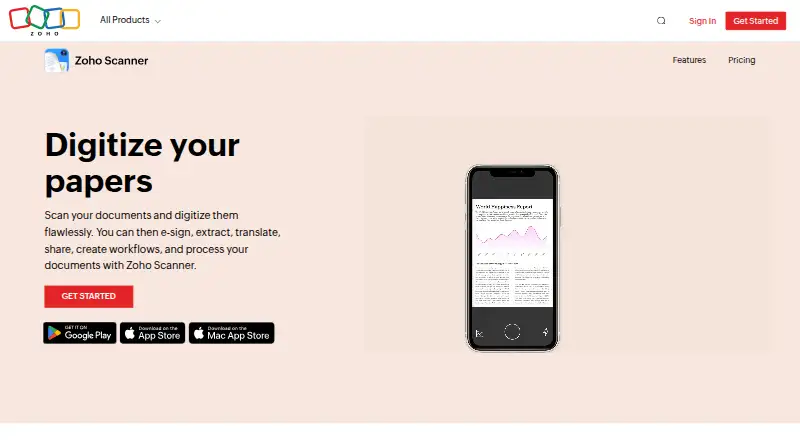
What Zoho Scanner is
Zoho Scanner scans documents and provides tools to edit and organize them. You can crop, rotate, reorder, and edit scanned pages, then use OCR to recognize text in more than 25 languages. Extracted text can be translated into 18 languages; the Premium plan lists OCR text export and translation among its features. Scans can be saved as multipage PDFs and uploaded to Google Drive, Dropbox, OneDrive, Zoho WorkDrive, or Zoho Expense. Folders, tags, reminders, and content-based tag suggestions help organize documents, while workflows can automate tasks. You can add signatures and related details—including initials, names, signing dates, and email addresses—using Zoho Sign. Passcode, Touch ID, or Face ID can lock documents and the app. Zoho Scanner is available on Android, iOS, macOS, and the web. On the web, sign in with a Zoho account to access and manage documents. The Android app can import scanned documents from CamScanner. Zoho Scanner is made by Zoho Scanner, founded in 1996, and has a free plan. Premium adds OCR text export, translation, e-signing, Google Drive backup, unlimited workflows, and automatic cloud uploads.
Good
- Edits include cropping, rotating, and reordering scanned pages.
- OCR recognizes text in more than 25 languages.
- Translations are available into 18 languages.
- Exports to Google Drive, Dropbox, OneDrive, WorkDrive, and Zoho Expense.
- Passcode, Touch ID, and Face ID protection are supported.
Watch out
- Premium price is not provided.
- CamScanner imports are available only in the Android app.
Who it suits
Zoho Scanner suits people who want to scan, edit, and organize documents across mobile, Mac, and web access. It also fits users who need OCR, translation, cloud uploads, or signing tools, with some of those features listed under Premium.
Verdict
Choose Zoho Scanner if you want document scanning with editing, organization, and OCR across Android, iOS, macOS, and web. The free plan includes scans and core organization tools; look elsewhere or compare options if a published Premium price is essential before choosing.
Plans and prices
From Zoho Scanner's own pricing page, checked 11 Oct 2026.
| Plan | Price | What it gives you |
|---|---|---|
| Essential | Free | Unlimited document scans · Folders · Cloud export · Editing and filters · Text recognition in 25+ languages · Translation into 18 languages · Annotations · Tags · Reminders · Document reading · Sync and search |
| Premium | — | All Essential features · 100GB cloud storage · E-sign up to 10 documents · Unlimited workflows · Automatic cloud uploads · year |
The facts
Each one read from Zoho Scanner's own pages, with the date it was checked.
Where it runs
- Android app
- Yeschecked 22 Sep 2026
- iOS app
- Yeschecked 22 Sep 2026
What it does
- CamScanner migration
- Users can import scanned documents from CamScanner, a feature the site says is available only in the Android app.checked 11 Oct 2026
- Cloud integrations
- The product can upload documents to Google Drive, Dropbox, OneDrive, Zoho WorkDrive, and Zoho Expense.checked 11 Oct 2026
- Document editing
- Users can crop, edit, rotate, and reorder pages in scanned documents.checked 11 Oct 2026
- Document security
- Users can lock documents and the app with a passcode or Touch ID or Face ID.checked 11 Oct 2026
- E-signatures
- Users can add a signature from Zoho Sign, along with initials, names, signing dates, and email addresses.checked 11 Oct 2026
- Multipage PDF
- Yeschecked 22 Sep 2026
- OCR included
- Yeschecked 22 Sep 2026
- Organization
- The product supports folders, reminders, tags, and content-based tag suggestions.checked 11 Oct 2026
- Purpose
- Zoho Scanner scans documents and lets users edit and organize the scanned files.checked 11 Oct 2026
- Text recognition
- Text recognition can identify and export text in more than 25 languages.checked 11 Oct 2026
- Translation
- The product can translate extracted text into 18 languages.checked 11 Oct 2026
- Web access
- Zoho Scanner Web lets users access and manage documents from a web browser after signing in with a Zoho account.checked 11 Oct 2026
- Workflows
- Users can create workflows to automate tasks.checked 11 Oct 2026
- Zoho security practices
- Zoho says it logically separates customer service data and scans user files with an automated malware-scanning system.checked 11 Oct 2026
The company
- Company founding
- Zoho's company history timeline includes an entry for 1996.checked 11 Oct 2026
- Founded
- 1996checked 28 Sep 2026
Money
- Free plan
- Yeschecked 22 Sep 2026
The full review of Zoho Scanner
Zoho Scanner is a document-scanning and filing app that combines mobile capture with browser access, OCR, editing and cloud workflows. It is best suited to people building a searchable archive rather than scanning the occasional receipt. The free Essential plan is unusually broad for routine work, while advanced export and automation depend on a Premium subscription with custom pricing.
Overview
Zoho Scanner turns paper pages into multipage PDFs that can be cropped, rotated, edited and reordered. Folders, tags, reminders, sync and search give a substantial collection a structure, and content-based tag suggestions reduce manual filing. Those tools are valuable for household records, study material and small-business paperwork; they are more elaborate than necessary for infrequent one-page scans.
The service spans Android, iOS, macOS and the web. Zoho Scanner Web lets subscribers sign in with a Zoho account to access and manage documents in a browser, so a phone does not have to be the only place where files are handled. Zoho says it logically separates customer-service data and runs automated malware scanning on user files.
Key features
OCR recognizes text in more than 25 languages, making scans searchable and suitable for reuse. Extracted text can be translated into 18 languages, a practical advantage for multilingual paperwork. Premium is required for OCR text export, however, so free users can recognize and work with text without receiving that export option.
Documents can be sent to Google Drive, Dropbox, OneDrive, Zoho WorkDrive and Zoho Expense. Users can also create workflows to automate recurring tasks. Premium adds Google Drive backup, automatic cloud upload and unlimited workflows, making that tier more relevant to people with ongoing intake rather than occasional manual exports.
Signing tools use Zoho Sign and can place a signature, initials, name, signing date and email address on a document. Passcode protection, Touch ID and Face ID can lock the app and its documents. Android users can import existing scans from CamScanner; that migration option is not offered in the iOS app.
Pricing
| Plan | Price | What it includes |
|---|---|---|
| Essential | free | Unlimited document scans, folders, cloud export, editing and filters, recognition in 25+ languages, translation into 18 languages, annotations, tags, reminders, document reading, sync and search. |
| Premium | Custom pricing | OCR text export, translation, e-signing, Google Drive backup, unlimited workflows and automatic upload to cloud storage. |
Essential is the sensible choice for individuals who need unlimited capture and organization without a subscription bill. Premium is aimed at users who must export recognized text, sign within the app or automate cloud-based intake; custom pricing means the cost should be confirmed before committing, especially for teams that need predictable budgeting. The free tier gives up those Premium functions but retains the core scanning and filing workload.
Platforms
Native apps are available for Android and iOS, with macOS and browser access completing the desktop coverage. CamScanner import is limited to Android, which matters when moving an existing archive from that service on an Apple device.
Who it's for
Choose Zoho Scanner for a growing document library, multilingual OCR, multipage records and connections to Zoho or mainstream cloud storage. It also fits users who want reminders, tags and workflow automation alongside scanning. Someone who only captures a few receipts, or who needs a clearly published Premium price, may find the broader system unnecessary or harder to evaluate.
Pros and cons
Pros
- Essential allows unlimited scans while retaining folders, tags, reminders, search and cloud export.
- OCR covers more than 25 languages, with translation into 18 languages.
- Editing, multipage PDFs, signing fields and biometric or passcode locking cover a wide document workflow.
- Android, iOS, macOS and web access support mixed-device use.
Cons
- OCR text export, e-signing, Google Drive backup, auto-upload and unlimited workflows require Premium.
- Premium uses custom pricing, limiting upfront cost comparison.
- CamScanner migration is available only on Android.
Alternatives
CamScanner is the closer migration target, with Android, iOS, macOS, web and Windows support and a free Basic plan limited to 10 OCR recognitions; pick it if that platform range or an explicitly priced Premium subscription suits you.
Smallpdf is better when a broader PDF toolkit is the priority, offering 30 tools free and a seven-day trial, rather than Zoho Scanner's filing-centered approach.
Genius Scan suits readers wanting a fully functional mobile scanner with unlimited scans and full privacy on its free Basic plan.
TapScanner is an option for lighter usage when three completed tasks per day and limits of 25 files, 100 MB and 500 pages per task are acceptable.
Docutain offers unlimited scans, OCR and cloud synchronization on its free Android and iOS plan.
vFlat Scan fits occasional users who can work within monthly export and auto-detect allowances.
DocuWare targets teams needing managed cloud document plans, including four-user and 20 GB or 15-user and 50 GB options.
Easy Scanner is a mobile-only alternative with a $4.49 a month Premium plan and a three-day trial.
See the Mobile Scanning Apps list for more choices.
Verdict
Zoho Scanner is a strong fit for individuals and small teams that want unlimited free scanning plus structured filing, multilingual OCR and cross-device access. Its main reason to choose it is the depth of the Essential plan; its main reason to look elsewhere is Premium's custom pricing and the paywall around text export, signing and advanced automation.
Getting started
- Visit https://www.zoho.com/scanner/.
- Choose the free plan to start.
- Install the Android or iOS app, or use the macOS or web platform.
- For web access, sign in with a Zoho account.
- Use the Android app if importing documents from CamScanner.
Limits worth knowing
The free Essential plan includes unlimited document scans, folders, cloud export, editing and filters, text recognition, translation, annotations, tags, reminders, document reading, sync, and search. OCR text export, e-signing, Google Drive backup, unlimited workflows, and automatic cloud uploads are listed under Premium; its price is not provided.
Questions
Is Zoho Scanner free?
Yes. Its Essential plan is listed as free.
What platforms does it support?
Android, iOS, macOS, and web. The product also has dedicated Android and iOS apps.
Can it recognize and translate scanned text?
OCR can recognize text in more than 25 languages, and translation into 18 languages is available. OCR text export and translation are listed as Premium features.
Where can documents be uploaded?
The listed cloud destinations are Google Drive, Dropbox, OneDrive, Zoho WorkDrive, and Zoho Expense. Premium includes Google Drive backup and automatic uploads to cloud storage.
Does it support document signing?
You can add a signature from Zoho Sign, as well as initials, names, signing dates, and email addresses. E-signing is listed under Premium.
Who makes Zoho Scanner?
The maker is Zoho Scanner, founded in 1996.
Alternatives to Zoho Scanner
- 1

Smallpdf
Free planAndroidiOSWebWindows8.9From $10 a month - 2

DocuWare
AndroidiOSWebAPI8.6From £1,060 a month - 3

Docutain
Free planAndroidiOSWindows8.4From €2.08 a month - 4

CamScanner
Free planAndroidiOSWebmacOS8.3From $59.99 a year - 5

Google Photos
Free planAndroidiOSWebAPI8.3Free plan - 6
TapScanner
Free planAndroidiOSWeb8.2From $39.99 a year