
Grackle GO
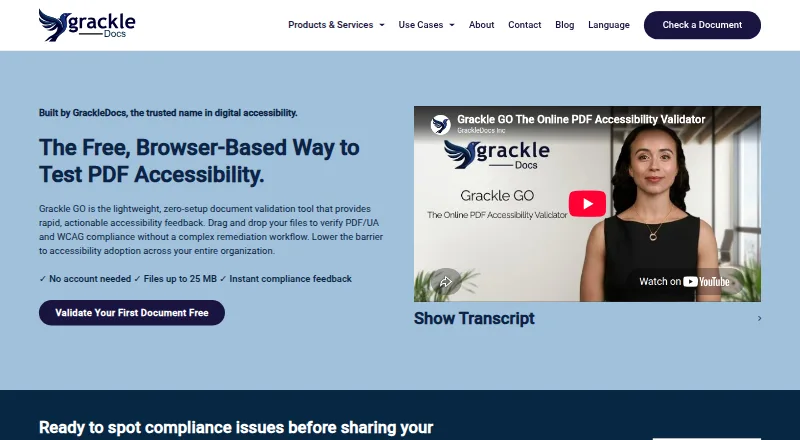
Grackle GO is a PDF accessibility tool built around automated scans and document-focused remediation.
What Grackle GO is
Grackle GO is a PDF accessibility tool built around automated scans and document-focused remediation. It includes PDF tagging, reading order and alternative-text tools, plus remediation guidance. The product supports PDF/UA and OCR, and its stated WCAG coverage is categorized as other standard. It is listed for web, Windows, macOS and Linux, and its maker, Grackle GO, is headquartered in Barrie, Ontario, Canada.
The Free plan costs nothing. It allows files up to 25 MB and, for unauthenticated users, 10 validations per hour. The feature set is focused on automated checks: Grackle GO does not include manual review tools, mobile testing, a browser extension or CI/CD integration. That makes it a focused option for inspecting PDF accessibility and working on document structure, rather than a broader review workflow.
Good
- Automated scans check PDF accessibility.
- Includes tools for PDF tagging and reading order.
- Alternative-text tools and remediation guidance are available.
- Supports PDF/UA and OCR.
- Listed for web, Windows, macOS and Linux.
Watch out
- No manual review tools.
- No mobile testing, browser extension or CI/CD integration.
- Unauthenticated users are limited to 10 validations per hour.
- Files are limited to 25 MB.
Who it suits
Grackle GO suits people who need automated PDF accessibility checks and tools for tagging, reading order, alternative text or remediation. It may also suit teams working across web, Windows, macOS or Linux that need PDF/UA or OCR support.
Verdict
Choose Grackle GO for automated PDF checks with document-oriented remediation tools, including tagging, reading order and alternative text. Look elsewhere if you need manual review, mobile testing, a browser extension or CI/CD integration.
Plans and prices
From Grackle GO's own pricing page, checked 23 Sep 2026.
| Plan | Price | What it gives you |
|---|---|---|
| Free | Free | 25 MB maximum file size · 10 validations per hour for unauthenticated users |
The facts
Each one read from Grackle GO's own pages, with the date it was checked.
What it does
- Automated scans
- Yeschecked 23 Sep 2026
- CI/CD integration
- Nochecked 23 Sep 2026
- Manual review tools
- Nochecked 23 Sep 2026
- Mobile testing
- Nochecked 23 Sep 2026
- WCAG coverage
- other standardchecked 23 Sep 2026
Where it runs
- Browser extension
- Nochecked 23 Sep 2026
Money
- Free plan
- Yeschecked 23 Sep 2026
The company
- Headquarters
- Barrie, Ontario, Canadachecked 28 Sep 2026
The full review of Grackle GO
Grackle GO is a free PDF accessibility service that combines automated validation with tools for correcting document structure and text alternatives. It suits individuals and teams producing accessible PDFs on common desktop platforms, especially when a no-cost workflow is more important than human review or pipeline integration. Its strongest case is focused PDF remediation; its limits matter for broader accessibility programs.
Overview
Grackle GO, made by a company headquartered in Barrie, Ontario, Canada, focuses on accessibility checks for PDF files. Automated scans identify problems, while remediation guidance helps turn findings into corrective work. That combination is more useful than a report-only validator when the person responsible for a document also needs to repair its structure.
The service is deliberately document-focused. It does not provide manual review tools, mobile testing, a browser extension, or CI/CD integration. Those omissions make it less suitable for organizations that require human assessment, device-level testing, in-browser checks, or automated validation in a software delivery pipeline.
Key features
Automated scans provide the first pass over a PDF, with PDF/UA support for workflows targeting that accessibility standard. Remediation guidance gives users direction after a scan instead of leaving them with unexplained failures.
Grackle GO includes dedicated tools for PDF tagging, reading order, and alternative text. These address core structural and content-accessibility tasks: tagging establishes document semantics, reading-order controls help assistive technology follow content logically, and alternative-text tools support non-text content. OCR support extends the workflow to PDFs that need text recognition before accessibility work can be completed.
The feature set is therefore practical for preparing and validating PDFs, but it should not be mistaken for a complete accessibility-testing suite. Without manual review, the automated workflow cannot cover judgment-based assessment on its own.
Pricing
Grackle GO has one published tier: Free at no cost. The plan accepts files up to 25 MB and allows 10 validations per hour for unauthenticated users.
That makes it a sensible choice for occasional document checks, personal projects, and teams evaluating a PDF workflow without budget approval. The 25 MB ceiling can exclude especially large files, while the hourly allowance can interrupt repeated validation during intensive remediation. There is no paid tier in this offering, so organizations needing higher limits or commercial plan options must look elsewhere.
Platforms
Grackle GO supports web, Windows, macOS, and Linux. The combination covers browser use and the major desktop operating systems, making it workable for mixed-device teams. Mobile testing is not included, so these platform options describe where the tool runs rather than a way to evaluate mobile experiences.
Who it's for
Choose Grackle GO if your work centers on making PDFs conform to accessibility requirements and you want automated checks alongside tagging, reading-order, alternative-text, OCR, and remediation guidance. Its free price also fits students, freelancers, small organizations, and teams handling a modest volume of documents.
Look beyond it if accessibility reviews must include manual judgment, mobile behavior, browser-based content, or CI/CD checks. It is also a weak match for high-volume operations constrained by the 25 MB file limit or 10 unauthenticated validations per hour.
Pros and cons
Pros
- Free access: The only published plan costs nothing, removing a subscription barrier for occasional PDF work.
- Remediation in the same workflow: Guidance plus tagging, reading-order, and alternative-text tools supports fixing issues after automated scans.
- PDF-focused coverage: PDF/UA support and OCR address standards and document types relevant to accessible PDF production.
- Broad desktop reach: Web, Windows, macOS, and Linux support accommodate varied working environments.
Cons
- No manual review: Automated results cannot replace a process that requires human assessment.
- Usage constraints: Unauthenticated users are limited to 10 validations per hour, and files cannot exceed 25 MB.
- No workflow integrations: There is no browser extension or CI/CD integration for in-context or pipeline-based checks.
- No mobile testing: The service does not evaluate mobile experiences.
Alternatives
PDF Accessibility Software is the broader category to browse when you want to compare Grackle GO with other PDF-focused products.
Pick PDFix Desktop instead if you want a freemium desktop application with a Desktop Lite plan covering PDF/UA validation, WCAG 2.1 and 2.2 checks, and Section 508 and European Accessibility Act checks across Linux, macOS, and Windows.
veraPDF is the better choice for a free, open-source validator with downloadable releases and development builds, including API support; those builds may contain unfinished or buggy features.
Choose Normfluss for a freemium web or API service whose Free check allows one PDF without an account.
PDFAccessibility.ai fits users seeking a freemium web/API service with unlimited accessibility checks, 10 accessible PDF exports, uploads up to 10 MB, and seven-day file retention on its free plan.
DocAccessible is an alternative for web/API workflows that combine document allowances with monitored PDFs and Exchange cases.
Fruition PDF Accessibility is another freemium web/API option with a free allowance of 10 pages per month and basic structural remediation.
Choose Nutrient DWS Accessibility API when an API or self-hosted deployment and quantified auto-tagging and validation quotas are priorities.
PAVE 2.0 is a free web alternative.
For wider accessibility-testing comparisons, see Accessibility Testing Software.
Verdict
Grackle GO is a strong fit for anyone who needs free, automated PDF accessibility checks with practical document-remediation tools. Its tagging, reading-order, alternative-text, OCR, and PDF/UA support give it more corrective depth than a basic validator. Choose another product when manual review, mobile testing, browser access, CI/CD integration, larger files, or heavier validation volume is central to your workflow.
Getting started
- Open the Grackle GO website.
- Use the web version or choose Windows, macOS or Linux.
- Start with the Free plan at no cost.
- For unauthenticated use, keep files to 25 MB or less and validations to 10 per hour.
Limits worth knowing
The Free plan allows files up to 25 MB. Unauthenticated users can make 10 validations per hour.
Questions
How much does Grackle GO cost?
The Free plan is free.
What platforms does it support?
It is listed for web, Windows, macOS and Linux.
Does it include automated scans?
Yes. Automated scans are included.
Does it support PDF/UA and OCR?
Yes, both PDF/UA and OCR are supported.
Does Grackle GO include manual review tools or mobile testing?
It has no manual review tools or mobile testing.
Who makes Grackle GO?
The maker is Grackle GO, headquartered in Barrie, Ontario, Canada.
Alternatives to Grackle GO
- 1
Axe DevTools
Free planOpen sourceAndroidiOSWebAPI9.4From $40 a month - 2

WAVE
Free planWebAPIExtensionLinux8.4Free plan - 3
Binclusive
AndroidiOSWebAPI8.3From $59 a month - 4

Welcoming Web
Free planAndroidiOSWebAPI8.2From $19 a month - 5

Assistiv Labs
Free planAndroidiOSWebLinux8.2From $19 a month - 6
IBM Equal Access Accessibility Checker
Free planOpen sourceWebAPIExtensionSelf-hosted8.1Free plan