
IBM Equal Access Accessibility Checker
IBM Equal Access Accessibility Checker automates accessibility checks for web pages and applications, with tools for developers and accessibility auditors.
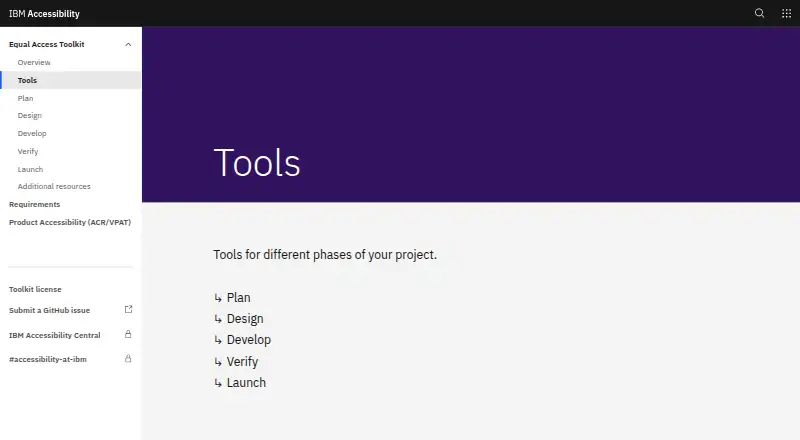
What IBM Equal Access Accessibility Checker is
IBM Equal Access Accessibility Checker automates accessibility checks for web pages and applications, with tools for developers and accessibility auditors. Its rule engine maps checks to accessibility standards, including WCAG 2.2. The scan scope is a page, and results can identify issue types, relevant WCAG success criteria, affected elements, XPath, progression level, and a help link. Browser extensions are available for Chrome, Firefox, and Edge; they work within browser DevTools and include a keyboard checker mode visualization. For automated workflows, packages are available for Node, Cypress, and Java, with a Karma plugin also listed. The project Wiki names Selenium, Puppeteer, Playwright, and Zombie as testing or parsing engines for CI/CD packages. The extension can combine as many as 50 stored scans in a Microsoft Excel report. The tool is free, with a listed price of no cost. IBM cautions that automated checks address only part of its accessibility requirements, so manual and screen reader testing should follow.
Good
- Free plan costs nothing.
- Extensions are available for Chrome, Firefox, and Edge.
- Integrates with Node, Cypress, and Java packages.
- Reports can combine up to 50 stored scans.
- Web data and rules run locally.
Watch out
- Automated checks cover only a subset of requirements.
- Manual and screen reader testing should follow.
Who it suits
It suits web developers and accessibility auditors who need automated page checks or CI/CD integrations. It can also help teams review scan results in browser DevTools.
Verdict
IBM Equal Access Accessibility Checker combines browser-based scans, issue details, and CI/CD options in a free tool. Treat its results as one part of accessibility review, alongside manual and screen reader testing.
Plans and prices
From IBM Equal Access Accessibility Checker's own pricing page, checked 11 Oct 2026.
| Plan | Price | What it gives you |
|---|---|---|
| Free and open source | Free | Browser extensions · CI/CD and automated testing packages |
| Free/open-source toolkit | Free | browser extensions · Node/Cypress automation · accessibility rules engine |
The facts
Each one read from IBM Equal Access Accessibility Checker's own pages, with the date it was checked.
What it does
- API access
- Yeschecked 21 Sep 2026
- Audience
- IBM describes the tools as intended for web developers and accessibility auditors.checked 11 Oct 2026
- Baseline testing
- Results can be compared with baseline files and tests can fail according to configured violation levels.checked 19 Oct 2026
- Build requirement
- Building the repository requires Node version 22.checked 19 Oct 2026
- Chrome usage
- The Chrome listing reports 40,000 users and version 4.0.33.9999 updated September 3, 2026.checked 19 Oct 2026
- CI/CD integration
- Yeschecked 21 Sep 2026
- CI/CD integrations
- Packages are available for Node, Cypress, and Java, and the Wiki also lists a Karma plugin.checked 11 Oct 2026
- Command line
- The command-line utility scans files, directories and URL lists supplied through a text file.checked 19 Oct 2026
- Cypress integration
- A separate Cypress wrapper package is provided.checked 19 Oct 2026
- Developer tools
- The extension integrates into browser DevTools and provides scanning and keyboard checker mode visualization.checked 11 Oct 2026
- Firefox users
- The Firefox listing reports 2,140 users and Apache License 2.0.checked 19 Oct 2026
- Installation
- The Node module installs with npm install --save-dev accessibility-checker and can also be installed globally for the achecker command.checked 19 Oct 2026
- Issue details
- Scan results can include issue type, WCAG success criteria, element, XPath, progression level, and a help link.checked 11 Oct 2026
- Keyboard visualization
- The extension includes a keyboard-checker visualization mode.checked 19 Oct 2026
- Licence
- The source repository is published under Apache-2.0; separate Toolkit copyright content is generally CC BY unless marked otherwise.checked 19 Oct 2026
- Limits
- IBM says automated checks cover only a subset of its accessibility requirements and should be followed by manual and screen reader testing.checked 11 Oct 2026
- Limit: speed
- The same study reported WAVE scanned pages faster than IBM Checker.checked 19 Oct 2026
- Limit: stability
- ExtWise reports occasional rendering errors, Chrome breakage after updates and questions about exported-report calculations.checked 19 Oct 2026
- Limit: technical difficulty
- A Texas accessibility-audit guide classifies IBM Checker as free, focused on technical standards and high difficulty, aimed at developers, QA and auditors.checked 19 Oct 2026
Where it runs
- Browser extension
- The Chrome extension runs inside Developer Tools and helps locate accessibility problems and possible fixes.checked 19 Oct 2026
- Browser tools
- Browser extensions are listed for Chrome, Firefox, and Edge.checked 11 Oct 2026
The company
- Company headquarters and size
- LinkedIn lists IBM headquarters in Armonk, New York, and company size above 10,001 employees.checked 19 Oct 2026
- Maker company
- IBM’s legal name is International Business Machines Corporation, incorporated in New York in 1911 as Computing-Tabulating-Recording Co.checked 19 Oct 2026
Money
- Free plan
- Yeschecked 21 Sep 2026
The full review of IBM Equal Access Accessibility Checker
IBM Equal Access Accessibility Checker is a free tool for finding web accessibility issues in browser scans and automated test workflows. It suits web developers and accessibility auditors who want standards-linked findings close to their work. Its scans are a useful first pass, but full accessibility review still calls for manual and screen reader testing.
Overview
The checker scans individual pages and maps its rules to accessibility standards, including WCAG 2.2. Findings can identify the issue type, affected element and XPath, relevant success criterion, progression level, and a help link. That context helps developers locate issues and understand which requirement they relate to.
The project Wiki says the rules and engine run locally, and web data stays on the device rather than being sent to servers or third parties. This makes the checker a sensible option for teams that want to scan pages without transmitting their web data. The trade-off is coverage: automated checks address only a subset of accessibility requirements, so the checker cannot stand in for manual and screen reader testing.
Key features
- Browser extensions: Extensions for Chrome, Firefox, and Edge integrate with browser DevTools. A keyboard checker mode visualization gives developers and auditors another way to inspect keyboard behavior while working on a page.
- Automated test integration: Packages are available for Node, Cypress, and Java, and the project Wiki also names a Karma plugin. It identifies Selenium, Puppeteer, Playwright, and Zombie as testing or parsing engines for CI/CD packages. This gives development teams several routes to add checks to existing automated workflows.
- Scan reports: The browser extension can combine up to 50 stored scans into a Microsoft Excel report. That can help auditors collect findings across multiple pages, though it does not expand the page-level scan scope.
- Issue context: Results can include issue type, WCAG success criteria, element, XPath, progression level, and a help link. These details make findings more useful for tracking down and addressing specific issues.
- API access: API access provides another way to use the checker alongside browser extensions and CI/CD packages.
Pricing
The Free and open source plan costs nothing and includes browser extensions plus CI/CD and automated testing packages. With no paid tier or free-plan cap described, it is a practical starting point for individual developers and teams that want standards-based checks without a software fee. The main limit is the checker’s partial automated coverage, which makes additional manual and screen reader review necessary.
Platforms
The checker supports API, extension, and web use. Its browser extensions are available for Chrome, Firefox, and Edge, while CI/CD packages cover Node, Cypress, and Java. Local execution of the rules and engine is a useful privacy feature for web teams; users seeking a full-site automated scan should note that the scan scope is a page.
Who it's for
IBM describes the tools as intended for web developers and accessibility auditors. Developers can use browser findings to locate page issues and connect checks to automated test workflows. Auditors can collect scan results and export up to 50 stored scans to Excel. In either role, the tool works best as one layer of review, with manual and screen reader testing used to assess requirements that automation does not cover.
Pros and cons
- Pros: Free access includes both browser extensions and CI/CD packages, so teams can add checks to page work and automated workflows without choosing a paid plan.
- Pros: Standards references and element-level details, including XPath and help links, give developers useful context for investigating findings.
- Pros: The project Wiki says web data remains local and is not sent to servers or third parties.
- Cons: Scans cover individual pages, and automated checks address only a subset of accessibility requirements; they need to be followed by manual and screen reader testing.
- Cons: Support for bugs, questions, and suggestions runs through GitHub issues, which may not suit users looking for another support channel.
Alternatives
WAVE is worth considering if you want a freemium option with API, extension, desktop, and web platforms; its Subscription API costs $10 a month, with a 250 credit minimum purchase.
Alfa is another free option, distributed as separate npm packages under the MIT license, with API, desktop, self-hosted, and web platforms.
Axe DevTools offers a free extension that checks one page at a time and a Pro extension with AI-enhanced features and intelligent guided testing.
Evinced may suit readers seeking a paid product with a trial: its Site Scanner trial runs for 14 days without a credit card and allows up to 50,000 URLs crawled.
axe-core is a free, open-source accessibility testing engine under the MPL-2.0 license, with API, extension, and web platforms.
Gamyata offers a free plan for five pages per month, a document allowance, and email support; its Starter plan includes 100 pages per month and five users.
Scanpoof starts at $29 a month for one website and up to 10 pages scanned daily, with WCAG 2.1 / 2.2 AA testing and email regression alerts.
Welcoming Web offers a free plan with a core accessibility widget and basic features, as well as a Pro plan from $19 a month.
For more options, browse Accessibility Testing Software or Website Accessibility Tools.
Verdict
Choose IBM Equal Access Accessibility Checker if you are a web developer or accessibility auditor looking for a free way to add page scans to browser work and CI/CD workflows, with findings that point to relevant standards and page elements. Look elsewhere if you need more than page-level automated checks; whatever tool you choose, IBM’s checker still requires manual and screen reader testing to cover accessibility requirements automation misses.
Alternatives to IBM Equal Access Accessibility Checker
- 1

Axe DevTools
Free planOpen sourceAndroidiOSWebAPI9.4From $40 a month - 2

WAVE
Free planWebAPIExtensionLinux8.4Free plan - 3
Binclusive
AndroidiOSWebAPI8.3From $59 a month - 4

Welcoming Web
Free planAndroidiOSWebAPI8.2From $19 a month - 5

Assistiv Labs
Free planAndroidiOSWebLinux8.2From $19 a month - 6

Total Validator
Free planWebAPIExtensionLinux8.0$10 one-time