
Evinced
Evinced provides accessibility tools for teams building websites and mobile apps.
What Evinced is
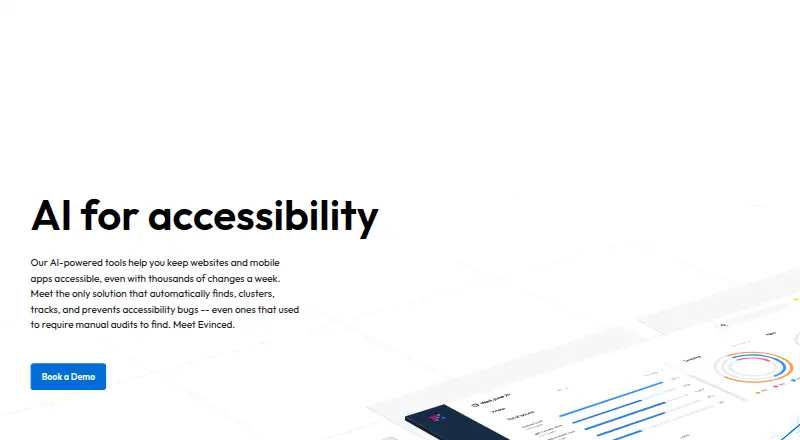
Evinced provides accessibility tools for teams building websites and mobile apps. Its products find, group, track, and help prevent accessibility issues, using rule sets, computer vision, AI, and other algorithms. Web and mobile SDKs work with UI tests and support frameworks including Playwright, Selenium, Cypress, WebdriverIO, XCUITest, Espresso, and Appium. CI integrations include Jenkins and CircleCI, with JSON, JUnit, and CSV output. Site Scanner crawls pages, tracks issues over time, and can scan pages behind login. Web Flow Analyzer follows a user journey and creates a report for the flow; it can also open Jira issues with screenshots and relevant code. Mobile Flow Analyzer analyzes apps on real or virtual devices without SDK installation or code-level access. Other tools include a Figma design checker, chatbot integrations in Slack, Microsoft Teams, and Visual Studio, and MCP tools for compatible AI coding systems. Pricing is on request, and a 14-day Site Scanner trial is listed with no credit card required, up to 50,000 URLs crawled and scanned, and a 1,500-page limit per scan.
Good
- Supports web and mobile accessibility testing.
- Integrates SDK testing with several UI test frameworks.
- Site Scanner can scan pages requiring login.
- Mobile Flow Analyzer needs no app SDK installation.
- Evinced Learn offers free online accessibility courses.
Watch out
- There is no free plan.
- Pricing is available on request.
- Each trial scan is limited to 1,500 pages.
Who it suits
Evinced suits designers, developers, QA teams, and managers working on accessible web or mobile products. Its range of testing and reporting tools can fit teams that want to integrate accessibility checks into design, UI testing, CI, or site scanning.
Verdict
Evinced offers several ways to identify and manage accessibility issues across design, testing, and site scanning. Teams should check the requested pricing and choose a tool based on their platforms and workflow.
Plans and prices
From Evinced's own pricing page, checked 12 Oct 2026.
| Plan | Price | What it gives you |
|---|---|---|
| Site Scanner Free Trial | Free | 14 days · no credit card · up to 50,000 URLs crawled and 50,000 URLs scanned · each scan limited to 1,500 pages · multiple scans across domains and subdomains |
The facts
Each one read from Evinced's own pages, with the date it was checked.
What it does
- AI coding tools
- Evinced MCP Tools work with AI coding systems that support MCP, including GitHub Copilot, Cursor, Claude, and Continue.checked 12 Oct 2026
- API access
- Yeschecked 21 Sep 2026
- Automated testing
- The Test Automation SDKs work with web and mobile apps and support Playwright, Selenium, Cypress, WebdriverIO, XCUITest, Espresso, and Appium.checked 11 Oct 2026
- Chatbot integrations
- Evinced Chatbot is available inside Slack, Microsoft Teams, and Visual Studio.checked 11 Oct 2026
- Chatbot security
- The Chatbot page says each customer instance runs in its own cloud with SOC 2 Type 2 compliant security.checked 11 Oct 2026
- CI/CD integration
- Yeschecked 21 Sep 2026
- CI integrations
- The SDK integrates with CI systems such as Jenkins and CircleCI and supports JSON, JUnit, and CSV output.checked 11 Oct 2026
- Design integration
- Design Assistant is a Figma plugin that checks designs for accessibility and provides developers with implementation guidance and a model unit test.checked 12 Oct 2026
- Enterprise deployment
- For hosted solutions, Evinced describes single-tenant and multi-tenant options on Google Cloud, as well as on-premise options in the customer’s cloud environment.checked 12 Oct 2026
- Integrations
- Web Flow Analyzer integrates with Jira and Azure DevOps to create tickets from reported issues.checked 12 Oct 2026
- Issue detection
- Its UI analysis uses rule sets, computer vision, AI, and other algorithms to identify accessibility issues, including complex problems.checked 12 Oct 2026
- Issue organization
- Evinced clusters repeating code patterns so teams can see how many reported issues map to a smaller set of components.checked 12 Oct 2026
- Issue tracking
- Unique issue IDs let teams compare scans over time to see which issues are new or recurring.checked 12 Oct 2026
- MCP tools
- Evinced MCP Tools work with AI coding systems that support MCP, including Visual Studio, Cursor, Claude, and Continue, and can be deployed in Evinced's cloud or a private cloud environment.checked 11 Oct 2026
- Mobile reporting
- Mobile Flow Analyzer exports filterable issue lists with screenshots in HTML and JSON formats.checked 11 Oct 2026
- Mobile testing
- The mobile SDKs support Appium on Android and iOS, Espresso and UIAutomator on Android, and XCUI on iOS.checked 12 Oct 2026
- Product
- Evinced offers AI-powered tools to find, group, track, and help prevent accessibility issues in websites and mobile apps.checked 11 Oct 2026
- Purpose
- Evinced’s AI-powered tools help teams keep websites and mobile apps accessible by finding, clustering, tracking, and preventing accessibility bugs.checked 12 Oct 2026
Where it runs
- Browser extension
- Web Flow Analyzer is a Chrome extension available for Google Chrome and Microsoft Edge.checked 12 Oct 2026
- Desktop app
- Mobile Flow Analyzer is a desktop application for Windows and macOS that analyzes mobile apps running on real or simulated Android or iOS devices.checked 12 Oct 2026
The company
- Company background
- Evinced’s About page says its team built the company’s accessibility tools after finding existing tools inadequate for building accessible code.checked 12 Oct 2026
- Headquarters
- Palo Alto, California, USAchecked 28 Sep 2026
Money
- Free plan
- Nochecked 21 Sep 2026
- Free training
- Evinced Learn offers online accessibility courses for web developers, mobile developers, and designers at no charge.checked 11 Oct 2026
The full review of Evinced
Evinced is a paid accessibility suite for teams building websites and mobile apps, covering design review, automated testing, user-flow analysis and site scanning. It fits organizations where designers, developers, QA staff and managers share responsibility for accessibility. The broad workflow coverage is its strongest reason to consider it, while custom pricing makes a cost comparison difficult before a sales conversation.
Overview
Evinced uses rule sets, computer vision, AI and other algorithms to identify accessibility problems, including complex issues. It clusters recurring code patterns, showing when many findings trace back to a smaller group of components. That organization can focus remediation on changes with broader impact rather than treating every report as unrelated. Evinced supports WCAG 2.1 and combines web and mobile coverage in one product family.
Key features
Test Automation SDKs connect accessibility checks to web and mobile UI tests. Web frameworks include Playwright, Selenium, Cypress, WebdriverIO and TestCafe; mobile support includes XCUITest, Espresso and Appium. Jenkins and CircleCI integrations fit established continuous-integration pipelines, while JSON, JUnit and CSV output helps feed existing reporting processes. Teams without automated UI tests will have less use for this part of the suite.
Web Flow Analyzer is a Chrome plugin that follows a user journey and creates a single report for that flow. It can create Jira and Azure DevOps tickets, with Jira issues able to include screenshots and relevant code. This is useful when accessibility defects need to move directly into a development queue rather than remain in a test report.
Mobile Flow Analyzer is a Windows and macOS desktop application that tests apps on real or virtual Android and iOS devices without SDK installation or code-level access. It exports filterable issue lists with screenshots in HTML and JSON, making it practical for QA teams that need device-level coverage without modifying the app.
Site Scanner crawls websites, scans pages, tracks issues over time and handles pages requiring login. It can test on-premises development, QA and staging environments from a data center using outbound HTTPS connections only, an important fit for teams that cannot expose internal environments publicly. Design Assistant is a Figma plugin that checks designs, gives implementation guidance and supplies a model unit test.
Evinced Chatbot runs inside Slack, Microsoft Teams and Visual Studio. Each customer instance runs in its own cloud with SOC 2 Type 2 compliant security. MCP Tools connect with MCP-capable coding systems including GitHub Copilot, Visual Studio, Cursor, Claude and Continue, with deployment in Evinced's cloud or a private cloud environment. Hosted deployments offer single-tenant and multi-tenant Google Cloud options, plus on-premises deployment in a customer's cloud.
Evinced Learn provides free online accessibility courses for web developers, mobile developers and designers. That training strengthens adoption, although it does not replace the paid product's testing and tracking capabilities.
Pricing
Evinced uses paid, custom pricing and has no free plan. The Site Scanner Free Trial costs 0.00 USD for 14 days, requires no credit card, allows up to 50,000 URLs crawled and 50,000 URLs scanned, and permits multiple scans across domains and subdomains; each scan is limited to 1,500 pages. Site Scanner and Chatbot trial starts are arranged by contacting Evinced. The cap and short term are enough for an evaluation, but not for ongoing free monitoring.
Platforms
Evinced supports Android, iOS, macOS, Windows, web, APIs, browser extensions and self-hosted deployment. The Chrome-based flow tool, desktop mobile analyzer, API access and CI integrations give teams several ways to fit checks into existing environments.
Who it's for
Choose Evinced when accessibility spans design files, automated web and mobile tests, exploratory journeys, ticketing and site-wide monitoring. It is particularly suited to larger or security-conscious organizations that need private-cloud or on-premises deployment. Smaller teams seeking a permanently free checker, or teams without established test and CI processes, may find the breadth and sales-led pricing disproportionate.
Pros and cons
- Pros: One suite covers Figma designs, web and mobile testing, logged-in site scans and issue tracking.
- Pros: Pattern clustering can reveal when many reported defects originate in shared components.
- Pros: Real-device mobile analysis requires no SDK installation or code-level app access.
- Pros: Private-cloud and on-premises options address restricted environments.
- Cons: There is no free plan, and paid pricing is custom, so budget planning requires contact with Evinced.
- Cons: The free trial lasts 14 days and limits each scan to 1,500 pages.
- Cons: SDK benefits depend on having suitable UI-test and CI pipelines already in place.
Alternatives
Website Accessibility Tools and Accessibility Testing Software are useful starting points for comparing categories. Pick WAVE instead if you want a freemium option with a free plan and browser, API and desktop-platform support. Octopus Scanner (formerly A11y Scanner) suits readers who want free macOS or Windows software with optional contributions. Choose Oobee for an open-source, free scan of a page or whole site. Pa11y is the free, open-source choice for API, self-hosted and desktop environments. IBM Equal Access Accessibility Checker offers free open-source browser extensions and CI/CD packages. Axe DevTools is preferable when a free one-page-at-a-time extension is sufficient, with a paid Pro tier for AI-enhanced features and intelligent guided testing. axe-core is a free, open-source accessibility testing engine under the MPL-2.0 license. Pope Tech provides a free forever tier with 25 pages, two users, one website and one group.
Verdict
Evinced is a strong fit for organizations that need accessibility embedded from Figma through CI, device testing, flow analysis and monitored production sites, especially where private deployment matters. Choose it for that connected, multi-team coverage; look elsewhere if you need transparent pricing, a permanent free tier or a lightweight checker for a small project.
Alternatives to Evinced
- 1

Axe DevTools
Free planOpen sourceAndroidiOSWebAPI9.4From $40 a month - 2

WAVE
Free planWebAPIExtensionLinux8.4Free plan - 3

Binclusive
AndroidiOSWebAPI8.2From $59 a month - 4

Assistiv Labs
Free planAndroidiOSWebLinux8.2From $19 a month - 5

IBM Equal Access Accessibility Checker
Free planOpen sourceWebAPIExtensionSelf-hosted8.1Free plan - 6

A11yInspect
Free planExtensionLinuxmacOSWindows8.0From $120 a year