Oobee
Oobee is a free automated accessibility testing tool powered by GovTech Singapore.
What Oobee is
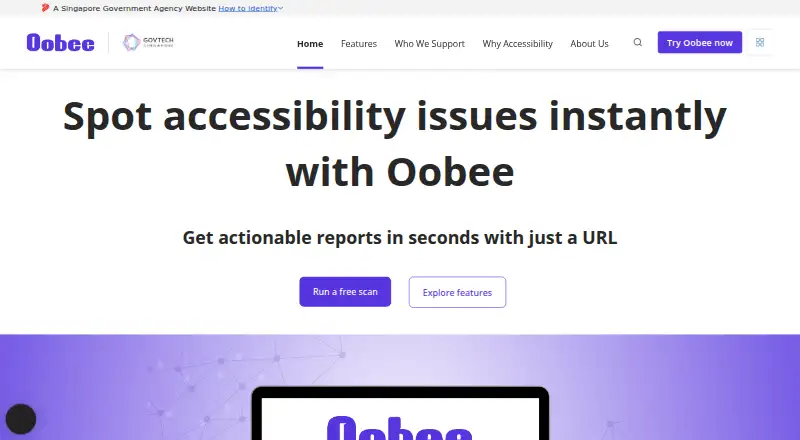
Oobee is a free automated accessibility testing tool powered by GovTech Singapore. It checks websites against WCAG 2.2 and can scan a single page or a whole site from a URL. Reports flag issues by severity and affected elements, then suggest fixes that can include code-level improvements. Checks cover low contrast, unclear form labels, images missing alternative text, unlabeled buttons or links, and missing language tags. Reports can be produced in HTML, PDF, or CSV. Teams can use Oobee through its web interface, API, or desktop application for Windows and macOS, and it can be integrated into CI/CD pipelines. GovTech describes the tool as open source. Its intended audience includes government officers, product owners, developers, designers, content managers, and accessibility consultants. The privacy statement says personal data is shared only with government agencies or authorized entities performing specific government services, and that electronic storage and transmission are secured with appropriate technologies. The homepage reports more than 790,000 pages scanned, more than 11.5 million accessibility issues discovered, and use by 99 government agencies.
Good
- Checks websites against WCAG 2.2.
- Can scan a page or whole site from a URL.
- Reports issues by severity and suggests fixes.
- Exports HTML, PDF, and CSV reports.
- Integrates with CI/CD pipelines.
Watch out
- Scan scope is websites.
- Personal data sharing is limited to government agencies or authorized service entities.
Who it suits
Oobee suits teams and individuals checking website accessibility, including developers, designers, content managers, and accessibility consultants. It also fits organizations that want scans in a CI/CD workflow or reports in common file formats.
Verdict
Oobee combines website scans with issue guidance and multiple report formats. Its web, desktop, API, and pipeline options give teams several ways to use the checks.
Plans and prices
From Oobee's own pricing page, checked 12 Oct 2026.
| Plan | Price | What it gives you |
|---|---|---|
| Free scan | Free | Scan a page or a whole site |
The facts
Each one read from Oobee's own pages, with the date it was checked.
What it does
- API access
- Yeschecked 21 Sep 2026
- Audience
- The site identifies government officers, product owners, developers, designers, content managers, accessibility consultants, and business owners as audiences for Oobee.checked 12 Oct 2026
- CI/CD integration
- Yeschecked 21 Sep 2026
- Common checks
- The maker lists low contrast text, unlabeled form fields, images without alternative text, unlabelled buttons and links, and missing language tags as issues Oobee can help identify.checked 11 Oct 2026
- Common issues
- The features page describes checks for low contrast, unclear form labels, missing image alternative text, unlabeled buttons or links, and missing language tags.checked 12 Oct 2026
- Desktop availability
- The maker’s GitHub repository says Oobee Desktop is available for Windows and macOS.checked 12 Oct 2026
- Fix guidance
- Oobee highlights issues by severity and affected elements and suggests fixes, including code-level improvements.checked 12 Oct 2026
- Issue guidance
- Oobee flags issues by severity and affected elements and suggests fixes.checked 11 Oct 2026
- Open source
- GovTech describes Oobee as an open-source tool.checked 12 Oct 2026
- Pricing
- The maker describes website scans as available at zero cost.checked 11 Oct 2026
- Privacy
- The privacy statement says electronic storage and transmission of personal data are secured with appropriate security technologies.checked 12 Oct 2026
- Privacy sharing
- The privacy statement says personal data is not shared with non-government entities except those authorised to carry out specific government services.checked 12 Oct 2026
- Purpose
- Oobee scans websites for accessibility issues and provides reports to help teams fix them.checked 12 Oct 2026
- Reporting
- The site says Oobee supports HTML, PDF, and CSV report outputs.checked 12 Oct 2026
- Reports
- Oobee supports HTML, PDF, and CSV report outputs.checked 11 Oct 2026
- Scanning
- Users can paste a URL to get an accessibility report, or scan a page or whole site at no cost.checked 12 Oct 2026
- Scan scope
- sitechecked 21 Sep 2026
- Standards
- Oobee maps issues to WCAG and is presented as helping websites meet WCAG and Singapore Government EMP 2030 goals.checked 12 Oct 2026
- Usage
- The homepage reports more than 790,000 pages scanned, more than 11.5 million accessibility issues discovered, and use by 99 government agencies.checked 12 Oct 2026
- WCAG version
- wcag 2.2checked 21 Sep 2026
- Workflow integration
- Oobee supports integration into CI/CD pipelines.checked 11 Oct 2026
- Workflows
- Oobee offers a web interface and integration with teams’ CI/CD pipelines.checked 12 Oct 2026
Money
- Free plan
- Yeschecked 21 Sep 2026
The company
- Maker
- Oobee is powered by GovTech Singapore.checked 11 Oct 2026
The full review of Oobee
Oobee is a free website accessibility scanner powered by GovTech Singapore. It suits teams that need to find and prioritise WCAG issues across a site, with a route from a pasted URL to remediation guidance. Its value is strongest when website checks are the goal; teams assessing native apps will need another tool.
Overview
Oobee checks websites against WCAG 2.2 and can scan either one page or a whole site. Findings are grouped by severity and affected elements, with suggested fixes that can include code-level improvements. That gives developers a useful place to start remediation and helps product owners, designers, content managers, and accessibility consultants decide which issues to tackle first.
The checks cover common barriers: low contrast, unclear form labels, images missing alternative text, unlabeled buttons or links, and missing language tags. This is a practical scope for improving website accessibility, but the scan scope is sites, so it does not cover native mobile app testing.
GovTech describes Oobee as open source. Its homepage reports more than 790,000 pages scanned, over 11.5 million accessibility issues discovered, and use by 99 government agencies. Those figures indicate substantial use in government settings, while the tool's direct appeal remains its free access and website-focused workflow.
Key features
Oobee combines a web interface with API access and CI/CD pipeline integration. Teams can run a scan manually or build checks into their development workflow; that makes it more useful for recurring review than a tool limited to occasional manual scans. Reports can be exported as HTML, PDF, or CSV, giving teams options for sharing results or working with them in different formats.
Issue severity, affected elements, and suggested fixes make reports more actionable than a bare list of rule failures. Still, the findings are a starting point for remediation: teams must interpret them and make the changes to their sites.
Pricing
Oobee's Free scan plan costs nothing and allows users to scan a page or a whole site. The maker describes website scans as available at zero cost, with no paid plan or usage cap stated. That makes it a straightforward fit for public sector teams and other organisations that want website checks without adding a scanning fee.
The free plan's stated scope is website scanning, so it does not replace a broader accessibility testing setup for native apps. Oobee is powered by GovTech Singapore, and its privacy statement says personal data is shared only with government agencies or authorised entities carrying out specific government services; it also says electronic storage and transmission are secured with appropriate security technologies.
Platforms
Oobee is available on the web and as a desktop application for Windows and macOS, with API access for programmatic use. These options support browser-based scans, desktop use, and integration into CI/CD workflows. The platform list does not include mobile operating systems, which reinforces Oobee's focus on websites.
Who it's for
Oobee is a sensible choice for government officers, product owners, developers, designers, content managers, and accessibility consultants responsible for website accessibility. Developers benefit from API and pipeline integration, while teams that need to share scan outcomes can use the HTML, PDF, and CSV reports. It is less suited to organisations whose priority is testing native apps or managing accessibility across a wider range of software.
Pros and cons
- Free page and site scans: Teams can check individual pages or whole websites without a scanning charge.
- Actionable issue guidance: Severity, affected elements, and suggested fixes help teams prioritise and begin remediation.
- Several workflow options: Web, API, and CI/CD support suit both manual scans and recurring development checks.
- Useful report formats: HTML, PDF, and CSV exports give teams flexibility in how they share and handle results.
- Website-only scope: Teams assessing native mobile apps will need a separate tool for that work.
Alternatives
Website Accessibility Tools is a useful starting point for comparing options across the category. Choose WAVE if you want browser extensions or Linux support alongside web and API access; it has a free plan, with its Subscription API starting at $10 a month for a 250-credit minimum purchase. Octopus Scanner (formerly A11y Scanner) is another free option for Windows and macOS desktop use, with optional support payments.
Pa11y is worth considering if you want free open-source tools with self-hosted and Linux support. IBM Equal Access Accessibility Checker offers free open-source browser extensions and CI/CD and automated testing packages. Choose Evinced if you need broader platform coverage, including Android and iOS, and are willing to evaluate a paid product through its 14-day free trial, which allows up to 50,000 URLs crawled.
Axe DevTools has a free extension plan limited to one page at a time, so it fits page-by-page checks. axe-core is a free open-source accessibility testing engine under the MPL-2.0 license. Pope Tech may suit a small team that wants a free tier capped at 25 pages, two users, one website, and one group.
Verdict
Oobee is a strong fit for teams that need free, repeatable website accessibility checks and clear guidance for prioritising fixes. Its page and site scans, CI/CD integration, API access, and report exports make it practical across both manual and development workflows. Look elsewhere if native app testing is central to your work; Oobee's focus is website accessibility.
Getting started
- Open the Oobee website.
- Choose the web interface, or use the desktop application for Windows or macOS.
- Paste a URL to scan a page or a whole site.
- Review findings by severity and affected element, including suggested fixes.
- Export the report as HTML, PDF, or CSV, or integrate Oobee into a CI/CD pipeline.
Questions
How much does Oobee cost?
Website scans are available at zero cost. The listed Free scan plan is free.
What platforms does Oobee support?
Oobee lists API, macOS, web, and Windows. It is also available as a desktop application for Windows and macOS.
What accessibility standard does it check?
Oobee checks websites against WCAG 2.2.
Can it scan an entire website?
Yes. You can provide a URL to scan a page or a whole site.
Can Oobee be integrated into development workflows?
Yes. Oobee supports CI/CD pipeline integration and API access.
Is Oobee open source, and who makes it?
GovTech describes Oobee as open source, and the tool is powered by GovTech Singapore.
Alternatives to Oobee
- 1

Axe DevTools
Free planOpen sourceAndroidiOSWebAPI9.4From $40 a month - 2

WAVE
Free planWebAPIExtensionLinux8.4Free plan - 3

Binclusive
AndroidiOSWebAPI8.2From $59 a month - 4

Assistiv Labs
Free planAndroidiOSWebLinux8.2From $19 a month - 5

IBM Equal Access Accessibility Checker
Free planOpen sourceWebAPIExtensionSelf-hosted8.1Free plan - 6

A11yInspect
Free planExtensionLinuxmacOSWindows8.0From $120 a year