
Teamwork.com
Teamwork.com has plans that set limits for projects, users, storage, and automations.
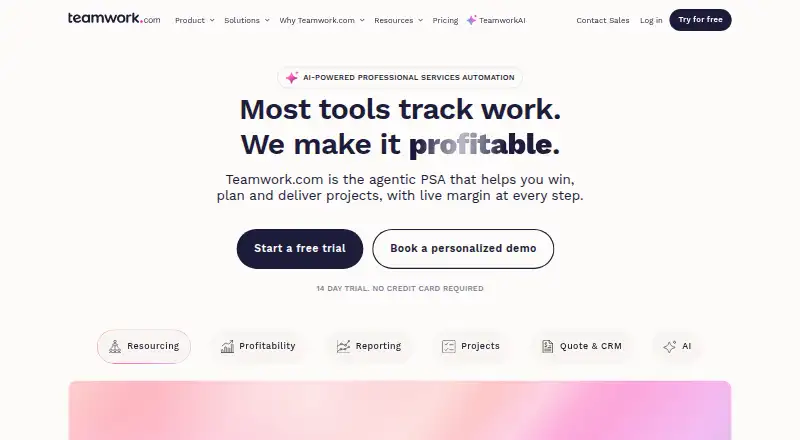
What Teamwork.com is
Teamwork.com has plans that set limits for projects, users, storage, and automations. It is available on the web, Windows, macOS, iOS, and Android. Listed capabilities include automation rules, time tracking, and guest access, and the service has 150 native integrations.
The Free plan costs nothing, billed yearly, and allows five projects, five users, and 100 automations. A 14-day trial is also listed. For teams that need additional capacity, Basics allows 300 projects, 100 GB of storage, and 5,000 automations, with a minimum of three users. Accelerate raises those allowances to 600 projects, 250 GB, and 20,000 automations, with a minimum of five users. Optimize and Enterprise both allow unlimited projects and 100,000 automations; Optimize provides 500 GB of storage, while Enterprise provides 1,000 GB. Prices for the paid plans are not provided here. Teamwork.com, the maker, was founded in 2007 and is headquartered in Cork, Ireland.
Good
- Available on web, Windows, macOS, iOS, and Android.
- Lists automation rules, time tracking, and guest access.
- Offers 150 native integrations.
- Free plan includes five projects and five users.
- Higher tiers include up to 1,000 GB of storage.
Watch out
- Free plan is limited to five projects and five users.
- Basics requires at least three users.
- Accelerate requires at least five users.
Who it suits
Teamwork.com may suit teams that want project work supported across desktop and mobile platforms, with plan tiers that define capacity for projects, users, storage, and automations. Its listed time tracking, guest access, automation rules, and 150 native integrations may also fit teams that need those capabilities.
Verdict
Consider Teamwork.com if you want defined capacity tiers and access across web, desktop, and mobile platforms. The Free plan includes five projects, five users, and 100 automations, while paid tiers raise project, storage, or automation allowances. Look elsewhere if you need confirmed paid-plan pricing before evaluating options.
Plans and prices
From Teamwork.com's own pricing page, checked 15 Oct 2026.
| Plan | Price | What it gives you |
|---|---|---|
| Free | Free | up to 5 projects · maximum 5 users · 100 automations · 100MB storage · US or EU hosting · yearly |
| Basics | $9.99 a month | minimum 3 users · 300 projects · 100GB storage · 5,000 automations · 5 proofs/month · 150 API requests/minute · yearly |
| Accelerate | $24.99 a month | minimum 5 users · 600 projects · 250GB storage · 20,000 automations · unlimited proofs · 150 API requests/minute · yearly |
| Enterprise | Priced on request | unlimited projects · 1TB storage · 100,000 automations · 500 API requests/minute · SSO · dedicated infrastructure and support · yearly |
| Optimize | Priced on request | unlimited projects · 500GB storage · 100,000 automations · 300 API requests/minute · advanced profitability and resource features · yearly |
The facts
Each one read from Teamwork.com's own pages, with the date it was checked.
What it does
- AI features
- TeamworkAI includes project and task wizards, summaries, AI assistants, smart assignment, utilization insights and profitability forecasting.checked 15 Oct 2026
- API authentication
- Integration-partner guidance requires OAuth 2.0 for apps using the public API.checked 15 Oct 2026
- Automation rules
- Yeschecked 20 Sep 2026
- Automations
- Workflow automations and triggers are available, with monthly action limits varying by plan.checked 15 Oct 2026
- Availability and backups
- The security page sets a 99.9% uptime goal and says automatic database snapshots occur every few seconds.checked 15 Oct 2026
- Chrome extension
- The Chrome extension lets users create projects and tasks and log time from any webpage.checked 15 Oct 2026
- Client licenses
- Client users and collaborators do not incur subscription charges, while standard users occupy paid seats; client users can join up to five active projects.checked 15 Oct 2026
- Documentation and support
- Teamwork.com provides a searchable Support Center, developer portal, API documentation, training and email support.checked 15 Oct 2026
- Guest access
- Yeschecked 20 Sep 2026
- Hosting
- The service runs on Amazon Web Services in US and EU regions, with EU hosting available from Dublin data centers.checked 15 Oct 2026
- Integrations
- Teamwork.com advertises more than 150 integrations covering CRM, accounting, storage, productivity, communications and developer tools.checked 15 Oct 2026
- Limit: complexity
- G2 reviewers report a steep learning curve, an overwhelming feature set and navigation that can feel unintuitive.checked 15 Oct 2026
- Limit: mobile experience
- G2 and Google Play reviewers describe the mobile app as less capable than desktop, with missing messaging or workflow functions.checked 15 Oct 2026
- Limit: performance
- G2 reviewers report sluggishness or lag when handling large projects with many tasks or users.checked 15 Oct 2026
- Limit: pricing
- G2 reviewers say pricing can be high for small or expanding teams and that important capabilities are tier restricted.checked 15 Oct 2026
- Limit: support
- A Gartner Peer Insights reviewer said limited customer support made it difficult to learn the product and required administrator help.checked 15 Oct 2026
- Native integrations
- 150checked 20 Sep 2026
The company
- Company facts
- Teamwork.com lists its founders as Peter Coppinger and Daniel Mackey, was founded in 2007 and is headquartered in Cork, Ireland.checked 15 Oct 2026
- Company scale
- A company press release describes five-country operations, 270 employees and more than 20,000 businesses served.checked 15 Oct 2026
- Founded
- 2007checked 28 Sep 2026
- Headquarters
- Cork, Irelandchecked 28 Sep 2026
Money
- Free plan
- Yeschecked 20 Sep 2026
- Free-plan user limit
- 5checked 20 Sep 2026
Where it runs
- Mobile apps
- Official iOS and Android apps support projects, tasks, messages, calendars, milestones, files, time logging and board or list views.checked 15 Oct 2026
The full review of Teamwork.com
Teamwork.com is project management software for teams coordinating projects, time, and outside collaborators. It is best suited to small teams that can start within a defined free-plan cap or larger organizations that need substantially more project and automation capacity. Its tier structure is clear; custom pricing on every paid plan makes the cost harder to assess.
Overview
Teamwork.com combines project management with time tracking, guest access, and automation rules. That mix can suit teams managing client or cross-functional work, particularly when collaborators need access beyond the core group. The free plan provides a bounded way to start, but its five-project and five-user limits make it a poor fit for a growing team that needs room to expand without changing plans.
Paid tiers offer progressively larger project and automation allowances, with storage limits stated for the first four paid plans. The capacity ladder helps teams identify which tier accommodates their workload, but minimum seats apply to the first two paid tiers, and custom pricing makes cost comparisons difficult.
Key features
Project and automation limits
Free includes five projects and 100 automations. That is a defined starting point for a small group, not an open-ended workspace. Basics raises the allowances to 300 projects and 5,000 automations; Accelerate doubles those figures to 600 projects and 20,000 automations. Optimize and Enterprise both allow unlimited projects and 100,000 automations. The bigger quotas suit teams handling a broad portfolio or many automated processes, though the stated limits alone do not show which tier offers the best fit beyond capacity.
Time tracking and guest access
Time tracking and guest access make Teamwork.com relevant to teams that need to account for time and coordinate with external participants. Native integrations number 150, giving teams a substantial set of built-in connections to consider. The available feature details do not describe how those tools work, so buyers should weigh them as part of the product's stated scope rather than assume particular workflows.
Pricing
Teamwork.com uses a freemium model, with a free plan and a 14-day trial. The Free plan costs nothing, billed yearly, and includes five projects, five users, and 100 automations. Its hard caps make it suitable for a small team evaluating the platform or managing a limited workload, but teams that outgrow either the project or user allowance will need to move up.
- Basics: Custom pricing; 300 projects, 100 GB of storage, 5,000 automations, and a minimum of three users. It raises capacity substantially over Free, but the seat minimum may not suit a solo user or a pair.
- Accelerate: Custom pricing; 600 projects, 250 GB of storage, 20,000 automations, and a minimum of five users. Its larger quotas are aimed at bigger teams, while the minimum seat count makes it a less natural step for a small group.
- Optimize: Custom pricing; unlimited projects, 500 GB of storage, and 100,000 automations. It removes the project ceiling and provides more storage than Accelerate.
- Enterprise: Custom pricing; unlimited projects, 1,000 GB of storage, and 100,000 automations. The stated distinction from Optimize is a larger storage allowance.
Paid-plan pricing is custom, so teams cannot compare subscription costs from the plan figures alone. The 14-day trial offers a time-limited way to evaluate the service, but the stated terms do not establish renewal or billing details for paid subscriptions.
Platforms
Teamwork.com supports web, Windows, macOS, iOS, and Android. That breadth suits teams working across desktop and mobile devices rather than a single operating system.
Who it's for
Choose Teamwork.com if your team needs project capacity that can scale across defined tiers, along with time tracking, guest access, and automation. Free is the clearest fit for up to five users handling no more than five projects. Larger teams should compare their expected project, storage, and automation needs against paid-tier limits and account for the user minimums on Basics and Accelerate.
It is less compelling for buyers who need transparent paid pricing to compare options before making contact, or for very small teams that would be pushed above their needs by a paid tier's minimum seats.
Pros and cons
- Pros: Free includes five users, five projects, and 100 automations, giving small teams a concrete no-cost starting point.
- Pros: Higher tiers scale to unlimited projects and up to 1,000 GB of storage, which can accommodate larger portfolios.
- Pros: Time tracking, guest access, and 150 native integrations broaden its usefulness for teams coordinating work across people and tools.
- Cons: Paid plans use custom pricing, making it difficult to judge cost against the expanded quotas before requesting a price.
- Cons: Basics requires at least three users and Accelerate at least five, limiting their fit for smaller groups.
- Cons: Free is capped at five projects and five users, so a team that grows beyond either limit must consider a paid tier.
Alternatives
Pick Avaza if you want a free plan with unlimited project collaborators; its free tier instead limits users for timesheets and expenses, administration, resource scheduling, and team chat. Consider Deltek Maconomy if you need an enterprise ERP for a professional services firm and are comfortable with pricing by demo request.
Syncro Remote Access is a paid alternative with a stated Core Plan price of $129 a month billed annually, or $159 with monthly billing, and per-user pricing with unlimited endpoints. For storage-based billing, Datto Endpoint Backup for Windows uses consumption-based pricing; request a price from Datto.
Scoro is another paid option with a Time-billing plan at $17 a month, shown as €15 $17 £13 $24.5 $24 per user / month. Choose Acumatica Professional Services Edition if you prefer custom pricing based on applications, usage, resource needs, and deployment preferences. Monograph is another paid alternative, and Promys Enterprise PSA is an enterprise PSA option.
Browse Professional Services Automation Software or IT Project Management Software for category comparisons. The Time and Expense Software, AI Project Management Software, Game Project Management Software, and Work Management Software lists provide other category starting points.
Verdict
Teamwork.com is a good fit for teams that want defined capacity tiers, broad platform support, and project work joined by time tracking and guest access. Its free plan gives small teams a measurable place to start, while larger tiers accommodate far more projects and automation. Look elsewhere if confirmed paid-plan pricing is essential to evaluating your options, or if the free caps and paid seat minimums do not match your team.
Getting started
- Visit https://www.teamwork.com/
- Start with the Free plan or consider the listed 14-day trial.
- Use Teamwork.com on the web, Windows, macOS, iOS, or Android.
- Choose a plan based on its project, user, storage, and automation allowances.
Limits worth knowing
The Free plan allows five projects, five users, and 100 automations. Basics has a three-user minimum, while Accelerate has a five-user minimum; higher plans raise project, storage, or automation limits.
Questions
Is Teamwork.com free?
Yes. Its Free plan costs nothing, billed yearly, and includes five projects, five users, and 100 automations.
Is there a trial?
A 14-day trial is listed.
Which platforms does Teamwork.com support?
It is available on web, Windows, macOS, iOS, and Android.
What are the paid plan allowances?
Basics allows 300 projects, 100 GB of storage, and 5,000 automations. Accelerate allows 600 projects, 250 GB, and 20,000 automations. Optimize and Enterprise allow unlimited projects and 100,000 automations, with 500 GB and 1,000 GB of storage respectively.
How many integrations does it list?
Teamwork.com lists 150 native integrations.
Who makes Teamwork.com?
Teamwork.com is the maker. The company was founded in 2007 and is headquartered in Cork, Ireland.