
Datto Endpoint Backup for Windows
Datto Endpoint Backup for Windows is a cloud-based backup and restore service for Windows PCs, servers, virtual machines, and cloud instances.
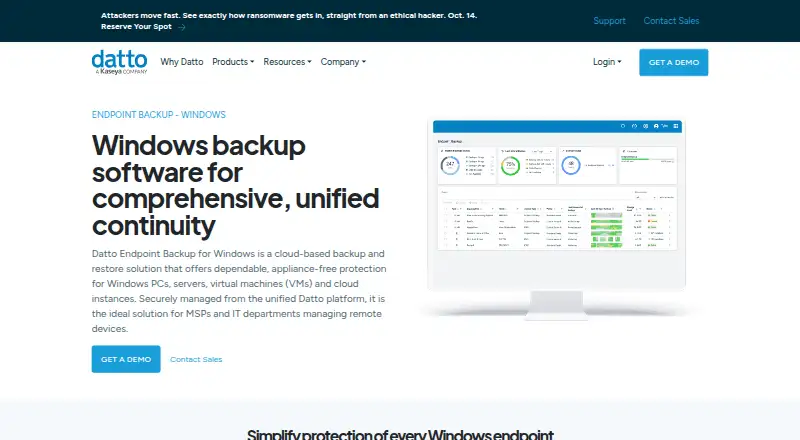
What Datto Endpoint Backup for Windows is
Datto Endpoint Backup for Windows is a cloud-based backup and restore service for Windows PCs, servers, virtual machines, and cloud instances. It sends backups directly to Datto Cloud without an appliance. Administrators can set data selection, schedule, retention, and bandwidth policies; schedules range from once every hour to once every 24 hours, and listed retention choices are 90 days, 1 year, 3 years, or 7 years. Recovery includes files and folders, versions restored to another location or downloaded directly, and bare metal recovery to the same or different hardware. A unified portal provides alerts and remote visibility into backup status, history, storage use, and policy settings for Windows and Mac endpoints. Backups are encrypted in transit and at rest, with optional customer-managed keys; listed protections also include forced MFA, KaseyaOne single sign-on, and immutable Datto Cloud storage. Supported systems include Windows 10 and 11, Windows Server 2012 R2 through 2025, and macOS, though Windows 10/11 Enterprise multi-session is incompatible. Pricing is by request and based on storage used; there is no free plan.
Good
- Backups go directly to Datto Cloud without an appliance.
- Policies control selection, schedule, retention, and bandwidth.
- Supports file recovery and bare-metal recovery.
- Central portal shows status, history, storage, and policies.
- Backups are encrypted in transit and at rest.
Watch out
- No free plan is available.
- Pricing is by request and based on storage used.
- Windows 10/11 Enterprise multi-session is incompatible.
- External, removable, and network drives are unsupported.
Who it suits
Datto describes this product as suited to MSPs and IT departments managing remote devices. It may fit teams that need cloud backup, centralized status visibility, and file or bare-metal recovery.
Verdict
Datto combines cloud backup, configurable policies, several recovery paths, and centralized monitoring for managed endpoints. Check the listed system and drive limitations and request pricing before choosing it.
Plans and prices
From Datto Endpoint Backup for Windows's own pricing page, checked 14 Oct 2026.
| Plan | Price | What it gives you |
|---|---|---|
| Datto Endpoint Backup | Priced on request | Windows PCs and servers · direct-to-cloud storage · subscription required · Contact sales for pricing |
| Usage-based pricing | Priced on request | Storage used · Consumption-based; pay for storage used. Request pricing from Datto. |
The facts
Each one read from Datto Endpoint Backup for Windows's own pages, with the date it was checked.
What it does
- Access security
- The management portal supports forced multifactor authentication and single sign-on through KaseyaOne.checked 14 Oct 2026
- Backup policies
- Policies can control data selection, scheduling, retention, and bandwidth use; schedules can run from once every hour to once every 24 hours, and listed retention options are 90 days, 1 year, 3 years, or 7 years.checked 30 Sep 2026
- Bare-metal recovery
- Bare-metal recovery restores the operating system, data, applications and settings to the same or different hardware.checked 14 Oct 2026
- Centralized portal
- The unified portal shows backup status, history, storage usage and policy configurations for Windows and Mac endpoints.checked 14 Oct 2026
- Central management
- A unified backup portal provides alerts and remote visibility into backup status, history, storage usage, and policy configurations for Windows and Mac endpoints.checked 30 Sep 2026
- Cloud regions
- Customers can choose where backups are stored, and Datto says storing them across multiple available regions provides geo-redundancy.checked 30 Sep 2026
- Cloud virtualization limit
- Datto Endpoint Backup itself does not provide cloud virtualization; that capability belongs to Endpoint Backup with Disaster Recovery.checked 14 Oct 2026
- Compliance
- Datto says its data centers maintain annual SOC 1 and SOC 2 audits.checked 14 Oct 2026
- Deployment
- The product backs up directly to the Datto Cloud without requiring an appliance.checked 30 Sep 2026
- Deployment integrations
- The Windows agent supports mass deployment through RMM, Group Policy and Microsoft Intune.checked 14 Oct 2026
- Differential restore
- Differential restore transfers only changed file blocks to reduce restoration time.checked 14 Oct 2026
- Direct-to-cloud
- Backups go directly to Datto Cloud without a SIRIS, ALTO or NAS appliance.checked 14 Oct 2026
- Documentation depth
- The help center includes system requirements, installation, retention, policy creation, deployment and frequently asked questions.checked 14 Oct 2026
- Enterprise multi-session limit
- Windows 10 and 11 Enterprise multi-session systems are incompatible with this product.checked 14 Oct 2026
- File recovery
- Users can restore individual files, groups of files, folders, folder structures or every version of a file.checked 14 Oct 2026
- Hardware requirements
- The agent requires at least 1 GB of free RAM and 10% free space on each protected volume, subject to a 10 GB file cap.checked 14 Oct 2026
- Immutable storage
- Datto describes its cloud storage as immutable to prevent unwanted alteration or deletion.checked 14 Oct 2026
- Installer automation
- The documentation provides an MSIExec command using a deployment token and optional customer encryption key.checked 14 Oct 2026
The company
- Company
- Datto says it was founded in 2007 and lists its corporate headquarters as Miami, Florida.checked 30 Sep 2026
- Company founding
- Crunchbase states that Austin McChord founded Datto in 2007.checked 14 Oct 2026
- Company headquarters
- Datto lists its headquarters in Norwalk, Connecticut.checked 14 Oct 2026
- Company legal identity
- Crunchbase identifies the legal name as Datto, Inc. and the company as a Kaseya subsidiary.checked 14 Oct 2026
- Founded
- 2007checked 28 Sep 2026
- Headquarters
- Miami, Florida, United Stateschecked 28 Sep 2026
The full review of Datto Endpoint Backup for Windows
Datto Endpoint Backup for Windows is a cloud backup and recovery service for PCs, servers, virtual machines, and cloud instances. Its policy controls and central oversight make it a strong fit for MSPs and IT departments managing remote endpoints. Teams with unsupported drive formats or a need to budget from a published price should look elsewhere.
Overview
Backups go straight to Datto Cloud, avoiding the need to deploy a backup appliance. Administrators can manage Windows and Mac endpoint status from a unified portal, with visibility into backup history, storage use, policy settings, and alerts. That combination favors teams overseeing multiple remote devices rather than individual users seeking a simple personal backup utility.
The product supports multiple recovery paths, including individual files and full-system restoration. Its main trade-offs are compatibility restrictions and consumption-based pricing: storage use determines the bill, so teams need a quote and a clear view of their expected backup footprint before committing.
Key features
Backup policies govern which data is selected, how often jobs run, retention, and bandwidth use. Schedules can run hourly or as infrequently as once every 24 hours. Retention choices are 90 days, 1 year, 3 years, or 7 years. Hourly jobs can provide frequent recovery points, while longer retention supports a deeper history; under storage-based billing, that added history also needs to be weighed against storage consumption.
Recovery includes file and folder restores, file-version restoration to another location or by direct download, and bare metal restore to the same or different hardware. Point-in-time recovery, ransomware recovery, failover and failback orchestration, and test failover extend the options beyond retrieving a deleted document. Bare metal restore is particularly useful when a device must be rebuilt or replaced.
Backups are encrypted in transit and at rest. Optional customer-managed keys, forced MFA, KaseyaOne single sign-on, and immutable Datto Cloud storage provide additional security controls. Customers can choose a storage region, and Datto says backups stored across multiple available regions provide geo-redundancy.
Integrations connect the backup workflow to Autotask PSA for ticketing, Datto RMM and Kaseya VSA for deployment, IT Glue for backup-status syncing, and Compliance Manager GRC for compliance evidence. These connections are most relevant to organizations already using those systems; they are less compelling to teams without that operational stack.
Pricing
Datto uses paid, usage-based pricing: customers pay based on storage used, with custom pricing available by request. There is no free plan. This model ties cost to backup consumption rather than a published flat rate, but organizations cannot compare a set per-seat price without first requesting a quote and estimating their storage needs.
There is one listed Usage-based pricing plan. It is suited to organizations whose storage requirements can be assessed and priced with Datto. No free tier or trial is offered, so there is no no-cost plan for smaller teams to rely on.
Platforms
Supported systems include Windows 10 and 11, Windows Server 2012 R2 through 2025, and macOS. Windows 10/11 Enterprise multi-session is incompatible. Datto Endpoint Backup v2 does not support REFS, Windows deduplication or compression, or backup of external, removable, or network drives. Those restrictions can rule it out for environments that depend on these file systems or storage locations.
The broader workload and operating-system coverage includes Windows Server and Linux, as well as VMware and Hyper-V. The service also lists backup support for Microsoft 365 workloads—Exchange Online, Calendar, Contacts, Tasks, OneDrive, SharePoint, and Teams—and Google Workspace workloads—Gmail, Calendar, Contacts, Drive, and Shared Drives.
Who it's for
Datto is best suited to MSPs and IT departments that manage remote endpoints and want policy-based backups, centralized monitoring, and both file-level and bare metal recovery. Teams that use the listed PSA, RMM, documentation, or compliance products can also make use of its integrations.
It is a weaker fit for buyers who need a published, predictable per-seat price, or for environments relying on unsupported drives, REFS, or Windows deduplication and compression. Those constraints should be checked against the actual endpoint and server estate before choosing the service.
Pros and cons
- Pros: Direct-to-cloud backup needs no appliance, simplifying deployment for remote endpoints.
- Pros: Hourly scheduling, configurable retention, and bandwidth controls give administrators meaningful policy choices.
- Pros: File restores and bare metal recovery cover both small-scale mistakes and full-device recovery.
- Pros: Encryption, immutable storage, optional customer-managed keys, and MFA support layered protection.
- Cons: Custom, storage-based pricing requires a quote and makes costs harder to compare upfront.
- Cons: REFS, Windows deduplication and compression, and external, removable, and network drives are unsupported.
- Cons: Windows 10/11 Enterprise multi-session is incompatible, limiting use in that environment.
Alternatives
For other backup-focused options, compare SaaS Backup Software, Microsoft 365 Backup Software, Disaster Recovery Software, and Email Backup Software. These category lists are useful when the primary requirement is SaaS, Microsoft 365, disaster recovery, or email backup rather than Datto's endpoint-focused combination.
Beyond Software is a paid subscription available on Android, iOS, web, and Windows, with plans that can be adjusted for growth. Deltek Maconomy is a paid enterprise ERP for professional services firms, with pricing by demo request. Scoro has a free trial and a Time-billing plan at $17 a month. Workamajig lists an In-house 10+ plan at $49 a month for 10+ users. Acumatica Professional Services Edition offers custom pricing based on applications, expected usage, resource requirements, and deployment preferences. Infor Learning Management System offers a free trial. Productive starts with an Essential plan at $10 a month, billed monthly, with a three-seat minimum. Total Synergy offers a free trial.
Verdict
Choose Datto Endpoint Backup for Windows if you manage remote endpoints and need direct-to-cloud backups, flexible policies, and recovery options that range from file restoration to bare metal recovery. Its centralized portal and security controls strengthen the case for managed IT environments. Look elsewhere if unsupported drive types or file systems are part of your setup, or if you need clear pricing before engaging with a vendor.
Getting started
- Open the Datto product website
- Request pricing from Datto
- Set data-selection, schedule, retention, and bandwidth policies
- Choose an available cloud storage region
- Connect listed integrations
Limits worth knowing
Supported-system limits exclude Windows 10/11 Enterprise multi-session plus REFS, Windows deduplication or compression, and external, removable, or network drives.
Questions
How is Datto Endpoint Backup priced?
Pricing is available on request.
Which systems can it protect?
Listed support includes Windows 10 and 11, Windows Server 2012 R2 through 2025, and macOS.
Does it offer bare-metal recovery?
Yes. Bare-metal restore can target the same hardware or different hardware.
What security controls are listed?
Backups are encrypted in transit and at rest. Optional customer-managed keys, forced MFA, KaseyaOne single sign-on, and immutable storage are listed.
Can administrators manage multiple endpoints centrally?
Yes. A unified portal provides alerts and remote visibility into status, history, storage use, and policy configuration for Windows and Mac endpoints.
Alternatives to Datto Endpoint Backup for Windows
- 1
UrBackup
Free planOpen sourceAndroidWebAPILinux8.7Free plan - 2

IDrive
Free planAndroidiOSWebLinux8.4From $0.25 a month - 3
NinjaOne
AndroidiOSWebAPI7.9From $1.50 a month - 4

BDRShield Endpoint Backup
Free planWebAPILinuxmacOS7.7From $12 a year - 5
Backblaze for Business
AndroidiOSWebAPI7.6From $99 a year - 6
EaseUS Todo Backup
Free planmacOSSelf-hostedWindows7.5From $39.95 a year